Compare commits
447 Commits
| Author | SHA1 | Date | |
|---|---|---|---|

|
aa719b49bf | ||
|
|
e9a6cd32d8 | ||
|
|
b02c7f3eab | ||
|
|
eb29dfced8 | ||
|
|
f9b01fdc81 | ||
|
|
61a80e270d | ||
|
|
a31c9cb235 | ||
|
|
2587a98848 | ||
|
|
a5cf3a2ba7 | ||
|
|
f59598cf07 | ||
|
|
66eaaaf9bf | ||
|
|
1b19311c2e | ||
|
|
e193eca64d | ||
|
|
df0b511a24 | ||
|
|
a017854a55 | ||
|
|
85f652ad6f | ||
|
|
38cec9bf3f | ||
|
|
a20719b65b | ||
|
|
148360305c | ||
|
|
644fa3975a | ||
|
|
2e4124b903 | ||
|
|
fac0d359f1 | ||
|
|
fe28e4064f | ||
|
|
1734241568 | ||
|
|
e008f63674 | ||
|
|
3af367ca28 | ||
|
|
ea8e178964 | ||
|
|
79ee9db8fe | ||
|
|
3c87c3bc53 | ||
|
|
eec16bdce5 | ||
|
|
1b99f13e5c | ||
|
|
a9968e2247 | ||
|
|
2f11d9b1c2 | ||
|
|
140280ddaa | ||
|
|
fde215f42d | ||
|
|
690c54888e | ||
|
|
c3216c6800 | ||
|
|
da989051db | ||
|
|
52a97dae09 | ||
|
|
cd3fc2b698 | ||
|
|
927fe24415 | ||
|
|
188f37a447 | ||
|
|
1082a93813 | ||
|
|
9a91da12d4 | ||
|
|
075572d415 | ||
|
|
da07c2040b | ||
|
|
172d107e56 | ||
|
|
fae64c0406 | ||
|
|
cfe20ccb0a | ||
|
|
158fabd31e | ||
|
|
69d8649986 | ||
|
|
63eeab0b19 | ||
|
|
1b78cd1316 | ||
|
|
a1907f5dee | ||
|
|
be415051ca | ||
|
|
80c15557d4 | ||
|
|
a587bc60c4 | ||
|
|
c71fad54dc | ||
|
|
4eb76a9099 | ||
|
|
95d8660b3a | ||
|
|
4bd25e62e1 | ||
|
|
da6b105573 | ||
|
|
64022cc08d | ||
|
|
401f7f384a | ||
|
|
e2efb3a483 | ||
|
|
4dc0fd6a6e | ||
|
|
f671ad4518 | ||
|
|
c2cb00fc68 | ||
|
|
7503444e2b | ||
|
|
80ab6ba005 | ||
|
|
2e0073af75 | ||
|
|
3cb0a4b664 | ||
|
|
e9b40ae710 | ||
|
|
408327daec | ||
|
|
7f7424406f | ||
|
|
ccc44414a2 | ||
|
|
06ea48dd01 | ||
|
|
5a6b1ef086 | ||
|
|
aba3d786bc | ||
|
|
7765c1032b | ||
|
|
015f1b0709 | ||
|
|
19b6f8abfa | ||
|
|
80e872aa60 | ||
|
|
cfaf139a6a | ||
|
|
becfba603d | ||
|
|
2b68976e7b | ||
|
|
5369d9d99b | ||
|
|
8b3e1280df | ||
|
|
ce77be324b | ||
|
|
6168e93d4c | ||
|
|
d98118e322 | ||
|
|
f69f107d9d | ||
|
|
f3c3613d26 | ||
|
|
b265675560 | ||
|
|
e0237642c8 | ||
|
|
aedaa2f789 | ||
|
|
8c2f9075a0 | ||
|
|
c9e6861ad4 | ||
|
|
43ec73684e | ||
|
|
bfbb643543 | ||
|
|
067ec31086 | ||
|
|
63221a7cb9 | ||
|
|
7e40d379d8 | ||
|
|
c766c974cf | ||
|
|
7d2804c706 | ||
|
|
2ee9047dd6 | ||
|
|
21c49d6a75 | ||
|
|
351a77043e | ||
|
|
c8bb38f3a9 | ||
|
|
5fb5e43cc7 | ||
|
|
eeb410e985 | ||
|
|
8eaf6ddd9c | ||
|
|
3c54e0ea3f | ||
|
|
d17e8bcd98 | ||
|
|
ef1fc2ae59 | ||
|
|
7d1fb52277 | ||
|
|
95988fca80 | ||
|
|
451040b5b1 | ||
|
|
47cb6b9273 | ||
|
|
69233b1d8a | ||
|
|
b621d9104e | ||
|
|
1f81eec8f1 | ||
|
|
72cbdca556 | ||
|
|
d5127b14a3 | ||
|
|
e2c84d9834 | ||
|
|
c454c93563 | ||
|
|
70b1274425 | ||
|
|
3b26620627 | ||
|
|
eeee941eb3 | ||
|
|
242fa6f210 | ||
|
|
634ef3266c | ||
|
|
a87c301636 | ||
|
|
674d1368bb | ||
|
|
c7495059fd | ||
|
|
dff974144f | ||
|
|
7db0b8a857 | ||
|
|
af7030d536 | ||
|
|
40b2894ed1 | ||
|
|
92728e65fd | ||
|
|
a6daeccb8c | ||
|
|
4eee519e76 | ||
|
|
54e367a13b | ||
|
|
e2e9089d6f | ||
|
|
aa1b1d2c18 | ||
|
|
0cf4a1fae8 | ||
|
|
c8dfc529d6 | ||
|
|
88ec1eddf8 | ||
|
|
a6e9e096ef | ||
|
|
0ee064c191 | ||
|
|
ff0ca400ed | ||
|
|
94d7bb719e | ||
|
|
8622892827 | ||
|
|
af09bcbf0b | ||
|
|
e2732da2db | ||
|
|
3bd6003171 | ||
|
|
a921d0c6fa | ||
|
|
01c8739a8b | ||
|
|
9ce598fbeb | ||
|
|
965d9e0394 | ||
|
|
2b9e277b10 | ||
|
|
5144551b52 | ||
|
|
91ab12dd7f | ||
|
|
fdee2ea898 | ||
|
|
5ebd27da7e | ||
|
|
f6030eec0b | ||
|
|
9403b95067 | ||
|
|
cdd43f5e36 | ||
|
|
cae497b2fe | ||
|
|
c740186232 | ||
|
|
e6263afb59 | ||
|
|
122a07d71b | ||
|
|
a669c455eb | ||
|
|
c983ec2253 | ||
|
|
aec16d84ab | ||
|
|
ba951244d9 | ||
|
|
9d3c7736b8 | ||
|
|
cea4e088cf | ||
|
|
32a4311901 | ||
|
|
ff95b35f24 | ||
|
|
aea9c2cb47 | ||
|
|
7fa0594267 | ||
|
|
5e65505007 | ||
|
|
686e65adcb | ||
|
|
1935375f88 | ||
|
|
069a1bda2f | ||
|
|
661dfa6318 | ||
|
|
d6b78d1d06 | ||
|
|
51f15a03c2 | ||
|
|
ce91307daf | ||
|
|
8fe09d0054 | ||
|
|
e74258acf4 | ||
|
|
28958938fc | ||
|
|
91de389c8f | ||
|
|
6b22c63d28 | ||
|
|
faa4701c43 | ||
|
|
cda2babc66 | ||
|
|
0e83879c64 | ||
|
|
00c295e8d5 | ||
|
|
4be99d5f8a | ||
|
|
febae28095 | ||
|
|
0a77838689 | ||
|
|
cccd4298ad | ||
|
|
bc7afe8b2a | ||
|
|
18de3d59ee | ||
|
|
59d968e7c4 | ||
|
|
afe85ad7f0 | ||
|
|
efb9e5bde6 | ||
|
|
56eba47a6c | ||
|
|
e57cde423c | ||
|
|
de9b643129 | ||
|
|
e430e0aad0 | ||
|
|
61fd4d2f91 | ||
|
|
b72cd83189 | ||
|
|
290292ec94 | ||
|
|
d22865d79b | ||
|
|
5c5b999a09 | ||
|
|
0c0e6bd243 | ||
|
|
dd06489d63 | ||
|
|
41df9d3d88 | ||
|
|
63d56bcac9 | ||
|
|
962b18e8fa | ||
|
|
14e761f438 | ||
|
|
3e416f5c14 | ||
|
|
95d28ee25d | ||
|
|
50071067b7 | ||
|
|
3b7d707262 | ||
|
|
ea95dac426 | ||
|
|
b4d3368680 | ||
|
|
0b5c44cbcf | ||
|
|
b8b16be24b | ||
|
|
14943e3c55 | ||
|
|
91365d50b5 | ||
|
|
82b6c268b0 | ||
|
|
d8c007d2db | ||
|
|
48f1c71584 | ||
|
|
f770642a6a | ||
|
|
963c0a17aa | ||
|
|
20769f66a1 | ||
|
|
86459b7e24 | ||
|
|
89919494e5 | ||
|
|
5f6bdb2e48 | ||
|
|
f614eea435 | ||
|
|
82447a1e7b | ||
|
|
51424abfad | ||
|
|
3caa3be9a3 | ||
|
|
7769a328bb | ||
|
|
425f11d787 | ||
|
|
6df94df594 | ||
|
|
29e2c4d197 | ||
|
|
b63a17b7dd | ||
|
|
abe059917c | ||
|
|
698f1644c3 | ||
|
|
fd03f33c50 | ||
|
|
8f9e7d1b7c | ||
|
|
b3dd1a1a50 | ||
|
|
4acad32a38 | ||
|
|
0f4fca31b9 | ||
|
|
36c984b66c | ||
|
|
d215d0fc2c | ||
|
|
52de4690ab | ||
|
|
ef97a8da24 | ||
|
|
18a7f17a0b | ||
|
|
5a8cf5deb6 | ||
|
|
e4b2a38372 | ||
|
|
94c5d89430 | ||
|
|
8a0e0c7715 | ||
|
|
1ae16f6f38 | ||
|
|
6038556e64 | ||
|
|
329a3de9a6 | ||
|
|
f6e5d0e053 | ||
|
|
364076c25e | ||
|
|
a051e64a91 | ||
|
|
dccda61ab4 | ||
|
|
048f580a56 | ||
|
|
bfb83ced79 | ||
|
|
e2b37445f6 | ||
|
|
c2fb98b0dc | ||
|
|
cf8787a700 | ||
|
|
53b723fa11 | ||
|
|
32cb94f392 | ||
|
|
5550e40270 | ||
|
|
bcecf67c7d | ||
|
|
3b50ff813c | ||
|
|
eba5b35978 | ||
|
|
254738a420 | ||
|
|
bcc801683d | ||
|
|
72c23823b2 | ||
|
|
4e1ce7e417 | ||
|
|
1dd0367417 | ||
|
|
201f24c76e | ||
|
|
9183e92692 | ||
|
|
fa9dbcace4 | ||
|
|
02f0f85c25 | ||
|
|
83ae0579ba | ||
|
|
5ebcacf404 | ||
|
|
28bea518f0 | ||
|
|
61c2e39ddb | ||
|
|
0dfa9617fc | ||
|
|
2ce4f54b80 | ||
|
|
a05556a896 | ||
|
|
985d415db1 | ||
|
|
f4d4bdad3c | ||
|
|
9d47514190 | ||
|
|
4fc34e44b3 | ||
|
|
c33946bde2 | ||
|
|
4466720493 | ||
|
|
1d0e3bfd5c | ||
|
|
83450aef7b | ||
|
|
e2ce998426 | ||
|
|
cf7f161a06 | ||
|
|
d6c1fbe4a2 | ||
|
|
0779dd9096 | ||
|
|
d48f212be4 | ||
|
|
9c52f01204 | ||
|
|
d49b21f881 | ||
|
|
39ee4d53c0 | ||
|
|
6e708bfe95 | ||
|
|
e2b9586b0d | ||
|
|
c418fe9030 | ||
|
|
d619ee7e85 | ||
|
|
bbc18b2d4b | ||
|
|
9778c0d572 | ||
|
|
8087a607fc | ||
|
|
e5b79559bd | ||
|
|
66e6aa7e96 | ||
|
|
def47fe018 | ||
|
|
b382f16ae8 | ||
|
|
171441ddcf | ||
|
|
7a0c40420e | ||
|
|
0f0d9d0ae3 | ||
|
|
6149738e6c | ||
|
|
aa0b03feda | ||
|
|
e0889d51db | ||
|
|
ce1ef2a519 | ||
|
|
77cb0a14c4 | ||
|
|
c254a43f77 | ||
|
|
640d2ca107 | ||
|
|
c186642998 | ||
|
|
47a4f1547e | ||
|
|
1caf3111d3 | ||
|
|
7dcdc4dbb7 | ||
|
|
bfaba14191 | ||
|
|
5640f9d04c | ||
|
|
c6a832b006 | ||
|
|
fe19094395 | ||
|
|
fdd32f441f | ||
|
|
e4565f1f6f | ||
|
|
1404efab26 | ||
|
|
1deb863f40 | ||
|
|
de73efa868 | ||
|
|
59097fc7e1 | ||
|
|
207ce43428 | ||
|
|
d92284ec83 | ||
|
|
d855b08119 | ||
|
|
0deac4ebb2 | ||
|
|
c6fcf21dce | ||
|
|
64ed00c2db | ||
|
|
e165388117 | ||
|
|
806cbd021a | ||
|
|
869071783c | ||
|
|
ae74965548 | ||
|
|
b43d31088c | ||
|
|
4fa1b0ddc7 | ||
|
|
f012064574 | ||
|
|
db26666f97 | ||
|
|
38cf922572 | ||
|
|
dd337be45e | ||
|
|
3670c78789 | ||
|
|
225e774f1e | ||
|
|
0703935bfb | ||
|
|
fd2ac35228 | ||
|
|
f516c09ab3 | ||
|
|
182fe09b64 | ||
|
|
02751c706d | ||
|
|
102231c0e3 | ||
|
|
b9d7619f9b | ||
|
|
4e39096b51 | ||
|
|
662139ca5f | ||
|
|
42febae25e | ||
|
|
395ac9495d | ||
|
|
6cc7d314fe | ||
|
|
ba45c3303e | ||
|
|
1f683d3f78 | ||
|
|
18dff2af5e | ||
|
|
377758758e | ||
|
|
3f2759f967 | ||
|
|
1ee7274bdb | ||
|
|
06baebc60b | ||
|
|
10917c159c | ||
|
|
0251757fc0 | ||
|
|
9136ed9802 | ||
|
|
b3bbe0dbe5 | ||
|
|
16b11e994b | ||
|
|
a5a06c2a9b | ||
|
|
81aead7a68 | ||
|
|
a55a44a54c | ||
|
|
9c0b0b8913 | ||
|
|
7fe0f9a163 | ||
|
|
8e5fcceddb | ||
|
|
19a3c7070a | ||
|
|
343a72f528 | ||
|
|
0b13ca4b11 | ||
|
|
215de06a58 | ||
|
|
80555d945e | ||
|
|
314588283a | ||
|
|
00668755c9 | ||
|
|
d3ef94f175 | ||
|
|
1ac24c236e | ||
|
|
ff363d686f | ||
|
|
9abe11c975 | ||
|
|
14d20cd161 | ||
|
|
2b9b1b026c | ||
|
|
e9a45a002f | ||
|
|
6d996495a3 | ||
|
|
473f04ddc5 | ||
|
|
95db85f791 | ||
|
|
5059b93cd7 | ||
|
|
380e1e73a6 | ||
|
|
ad37371492 | ||
|
|
1bfd8bddcc | ||
|
|
6ad31edef1 | ||
|
|
c1009c3d7c | ||
|
|
885108df7e | ||
|
|
b21bc35443 | ||
|
|
e2d539048d | ||
|
|
588008612d | ||
|
|
859a733740 | ||
|
|
3bb1881254 | ||
|
|
8b37420eec | ||
|
|
af7528a60b | ||
|
|
0c6b2adb91 | ||
|
|
0635145896 | ||
|
|
2d751f4e8c | ||
|
|
9b9d0c58f5 | ||
|
|
531cb4c63c | ||
|
|
42bda0dc47 | ||
|
|
3414a3eee1 | ||
|
|
a4302742b3 | ||
|
|
2a0d121cf0 | ||
|
|
a397f20ac6 | ||
|
|
bddf57bcee | ||
|
|
2b3f1a811d | ||
|
|
2af864f7ab | ||
|
|
2b8592a50a | ||
|
|
aad0356c28 | ||
|
|
01515db90f | ||
|
|
2ba5572b6c |
128
.github/CODE_OF_CONDUCT.md
vendored
Normal file
@@ -0,0 +1,128 @@
|
||||
# Contributor Covenant Code of Conduct
|
||||
|
||||
## Our Pledge
|
||||
|
||||
We as members, contributors, and leaders pledge to make participation in our
|
||||
community a harassment-free experience for everyone, regardless of age, body
|
||||
size, visible or invisible disability, ethnicity, sex characteristics, gender
|
||||
identity and expression, level of experience, education, socio-economic status,
|
||||
nationality, personal appearance, race, religion, or sexual identity
|
||||
and orientation.
|
||||
|
||||
We pledge to act and interact in ways that contribute to an open, welcoming,
|
||||
diverse, inclusive, and healthy community.
|
||||
|
||||
## Our Standards
|
||||
|
||||
Examples of behavior that contributes to a positive environment for our
|
||||
community include:
|
||||
|
||||
* Demonstrating empathy and kindness toward other people
|
||||
* Being respectful of differing opinions, viewpoints, and experiences
|
||||
* Giving and gracefully accepting constructive feedback
|
||||
* Accepting responsibility and apologizing to those affected by our mistakes,
|
||||
and learning from the experience
|
||||
* Focusing on what is best not just for us as individuals, but for the
|
||||
overall community
|
||||
|
||||
Examples of unacceptable behavior include:
|
||||
|
||||
* The use of sexualized language or imagery, and sexual attention or
|
||||
advances of any kind
|
||||
* Trolling, insulting or derogatory comments, and personal or political attacks
|
||||
* Public or private harassment
|
||||
* Publishing others' private information, such as a physical or email
|
||||
address, without their explicit permission
|
||||
* Other conduct which could reasonably be considered inappropriate in a
|
||||
professional setting
|
||||
|
||||
## Enforcement Responsibilities
|
||||
|
||||
Community leaders are responsible for clarifying and enforcing our standards of
|
||||
acceptable behavior and will take appropriate and fair corrective action in
|
||||
response to any behavior that they deem inappropriate, threatening, offensive,
|
||||
or harmful.
|
||||
|
||||
Community leaders have the right and responsibility to remove, edit, or reject
|
||||
comments, commits, code, wiki edits, issues, and other contributions that are
|
||||
not aligned to this Code of Conduct, and will communicate reasons for moderation
|
||||
decisions when appropriate.
|
||||
|
||||
## Scope
|
||||
|
||||
This Code of Conduct applies within all community spaces, and also applies when
|
||||
an individual is officially representing the community in public spaces.
|
||||
Examples of representing our community include using an official e-mail address,
|
||||
posting via an official social media account, or acting as an appointed
|
||||
representative at an online or offline event.
|
||||
|
||||
## Enforcement
|
||||
|
||||
Instances of abusive, harassing, or otherwise unacceptable behavior may be
|
||||
reported to the community leaders responsible for enforcement at
|
||||
contact@christitus.com.
|
||||
All complaints will be reviewed and investigated promptly and fairly.
|
||||
|
||||
All community leaders are obligated to respect the privacy and security of the
|
||||
reporter of any incident.
|
||||
|
||||
## Enforcement Guidelines
|
||||
|
||||
Community leaders will follow these Community Impact Guidelines in determining
|
||||
the consequences for any action they deem in violation of this Code of Conduct:
|
||||
|
||||
### 1. Correction
|
||||
|
||||
**Community Impact**: Use of inappropriate language or other behavior deemed
|
||||
unprofessional or unwelcome in the community.
|
||||
|
||||
**Consequence**: A private, written warning from community leaders, providing
|
||||
clarity around the nature of the violation and an explanation of why the
|
||||
behavior was inappropriate. A public apology may be requested.
|
||||
|
||||
### 2. Warning
|
||||
|
||||
**Community Impact**: A violation through a single incident or series
|
||||
of actions.
|
||||
|
||||
**Consequence**: A warning with consequences for continued behavior. No
|
||||
interaction with the people involved, including unsolicited interaction with
|
||||
those enforcing the Code of Conduct, for a specified period of time. This
|
||||
includes avoiding interactions in community spaces as well as external channels
|
||||
like social media. Violating these terms may lead to a temporary or
|
||||
permanent ban.
|
||||
|
||||
### 3. Temporary Ban
|
||||
|
||||
**Community Impact**: A serious violation of community standards, including
|
||||
sustained inappropriate behavior.
|
||||
|
||||
**Consequence**: A temporary ban from any sort of interaction or public
|
||||
communication with the community for a specified period of time. No public or
|
||||
private interaction with the people involved, including unsolicited interaction
|
||||
with those enforcing the Code of Conduct, is allowed during this period.
|
||||
Violating these terms may lead to a permanent ban.
|
||||
|
||||
### 4. Permanent Ban
|
||||
|
||||
**Community Impact**: Demonstrating a pattern of violation of community
|
||||
standards, including sustained inappropriate behavior, harassment of an
|
||||
individual, or aggression toward or disparagement of classes of individuals.
|
||||
|
||||
**Consequence**: A permanent ban from any sort of public interaction within
|
||||
the community.
|
||||
|
||||
## Attribution
|
||||
|
||||
This Code of Conduct is adapted from the [Contributor Covenant][homepage],
|
||||
version 2.0, available at
|
||||
https://www.contributor-covenant.org/version/2/0/code_of_conduct.html.
|
||||
|
||||
Community Impact Guidelines were inspired by [Mozilla's code of conduct
|
||||
enforcement ladder](https://github.com/mozilla/diversity).
|
||||
|
||||
[homepage]: https://www.contributor-covenant.org
|
||||
|
||||
For answers to common questions about this code of conduct, see the FAQ at
|
||||
https://www.contributor-covenant.org/faq. Translations are available at
|
||||
https://www.contributor-covenant.org/translations.
|
||||
8
.github/CONTRIBUTING.md
vendored
@@ -6,7 +6,7 @@
|
||||
|
||||
#### **Run the latest pre-release**
|
||||
```ps1
|
||||
irm christitus.com/windev | iex
|
||||
irm https://christitus.com/windev | iex
|
||||
```
|
||||
|
||||
!!! bug "Keep in mind"
|
||||
@@ -68,9 +68,9 @@ graph TD
|
||||
### Fork the Repo
|
||||
* Fork the WinUtil Repository [here](https://github.com/ChrisTitusTech/winutil) to create a copy that will be available in your repository list.
|
||||
|
||||

|
||||

|
||||
|
||||

|
||||

|
||||
|
||||
### Clone the Fork
|
||||
!!! tip
|
||||
@@ -87,7 +87,7 @@ graph TD
|
||||
|
||||
### Testing your changes
|
||||
|
||||
* To test to see if your changes work as intended run following commands in a powershell teminal as admin:
|
||||
* To test to see if your changes work as intended run following commands in a powershell terminal as admin:
|
||||
|
||||
* Change the directory where you are running the commands to the forked project.
|
||||
* `cd {path to the folder with the compile.ps1}`
|
||||
|
||||
26
.github/ISSUE_TEMPLATE/bug_report.md
vendored
@@ -1,26 +0,0 @@
|
||||
---
|
||||
name: Bug report
|
||||
about: Create a report to help us improve
|
||||
title: ''
|
||||
labels: ''
|
||||
assignees: ''
|
||||
---
|
||||
|
||||
## Describe the bug
|
||||
<!-- A clear and concise description of what the bug is. -->
|
||||
|
||||
## To Reproduce
|
||||
Steps to reproduce the behavior:
|
||||
1. Go to '...'
|
||||
2. Click on '....'
|
||||
3. Scroll down to '....'
|
||||
4. See error
|
||||
|
||||
## Expected behavior
|
||||
<!-- A clear and concise description of what you expected to happen. -->
|
||||
|
||||
## Screenshots
|
||||
<!-- If applicable, add screenshots to help explain your problem. -->
|
||||
|
||||
## Additional context
|
||||
<!-- Add any other context about the problem here. -->
|
||||
62
.github/ISSUE_TEMPLATE/bug_report.yaml
vendored
Normal file
@@ -0,0 +1,62 @@
|
||||
name: "Bug report"
|
||||
description: "Report a bug to help us identify and fix issues in the project."
|
||||
labels: ["bug"]
|
||||
|
||||
body:
|
||||
- type: markdown
|
||||
attributes:
|
||||
value: |
|
||||
# 🐞 **Issue Report**
|
||||
Thank you for taking the time to report an issue! Please provide as much detail as possible to help us address the problem efficiently.
|
||||
|
||||
## ⚠️ **IMPORTANT**
|
||||
- 🛠️ **Supported environments only:** We only support Windows 11. Custom ISOs that are not made using Microwin are not supported.
|
||||
- 💡 For general questions, use the [Discussions section](https://github.com/Christitustech/winutil/discussions) or join our Community-driven [Discord Server](https://discord.gg/RUbZUZyByQ).
|
||||
|
||||
- type: checkboxes
|
||||
attributes:
|
||||
label: ⚙️ Issue Checklist
|
||||
options:
|
||||
- label: I have read the guidelines.
|
||||
- label: I checked for duplicate issues.
|
||||
- label: I searched for existing discussions.
|
||||
- label: I checked for an existing pull request that addresses this issue.
|
||||
validations:
|
||||
required: true
|
||||
|
||||
- type: input
|
||||
id: affected_part
|
||||
attributes:
|
||||
label: 📜 What part of Winutil are you having issues with?
|
||||
placeholder: "e.g., Microwin, Tweaks, etc."
|
||||
validations:
|
||||
required: true
|
||||
|
||||
- type: textarea
|
||||
id: issue_description
|
||||
attributes:
|
||||
label: 📝 Provide a clear and concise description of the issue.
|
||||
validations:
|
||||
required: true
|
||||
|
||||
- type: textarea
|
||||
id: steps_to_reproduce
|
||||
attributes:
|
||||
label: 🔄 Steps to reproduce the issue.
|
||||
placeholder: "e.g., Step 1: ..., Step 2: ..."
|
||||
validations:
|
||||
required: true
|
||||
|
||||
- type: textarea
|
||||
id: error_output
|
||||
attributes:
|
||||
label: ❌ Paste the full error output (if available).
|
||||
placeholder: "Include any relevant logs or error messages."
|
||||
|
||||
- type: textarea
|
||||
id: additional_context
|
||||
attributes:
|
||||
label: 🖼️ Additional context.
|
||||
placeholder: "Include screenshots, code blocks (use triple backticks ```), or any other relevant information."
|
||||
validations:
|
||||
required: false
|
||||
5
.github/ISSUE_TEMPLATE/config.yml
vendored
Normal file
@@ -0,0 +1,5 @@
|
||||
blank_issues_enabled: false
|
||||
contact_links:
|
||||
- name: 💻 Community Discord
|
||||
url: https://discord.gg/RUbZUZyByQ
|
||||
about: Join our Community Discord server to chat with other users in the Winutil community.
|
||||
20
.github/ISSUE_TEMPLATE/feature_request.md
vendored
@@ -1,20 +0,0 @@
|
||||
---
|
||||
name: Feature request
|
||||
about: Suggest an idea for this project
|
||||
title: ''
|
||||
labels: ''
|
||||
assignees: ''
|
||||
|
||||
---
|
||||
|
||||
**Is your feature request related to a problem? Please describe.**
|
||||
<!-- A clear and concise description of what the problem is. Ex. I'm always frustrated when [...] -->
|
||||
|
||||
**Describe the solution you'd like**
|
||||
<!-- A clear and concise description of what you want to happen. -->
|
||||
|
||||
**Describe alternatives you've considered**
|
||||
<!-- A clear and concise description of any alternative solutions or features you've considered. -->
|
||||
|
||||
**Additional context**
|
||||
<!-- Add any other context or screenshots about the feature request here. -->
|
||||
57
.github/ISSUE_TEMPLATE/feature_request.yaml
vendored
Normal file
@@ -0,0 +1,57 @@
|
||||
name: "Feature request"
|
||||
description: "Suggest a new feature or improvement for the project."
|
||||
labels: ["enhancement"]
|
||||
|
||||
body:
|
||||
- type: markdown
|
||||
attributes:
|
||||
value: |
|
||||
# ✨ **Feature request**
|
||||
Thank you for taking the time to suggest a feature! Please provide as much detail as possible to help us understand and evaluate your request.
|
||||
|
||||
## ⚠️ **IMPORTANT**
|
||||
- 🛠️ **Supported environments only:** We only support Windows 11.
|
||||
- 💡 For general questions, use the [Discussions section](https://github.com/Christitustech/winutil/discussions) or join our Community-driven [Discord Server](https://discord.gg/RUbZUZyByQ).
|
||||
|
||||
- type: checkboxes
|
||||
attributes:
|
||||
label: ⚙️ Issue Checklist
|
||||
options:
|
||||
- label: I have read the guidelines.
|
||||
- label: I checked for duplicate issues.
|
||||
- label: I searched for existing discussions.
|
||||
- label: I checked for an existing pull request that addresses this request.
|
||||
validations:
|
||||
required: true
|
||||
|
||||
- type: textarea
|
||||
id: problem_statement
|
||||
attributes:
|
||||
label: ❓ Is your feature request related to a problem?
|
||||
placeholder: "Provide a clear and concise description of the issue you're facing. Example: 'I'm always frustrated when [...]'"
|
||||
validations:
|
||||
required: false
|
||||
|
||||
- type: textarea
|
||||
id: proposed_solution
|
||||
attributes:
|
||||
label: 💡 Describe the solution you'd like
|
||||
placeholder: "Provide a clear and concise description of what you want to happen."
|
||||
validations:
|
||||
required: true
|
||||
|
||||
- type: textarea
|
||||
id: alternatives
|
||||
attributes:
|
||||
label: 🔄 Describe alternatives you've considered
|
||||
placeholder: "Provide details on any alternative solutions or features you've thought about."
|
||||
validations:
|
||||
required: false
|
||||
|
||||
- type: textarea
|
||||
id: additional_context
|
||||
attributes:
|
||||
label: 🖼️ Additional context
|
||||
placeholder: "Include screenshots, code blocks (use triple backticks ```), or any other relevant information."
|
||||
validations:
|
||||
required: false
|
||||
16
.github/PULL_REQUEST_TEMPLATE.md
vendored
@@ -1,9 +1,4 @@
|
||||
# Pull Request
|
||||
|
||||
<!--Before you make this PR have you followed the docs here? - https://christitustech.github.io/winutil/contribute/ -->
|
||||
|
||||
## Title
|
||||
<!--[Provide a succinct and descriptive title for the pull request.]-->
|
||||
<!--Before you make this PR have you followed the docs here? - https://winutil.christitus.com/contributing/ -->
|
||||
|
||||
## Type of Change
|
||||
- [ ] New feature
|
||||
@@ -17,19 +12,10 @@
|
||||
## Description
|
||||
<!--[Provide a detailed explanation of the changes you have made. Include the reasons behind these changes and any relevant context. Link any related issues.]-->
|
||||
|
||||
## Testing
|
||||
<!--[Detail the testing you have performed to ensure that these changes function as intended. Include information about any added tests.]-->
|
||||
|
||||
## Impact
|
||||
<!--[Discuss the impact of your changes on the project. This might include effects on performance, new dependencies, or changes in behaviour.]-->
|
||||
|
||||
## Issue related to PR
|
||||
<!--[What issue/discussion is related to this PR (if any)]-->
|
||||
- Resolves #
|
||||
|
||||
## Additional Information
|
||||
<!--[Any additional information that reviewers should be aware of.]-->
|
||||
|
||||
## Checklist
|
||||
- [ ] My code adheres to the coding and style guidelines of the project.
|
||||
- [ ] I have performed a self-review of my own code.
|
||||
|
||||
88
.github/mkdocs.yml
vendored
@@ -1,88 +0,0 @@
|
||||
site_name: WinUtil Documentation
|
||||
docs_dir: '../docs'
|
||||
repo_url: https://github.com/ChrisTitusTech/winutil
|
||||
|
||||
nav:
|
||||
- Introduction: 'index.md'
|
||||
- User Guide: 'userguide.md'
|
||||
- Contributing Guide: 'contribute.md'
|
||||
- Documentation:
|
||||
- Dev Docs: 'devdocs.md'
|
||||
- Known Issues: 'KnownIssues.md'
|
||||
- FAQ: 'faq.md'
|
||||
|
||||
theme:
|
||||
name: material
|
||||
custom_dir: '../overrides'
|
||||
features:
|
||||
- navigation.tabs
|
||||
- navigation.sections
|
||||
- toc.integrate
|
||||
- navigation.top
|
||||
- search.suggest
|
||||
- search.highlight
|
||||
- content.tabs.link
|
||||
- content.code.annotation
|
||||
- content.code.copy
|
||||
language: en
|
||||
logo: assets/favicon.png
|
||||
favicon: assets/favicon.png
|
||||
palette:
|
||||
# Palette toggle for automatic mode
|
||||
- media: "(prefers-color-scheme)"
|
||||
toggle:
|
||||
icon: material/brightness-auto
|
||||
name: Switch to light mode
|
||||
|
||||
# Palette toggle for light mode
|
||||
- media: "(prefers-color-scheme: light)"
|
||||
scheme: default
|
||||
accent: blue
|
||||
toggle:
|
||||
icon: material/brightness-7
|
||||
name: Switch to dark mode
|
||||
|
||||
# Palette toggle for dark mode
|
||||
- media: "(prefers-color-scheme: dark)"
|
||||
scheme: slate
|
||||
primary: black
|
||||
accent: blue
|
||||
toggle:
|
||||
icon: material/weather-night
|
||||
name: Switch to light mode
|
||||
markdown_extensions:
|
||||
- admonition
|
||||
- pymdownx.details
|
||||
- pymdownx.superfences
|
||||
- pymdownx.superfences:
|
||||
custom_fences:
|
||||
- name: mermaid
|
||||
class: mermaid
|
||||
format: !!python/name:pymdownx.superfences.fence_code_format
|
||||
- abbr
|
||||
- attr_list
|
||||
- pymdownx.snippets
|
||||
- md_in_html
|
||||
- pymdownx.superfences
|
||||
- pymdownx.tabbed:
|
||||
alternate_style: true
|
||||
- pymdownx.highlight:
|
||||
anchor_linenums: true
|
||||
line_spans: __span
|
||||
pygments_lang_class: true
|
||||
- pymdownx.inlinehilite
|
||||
- def_list
|
||||
- pymdownx.tasklist:
|
||||
custom_checkbox: true
|
||||
- toc:
|
||||
permalink: true
|
||||
|
||||
plugins:
|
||||
- search
|
||||
- awesome-pages
|
||||
- git-revision-date-localized
|
||||
- minify:
|
||||
minify_html: true
|
||||
htmlmin_opts:
|
||||
remove_comments: true
|
||||
cache_safe: true
|
||||
44
.github/release-drafter.yml
vendored
@@ -1,6 +1,4 @@
|
||||
name-template: '$RESOLVED_VERSION'
|
||||
tag-template: '$RESOLVED_VERSION'
|
||||
tag-prefix: ""
|
||||
tag-prefix: ''
|
||||
categories:
|
||||
- title: '🚀 Features'
|
||||
labels:
|
||||
@@ -11,14 +9,46 @@ categories:
|
||||
- 'fix'
|
||||
- 'bugfix'
|
||||
- 'bug'
|
||||
- title: '🧰 Maintenance'
|
||||
label: 'chore'
|
||||
- title: '📚 Documentation'
|
||||
label: 'documentation'
|
||||
- title: '🔒 Security'
|
||||
label: 'security'
|
||||
change-template: '- $TITLE @$AUTHOR (#$NUMBER)'
|
||||
template: |
|
||||
## Changes
|
||||
|
||||
$CHANGES
|
||||
|
||||
## Contributors
|
||||
change-title-escapes: '\<*_&"'''
|
||||
autolabeler:
|
||||
- label: 'documentation'
|
||||
files:
|
||||
- '*.md'
|
||||
branch:
|
||||
- '/docs{0,1}\/.+/'
|
||||
- label: 'bug'
|
||||
branch:
|
||||
- '/fix\/.+/'
|
||||
title:
|
||||
- '/fix/i'
|
||||
- label: 'enhancement'
|
||||
branch:
|
||||
- '/feature\/.+/'
|
||||
body:
|
||||
- '/[A-Z]+-[0-9]+/'
|
||||
- label: 'documentation'
|
||||
files:
|
||||
- '**/*.md'
|
||||
- 'docs/**/*'
|
||||
- label: 'security'
|
||||
branch:
|
||||
- '/security\/.+/'
|
||||
replacers:
|
||||
- search: /"/g
|
||||
replace: ''
|
||||
- search: /'/g
|
||||
replace: ''
|
||||
exclude-labels:
|
||||
- 'skip-changelog'
|
||||
|
||||
$CONTRIBUTORS
|
||||
filter-by-commitish: true
|
||||
|
||||
51
.github/requirements.txt
vendored
@@ -1,51 +0,0 @@
|
||||
Babel==2.15.0
|
||||
bracex==2.5
|
||||
cairocffi==1.7.1
|
||||
CairoSVG==2.7.1
|
||||
certifi==2024.7.4
|
||||
cffi==1.17.0
|
||||
charset-normalizer==3.3.2
|
||||
click==8.1.7
|
||||
colorama==0.4.6
|
||||
csscompressor==0.9.5
|
||||
cssselect2==0.7.0
|
||||
defusedxml==0.7.1
|
||||
ghp-import==2.1.0
|
||||
gitdb==4.0.11
|
||||
GitPython==3.1.43
|
||||
htmlmin2==0.1.13
|
||||
idna==3.7
|
||||
Jinja2==3.1.4
|
||||
jsmin==3.0.1
|
||||
Markdown==3.6
|
||||
MarkupSafe==2.1.5
|
||||
mergedeep==1.3.4
|
||||
mkdocs==1.6.0
|
||||
mkdocs-awesome-pages-plugin==2.9.3
|
||||
mkdocs-get-deps==0.2.0
|
||||
mkdocs-git-revision-date-localized-plugin==1.2.6
|
||||
mkdocs-material==9.5.31
|
||||
mkdocs-material-extensions==1.3.1
|
||||
mkdocs-minify-plugin==0.8.0
|
||||
natsort==8.4.0
|
||||
packaging==24.1
|
||||
paginate==0.5.6
|
||||
pathspec==0.12.1
|
||||
pillow==10.4.0
|
||||
platformdirs==4.2.2
|
||||
pycparser==2.22
|
||||
Pygments==2.18.0
|
||||
pymdown-extensions==10.9
|
||||
python-dateutil==2.9.0.post0
|
||||
pytz==2024.1
|
||||
PyYAML==6.0.2
|
||||
pyyaml_env_tag==0.1
|
||||
regex==2024.7.24
|
||||
requests==2.32.3
|
||||
six==1.16.0
|
||||
smmap==5.0.1
|
||||
tinycss2==1.3.0
|
||||
urllib3==2.2.2
|
||||
watchdog==4.0.1
|
||||
wcmatch==9.0
|
||||
webencodings==0.5.1
|
||||
@@ -9,7 +9,7 @@ jobs:
|
||||
runs-on: ubuntu-latest
|
||||
steps:
|
||||
- name: Checkout repository
|
||||
uses: actions/checkout@v4
|
||||
uses: actions/checkout@v6
|
||||
|
||||
- name: Check if PR was merged
|
||||
if: github.event.pull_request.merged == true
|
||||
|
||||
45
.github/workflows/close-issue-command.yaml
vendored
@@ -1,45 +0,0 @@
|
||||
name: Close issue on /close
|
||||
|
||||
on:
|
||||
issue_comment:
|
||||
types: [created, edited]
|
||||
|
||||
jobs:
|
||||
closeIssueOnClose:
|
||||
# Skip this job if the comment was created/edited on a PR
|
||||
if: ${{ !github.event.issue.pull_request }}
|
||||
runs-on: ubuntu-latest
|
||||
permissions:
|
||||
issues: write
|
||||
pull-requests: none
|
||||
contents: read
|
||||
|
||||
steps:
|
||||
- name: Check for /close comment
|
||||
id: check_comment
|
||||
run: |
|
||||
if [[ "${{ contains(github.event.comment.body, '/close') }}" == "true" ]]; then
|
||||
echo "comment=true" >> $GITHUB_ENV
|
||||
else
|
||||
echo "comment=false" >> $GITHUB_ENV
|
||||
fi
|
||||
|
||||
- name: Check if the user is allowed
|
||||
id: check_user
|
||||
if: env.comment == 'true'
|
||||
run: |
|
||||
ALLOWED_USERS=("ChrisTitusTech" "og-mrk" "Marterich" "MyDrift-user" "Real-MullaC")
|
||||
if [[ " ${ALLOWED_USERS[@]} " =~ " ${{ github.event.comment.user.login }} " ]]; then
|
||||
echo "user=true" >> $GITHUB_ENV
|
||||
else
|
||||
echo "user=false" >> $GITHUB_ENV
|
||||
fi
|
||||
|
||||
- name: Close issue if conditions are met
|
||||
if: env.comment == 'true' && env.user == 'true'
|
||||
env:
|
||||
GITHUB_TOKEN: ${{ secrets.GITHUB_TOKEN }}
|
||||
ISSUE_NUMBER: ${{ github.event.issue.number }}
|
||||
run: |
|
||||
echo Closing the issue...
|
||||
gh issue close $ISSUE_NUMBER --repo ${{ github.repository }}
|
||||
4
.github/workflows/close-old-issues.yaml
vendored
@@ -28,8 +28,8 @@ jobs:
|
||||
days-before-pr-stale: -1
|
||||
days-before-pr-close: -1
|
||||
# Sends a message for both the Stale and Close events of an issue.
|
||||
stale-issue-message: "This issue was marked as stale because it has been inactive for 7 days"
|
||||
close-issue-message: "This issue was closed because it has been inactive for 7 days since it was marked as stale"
|
||||
stale-issue-message: "This issue was marked as stale due to inactivity."
|
||||
close-issue-message: "This issue was closed after remaining stale without updates."
|
||||
# Increase this value if the project receives a lot of
|
||||
# PRs (yes.. apparently they're processed no matter what) & Issues.
|
||||
# Default value for it (according to the docs) is 30
|
||||
|
||||
2
.github/workflows/compile-check.yaml
vendored
@@ -13,7 +13,7 @@ jobs:
|
||||
runs-on: windows-latest
|
||||
steps:
|
||||
- name: Checkout Sources
|
||||
uses: actions/checkout@v4
|
||||
uses: actions/checkout@v6
|
||||
|
||||
- name: Compile and Syntaxcheck winutil.ps1
|
||||
shell: pwsh
|
||||
|
||||
93
.github/workflows/docs.yaml
vendored
Normal file
@@ -0,0 +1,93 @@
|
||||
# Sample workflow for building and deploying a Hugo site to GitHub Pages
|
||||
name: Deploy Hugo site to Pages
|
||||
|
||||
on:
|
||||
# Runs on pushes targeting the default branch
|
||||
push:
|
||||
branches:
|
||||
- main
|
||||
paths:
|
||||
- 'docs/**' # ONLY triggers if files in the 'docs' folder are changed
|
||||
|
||||
# Allows you to run this workflow manually from the Actions tab
|
||||
workflow_dispatch:
|
||||
|
||||
# Sets permissions of the GITHUB_TOKEN to allow deployment to GitHub Pages
|
||||
permissions:
|
||||
contents: read
|
||||
pages: write
|
||||
id-token: write
|
||||
|
||||
# Allow only one concurrent deployment, skipping runs queued between the run in-progress and latest queued.
|
||||
# However, do NOT cancel in-progress runs as we want to allow these production deployments to complete.
|
||||
concurrency:
|
||||
group: "pages"
|
||||
cancel-in-progress: false
|
||||
|
||||
# Default to bash
|
||||
defaults:
|
||||
run:
|
||||
shell: bash
|
||||
|
||||
jobs:
|
||||
# Build job
|
||||
build:
|
||||
runs-on: ubuntu-latest
|
||||
env:
|
||||
HUGO_VERSION: 0.145.0
|
||||
HUGO_ENVIRONMENT: production
|
||||
TZ: America/Chicago
|
||||
steps:
|
||||
- name: Install Hugo CLI
|
||||
run: |
|
||||
wget -O ${{ runner.temp }}/hugo.deb https://github.com/gohugoio/hugo/releases/download/v${HUGO_VERSION}/hugo_extended_${HUGO_VERSION}_linux-amd64.deb \
|
||||
&& sudo dpkg -i ${{ runner.temp }}/hugo.deb
|
||||
- name: Checkout
|
||||
uses: actions/checkout@v6
|
||||
with:
|
||||
submodules: recursive
|
||||
fetch-depth: 0
|
||||
- name: Setup Pages
|
||||
id: pages
|
||||
uses: actions/configure-pages@v5
|
||||
- name: Install Node.js dependencies
|
||||
run: "cd docs && [[ -f package-lock.json || -f npm-shrinkwrap.json ]] && npm ci || true"
|
||||
- name: Cache Restore
|
||||
id: cache-restore
|
||||
uses: actions/cache/restore@v5
|
||||
with:
|
||||
path: |
|
||||
${{ runner.temp }}/hugo_cache
|
||||
key: hugo-${{ github.run_id }}
|
||||
restore-keys:
|
||||
hugo-
|
||||
- name: Build with Hugo
|
||||
run: |
|
||||
hugo \
|
||||
--gc \
|
||||
--minify \
|
||||
--cleanDestinationDir \
|
||||
--source docs \
|
||||
--cacheDir "${{ runner.temp }}/hugo_cache"
|
||||
- name: Cache Save
|
||||
id: cache-save
|
||||
uses: actions/cache/save@v5
|
||||
with:
|
||||
path: |
|
||||
${{ runner.temp }}/hugo_cache
|
||||
key: ${{ steps.cache-restore.outputs.cache-primary-key }}
|
||||
- name: Upload artifact
|
||||
uses: actions/upload-pages-artifact@v4
|
||||
with:
|
||||
path: ./docs/public
|
||||
|
||||
deploy:
|
||||
environment:
|
||||
name: github-pages
|
||||
url: ${{ steps.deployment.outputs.page_url }}
|
||||
runs-on: ubuntu-latest
|
||||
needs: build
|
||||
steps:
|
||||
- name: Deploy to GitHub Pages
|
||||
id: deployment
|
||||
uses: actions/deploy-pages@v4
|
||||
33
.github/workflows/github-pages.yaml
vendored
@@ -1,33 +0,0 @@
|
||||
name: GitHub Pages Deploy
|
||||
|
||||
on:
|
||||
push:
|
||||
paths:
|
||||
- '.github/mkdocs.yml'
|
||||
- '.github/requirements.txt'
|
||||
- 'docs/**'
|
||||
- 'overrides/**'
|
||||
- '.github/CONTRIBUTING.md'
|
||||
workflow_dispatch:
|
||||
|
||||
jobs:
|
||||
build-and-deploy:
|
||||
runs-on: ubuntu-latest
|
||||
|
||||
steps:
|
||||
- name: Checkout Repository
|
||||
uses: actions/checkout@v4
|
||||
with:
|
||||
fetch-depth: '0' # Fetch all commit history for all branches as well as tags.
|
||||
|
||||
- name: Setup Python
|
||||
uses: actions/setup-python@v5
|
||||
with:
|
||||
python-version: 3.x # Install latest Stable release of Python 3
|
||||
cache: 'pip' # Caching pip dependencies
|
||||
|
||||
- name: Install Necessary Dependencies
|
||||
run: pip install -r .github/requirements.txt
|
||||
|
||||
- name: Build & Deploy using mkdocs
|
||||
run: mkdocs gh-deploy --force -f .github/mkdocs.yml
|
||||
115
.github/workflows/issue-slash-commands.yaml
vendored
Normal file
@@ -0,0 +1,115 @@
|
||||
name: Issue slash commands
|
||||
|
||||
on:
|
||||
issue_comment:
|
||||
types: [created, edited]
|
||||
|
||||
jobs:
|
||||
issueCommands:
|
||||
# Skip this job if the comment was created/edited on a PR
|
||||
if: ${{ !github.event.issue.pull_request }}
|
||||
runs-on: ubuntu-latest
|
||||
permissions:
|
||||
issues: write
|
||||
pull-requests: none
|
||||
contents: read
|
||||
|
||||
steps:
|
||||
- run: echo "command=false" >> $GITHUB_ENV
|
||||
|
||||
- name: Check for /label command
|
||||
id: check_label_command
|
||||
run: |
|
||||
if [[ "${{ contains(github.event.comment.body, '/label') }}" == "true" ]]; then
|
||||
echo "command=true" >> $GITHUB_ENV
|
||||
LABEL_NAME=$(echo "${{ github.event.comment.body }}" | awk -F"/label" '/\/label/ { match($2, /'\''([^'\'']*)'\''/, arr); if (arr[1] != "") print arr[1] }')
|
||||
echo "label_command=true" >> $GITHUB_ENV
|
||||
echo "label_name=${LABEL_NAME}" >> $GITHUB_ENV
|
||||
else
|
||||
echo "label_command=false" >> $GITHUB_ENV
|
||||
fi
|
||||
|
||||
- name: Check for /unlabel command
|
||||
id: check_unlabel_command
|
||||
run: |
|
||||
if [[ "${{ contains(github.event.comment.body, '/unlabel') }}" == "true" ]]; then
|
||||
echo "command=true" >> $GITHUB_ENV
|
||||
UNLABEL_NAME=$(echo "${{ github.event.comment.body }}" | awk -F"/unlabel" '/\/unlabel/ { match($2, /'\''([^'\'']*)'\''/, arr); if (arr[1] != "") print arr[1] }')
|
||||
echo "unlabel_command=true" >> $GITHUB_ENV
|
||||
echo "unlabel_name=${UNLABEL_NAME}" >> $GITHUB_ENV
|
||||
else
|
||||
echo "unlabel_command=false" >> $GITHUB_ENV
|
||||
fi
|
||||
|
||||
- name: Check for /close command
|
||||
id: check_close_command
|
||||
run: |
|
||||
if [[ "${{ contains(github.event.comment.body, '/close') }}" == "true" ]]; then
|
||||
echo "command=true" >> $GITHUB_ENV
|
||||
echo "close_command=true" >> $GITHUB_ENV
|
||||
echo "reopen_command=false" >> $GITHUB_ENV
|
||||
else
|
||||
echo "close_command=false" >> $GITHUB_ENV
|
||||
fi
|
||||
|
||||
- name: Check for /open or /reopen command
|
||||
id: check_reopen_command
|
||||
run: |
|
||||
if [[ "${{ contains(github.event.comment.body, '/open') }}" == "true" ]] || [[ "${{ contains(github.event.comment.body, '/reopen') }}" == "true" ]]; then
|
||||
echo "command=true" >> $GITHUB_ENV
|
||||
echo "reopen_command=true" >> $GITHUB_ENV
|
||||
echo "close_command=false" >> $GITHUB_ENV
|
||||
else
|
||||
echo "reopen_command=false" >> $GITHUB_ENV
|
||||
fi
|
||||
|
||||
- name: Check if the user is allowed
|
||||
id: check_user
|
||||
if: env.command == 'true'
|
||||
run: |
|
||||
ALLOWED_USERS=("ChrisTitusTech" "og-mrk" "Marterich" "MyDrift-user" "Real-MullaC" "CodingWonders")
|
||||
if [[ " ${ALLOWED_USERS[@]} " =~ " ${{ github.event.comment.user.login }} " ]]; then
|
||||
echo "user=true" >> $GITHUB_ENV
|
||||
else
|
||||
exit 0
|
||||
fi
|
||||
|
||||
- name: Close issue
|
||||
if: env.close_command == 'true'
|
||||
env:
|
||||
GITHUB_TOKEN: ${{ secrets.GITHUB_TOKEN }}
|
||||
ISSUE_NUMBER: ${{ github.event.issue.number }}
|
||||
run: |
|
||||
echo Closing the issue...
|
||||
if [[ "${{ contains(github.event.comment.body, 'not planned') }}" == "true" ]]; then
|
||||
gh issue close $ISSUE_NUMBER --repo ${{ github.repository }} --reason 'not planned'
|
||||
else
|
||||
gh issue close $ISSUE_NUMBER --repo ${{ github.repository }}
|
||||
fi
|
||||
|
||||
- name: Reopen issue
|
||||
if: env.reopen_command == 'true'
|
||||
env:
|
||||
GITHUB_TOKEN: ${{ secrets.GITHUB_TOKEN }}
|
||||
ISSUE_NUMBER: ${{ github.event.issue.number }}
|
||||
run: |
|
||||
echo Reopening the issue...
|
||||
gh issue reopen $ISSUE_NUMBER --repo ${{ github.repository }}
|
||||
|
||||
- name: Label issue
|
||||
if: env.label_command == 'true'
|
||||
env:
|
||||
GITHUB_TOKEN: ${{ secrets.GITHUB_TOKEN }}
|
||||
ISSUE_NUMBER: ${{ github.event.issue.number }}
|
||||
run: |
|
||||
echo Labeling the issue...
|
||||
gh issue edit $ISSUE_NUMBER --repo ${{ github.repository }} --add-label "${{ env.label_name }}"
|
||||
|
||||
- name: Remove labels
|
||||
if: env.unlabel_command == 'true'
|
||||
env:
|
||||
GITHUB_TOKEN: ${{ secrets.GITHUB_TOKEN }}
|
||||
ISSUE_NUMBER: ${{ github.event.issue.number }}
|
||||
run: |
|
||||
echo Unlabeling the issue...
|
||||
gh issue edit $ISSUE_NUMBER --repo ${{ github.repository }} --remove-label "${{ env.unlabel_name }}"
|
||||
64
.github/workflows/pre-release.yaml
vendored
@@ -14,7 +14,7 @@ jobs:
|
||||
CERTIFICATE_BASE64: ${{ secrets.CERTIFICATE_BASE64 }}
|
||||
steps:
|
||||
- name: Checkout Repository
|
||||
uses: actions/checkout@v4
|
||||
uses: actions/checkout@v6
|
||||
|
||||
- name: Compile project
|
||||
shell: pwsh
|
||||
@@ -49,74 +49,24 @@ jobs:
|
||||
}
|
||||
shell: pwsh
|
||||
|
||||
- name: Create and import code signing certificate
|
||||
shell: pwsh
|
||||
run: |
|
||||
[System.IO.File]::WriteAllBytes("$env:USERPROFILE\code-signing-cert.pfx", [System.Convert]::FromBase64String("$env:CERTIFICATE_BASE64"))
|
||||
Import-PfxCertificate -FilePath "$env:USERPROFILE\code-signing-cert.pfx" -CertStoreLocation Cert:\CurrentUser\My
|
||||
|
||||
- name: Code sign winutil.ps1
|
||||
shell: pwsh
|
||||
run: |
|
||||
$cert = Get-ChildItem -Path Cert:\CurrentUser\My -CodeSigningCert | Select-Object -First 1
|
||||
if ($null -eq $cert) { throw "Code signing certificate not found" }
|
||||
Set-AuthenticodeSignature -FilePath ./winutil.ps1 -Certificate $cert
|
||||
|
||||
- name: Verify code signature
|
||||
shell: pwsh
|
||||
run: |
|
||||
$signature = Get-AuthenticodeSignature -FilePath ./winutil.ps1
|
||||
if ($signature.Status -ne 'Valid') { throw "Code signing failed" }
|
||||
|
||||
- name: Upload winutil.ps1 as artifact
|
||||
uses: actions/upload-artifact@v4
|
||||
with:
|
||||
name: winutil
|
||||
path: ./winutil.ps1
|
||||
|
||||
- name: Get latest release tag
|
||||
id: get_latest_release
|
||||
run: |
|
||||
git fetch --tags --force
|
||||
$latestTag = git for-each-ref --sort=-creatordate --format '%(refname:short)' refs/tags --count 1
|
||||
if ($LASTEXITCODE -ne 0 -or [string]::IsNullOrEmpty($latestTag)) {
|
||||
Write-Error "Failed to get latest tag. Error code: $LASTEXITCODE"
|
||||
exit 1
|
||||
}
|
||||
Write-Host "Latest tag: $latestTag"
|
||||
echo "LATEST_TAG=$latestTag" >> $env:GITHUB_ENV
|
||||
shell: pwsh
|
||||
|
||||
- name: Generate Release Notes
|
||||
id: generate_notes
|
||||
uses: release-drafter/release-drafter@v5
|
||||
uses: release-drafter/release-drafter@v6
|
||||
env:
|
||||
GITHUB_TOKEN: ${{ secrets.GITHUB_TOKEN }}
|
||||
with:
|
||||
config-name: release-drafter.yml
|
||||
version: ${{ env.version }}
|
||||
tag: ${{ env.LATEST_TAG }}
|
||||
|
||||
- name: Prepare Release Body
|
||||
id: prepare_body
|
||||
run: |
|
||||
$newChanges = @'
|
||||
${{ steps.generate_notes.outputs.body }}
|
||||
'@
|
||||
$formattedChanges = "Changes since ${{ env.LATEST_TAG }}:`n`n$newChanges"
|
||||
$encodedChanges = [Convert]::ToBase64String([System.Text.Encoding]::UTF8.GetBytes($formattedChanges))
|
||||
echo "body=$encodedChanges" >> $env:GITHUB_OUTPUT
|
||||
shell: pwsh
|
||||
version: ${{ env.VERSION }} # Pass the version variable
|
||||
|
||||
- name: Create and Upload Release
|
||||
id: create_release
|
||||
uses: softprops/action-gh-release@v2
|
||||
with:
|
||||
tag_name: ${{ env.version }}
|
||||
name: Pre-Release ${{ env.version }}
|
||||
tag_name: ${{ env.VERSION }}
|
||||
name: Pre-Release ${{ env.VERSION }}
|
||||
body: |
|
||||
${{ '{{' }} fromJson(format('"{0}"', steps.prepare_body.outputs.body)) | base64decode {{ '}}' }}
|
||||
|
||||
${{ steps.generate_notes.outputs.body }}
|
||||
|
||||

|
||||
append_body: false
|
||||
files: ./winutil.ps1
|
||||
|
||||
2
.github/workflows/remove-winutil.yaml
vendored
@@ -11,7 +11,7 @@ jobs:
|
||||
|
||||
steps:
|
||||
- name: Checkout code
|
||||
uses: actions/checkout@v4
|
||||
uses: actions/checkout@v6
|
||||
|
||||
- name: Check if winutil.ps1 exists
|
||||
id: check_existence
|
||||
|
||||
2
.github/workflows/sponsors.yaml
vendored
@@ -11,7 +11,7 @@ jobs:
|
||||
if: (github.event_name == 'schedule' && github.repository == 'ChrisTitusTech/winutil') || (github.event_name != 'schedule')
|
||||
steps:
|
||||
- name: Checkout 🛎️
|
||||
uses: actions/checkout@v4
|
||||
uses: actions/checkout@v6
|
||||
|
||||
- name: Generate Sponsors 💖
|
||||
uses: JamesIves/github-sponsors-readme-action@v1
|
||||
|
||||
4
.github/workflows/unittests.yaml
vendored
@@ -8,7 +8,7 @@ jobs:
|
||||
name: PS Script Analyzer
|
||||
runs-on: ubuntu-latest
|
||||
steps:
|
||||
- uses: actions/checkout@v4
|
||||
- uses: actions/checkout@v6
|
||||
- name: lint
|
||||
uses: devblackops/github-action-psscriptanalyzer@master
|
||||
with:
|
||||
@@ -22,7 +22,7 @@ jobs:
|
||||
|
||||
steps:
|
||||
- name: Checkout code
|
||||
uses: actions/checkout@v4
|
||||
uses: actions/checkout@v6
|
||||
|
||||
- name: Install Pester
|
||||
run: |
|
||||
|
||||
11
.gitignore
vendored
@@ -2,6 +2,7 @@
|
||||
|
||||
# Configuration folder
|
||||
.vscode/
|
||||
.idea/
|
||||
|
||||
### Visual Studio ###
|
||||
|
||||
@@ -10,6 +11,9 @@
|
||||
|
||||
winutil.pdb
|
||||
|
||||
### Preprocessor Hashes ###
|
||||
.preprocessor_hashes.json
|
||||
|
||||
### Windows ###
|
||||
|
||||
# Folder config file
|
||||
@@ -46,4 +50,9 @@ True
|
||||
test.ps1
|
||||
winutil.ps1
|
||||
|
||||
binary/
|
||||
# temporary excludes for docs
|
||||
.github/site/
|
||||
|
||||
binary/
|
||||
|
||||
.preprocessor_hashes.json
|
||||
111
Compile.ps1
@@ -1,12 +1,20 @@
|
||||
param (
|
||||
[switch]$Debug,
|
||||
[switch]$Run,
|
||||
[switch]$SkipPreprocessing
|
||||
[string]$Arguments
|
||||
)
|
||||
|
||||
if ((Get-Item ".\winutil.ps1" -ErrorAction SilentlyContinue).IsReadOnly) {
|
||||
Remove-Item ".\winutil.ps1" -Force
|
||||
}
|
||||
|
||||
$OFS = "`r`n"
|
||||
$scriptname = "winutil.ps1"
|
||||
$workingdir = $PSScriptRoot
|
||||
|
||||
Push-Location
|
||||
Set-Location $workingdir
|
||||
|
||||
# Variable to sync between runspaces
|
||||
$sync = [Hashtable]::Synchronized(@{})
|
||||
$sync.PSScriptRoot = $workingdir
|
||||
@@ -36,17 +44,33 @@ $header = @"
|
||||
################################################################################################################
|
||||
"@
|
||||
|
||||
if (-NOT $SkipPreprocessing) {
|
||||
Update-Progress "Pre-req: Running Preprocessor..." 0
|
||||
|
||||
# Dot source the 'Invoke-Preprocessing' Function from 'tools/Invoke-Preprocessing.ps1' Script
|
||||
$preprocessingFilePath = ".\tools\Invoke-Preprocessing.ps1"
|
||||
. "$(($workingdir -replace ('\\$', '')) + '\' + ($preprocessingFilePath -replace ('\.\\', '')))"
|
||||
Update-Progress "Pre-req: Running Preprocessor..." 0
|
||||
|
||||
$excludedFiles = @('.\.git\', '.\.gitignore', '.\.gitattributes', '.\.github\CODEOWNERS', '.\LICENSE', "$preprocessingFilePath", '*.png', '*.exe')
|
||||
$msg = "Pre-req: Code Formatting"
|
||||
Invoke-Preprocessing -WorkingDir "$workingdir" -ExcludedFiles $excludedFiles -ProgressStatusMessage $msg
|
||||
}
|
||||
# Dot source the 'Invoke-Preprocessing' Function from 'tools/Invoke-Preprocessing.ps1' Script
|
||||
$preprocessingFilePath = ".\tools\Invoke-Preprocessing.ps1"
|
||||
. $preprocessingFilePath
|
||||
|
||||
$excludedFiles = @()
|
||||
|
||||
# Add directories only if they exist
|
||||
if (Test-Path '.\.git\') { $excludedFiles += '.\.git\' }
|
||||
if (Test-Path '.\binary\') { $excludedFiles += '.\binary\' }
|
||||
|
||||
# Add files that should always be excluded
|
||||
$excludedFiles += @(
|
||||
'.\.gitignore',
|
||||
'.\.gitattributes',
|
||||
'.\.github\CODEOWNERS',
|
||||
'.\LICENSE',
|
||||
"$preprocessingFilePath",
|
||||
'*.png',
|
||||
'*.exe',
|
||||
'.\.preprocessor_hashes.json'
|
||||
)
|
||||
|
||||
$msg = "Pre-req: Code Formatting"
|
||||
Invoke-Preprocessing -WorkingDir "$workingdir" -ExcludedFiles $excludedFiles -ProgressStatusMessage $msg
|
||||
|
||||
# Create the script in memory.
|
||||
Update-Progress "Pre-req: Allocating Memory" 0
|
||||
@@ -56,16 +80,16 @@ Update-Progress "Adding: Header" 5
|
||||
$script_content.Add($header)
|
||||
|
||||
Update-Progress "Adding: Version" 10
|
||||
$script_content.Add($(Get-Content "$workingdir\scripts\start.ps1").replace('#{replaceme}',"$(Get-Date -Format yy.MM.dd)"))
|
||||
$script_content.Add($(Get-Content "scripts\start.ps1").replace('#{replaceme}',"$(Get-Date -Format yy.MM.dd)"))
|
||||
|
||||
Update-Progress "Adding: Functions" 20
|
||||
Get-ChildItem "$workingdir\functions" -Recurse -File | ForEach-Object {
|
||||
Get-ChildItem "functions" -Recurse -File | ForEach-Object {
|
||||
$script_content.Add($(Get-Content $psitem.FullName))
|
||||
}
|
||||
Update-Progress "Adding: Config *.json" 40
|
||||
Get-ChildItem "$workingdir\config" | Where-Object {$psitem.extension -eq ".json"} | ForEach-Object {
|
||||
$json = (Get-Content $psitem.FullName).replace("'","''")
|
||||
$jsonAsObject = $json | convertfrom-json
|
||||
Get-ChildItem "config" | Where-Object {$psitem.extension -eq ".json"} | ForEach-Object {
|
||||
$json = (Get-Content $psitem.FullName -Raw)
|
||||
$jsonAsObject = $json | ConvertFrom-Json
|
||||
|
||||
# Add 'WPFInstall' as a prefix to every entry-name in 'applications.json' file
|
||||
if ($psitem.Name -eq "applications.json") {
|
||||
@@ -76,52 +100,63 @@ Get-ChildItem "$workingdir\config" | Where-Object {$psitem.extension -eq ".json"
|
||||
}
|
||||
}
|
||||
|
||||
# The replace at the end is required, as without it the output of 'converto-json' will be somewhat weird for Multiline Strings
|
||||
# Most Notably is the scripts in some json files, making it harder for users who want to review these scripts, which're found in the compiled script
|
||||
$json = ($jsonAsObject | convertto-json -Depth 3).replace('\r\n',"`r`n")
|
||||
# Line 90 requires no whitespace inside the here-strings, to keep formatting of the JSON in the final script.
|
||||
$json = @"
|
||||
$($jsonAsObject | ConvertTo-Json -Depth 3)
|
||||
"@
|
||||
|
||||
$sync.configs.$($psitem.BaseName) = $json | convertfrom-json
|
||||
$script_content.Add($(Write-output "`$sync.configs.$($psitem.BaseName) = '$json' `| convertfrom-json" ))
|
||||
$sync.configs.$($psitem.BaseName) = $json | ConvertFrom-Json
|
||||
$script_content.Add($(Write-Output "`$sync.configs.$($psitem.BaseName) = @'`r`n$json`r`n'@ `| ConvertFrom-Json" ))
|
||||
}
|
||||
|
||||
$xaml = (Get-Content "$workingdir\xaml\inputXML.xaml").replace("'","''")
|
||||
# Read the entire XAML file as a single string, preserving line breaks
|
||||
$xaml = Get-Content "$workingdir\xaml\inputXML.xaml" -Raw
|
||||
|
||||
Update-Progress "Adding: Xaml " 90
|
||||
|
||||
$script_content.Add($(Write-output "`$inputXML = '$xaml'"))
|
||||
# Add the XAML content to $script_content using a here-string
|
||||
$script_content.Add(@"
|
||||
`$inputXML = @'
|
||||
$xaml
|
||||
'@
|
||||
"@)
|
||||
|
||||
$script_content.Add($(Get-Content "$workingdir\scripts\main.ps1"))
|
||||
$script_content.Add($(Get-Content "scripts\main.ps1"))
|
||||
|
||||
if ($Debug) {
|
||||
Update-Progress "Writing debug files" 95
|
||||
$appXamlContent | Out-File -FilePath "$workingdir\xaml\inputApp.xaml" -Encoding ascii
|
||||
$tweaksXamlContent | Out-File -FilePath "$workingdir\xaml\inputTweaks.xaml" -Encoding ascii
|
||||
$featuresXamlContent | Out-File -FilePath "$workingdir\xaml\inputFeatures.xaml" -Encoding ascii
|
||||
$appXamlContent | Out-File -FilePath "xaml\inputApp.xaml" -Encoding ascii
|
||||
$tweaksXamlContent | Out-File -FilePath "xaml\inputTweaks.xaml" -Encoding ascii
|
||||
$featuresXamlContent | Out-File -FilePath "xaml\inputFeatures.xaml" -Encoding ascii
|
||||
} else {
|
||||
Update-Progress "Removing temporary files" 99
|
||||
Remove-Item "$workingdir\xaml\inputApp.xaml" -ErrorAction SilentlyContinue
|
||||
Remove-Item "$workingdir\xaml\inputTweaks.xaml" -ErrorAction SilentlyContinue
|
||||
Remove-Item "$workingdir\xaml\inputFeatures.xaml" -ErrorAction SilentlyContinue
|
||||
Remove-Item "xaml\inputApp.xaml" -ErrorAction SilentlyContinue
|
||||
Remove-Item "xaml\inputTweaks.xaml" -ErrorAction SilentlyContinue
|
||||
Remove-Item "xaml\inputFeatures.xaml" -ErrorAction SilentlyContinue
|
||||
}
|
||||
|
||||
Set-Content -Path "$workingdir\$scriptname" -Value ($script_content -join "`r`n") -Encoding ascii
|
||||
Set-Content -Path "$scriptname" -Value ($script_content -join "`r`n") -Encoding ascii
|
||||
Write-Progress -Activity "Compiling" -Completed
|
||||
|
||||
Update-Progress -Activity "Validating" -StatusMessage "Checking winutil.ps1 Syntax" -Percent 0
|
||||
try {
|
||||
$null = Get-Command -Syntax .\winutil.ps1
|
||||
}
|
||||
catch {
|
||||
Get-Command -Syntax .\winutil.ps1 | Out-Null
|
||||
} catch {
|
||||
Write-Warning "Syntax Validation for 'winutil.ps1' has failed"
|
||||
Write-Host "$($Error[0])" -ForegroundColor Red
|
||||
Pop-Location # Restore previous location before exiting...
|
||||
exit 1
|
||||
}
|
||||
Write-Progress -Activity "Validating" -Completed
|
||||
|
||||
if ($run) {
|
||||
try {
|
||||
Start-Process -FilePath "pwsh" -ArgumentList "$workingdir\$scriptname"
|
||||
} catch {
|
||||
Start-Process -FilePath "powershell" -ArgumentList "$workingdir\$scriptname"
|
||||
}
|
||||
$script = "& '$workingdir\$scriptname' $Arguments"
|
||||
|
||||
$powershellcmd = if (Get-Command pwsh -ErrorAction SilentlyContinue) { "pwsh" } else { "powershell" }
|
||||
$processCmd = if (Get-Command wt.exe -ErrorAction SilentlyContinue) { "wt.exe" } else { $powershellcmd }
|
||||
|
||||
Start-Process $processCmd -ArgumentList "$powershellcmd -NoProfile -Command $script"
|
||||
|
||||
break
|
||||
}
|
||||
Pop-Location
|
||||
|
||||
@@ -1,6 +1,6 @@
|
||||
MIT License
|
||||
|
||||
Copyright (c) 2022 Chris Titus
|
||||
Copyright (c) 2022 CT Tech Group LLC
|
||||
|
||||
Permission is hereby granted, free of charge, to any person obtaining a copy
|
||||
of this software and associated documentation files (the "Software"), to deal
|
||||
32
README.md
@@ -3,10 +3,11 @@
|
||||
[](https://github.com/ChrisTitusTech/winutil/releases/latest)
|
||||

|
||||
[](https://discord.gg/RUbZUZyByQ)
|
||||
[](https://winutil.christitus.com/)
|
||||
|
||||
This utility is a compilation of Windows tasks I perform on each Windows system I use. It is meant to streamline *installs*, debloat with *tweaks*, troubleshoot with *config*, and fix Windows *updates*. I am extremely picky about any contributions to keep this project clean and efficient.
|
||||
|
||||

|
||||
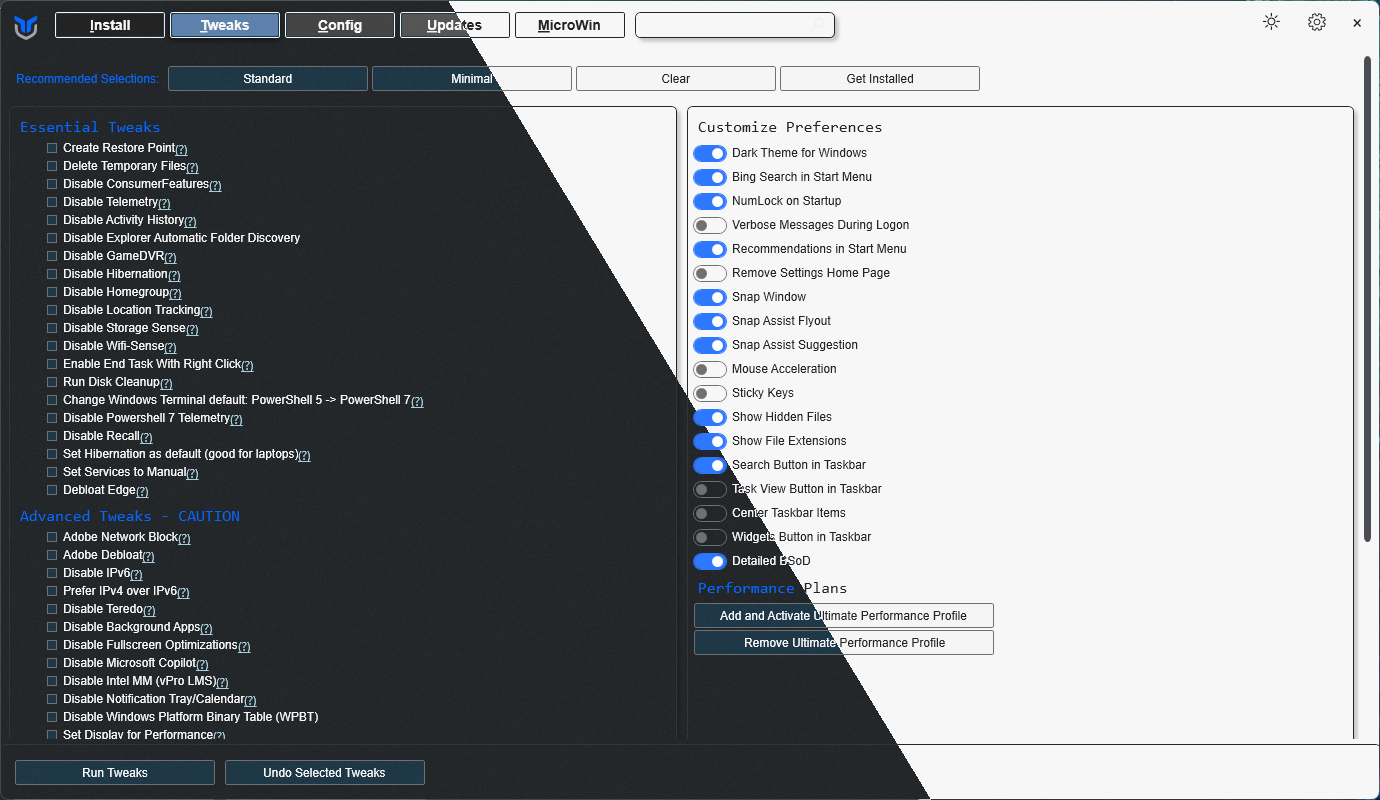
|
||||
|
||||
## 💡 Usage
|
||||
|
||||
@@ -34,16 +35,39 @@ irm "https://christitus.com/win" | iex
|
||||
irm "https://christitus.com/windev" | iex
|
||||
```
|
||||
|
||||
If you have Issues, refer to [Known Issues](https://christitustech.github.io/winutil/KnownIssues/)
|
||||
If you have Issues, refer to [Known Issues](https://winutil.christitus.com/knownissues/) or [Create Issue](https://github.com/ChrisTitusTech/winutil/issues)
|
||||
|
||||
## 🎓 Documentation
|
||||
|
||||
### [WinUtil Official Documentation](https://christitustech.github.io/winutil/)
|
||||
### [WinUtil Official Documentation](https://winutil.christitus.com/)
|
||||
|
||||
### [YouTube Tutorial](https://www.youtube.com/watch?v=6UQZ5oQg8XA)
|
||||
|
||||
### [ChrisTitus.com Article](https://christitus.com/windows-tool/)
|
||||
|
||||
## 🛠️ Build & Develop
|
||||
|
||||
> [!NOTE]
|
||||
> Winutil is a relatively large script, so it's split into multiple files which're combined into a single `.ps1` file using a custom compiler. This makes maintaining the project a lot easier.
|
||||
|
||||
Get a copy of the source code, this can be done using GitHub UI (`Code -> Download ZIP`), or by cloning (downloading) the repo using git.
|
||||
|
||||
If git is installed, run the following commands under a PowerShell window to clone and move into project's directory:
|
||||
```ps1
|
||||
git clone --depth 1 "https://github.com/ChrisTitusTech/winutil.git"
|
||||
cd winutil
|
||||
```
|
||||
|
||||
To build the project, run the Compile Script under a PowerShell window (admin permissions IS NOT required):
|
||||
```ps1
|
||||
.\Compile.ps1
|
||||
```
|
||||
|
||||
You'll see a new file named `winutil.ps1`, which's created by `Compile.ps1` script, now you can run it as admin and a new window will popup, enjoy your own compiled version of WinUtil :)
|
||||
|
||||
> [!TIP]
|
||||
> For more info on using WinUtil and how to develop for it, please consider reading [the Contribution Guidelines](https://winutil.christitus.com/contributing/), if you don't know where to start, or have questions, you can ask over on our [Discord Community Server](https://discord.gg/RUbZUZyByQ) and active project members will answer when they can.
|
||||
|
||||
## 💖 Support
|
||||
- To morally and mentally support the project, make sure to leave a ⭐️!
|
||||
- EXE Wrapper for $10 @ https://www.cttstore.com/windows-toolbox
|
||||
@@ -52,7 +76,7 @@ If you have Issues, refer to [Known Issues](https://christitustech.github.io/win
|
||||
|
||||
These are the sponsors that help keep this project alive with monthly contributions.
|
||||
|
||||
<!-- sponsors --><a href="https://github.com/ysaito8015"><img src="https://github.com/ysaito8015.png" width="60px" alt="Yusuke Saito" /></a><a href="https://github.com/TriHydera"><img src="https://github.com/TriHydera.png" width="60px" alt="TriHydera" /></a><a href="https://github.com/jozozovko"><img src="https://github.com/jozozovko.png" width="60px" alt="" /></a><a href="https://github.com/DelDongo"><img src="https://github.com/DelDongo.png" width="60px" alt="" /></a><a href="https://github.com/markamos"><img src="https://github.com/markamos.png" width="60px" alt="Mark Amos" /></a><a href="https://github.com/dwelfusius"><img src="https://github.com/dwelfusius.png" width="60px" alt="" /></a><a href="https://github.com/mews-se"><img src="https://github.com/mews-se.png" width="60px" alt="" /></a><a href="https://github.com/jdiegmueller"><img src="https://github.com/jdiegmueller.png" width="60px" alt="Jason A. Diegmueller" /></a><a href="https://github.com/AlanTristar"><img src="https://github.com/AlanTristar.png" width="60px" alt="" /></a><a href="https://github.com/JennJones89"><img src="https://github.com/JennJones89.png" width="60px" alt="" /></a><a href="https://github.com/zepled112"><img src="https://github.com/zepled112.png" width="60px" alt="wyatt" /></a><a href="https://github.com/altugtekiner"><img src="https://github.com/altugtekiner.png" width="60px" alt="" /></a><a href="https://github.com/robertsandrock"><img src="https://github.com/robertsandrock.png" width="60px" alt="" /></a><a href="https://github.com/mmomega"><img src="https://github.com/mmomega.png" width="60px" alt="" /></a><a href="https://github.com/KenichiQaz"><img src="https://github.com/KenichiQaz.png" width="60px" alt="Stefan" /></a><a href="https://github.com/thaddl"><img src="https://github.com/thaddl.png" width="60px" alt="thaddl" /></a><a href="https://github.com/paulsheets"><img src="https://github.com/paulsheets.png" width="60px" alt="Paul" /></a><a href="https://github.com/djones369"><img src="https://github.com/djones369.png" width="60px" alt="Dave Jones" /></a><a href="https://github.com/anthonymendez"><img src="https://github.com/anthonymendez.png" width="60px" alt="Anthony Mendez" /></a><a href="https://github.com/woobe-studio"><img src="https://github.com/woobe-studio.png" width="60px" alt="Michael Wozniak" /></a><a href="https://github.com/xBandaku"><img src="https://github.com/xBandaku.png" width="60px" alt="xPandaku" /></a><a href="https://github.com/claudemods"><img src="https://github.com/claudemods.png" width="60px" alt="Claudemods" /></a><a href="https://github.com/hkolatan"><img src="https://github.com/hkolatan.png" width="60px" alt="Halil Kolatan" /></a><a href="https://github.com/FatBastard0"><img src="https://github.com/FatBastard0.png" width="60px" alt="" /></a><a href="https://github.com/tcookj66"><img src="https://github.com/tcookj66.png" width="60px" alt="Timothy Cook" /></a><!-- sponsors -->
|
||||
<!-- sponsors --><a href="https://github.com/markamos"><img src="https://github.com/markamos.png" width="60px" alt="User avatar: Mark Amos" /></a><a href="https://github.com/dwelfusius"><img src="https://github.com/dwelfusius.png" width="60px" alt="User avatar: " /></a><a href="https://github.com/mews-se"><img src="https://github.com/mews-se.png" width="60px" alt="User avatar: Martin Stockzell" /></a><a href="https://github.com/jdiegmueller"><img src="https://github.com/jdiegmueller.png" width="60px" alt="User avatar: Jason A. Diegmueller" /></a><a href="https://github.com/robertsandrock"><img src="https://github.com/robertsandrock.png" width="60px" alt="User avatar: RMS" /></a><a href="https://github.com/KenichiQaz"><img src="https://github.com/KenichiQaz.png" width="60px" alt="User avatar: Stefan" /></a><a href="https://github.com/paulsheets"><img src="https://github.com/paulsheets.png" width="60px" alt="User avatar: Paul" /></a><a href="https://github.com/djones369"><img src="https://github.com/djones369.png" width="60px" alt="User avatar: Dave J (WhamGeek)" /></a><a href="https://github.com/anthonymendez"><img src="https://github.com/anthonymendez.png" width="60px" alt="User avatar: Anthony Mendez" /></a><a href="https://github.com/FatBastard0"><img src="https://github.com/FatBastard0.png" width="60px" alt="User avatar: " /></a><a href="https://github.com/DursleyGuy"><img src="https://github.com/DursleyGuy.png" width="60px" alt="User avatar: DursleyGuy" /></a><a href="https://github.com/quaszi"><img src="https://github.com/quaszi.png" width="60px" alt="User avatar: " /></a><a href="https://github.com/DwayneTheRockLobster1"><img src="https://github.com/DwayneTheRockLobster1.png" width="60px" alt="User avatar: " /></a><a href="https://github.com/KieraKujisawa"><img src="https://github.com/KieraKujisawa.png" width="60px" alt="User avatar: Kiera Meredith" /></a><a href="https://github.com/TaNorbs"><img src="https://github.com/TaNorbs.png" width="60px" alt="User avatar: Norbs" /></a><a href="https://github.com/andrewpayne68"><img src="https://github.com/andrewpayne68.png" width="60px" alt="User avatar: Andrew P" /></a><!-- sponsors -->
|
||||
|
||||
## 🏅 Thanks to all Contributors
|
||||
Thanks a lot for spending your time helping Winutil grow. Thanks a lot! Keep rocking 🍻.
|
||||
|
||||
@@ -85,7 +85,7 @@
|
||||
"content": "AnyDesk",
|
||||
"description": "AnyDesk is a remote desktop software that enables users to access and control computers remotely. It is known for its fast connection and low latency.",
|
||||
"link": "https://anydesk.com/",
|
||||
"winget": "AnyDeskSoftwareGmbH.AnyDesk"
|
||||
"winget": "AnyDesk.AnyDesk"
|
||||
},
|
||||
"audacity": {
|
||||
"category": "Multimedia Tools",
|
||||
@@ -143,6 +143,15 @@
|
||||
"link": "https://github.com/sharkdp/bat",
|
||||
"winget": "sharkdp.bat"
|
||||
},
|
||||
"beeper": {
|
||||
"category": "Communications",
|
||||
"choco": "na",
|
||||
"content": "Beeper",
|
||||
"description": "All your chats in one app",
|
||||
"link": "https://www.beeper.com/",
|
||||
"winget": "Beeper.Beeper"
|
||||
},
|
||||
|
||||
"bitwarden": {
|
||||
"category": "Utilities",
|
||||
"choco": "bitwarden",
|
||||
@@ -247,14 +256,6 @@
|
||||
"link": "https://github.com/Hibbiki/chromium-win64",
|
||||
"winget": "Hibbiki.Chromium"
|
||||
},
|
||||
"arc": {
|
||||
"category": "Browsers",
|
||||
"choco": "na",
|
||||
"content": "Arc",
|
||||
"description": "Arc is a Chromium based browser, known for it's clean and modern design.",
|
||||
"link": "https://arc.net/",
|
||||
"winget": "TheBrowserCompany.Arc"
|
||||
},
|
||||
"clementine": {
|
||||
"category": "Multimedia Tools",
|
||||
"choco": "clementine",
|
||||
@@ -349,7 +350,7 @@
|
||||
"content": "Display Driver Uninstaller",
|
||||
"description": "Display Driver Uninstaller (DDU) is a tool for completely uninstalling graphics drivers from NVIDIA, AMD, and Intel. It is useful for troubleshooting graphics driver-related issues.",
|
||||
"link": "https://www.wagnardsoft.com/display-driver-uninstaller-DDU-",
|
||||
"winget": "ddu"
|
||||
"winget": "Wagnardsoft.DisplayDriverUninstaller"
|
||||
},
|
||||
"deluge": {
|
||||
"category": "Utilities",
|
||||
@@ -383,6 +384,22 @@
|
||||
"link": "https://discord.com/",
|
||||
"winget": "Discord.Discord"
|
||||
},
|
||||
"dismtools": {
|
||||
"category": "Microsoft Tools",
|
||||
"choco": "na",
|
||||
"content": "DISMTools",
|
||||
"description": "DISMTools is a fast, customizable GUI for the DISM utility, supporting Windows images from Windows 7 onward. It handles installations on any drive, offers project support, and lets users tweak settings like color modes, language, and DISM versions; powered by both native DISM and a managed DISM API.",
|
||||
"link": "https://github.com/CodingWonders/DISMTools",
|
||||
"winget": "CodingWondersSoftware.DISMTools.Stable"
|
||||
},
|
||||
"ntlite": {
|
||||
"category": "Microsoft Tools",
|
||||
"choco": "ntlite-free",
|
||||
"content": "NTLite",
|
||||
"description": "Integrate updates, drivers, automate Windows and application setup, speedup Windows deployment process and have it all set for the next time.",
|
||||
"link": "https://ntlite.com",
|
||||
"winget": "Nlitesoft.NTLite"
|
||||
},
|
||||
"ditto": {
|
||||
"category": "Utilities",
|
||||
"choco": "ditto",
|
||||
@@ -439,13 +456,21 @@
|
||||
"link": "https://dotnet.microsoft.com/download/dotnet/8.0",
|
||||
"winget": "Microsoft.DotNet.DesktopRuntime.8"
|
||||
},
|
||||
"dotnet9": {
|
||||
"category": "Microsoft Tools",
|
||||
"choco": "dotnet-9.0-runtime",
|
||||
"content": ".NET Desktop Runtime 9",
|
||||
"description": ".NET Desktop Runtime 9 is a runtime environment required for running applications developed with .NET 9.",
|
||||
"link": "https://dotnet.microsoft.com/download/dotnet/9.0",
|
||||
"winget": "Microsoft.DotNet.DesktopRuntime.9"
|
||||
},
|
||||
"dmt": {
|
||||
"winget": "GNE.DualMonitorTools",
|
||||
"choco": "dual-monitor-tools",
|
||||
"category": "Utilities",
|
||||
"content": "Dual Monitor Tools",
|
||||
"link": "https://dualmonitortool.sourceforge.net/",
|
||||
"description": "Dual Monitor Tools (DMT) is a FOSS app that customize handling multiple monitors and even lock the mouse on specific monitor. Useful for full screen games and apps that does not handle well a second monitor or helps the workflow."
|
||||
"description": "Dual Monitor Tools (DMT) is a FOSS app that allows you to customize the handling of multiple monitors. Useful for fullscreen games and apps that handle a second monitor poorly and can improve your workflow."
|
||||
},
|
||||
"duplicati": {
|
||||
"category": "Utilities",
|
||||
@@ -495,6 +520,14 @@
|
||||
"link": "https://emulationstation.org/",
|
||||
"winget": "Emulationstation.Emulationstation"
|
||||
},
|
||||
"enteauth": {
|
||||
"category": "Utilities",
|
||||
"choco": "ente-auth",
|
||||
"content": "Ente Auth",
|
||||
"description": "Ente Auth is a free, cross-platform, end-to-end encrypted authenticator app.",
|
||||
"link": "https://ente.io/auth/",
|
||||
"winget": "ente-io.auth-desktop"
|
||||
},
|
||||
"epicgames": {
|
||||
"category": "Games",
|
||||
"choco": "epicgameslauncher",
|
||||
@@ -519,14 +552,6 @@
|
||||
"link": "https://espanso.org/",
|
||||
"winget": "Espanso.Espanso"
|
||||
},
|
||||
"etcher": {
|
||||
"category": "Utilities",
|
||||
"choco": "etcher",
|
||||
"content": "Etcher USB Creator",
|
||||
"description": "Etcher is a powerful tool for creating bootable USB drives with ease.",
|
||||
"link": "https://www.balena.io/etcher/",
|
||||
"winget": "Balena.Etcher"
|
||||
},
|
||||
"falkon": {
|
||||
"category": "Browsers",
|
||||
"choco": "falkon",
|
||||
@@ -555,7 +580,7 @@
|
||||
"category": "Multimedia Tools",
|
||||
"choco": "ffmpeg-full",
|
||||
"content": "FFmpeg (full)",
|
||||
"description": "FFmpeg is a powerful multimedia processing tool that enables users to convert, edit, and stream audio and video files with a vast range of codecs and formats.",
|
||||
"description": "FFmpeg is a powerful multimedia processing tool that enables users to convert, edit, and stream audio and video files with a vast range of codecs and formats. | Note: FFmpeg can not be uninstalled using winget.",
|
||||
"link": "https://ffmpeg.org/",
|
||||
"winget": "Gyan.FFmpeg"
|
||||
},
|
||||
@@ -675,9 +700,9 @@
|
||||
"category": "Multimedia Tools",
|
||||
"choco": "fxsound",
|
||||
"content": "FxSound",
|
||||
"description": "FxSound is a cutting-edge audio enhancement software that elevates your listening experience across all media.",
|
||||
"description": "FxSound is free open-source software to boost sound quality, volume, and bass. Including an equalizer, effects, and presets for customized audio.",
|
||||
"link": "https://www.fxsound.com/",
|
||||
"winget": "FxSoundLLC.FxSound"
|
||||
"winget": "FxSound.FxSound"
|
||||
},
|
||||
"fzf": {
|
||||
"category": "Utilities",
|
||||
@@ -701,7 +726,7 @@
|
||||
"content": "GIMP (Image Editor)",
|
||||
"description": "GIMP is a versatile open-source raster graphics editor used for tasks such as photo retouching, image editing, and image composition.",
|
||||
"link": "https://www.gimp.org/",
|
||||
"winget": "GIMP.GIMP"
|
||||
"winget": "GIMP.GIMP.3"
|
||||
},
|
||||
"git": {
|
||||
"category": "Development",
|
||||
@@ -797,7 +822,7 @@
|
||||
"content": "Google Drive",
|
||||
"description": "File syncing across devices all tied to your google account",
|
||||
"link": "https://www.google.com/drive/",
|
||||
"winget": "Google.Drive"
|
||||
"winget": "Google.GoogleDrive"
|
||||
},
|
||||
"gpuz": {
|
||||
"category": "Utilities",
|
||||
@@ -823,14 +848,6 @@
|
||||
"link": "https://gerardog.github.io/gsudo/",
|
||||
"winget": "gerardog.gsudo"
|
||||
},
|
||||
"guilded": {
|
||||
"category": "Communications",
|
||||
"choco": "na",
|
||||
"content": "Guilded",
|
||||
"description": "Guilded is a communication and productivity platform that includes chat, scheduling, and collaborative tools for gaming and communities.",
|
||||
"link": "https://www.guilded.gg/",
|
||||
"winget": "Guilded.Guilded"
|
||||
},
|
||||
"handbrake": {
|
||||
"category": "Multimedia Tools",
|
||||
"choco": "handbrake",
|
||||
@@ -908,7 +925,7 @@
|
||||
"choco": "imgburn",
|
||||
"content": "ImgBurn",
|
||||
"description": "ImgBurn is a lightweight CD, DVD, HD-DVD, and Blu-ray burning application with advanced features for creating and burning disc images.",
|
||||
"link": "http://www.imgburn.com/",
|
||||
"link": "https://www.imgburn.com/",
|
||||
"winget": "LIGHTNINGUK.ImgBurn"
|
||||
},
|
||||
"inkscape": {
|
||||
@@ -975,12 +992,20 @@
|
||||
"link": "https://aws.amazon.com/corretto",
|
||||
"winget": "Amazon.Corretto.21.JDK"
|
||||
},
|
||||
"java25": {
|
||||
"category": "Development",
|
||||
"choco": "corretto25jdk",
|
||||
"content": "Amazon Corretto 25 (LTS)",
|
||||
"description": "Amazon Corretto is a no-cost, multiplatform, production-ready distribution of the Open Java Development Kit (OpenJDK).",
|
||||
"link": "https://aws.amazon.com/corretto",
|
||||
"winget": "Amazon.Corretto.25.JDK"
|
||||
},
|
||||
"jdownloader": {
|
||||
"category": "Utilities",
|
||||
"choco": "jdownloader",
|
||||
"content": "JDownloader",
|
||||
"description": "JDownloader is a feature-rich download manager with support for various file hosting services.",
|
||||
"link": "http://jdownloader.org/",
|
||||
"link": "https://jdownloader.org/",
|
||||
"winget": "AppWork.JDownloader"
|
||||
},
|
||||
"jellyfinmediaplayer": {
|
||||
@@ -1163,7 +1188,7 @@
|
||||
"category": "Communications",
|
||||
"choco": "element-desktop",
|
||||
"content": "Element",
|
||||
"description": "Element is a client for Matrix—an open network for secure, decentralized communication.",
|
||||
"description": "Element is a client for Matrix; an open network for secure, decentralized communication.",
|
||||
"link": "https://element.io/",
|
||||
"winget": "Element.Element"
|
||||
},
|
||||
@@ -1372,7 +1397,7 @@
|
||||
"choco": "na",
|
||||
"content": "nGlide (3dfx compatibility)",
|
||||
"description": "nGlide is a 3Dfx Voodoo Glide wrapper. It allows you to play games that use Glide API on modern graphics cards without the need for a 3Dfx Voodoo graphics card.",
|
||||
"link": "http://www.zeus-software.com/downloads/nglide",
|
||||
"link": "https://www.zeus-software.com/downloads/nglide",
|
||||
"winget": "ZeusSoftware.nGlide"
|
||||
},
|
||||
"nmap": {
|
||||
@@ -1503,21 +1528,13 @@
|
||||
"link": "https://github.com/namazso/OpenHashTab/",
|
||||
"winget": "namazso.OpenHashTab"
|
||||
},
|
||||
"openoffice": {
|
||||
"category": "Document",
|
||||
"choco": "openoffice",
|
||||
"content": "Apache OpenOffice",
|
||||
"description": "Apache OpenOffice is an open-source office software suite for word processing, spreadsheets, presentations, and more.",
|
||||
"link": "https://www.openoffice.org/",
|
||||
"winget": "Apache.OpenOffice"
|
||||
},
|
||||
"openrgb": {
|
||||
"category": "Utilities",
|
||||
"choco": "openrgb",
|
||||
"content": "OpenRGB",
|
||||
"description": "OpenRGB is an open-source RGB lighting control software designed to manage and control RGB lighting for various components and peripherals.",
|
||||
"link": "https://openrgb.org/",
|
||||
"winget": "CalcProgrammer1.OpenRGB"
|
||||
"winget": "OpenRGB.OpenRGB"
|
||||
},
|
||||
"openscad": {
|
||||
"category": "Multimedia Tools",
|
||||
@@ -1691,7 +1708,7 @@
|
||||
"category": "Games",
|
||||
"choco": "prismlauncher",
|
||||
"content": "Prism Launcher",
|
||||
"description": "Prism Launcher is a game launcher and manager designed to provide a clean and intuitive interface for organizing and launching your games.",
|
||||
"description": "Prism Launcher is an Open Source Minecraft launcher with the ability to manage multiple instances, accounts and mods.",
|
||||
"link": "https://prismlauncher.org/",
|
||||
"winget": "PrismLauncher.PrismLauncher"
|
||||
},
|
||||
@@ -1703,13 +1720,13 @@
|
||||
"link": "https://bitsum.com/",
|
||||
"winget": "BitSum.ProcessLasso"
|
||||
},
|
||||
"spotify": {
|
||||
"category": "Multimedia Tools",
|
||||
"choco": "spotify",
|
||||
"content": "Spotify",
|
||||
"description": "Spotify is a digital music service that gives you access to millions of songs, podcasts, and videos from artists all over the world.",
|
||||
"link": "https://www.spotify.com/",
|
||||
"winget": "Spotify.Spotify"
|
||||
"protonauth": {
|
||||
"category": "Utilities",
|
||||
"choco": "protonauth",
|
||||
"content": "Proton Authenticator",
|
||||
"description": "2FA app from Proton to securely sync and backup 2FA codes.",
|
||||
"link": "https://proton.me/authenticator",
|
||||
"winget": "Proton.ProtonAuthenticator"
|
||||
},
|
||||
"processmonitor": {
|
||||
"category": "Microsoft Tools",
|
||||
@@ -1757,7 +1774,7 @@
|
||||
"content": "Python3",
|
||||
"description": "Python is a versatile programming language used for web development, data analysis, artificial intelligence, and more.",
|
||||
"link": "https://www.python.org/",
|
||||
"winget": "Python.Python.3.12"
|
||||
"winget": "Python.Python.3.14"
|
||||
},
|
||||
"qbittorrent": {
|
||||
"category": "Utilities",
|
||||
@@ -1871,14 +1888,6 @@
|
||||
"link": "https://sagethumbs.en.lo4d.com/windows",
|
||||
"winget": "CherubicSoftware.SageThumbs"
|
||||
},
|
||||
"samsungmagician": {
|
||||
"category": "Utilities",
|
||||
"choco": "samsung-magician",
|
||||
"content": "Samsung Magician",
|
||||
"description": "Samsung Magician is a utility for managing and optimizing Samsung SSDs.",
|
||||
"link": "https://semiconductor.samsung.com/consumer-storage/magician/",
|
||||
"winget": "Samsung.SamsungMagician"
|
||||
},
|
||||
"sandboxie": {
|
||||
"category": "Utilities",
|
||||
"choco": "sandboxie",
|
||||
@@ -1892,7 +1901,7 @@
|
||||
"choco": "sdio",
|
||||
"content": "Snappy Driver Installer Origin",
|
||||
"description": "Snappy Driver Installer Origin is a free and open-source driver updater with a vast driver database for Windows.",
|
||||
"link": "https://sourceforge.net/projects/snappy-driver-installer-origin",
|
||||
"link": "https://www.glenn.delahoy.com/snappy-driver-installer-origin/",
|
||||
"winget": "GlennDelahoy.SnappyDriverInstallerOrigin"
|
||||
},
|
||||
"session": {
|
||||
@@ -1901,7 +1910,7 @@
|
||||
"content": "Session",
|
||||
"description": "Session is a private and secure messaging app built on a decentralized network for user privacy and data protection.",
|
||||
"link": "https://getsession.org/",
|
||||
"winget": "Oxen.Session"
|
||||
"winget": "Session.Session"
|
||||
},
|
||||
"sharex": {
|
||||
"category": "Multimedia Tools",
|
||||
@@ -1959,14 +1968,6 @@
|
||||
"link": "https://github.com/henrypp/simplewall",
|
||||
"winget": "Henry++.simplewall"
|
||||
},
|
||||
"skype": {
|
||||
"category": "Communications",
|
||||
"choco": "skype",
|
||||
"content": "Skype",
|
||||
"description": "Skype is a widely used communication platform offering video calls, voice calls, and instant messaging services.",
|
||||
"link": "https://www.skype.com/",
|
||||
"winget": "Microsoft.Skype"
|
||||
},
|
||||
"slack": {
|
||||
"category": "Communications",
|
||||
"choco": "slack",
|
||||
@@ -1991,14 +1992,6 @@
|
||||
"link": "http://www.uderzo.it/main_products/space_sniffer/",
|
||||
"winget": "UderzoSoftware.SpaceSniffer"
|
||||
},
|
||||
"spotube": {
|
||||
"category": "Multimedia Tools",
|
||||
"choco": "spotube",
|
||||
"content": "Spotube",
|
||||
"description": "Open source Spotify client that doesn't require Premium nor uses Electron! Available for both desktop & mobile! ",
|
||||
"link": "https://github.com/KRTirtho/spotube",
|
||||
"winget": "KRTirtho.Spotube"
|
||||
},
|
||||
"starship": {
|
||||
"category": "Development",
|
||||
"choco": "starship",
|
||||
@@ -2092,8 +2085,8 @@
|
||||
"choco": "synctrayzor",
|
||||
"content": "SyncTrayzor",
|
||||
"description": "Windows tray utility / filesystem watcher / launcher for Syncthing",
|
||||
"link": "https://github.com/canton7/SyncTrayzor/",
|
||||
"winget": "SyncTrayzor.SyncTrayzor"
|
||||
"link": "https://github.com/GermanCoding/SyncTrayzor",
|
||||
"winget": "GermanCoding.SyncTrayzor"
|
||||
},
|
||||
"sqlmanagementstudio": {
|
||||
"category": "Microsoft Tools",
|
||||
@@ -2193,10 +2186,10 @@
|
||||
},
|
||||
"thorium": {
|
||||
"category": "Browsers",
|
||||
"choco": "na",
|
||||
"choco": "thorium",
|
||||
"content": "Thorium Browser AVX2",
|
||||
"description": "Browser built for speed over vanilla chromium. It is built with AVX2 optimizations and is the fastest browser on the market.",
|
||||
"link": "http://thorium.rocks/",
|
||||
"link": "https://thorium.rocks/",
|
||||
"winget": "Alex313031.Thorium.AVX2"
|
||||
},
|
||||
"thunderbird": {
|
||||
@@ -2250,8 +2243,8 @@
|
||||
"ttaskbar": {
|
||||
"category": "Utilities",
|
||||
"choco": "translucenttb",
|
||||
"content": "Translucent Taskbar",
|
||||
"description": "Translucent Taskbar is a tool that allows you to customize the transparency of the Windows taskbar.",
|
||||
"content": "TranslucentTB",
|
||||
"description": "TranslucentTB is a tool that allows you to customize the transparency of the Windows taskbar.",
|
||||
"link": "https://github.com/TranslucentTB/TranslucentTB",
|
||||
"winget": "9PF4KZ2VN4W9"
|
||||
},
|
||||
@@ -2333,7 +2326,7 @@
|
||||
"content": "Viber",
|
||||
"description": "Viber is a free messaging and calling app with features like group chats, video calls, and more.",
|
||||
"link": "https://www.viber.com/",
|
||||
"winget": "Viber.Viber"
|
||||
"winget": "Rakuten.Viber"
|
||||
},
|
||||
"videomass": {
|
||||
"category": "Multimedia Tools",
|
||||
@@ -2453,7 +2446,7 @@
|
||||
"content": "UniGetUI",
|
||||
"description": "UniGetUI is a GUI for Winget, Chocolatey, and other Windows CLI package managers.",
|
||||
"link": "https://www.marticliment.com/wingetui/",
|
||||
"winget": "SomePythonThings.WingetUIStore"
|
||||
"winget": "MartiCliment.UniGetUI"
|
||||
},
|
||||
"winmerge": {
|
||||
"category": "Document",
|
||||
@@ -2723,7 +2716,7 @@
|
||||
"category": "Utilities",
|
||||
"choco": "ultravnc",
|
||||
"content": "UltraVNC",
|
||||
"description": "UltraVNC is a powerful, easy to use and free - remote pc access softwares - that can display the screen of another computer (via internet or network) on your own screen. The program allows you to use your mouse and keyboard to control the other PC remotely. It means that you can work on a remote computer, as if you were sitting in front of it, right from your current location.",
|
||||
"description": "UltraVNC is a powerful, easy to use and free - remote pc access software - that can display the screen of another computer (via internet or network) on your own screen. The program allows you to use your mouse and keyboard to control the other PC remotely. It means that you can work on a remote computer, as if you were sitting in front of it, right from your current location.",
|
||||
"link": "https://uvnc.com/",
|
||||
"winget": "uvncbvba.UltraVnc"
|
||||
},
|
||||
@@ -2855,14 +2848,6 @@
|
||||
"link": "https://www.kicad.org/",
|
||||
"winget": "KiCad.KiCad"
|
||||
},
|
||||
"FormatFactory": {
|
||||
"category": "Utilities",
|
||||
"choco": "formatfactory",
|
||||
"content": "Format Factory",
|
||||
"description":"FormatFactory is an ad-supported freeware multimedia converter that can convert video, audio, and picture files. It is also capable of ripping DVDs and CDs to other file formats, as well as creating .iso images. It can also join multiple video files together into one.",
|
||||
"link": "http://www.pcfreetime.com/formatfactory/",
|
||||
"winget": "na"
|
||||
},
|
||||
"dropox": {
|
||||
"category": "Utilities",
|
||||
"choco": "na",
|
||||
@@ -2934,5 +2919,21 @@
|
||||
"description": "Fork - a fast and friendly git client.",
|
||||
"link": "https://git-fork.com/",
|
||||
"winget": "Fork.Fork"
|
||||
},
|
||||
"ZenBrowser": {
|
||||
"category": "Browsers",
|
||||
"choco": "na",
|
||||
"content": "Zen Browser",
|
||||
"description": "The modern, privacy-focused, performance-driven browser built on Firefox",
|
||||
"link": "https://zen-browser.app/",
|
||||
"winget": "Zen-Team.Zen-Browser"
|
||||
},
|
||||
"Zed": {
|
||||
"category": "Development",
|
||||
"choco": "na",
|
||||
"content": "Zed",
|
||||
"description": "Zed is a modern, high-performance code editor designed from the ground up for speed and collaboration.",
|
||||
"link": "https://zed.dev/",
|
||||
"winget": "Zed.Zed"
|
||||
}
|
||||
}
|
||||
|
||||
62
config/appnavigation.json
Normal file
@@ -0,0 +1,62 @@
|
||||
{
|
||||
"WPFInstall": {
|
||||
"Content": "Install/Upgrade Applications",
|
||||
"Category": "____Actions",
|
||||
"Type": "Button",
|
||||
"Order": "1",
|
||||
"Description": "Install or upgrade the selected applications"
|
||||
},
|
||||
"WPFUninstall": {
|
||||
"Content": "Uninstall Applications",
|
||||
"Category": "____Actions",
|
||||
"Type": "Button",
|
||||
"Order": "2",
|
||||
"Description": "Uninstall the selected applications"
|
||||
},
|
||||
"WPFInstallUpgrade": {
|
||||
"Content": "Upgrade all Applications",
|
||||
"Category": "____Actions",
|
||||
"Type": "Button",
|
||||
"Order": "3",
|
||||
"Description": "Upgrade all applications to the latest version"
|
||||
},
|
||||
"WingetRadioButton": {
|
||||
"Content": "Winget",
|
||||
"Category": "__Package Manager",
|
||||
"Type": "RadioButton",
|
||||
"GroupName": "PackageManagerGroup",
|
||||
"Checked": true,
|
||||
"Order": "1",
|
||||
"Description": "Use Winget for package management"
|
||||
},
|
||||
"ChocoRadioButton": {
|
||||
"Content": "Chocolatey",
|
||||
"Category": "__Package Manager",
|
||||
"Type": "RadioButton",
|
||||
"GroupName": "PackageManagerGroup",
|
||||
"Checked": false,
|
||||
"Order": "2",
|
||||
"Description": "Use Chocolatey for package management"
|
||||
},
|
||||
"WPFClearInstallSelection": {
|
||||
"Content": "Clear Selection",
|
||||
"Category": "__Selection",
|
||||
"Type": "Button",
|
||||
"Order": "1",
|
||||
"Description": "Clear the selection of applications"
|
||||
},
|
||||
"WPFGetInstalled": {
|
||||
"Content": "Get Installed",
|
||||
"Category": "__Selection",
|
||||
"Type": "Button",
|
||||
"Order": "2",
|
||||
"Description": "Show installed applications"
|
||||
},
|
||||
"WPFselectedAppsButton": {
|
||||
"Content": "Selected Apps: 0",
|
||||
"Category": "__Selection",
|
||||
"Type": "Button",
|
||||
"Order": "3",
|
||||
"Description": "Show the selected applications"
|
||||
}
|
||||
}
|
||||
@@ -113,7 +113,7 @@
|
||||
</RunSynchronousCommand>
|
||||
<RunSynchronousCommand wcm:action="add">
|
||||
<Order>19</Order>
|
||||
<Path>powershell.exe -NoProfile -Command "Get-Content -LiteralPath 'C:\Windows\Temp\remove-packages.ps1' -Raw | Invoke-Expression;"</Path>
|
||||
<Path>powershell.exe -NoProfile -Command "Get-Content -LiteralPath 'C:\Windows\Temp\Microwin-RemovePackages.ps1' -Raw | Invoke-Expression;"</Path>
|
||||
</RunSynchronousCommand>
|
||||
<RunSynchronousCommand wcm:action="add">
|
||||
<Order>20</Order>
|
||||
@@ -293,7 +293,7 @@
|
||||
<Extensions xmlns="https://schneegans.de/windows/unattend-generator/">
|
||||
<ExtractScript>
|
||||
param(
|
||||
[xml] $Document
|
||||
[xml]$Document
|
||||
);
|
||||
|
||||
$scriptsDir = 'C:\Windows\Setup\Scripts\';
|
||||
@@ -312,7 +312,7 @@ foreach( $file in $Document.unattend.Extensions.File ) {
|
||||
[System.IO.File]::WriteAllBytes( $path, ( $encoding.GetPreamble() + $encoding.GetBytes( $file.InnerText.Trim() ) ) );
|
||||
}
|
||||
</ExtractScript>
|
||||
<File path="C:\Windows\Temp\remove-packages.ps1">
|
||||
<File path="C:\Windows\Temp\Microwin-RemovePackages.ps1">
|
||||
$selectors = @(
|
||||
'Microsoft.Microsoft3DViewer';
|
||||
'Microsoft.BingSearch';
|
||||
@@ -359,7 +359,7 @@ $removeCommand = {
|
||||
}
|
||||
};
|
||||
$type = 'Package';
|
||||
$logfile = 'C:\Windows\Temp\remove-packages.log';
|
||||
$logfile = 'C:\Windows\Temp\Microwin-RemovePackages.log';
|
||||
& {
|
||||
$installed = & $getCommand;
|
||||
foreach( $selector in $selectors ) {
|
||||
|
||||
@@ -10,7 +10,7 @@
|
||||
"NetFx3"
|
||||
],
|
||||
"InvokeScript": [],
|
||||
"link": "https://christitustech.github.io/winutil/dev/features/Features/dotnet"
|
||||
"link": "https://winutil.christitus.com/dev/features/features/dotnet"
|
||||
},
|
||||
"WPFFeatureshyperv": {
|
||||
"Content": "HyperV Virtualization",
|
||||
@@ -19,19 +19,12 @@
|
||||
"panel": "1",
|
||||
"Order": "a011_",
|
||||
"feature": [
|
||||
"HypervisorPlatform",
|
||||
"Microsoft-Hyper-V-All",
|
||||
"Microsoft-Hyper-V",
|
||||
"Microsoft-Hyper-V-Tools-All",
|
||||
"Microsoft-Hyper-V-Management-PowerShell",
|
||||
"Microsoft-Hyper-V-Hypervisor",
|
||||
"Microsoft-Hyper-V-Services",
|
||||
"Microsoft-Hyper-V-Management-Clients"
|
||||
"Microsoft-Hyper-V-All"
|
||||
],
|
||||
"InvokeScript": [
|
||||
"Start-Process -FilePath cmd.exe -ArgumentList '/c bcdedit /set hypervisorschedulertype classic' -Wait"
|
||||
"bcdedit /set hypervisorschedulertype classic"
|
||||
],
|
||||
"link": "https://christitustech.github.io/winutil/dev/features/Features/hyperv"
|
||||
"link": "https://winutil.christitus.com/dev/features/features/hyperv"
|
||||
},
|
||||
"WPFFeatureslegacymedia": {
|
||||
"Content": "Legacy Media (WMP, DirectPlay)",
|
||||
@@ -46,7 +39,7 @@
|
||||
"LegacyComponents"
|
||||
],
|
||||
"InvokeScript": [],
|
||||
"link": "https://christitustech.github.io/winutil/dev/features/Features/legacymedia"
|
||||
"link": "https://winutil.christitus.com/dev/features/features/legacymedia"
|
||||
},
|
||||
"WPFFeaturewsl": {
|
||||
"Content": "Windows Subsystem for Linux",
|
||||
@@ -59,7 +52,7 @@
|
||||
"Microsoft-Windows-Subsystem-Linux"
|
||||
],
|
||||
"InvokeScript": [],
|
||||
"link": "https://christitustech.github.io/winutil/dev/features/Features/wsl"
|
||||
"link": "https://winutil.christitus.com/dev/features/features/wsl"
|
||||
},
|
||||
"WPFFeaturenfs": {
|
||||
"Content": "NFS - Network File System",
|
||||
@@ -79,43 +72,7 @@
|
||||
"nfsadmin client start",
|
||||
"nfsadmin client localhost config fileaccess=755 SecFlavors=+sys -krb5 -krb5i"
|
||||
],
|
||||
"link": "https://christitustech.github.io/winutil/dev/features/Features/nfs"
|
||||
},
|
||||
"WPFFeatureEnableSearchSuggestions": {
|
||||
"Content": "Enable Search Box Web Suggestions in Registry(explorer restart)",
|
||||
"Description": "Enables web suggestions when searching using Windows Search.",
|
||||
"category": "Features",
|
||||
"panel": "1",
|
||||
"Order": "a015_",
|
||||
"feature": [],
|
||||
"InvokeScript": [
|
||||
"
|
||||
If (!(Test-Path 'HKCU:\\SOFTWARE\\Policies\\Microsoft\\Windows\\Explorer')) {
|
||||
New-Item -Path 'HKCU:\\SOFTWARE\\Policies\\Microsoft\\Windows\\Explorer' -Force | Out-Null
|
||||
}
|
||||
New-ItemProperty -Path 'HKCU:\\SOFTWARE\\Policies\\Microsoft\\Windows\\Explorer' -Name 'DisableSearchBoxSuggestions' -Type DWord -Value 0 -Force
|
||||
Stop-Process -name explorer -force
|
||||
"
|
||||
],
|
||||
"link": "https://christitustech.github.io/winutil/dev/features/Features/EnableSearchSuggestions"
|
||||
},
|
||||
"WPFFeatureDisableSearchSuggestions": {
|
||||
"Content": "Disable Search Box Web Suggestions in Registry(explorer restart)",
|
||||
"Description": "Disables web suggestions when searching using Windows Search.",
|
||||
"category": "Features",
|
||||
"panel": "1",
|
||||
"Order": "a016_",
|
||||
"feature": [],
|
||||
"InvokeScript": [
|
||||
"
|
||||
If (!(Test-Path 'HKCU:\\SOFTWARE\\Policies\\Microsoft\\Windows\\Explorer')) {
|
||||
New-Item -Path 'HKCU:\\SOFTWARE\\Policies\\Microsoft\\Windows\\Explorer' -Force | Out-Null
|
||||
}
|
||||
New-ItemProperty -Path 'HKCU:\\SOFTWARE\\Policies\\Microsoft\\Windows\\Explorer' -Name 'DisableSearchBoxSuggestions' -Type DWord -Value 1 -Force
|
||||
Stop-Process -name explorer -force
|
||||
"
|
||||
],
|
||||
"link": "https://christitustech.github.io/winutil/dev/features/Features/DisableSearchSuggestions"
|
||||
"link": "https://winutil.christitus.com/dev/features/features/nfs"
|
||||
},
|
||||
"WPFFeatureRegBackup": {
|
||||
"Content": "Enable Daily Registry Backup Task 12.30am",
|
||||
@@ -133,7 +90,7 @@
|
||||
Register-ScheduledTask -Action $action -Trigger $trigger -TaskName 'AutoRegBackup' -Description 'Create System Registry Backups' -User 'System'
|
||||
"
|
||||
],
|
||||
"link": "https://christitustech.github.io/winutil/dev/features/Features/RegBackup"
|
||||
"link": "https://winutil.christitus.com/dev/features/features/regbackup"
|
||||
},
|
||||
"WPFFeatureEnableLegacyRecovery": {
|
||||
"Content": "Enable Legacy F8 Boot Recovery",
|
||||
@@ -143,15 +100,9 @@
|
||||
"Order": "a018_",
|
||||
"feature": [],
|
||||
"InvokeScript": [
|
||||
"
|
||||
If (!(Test-Path 'HKLM:\\SYSTEM\\CurrentControlSet\\Control\\Session Manager\\Configuration Manager\\LastKnownGood')) {
|
||||
New-Item -Path 'HKLM:\\SYSTEM\\CurrentControlSet\\Control\\Session Manager\\Configuration Manager\\LastKnownGood' -Force | Out-Null
|
||||
}
|
||||
New-ItemProperty -Path 'HKLM:\\SYSTEM\\CurrentControlSet\\Control\\Session Manager\\Configuration Manager\\LastKnownGood' -Name 'Enabled' -Type DWord -Value 1 -Force
|
||||
Start-Process -FilePath cmd.exe -ArgumentList '/c bcdedit /Set {Current} BootMenuPolicy Legacy' -Wait
|
||||
"
|
||||
"bcdedit /set bootmenupolicy legacy"
|
||||
],
|
||||
"link": "https://christitustech.github.io/winutil/dev/features/Features/EnableLegacyRecovery"
|
||||
"link": "https://winutil.christitus.com/dev/features/features/enablelegacyrecovery"
|
||||
},
|
||||
"WPFFeatureDisableLegacyRecovery": {
|
||||
"Content": "Disable Legacy F8 Boot Recovery",
|
||||
@@ -161,23 +112,20 @@
|
||||
"Order": "a019_",
|
||||
"feature": [],
|
||||
"InvokeScript": [
|
||||
"
|
||||
If (!(Test-Path 'HKLM:\\SYSTEM\\CurrentControlSet\\Control\\Session Manager\\Configuration Manager\\LastKnownGood')) {
|
||||
New-Item -Path 'HKLM:\\SYSTEM\\CurrentControlSet\\Control\\Session Manager\\Configuration Manager\\LastKnownGood' -Force | Out-Null
|
||||
}
|
||||
New-ItemProperty -Path 'HKLM:\\SYSTEM\\CurrentControlSet\\Control\\Session Manager\\Configuration Manager\\LastKnownGood' -Name 'Enabled' -Type DWord -Value 0 -Force
|
||||
Start-Process -FilePath cmd.exe -ArgumentList '/c bcdedit /Set {Current} BootMenuPolicy Standard' -Wait
|
||||
"
|
||||
"bcdedit /set bootmenupolicy standard"
|
||||
],
|
||||
"link": "https://christitustech.github.io/winutil/dev/features/Features/DisableLegacyRecovery"
|
||||
"link": "https://winutil.christitus.com/dev/features/features/disablelegacyrecovery"
|
||||
},
|
||||
"WPFFeaturesSandbox": {
|
||||
"Content": "Windows Sandbox",
|
||||
"Description": "Windows Sandbox is a lightweight virtual machine that provides a temporary desktop environment to safely run applications and programs in isolation.",
|
||||
"category": "Features",
|
||||
"panel": "1",
|
||||
"Order": "a021_",
|
||||
"Description": "Windows Sandbox is a lightweight virtual machine that provides a temporary desktop environment to safely run applications and programs in isolation.",
|
||||
"link": "https://christitustech.github.io/winutil/dev/features/Features/Sandbox"
|
||||
"feature": [
|
||||
"Containers-DisposableClientVM"
|
||||
],
|
||||
"link": "https://winutil.christitus.com/dev/features/features/sandbox"
|
||||
},
|
||||
"WPFFeatureInstall": {
|
||||
"Content": "Install Features",
|
||||
@@ -186,7 +134,7 @@
|
||||
"Order": "a060_",
|
||||
"Type": "Button",
|
||||
"ButtonWidth": "300",
|
||||
"link": "https://christitustech.github.io/winutil/dev/features/Features/Install"
|
||||
"link": "https://winutil.christitus.com/dev/features/features/install"
|
||||
},
|
||||
"WPFPanelAutologin": {
|
||||
"Content": "Set Up Autologin",
|
||||
@@ -195,7 +143,7 @@
|
||||
"panel": "1",
|
||||
"Type": "Button",
|
||||
"ButtonWidth": "300",
|
||||
"link": "https://christitustech.github.io/winutil/dev/features/Fixes/Autologin"
|
||||
"link": "https://winutil.christitus.com/dev/features/fixes/autologin"
|
||||
},
|
||||
"WPFFixesUpdate": {
|
||||
"Content": "Reset Windows Update",
|
||||
@@ -204,7 +152,7 @@
|
||||
"Order": "a041_",
|
||||
"Type": "Button",
|
||||
"ButtonWidth": "300",
|
||||
"link": "https://christitustech.github.io/winutil/dev/features/Fixes/Update"
|
||||
"link": "https://winutil.christitus.com/dev/features/fixes/update"
|
||||
},
|
||||
"WPFFixesNetwork": {
|
||||
"Content": "Reset Network",
|
||||
@@ -213,7 +161,7 @@
|
||||
"panel": "1",
|
||||
"Type": "Button",
|
||||
"ButtonWidth": "300",
|
||||
"link": "https://christitustech.github.io/winutil/dev/features/Fixes/Network"
|
||||
"link": "https://winutil.christitus.com/dev/features/fixes/network"
|
||||
},
|
||||
"WPFPanelDISM": {
|
||||
"Content": "System Corruption Scan",
|
||||
@@ -222,7 +170,7 @@
|
||||
"Order": "a043_",
|
||||
"Type": "Button",
|
||||
"ButtonWidth": "300",
|
||||
"link": "https://christitustech.github.io/winutil/dev/features/Fixes/DISM"
|
||||
"link": "https://winutil.christitus.com/dev/features/fixes/dism"
|
||||
},
|
||||
"WPFFixesWinget": {
|
||||
"Content": "WinGet Reinstall",
|
||||
@@ -231,7 +179,7 @@
|
||||
"Order": "a044_",
|
||||
"Type": "Button",
|
||||
"ButtonWidth": "300",
|
||||
"link": "https://christitustech.github.io/winutil/dev/features/Fixes/Winget"
|
||||
"link": "https://winutil.christitus.com/dev/features/fixes/winget"
|
||||
},
|
||||
"WPFRunAdobeCCCleanerTool": {
|
||||
"Content": "Remove Adobe Creative Cloud",
|
||||
@@ -240,62 +188,110 @@
|
||||
"Order": "a045_",
|
||||
"Type": "Button",
|
||||
"ButtonWidth": "300",
|
||||
"link": "https://christitustech.github.io/winutil/dev/features/Fixes/RunAdobeCCCleanerTool"
|
||||
"link": "https://winutil.christitus.com/dev/features/fixes/runadobecccleanertool"
|
||||
},
|
||||
"WPFPanelnetwork": {
|
||||
"Content": "Network Connections",
|
||||
"category": "Legacy Windows Panels",
|
||||
"panel": "2",
|
||||
"Type": "Button",
|
||||
"ButtonWidth": "300",
|
||||
"link": "https://christitustech.github.io/winutil/dev/features/Legacy-Windows-Panels/network"
|
||||
},
|
||||
"WPFPanelcontrol": {
|
||||
"WPFPanelControl": {
|
||||
"Content": "Control Panel",
|
||||
"category": "Legacy Windows Panels",
|
||||
"panel": "2",
|
||||
"Type": "Button",
|
||||
"ButtonWidth": "300",
|
||||
"link": "https://christitustech.github.io/winutil/dev/features/Legacy-Windows-Panels/control"
|
||||
"link": "https://winutil.christitus.com/dev/features/legacy-windows-panels/control"
|
||||
},
|
||||
"WPFPanelpower": {
|
||||
"WPFPanelComputer": {
|
||||
"Content": "Computer Management",
|
||||
"category": "Legacy Windows Panels",
|
||||
"panel": "2",
|
||||
"Type": "Button",
|
||||
"ButtonWidth": "300",
|
||||
"link": "https://winutil.christitus.com/dev/features/legacy-windows-panels/computer"
|
||||
},
|
||||
"WPFPanelNetwork": {
|
||||
"Content": "Network Connections",
|
||||
"category": "Legacy Windows Panels",
|
||||
"panel": "2",
|
||||
"Type": "Button",
|
||||
"ButtonWidth": "300",
|
||||
"link": "https://winutil.christitus.com/dev/features/legacy-windows-panels/network"
|
||||
},
|
||||
"WPFPanelPower": {
|
||||
"Content": "Power Panel",
|
||||
"category": "Legacy Windows Panels",
|
||||
"panel": "2",
|
||||
"Type": "Button",
|
||||
"ButtonWidth": "300",
|
||||
"link": "https://christitustech.github.io/winutil/dev/features/Legacy-Windows-Panels/power"
|
||||
"link": "https://winutil.christitus.com/dev/features/legacy-windows-panels/power"
|
||||
},
|
||||
"WPFPanelregion": {
|
||||
"WPFPanelPrinter": {
|
||||
"Content": "Printer Panel",
|
||||
"category": "Legacy Windows Panels",
|
||||
"panel": "2",
|
||||
"Type": "Button",
|
||||
"ButtonWidth": "300",
|
||||
"link": "https://winutil.christitus.com/dev/features/legacy-windows-panels/printer"
|
||||
},
|
||||
"WPFPanelRegion": {
|
||||
"Content": "Region",
|
||||
"category": "Legacy Windows Panels",
|
||||
"panel": "2",
|
||||
"Type": "Button",
|
||||
"ButtonWidth": "300",
|
||||
"link": "https://christitustech.github.io/winutil/dev/features/Legacy-Windows-Panels/region"
|
||||
"link": "https://winutil.christitus.com/dev/features/legacy-windows-panels/region"
|
||||
},
|
||||
"WPFPanelsound": {
|
||||
"WPFPanelRestore": {
|
||||
"Content": "Windows Restore",
|
||||
"category": "Legacy Windows Panels",
|
||||
"panel": "2",
|
||||
"Type": "Button",
|
||||
"ButtonWidth": "300",
|
||||
"link": "https://winutil.christitus.com/dev/features/legacy-windows-panels/restore"
|
||||
},
|
||||
"WPFPanelSound": {
|
||||
"Content": "Sound Settings",
|
||||
"category": "Legacy Windows Panels",
|
||||
"panel": "2",
|
||||
"Type": "Button",
|
||||
"ButtonWidth": "300",
|
||||
"link": "https://christitustech.github.io/winutil/dev/features/Legacy-Windows-Panels/sound"
|
||||
"link": "https://winutil.christitus.com/dev/features/legacy-windows-panels/user"
|
||||
},
|
||||
"WPFPanelsystem": {
|
||||
"WPFPanelSystem": {
|
||||
"Content": "System Properties",
|
||||
"category": "Legacy Windows Panels",
|
||||
"panel": "2",
|
||||
"Type": "Button",
|
||||
"ButtonWidth": "300",
|
||||
"link": "https://christitustech.github.io/winutil/dev/features/Legacy-Windows-Panels/system"
|
||||
"link": "https://winutil.christitus.com/dev/features/legacy-windows-panels/system"
|
||||
},
|
||||
"WPFPaneluser": {
|
||||
"Content": "User Accounts",
|
||||
"WPFPanelTimedate": {
|
||||
"Content": "Time and Date",
|
||||
"category": "Legacy Windows Panels",
|
||||
"panel": "2",
|
||||
"Type": "Button",
|
||||
"ButtonWidth": "300",
|
||||
"link": "https://christitustech.github.io/winutil/dev/features/Legacy-Windows-Panels/user"
|
||||
"link": "https://winutil.christitus.com/dev/features/legacy-windows-panels/timedate"
|
||||
},
|
||||
"WPFWinUtilInstallPSProfile": {
|
||||
"Content": "Install CTT PowerShell Profile",
|
||||
"category": "Powershell Profile",
|
||||
"panel": "2",
|
||||
"Order": "a083_",
|
||||
"Type": "Button",
|
||||
"ButtonWidth": "300"
|
||||
},
|
||||
"WPFWinUtilUninstallPSProfile": {
|
||||
"Content": "Uninstall CTT PowerShell Profile",
|
||||
"category": "Powershell Profile",
|
||||
"panel": "2",
|
||||
"Order": "a084_",
|
||||
"Type": "Button",
|
||||
"ButtonWidth": "300"
|
||||
},
|
||||
"WPFWinUtilSSHServer": {
|
||||
"Content": "Enable OpenSSH Server",
|
||||
"category": "Remote Access",
|
||||
"panel": "2",
|
||||
"Order": "a084_",
|
||||
"Type": "Button",
|
||||
"ButtonWidth": "300"
|
||||
}
|
||||
}
|
||||
|
||||
@@ -1,26 +1,24 @@
|
||||
{
|
||||
"Standard": [
|
||||
"WPFTweaksAH",
|
||||
"WPFTweaksActivity",
|
||||
"WPFTweaksConsumerFeatures",
|
||||
"WPFTweaksDisableExplorerAutoDiscovery",
|
||||
"WPFTweaksWPBT",
|
||||
"WPFTweaksDVR",
|
||||
"WPFTweaksHiber",
|
||||
"WPFTweaksHome",
|
||||
"WPFTweaksLoc",
|
||||
"WPFTweaksLocation",
|
||||
"WPFTweaksServices",
|
||||
"WPFTweaksStorage",
|
||||
"WPFTweaksTele",
|
||||
"WPFTweaksWifi",
|
||||
"WPFTweaksTelemetry",
|
||||
"WPFTweaksDiskCleanup",
|
||||
"WPFTweaksDeleteTempFiles",
|
||||
"WPFTweaksEndTaskOnTaskbar",
|
||||
"WPFTweaksRestorePoint",
|
||||
"WPFTweaksIPv46",
|
||||
"WPFTweaksPowershell7Tele"
|
||||
],
|
||||
"Minimal": [
|
||||
"WPFTweaksConsumerFeatures",
|
||||
"WPFTweaksHome",
|
||||
"WPFTweaksDisableExplorerAutoDiscovery",
|
||||
"WPFTweaksWPBT",
|
||||
"WPFTweaksServices",
|
||||
"WPFTweaksTele"
|
||||
"WPFTweaksTelemetry"
|
||||
]
|
||||
}
|
||||
|
||||
@@ -1,169 +1,127 @@
|
||||
{
|
||||
"_default": {
|
||||
"shared":{
|
||||
"AppEntryWidth": "130",
|
||||
"AppEntryFontSize": "11",
|
||||
"AppEntryMargin": "1,1,1,1",
|
||||
"AppEntryBorderThickness": "0",
|
||||
"CustomDialogFontSize": "12",
|
||||
"CustomDialogFontSizeHeader": "14",
|
||||
"CustomDialogIconSize": "25",
|
||||
"CustomDialogLogoSize": "25",
|
||||
"CustomDialogWidth": "400",
|
||||
"CustomDialogHeight": "200",
|
||||
|
||||
"FontSize": "14",
|
||||
"FontSize": "12",
|
||||
"FontFamily": "Arial",
|
||||
"FontSizeHeading": "16",
|
||||
"HeaderFontSize": "16",
|
||||
"HeaderFontFamily": "Consolas, Monaco",
|
||||
|
||||
"CheckBoxBulletDecoratorSize": "14",
|
||||
"CheckBoxMargin": "15,0,0,2",
|
||||
|
||||
"TabContentMargin": "5",
|
||||
"TabButtonFontSize": "14",
|
||||
"TabButtonWidth": "100",
|
||||
"TabButtonHeight": "25",
|
||||
"TabButtonWidth": "110",
|
||||
"TabButtonHeight": "26",
|
||||
"TabRowHeightInPixels": "50",
|
||||
"ToolTipWidth": "300",
|
||||
"IconFontSize": "14",
|
||||
"IconButtonSize": "35",
|
||||
"WinUtilIconSize": "Auto",
|
||||
"SettingsIconFontSize": "18",
|
||||
"CloseIconFontSize": "18",
|
||||
|
||||
"MicroWinLogoSize": "10",
|
||||
|
||||
"ProgressBarForegroundColor": "#FFAC1C",
|
||||
"ProgressBarBackgroundColor": "Transparent",
|
||||
"ProgressBarTextColor": "#000000",
|
||||
|
||||
"ComboBoxBackgroundColor": "#FFFFFF",
|
||||
"LabelboxForegroundColor": "#000000",
|
||||
"MainForegroundColor": "#000000",
|
||||
"MainBackgroundColor": "#FFFFFF",
|
||||
"LabelBackgroundColor": "#FFFFFF",
|
||||
"LinkForegroundColor": "#000000",
|
||||
"LinkHoverForegroundColor": "#000000",
|
||||
"GroupBorderBackgroundColor": "#000000",
|
||||
"ComboBoxForegroundColor": "#000000",
|
||||
|
||||
"MicrowinCheckBoxMargin": "-10,5,0,0",
|
||||
"GroupBorderBackgroundColor": "#232629",
|
||||
"ButtonFontSize": "12",
|
||||
"ButtonFontFamily": "Arial",
|
||||
"ButtonWidth": "200",
|
||||
"ButtonHeight": "25",
|
||||
"ConfigTabButtonFontSize": "16",
|
||||
|
||||
"ConfigTabButtonFontSize": "14",
|
||||
"ConfigUpdateButtonFontSize": "14",
|
||||
"SearchBarWidth": "200",
|
||||
"SearchBarHeight": "25",
|
||||
"SearchBarHeight": "26",
|
||||
"SearchBarTextBoxFontSize": "12",
|
||||
"SearchBarClearButtonFontSize": "14",
|
||||
|
||||
"ButtonInstallBackgroundColor": "#FFFFFF",
|
||||
"ButtonTweaksBackgroundColor": "#FFFFFF",
|
||||
"ButtonConfigBackgroundColor": "#FFFFFF",
|
||||
"ButtonUpdatesBackgroundColor": "#FFFFFF",
|
||||
"ButtonInstallForegroundColor": "#000000",
|
||||
"ButtonTweaksForegroundColor": "#000000",
|
||||
"ButtonConfigForegroundColor": "#000000",
|
||||
"ButtonUpdatesForegroundColor": "#000000",
|
||||
"ButtonBackgroundColor": "#F5F5F5",
|
||||
"ButtonBackgroundPressedColor": "#1A1A1A",
|
||||
"CheckboxMouseOverColor": "#999999",
|
||||
"ButtonBackgroundMouseoverColor": "#C2C2C2",
|
||||
"ButtonBackgroundSelectedColor": "#F0F0F0",
|
||||
"ButtonForegroundColor": "#000000",
|
||||
"ToggleButtonOnColor": "#2e77ff",
|
||||
|
||||
"ButtonBorderThickness": "1",
|
||||
"ButtonMargin": "1",
|
||||
"ButtonCornerRadius": "2",
|
||||
"BorderColor": "#000000",
|
||||
"BorderOpacity": "0.2",
|
||||
"ShadowPulse": "Forever"
|
||||
"ButtonCornerRadius": "2"
|
||||
},
|
||||
"Classic": {
|
||||
"ComboBoxBackgroundColor": "#FFFFFF",
|
||||
"LabelboxForegroundColor": "#000000",
|
||||
"MainForegroundColor": "#000000",
|
||||
"MainBackgroundColor": "#FFFFFF",
|
||||
"LabelBackgroundColor": "#FFFFFF",
|
||||
"LinkForegroundColor": "#000000",
|
||||
"LinkHoverForegroundColor": "#000000",
|
||||
"GroupBorderBackgroundColor": "#000000",
|
||||
"ComboBoxForegroundColor": "#000000",
|
||||
"Light": {
|
||||
"AppInstallUnselectedColor": "#F7F7F7",
|
||||
"AppInstallHighlightedColor": "#CFCFCF",
|
||||
"AppInstallSelectedColor": "#C2C2C2",
|
||||
"AppInstallOverlayBackgroundColor":"#6A6D72",
|
||||
"ComboBoxForegroundColor": "#232629",
|
||||
"ComboBoxBackgroundColor": "#F7F7F7",
|
||||
"LabelboxForegroundColor": "#232629",
|
||||
"MainForegroundColor": "#232629",
|
||||
"MainBackgroundColor": "#F7F7F7",
|
||||
"LabelBackgroundColor": "#F7F7F7",
|
||||
"LinkForegroundColor": "#484848",
|
||||
"LinkHoverForegroundColor": "#232629",
|
||||
"ScrollBarBackgroundColor": "#4A4D52",
|
||||
"ScrollBarHoverColor": "#5A5D62",
|
||||
"ScrollBarDraggingColor": "#6A6D72",
|
||||
|
||||
"ButtonInstallBackgroundColor": "#FFFFFF",
|
||||
"ButtonTweaksBackgroundColor": "#FFFFFF",
|
||||
"ButtonConfigBackgroundColor": "#FFFFFF",
|
||||
"ButtonUpdatesBackgroundColor": "#FFFFFF",
|
||||
"ButtonInstallForegroundColor": "#000000",
|
||||
"ButtonTweaksForegroundColor": "#000000",
|
||||
"ButtonConfigForegroundColor": "#000000",
|
||||
"ButtonUpdatesForegroundColor": "#000000",
|
||||
"MicrowinBusyColor": "#2e77ff",
|
||||
"ProgressBarForegroundColor": "#2e77ff",
|
||||
"ProgressBarBackgroundColor": "Transparent",
|
||||
"ProgressBarTextColor": "#232629",
|
||||
"ButtonInstallBackgroundColor": "#F7F7F7",
|
||||
"ButtonTweaksBackgroundColor": "#F7F7F7",
|
||||
"ButtonConfigBackgroundColor": "#F7F7F7",
|
||||
"ButtonUpdatesBackgroundColor": "#F7F7F7",
|
||||
"ButtonInstallForegroundColor": "#232629",
|
||||
"ButtonTweaksForegroundColor": "#232629",
|
||||
"ButtonConfigForegroundColor": "#232629",
|
||||
"ButtonUpdatesForegroundColor": "#232629",
|
||||
"ButtonBackgroundColor": "#F5F5F5",
|
||||
"ButtonBackgroundPressedColor": "#1A1A1A",
|
||||
"CheckboxMouseOverColor": "#999999",
|
||||
"ButtonBackgroundMouseoverColor": "#C2C2C2",
|
||||
"ButtonBackgroundSelectedColor": "#F0F0F0",
|
||||
"ButtonForegroundColor": "#000000",
|
||||
"ToggleButtonOnColor": "#2e77ff"
|
||||
},
|
||||
"Matrix": {
|
||||
"ComboBoxBackgroundColor": "#000000",
|
||||
"LabelboxForegroundColor": "#FFEE58",
|
||||
"MainForegroundColor": "#9CCC65",
|
||||
"MainBackgroundColor": "#000000",
|
||||
"LabelBackgroundColor": "#000000",
|
||||
"LinkForegroundColor": "#add8e6",
|
||||
"LinkHoverForegroundColor": "#FFFFFF",
|
||||
"ComboBoxForegroundColor": "#FFEE58",
|
||||
"ButtonForegroundColor": "#232629",
|
||||
"ToggleButtonOnColor": "#2e77ff",
|
||||
"ToggleButtonOffColor": "#707070",
|
||||
"ToolTipBackgroundColor": "#F7F7F7",
|
||||
"BorderColor": "#232629",
|
||||
"BorderOpacity": "0.2"
|
||||
|
||||
},
|
||||
"Dark": {
|
||||
"AppInstallUnselectedColor": "#232629",
|
||||
"AppInstallHighlightedColor": "#3C3C3C",
|
||||
"AppInstallSelectedColor": "#4C4C4C",
|
||||
"AppInstallOverlayBackgroundColor":"#2E3135",
|
||||
"ComboBoxForegroundColor": "#F7F7F7",
|
||||
"ComboBoxBackgroundColor": "#1E3747",
|
||||
"LabelboxForegroundColor": "#0567ff",
|
||||
"MainForegroundColor": "#F7F7F7",
|
||||
"MainBackgroundColor": "#232629",
|
||||
"LabelBackgroundColor": "#232629",
|
||||
"LinkForegroundColor": "#add8e6",
|
||||
"LinkHoverForegroundColor": "#F7F7F7",
|
||||
"ScrollBarBackgroundColor": "#2E3135",
|
||||
"ScrollBarHoverColor": "#3B4252",
|
||||
"ScrollBarDraggingColor": "#5E81AC",
|
||||
|
||||
"MicrowinBusyColor": "#2e77ff",
|
||||
"ProgressBarForegroundColor": "#222222",
|
||||
"ProgressBarBackgroundColor": "Transparent",
|
||||
"ProgressBarTextColor": "#cccccc",
|
||||
|
||||
"ProgressBarTextColor": "#232629",
|
||||
"ButtonInstallBackgroundColor": "#222222",
|
||||
"ButtonTweaksBackgroundColor": "#333333",
|
||||
"ButtonConfigBackgroundColor": "#444444",
|
||||
"ButtonUpdatesBackgroundColor": "#555555",
|
||||
"ButtonInstallForegroundColor": "#FFFFFF",
|
||||
"ButtonTweaksForegroundColor": "#FFFFFF",
|
||||
"ButtonConfigForegroundColor": "#FFFFFF",
|
||||
"ButtonUpdatesForegroundColor": "#FFFFFF",
|
||||
"ButtonBackgroundColor": "#000019",
|
||||
"ButtonBackgroundPressedColor": "#FFFFFF",
|
||||
"ButtonBackgroundMouseoverColor": "#A55A64",
|
||||
"ButtonBackgroundSelectedColor": "#FF5733",
|
||||
"ButtonForegroundColor": "#9CCC65",
|
||||
"ToggleButtonOnColor": "#2e77ff",
|
||||
|
||||
"BorderColor": "#FFAC1C",
|
||||
"BorderOpacity": "0.8",
|
||||
"ShadowPulse": "0:0:3"
|
||||
},
|
||||
"Dark": {
|
||||
"ComboBoxBackgroundColor": "#000000",
|
||||
"LabelboxForegroundColor": "#FFEE58",
|
||||
"MainForegroundColor": "#9CCC65",
|
||||
"MainBackgroundColor": "#000000",
|
||||
"LabelBackgroundColor": "#000000",
|
||||
"LinkForegroundColor": "#add8e6",
|
||||
"LinkHoverForegroundColor": "#FFFFFF",
|
||||
"ComboBoxForegroundColor": "#FFEE58",
|
||||
|
||||
"ProgressBarForegroundColor": "#222222",
|
||||
"ProgressBarBackgroundColor": "Transparent",
|
||||
"ProgressBarTextColor": "#cccccc",
|
||||
|
||||
"ButtonInstallBackgroundColor": "#222222",
|
||||
"ButtonTweaksBackgroundColor": "#333333",
|
||||
"ButtonConfigBackgroundColor": "#444444",
|
||||
"ButtonUpdatesBackgroundColor": "#555555",
|
||||
"ButtonInstallForegroundColor": "#FFFFFF",
|
||||
"ButtonTweaksForegroundColor": "#FFFFFF",
|
||||
"ButtonConfigForegroundColor": "#FFFFFF",
|
||||
"ButtonUpdatesForegroundColor": "#FFFFFF",
|
||||
"ButtonBackgroundColor": "#000019",
|
||||
"ButtonBackgroundPressedColor": "#9CCC65",
|
||||
"ButtonBackgroundMouseoverColor": "#FF5733",
|
||||
"ButtonBackgroundSelectedColor": "#FF5733",
|
||||
"ButtonForegroundColor": "#9CCC65",
|
||||
"ToggleButtonOnColor": "#2e77ff",
|
||||
|
||||
"BorderColor": "#FFAC1C"
|
||||
"ButtonInstallForegroundColor": "#F7F7F7",
|
||||
"ButtonTweaksForegroundColor": "#F7F7F7",
|
||||
"ButtonConfigForegroundColor": "#F7F7F7",
|
||||
"ButtonUpdatesForegroundColor": "#F7F7F7",
|
||||
"ButtonBackgroundColor": "#1E3747",
|
||||
"ButtonBackgroundPressedColor": "#F7F7F7",
|
||||
"ButtonBackgroundMouseoverColor": "#3B4252",
|
||||
"ButtonBackgroundSelectedColor": "#5E81AC",
|
||||
"ButtonForegroundColor": "#F7F7F7",
|
||||
"ToggleButtonOnColor": "#2e77ff",
|
||||
"ToggleButtonOffColor": "#707070",
|
||||
"ToolTipBackgroundColor": "#2F373D",
|
||||
"BorderColor": "#2F373D",
|
||||
"BorderOpacity": "0.2"
|
||||
}
|
||||
}
|
||||
|
||||
2149
config/tweaks.json
@@ -1,179 +0,0 @@
|
||||
### Launch Issues:
|
||||
|
||||
- Windows Security (formerly Defender) and other anti-virus software are known to block the script. The script gets flagged due to the fact that it requires administrator privileges & makes drastic system changes.
|
||||
- If possible: Allow script in Anti-Virus software settings.
|
||||
|
||||
- If you are having TLS 1.2 issues, or are having trouble resolving `christitus.com/win` then run with the following command:
|
||||
|
||||
```ps1
|
||||
[Net.ServicePointManager]::SecurityProtocol=[Net.SecurityProtocolType]::Tls12;iex(New-Object Net.WebClient).DownloadString('https://github.com/ChrisTitusTech/winutil/releases/latest/download/winutil.ps1')
|
||||
```
|
||||
|
||||
- If you are unable to resolve `christitus.com/win` and are getting errors launching the tool, it might be due to India blocking GitHub's content domain and preventing downloads.
|
||||
- Source: <https://timesofindia.indiatimes.com/gadgets-news/github-content-domain-blocked-for-these-indian-users-reports/articleshow/96687992.cms>
|
||||
|
||||
If you are still having issues try using a **VPN**, or changing your **DNS provider** to one of following two providers:
|
||||
|
||||
| Provider | Primary DNS | Secondary DNS |
|
||||
|:------------:|:------------:|:-------------:|
|
||||
| Cloudflare | `1.1.1.1` | `1.0.0.1` |
|
||||
| Google | `8.8.8.8` | `8.8.4.4` |
|
||||
|
||||
|
||||
|
||||
- Script doesn't run/PowerShell crashes:
|
||||
1. Press Windows Key+X and select 'PowerShell (Admin)' (Windows 10) or 'Windows Terminal (Admin)' (Windows 11)
|
||||
2. Run:
|
||||
```ps1
|
||||
Set-ExecutionPolicy Unrestricted -Scope Process -Force
|
||||
```
|
||||
3. Run:
|
||||
```ps1
|
||||
irm christitus.com/win | iex
|
||||
```
|
||||
|
||||
### Other Issues:
|
||||
|
||||
- Windows taking longer to shut down:
|
||||
- [#69](https://github.com/ChrisTitusTech/winutil/issues/69) Turn on fast startup: Press Windows key + R, then type:
|
||||
```
|
||||
control /name Microsoft.PowerOptions /page pageGlobalSettings
|
||||
```
|
||||
- If that doesn't work, Disable Hibernation: Press Windows Key+X and select 'PowerShell (Admin)' (Windows 10) or 'Windows Terminal (Admin)' (Windows 11) and enter:
|
||||
```ps1
|
||||
powercfg /H off
|
||||
```
|
||||
- [#69](https://github.com/ChrisTitusTech/winutil/issues/69) [95](https://github.com/ChrisTitusTech/winutil/issues/95) [#232](https://github.com/ChrisTitusTech/winutil/issues/232) Windows Search does not work: Enable Background Apps
|
||||
- [#198](https://github.com/ChrisTitusTech/winutil/issues/198) Xbox Game Bar Activation Broken: Set the Xbox Accessory Management Service to Automatic
|
||||
```ps1
|
||||
Get-Service -Name "XboxGipSvc" | Set-Service -StartupType Automatic
|
||||
```
|
||||
|
||||
- Winget requires interaction on first run: Manually type 'y' and 'enter' into the PowerShell console to continue
|
||||
- (Windows 11) Quick Settings no longer works: Launch the Script and click 'Enable Action Center'
|
||||
|
||||
- Explorer no longer launches: Go to Control Panel, File Explorer Options, Change the 'Open File Explorer to' option to 'This PC'.
|
||||
|
||||
### Battery drains too fast.
|
||||
* When your battery on the laptop drains too fast, please perform these steps and report the results back to the Winutil community.
|
||||
|
||||
1. **Check Battery Health:**
|
||||
- Open a Command Prompt as an administrator.
|
||||
- Run the following command to generate a battery report:
|
||||
```powershell
|
||||
powercfg /batteryreport /output "C:\battery_report.html"
|
||||
```
|
||||
- Open the generated HTML report to review information about battery health and usage.
|
||||
|
||||
2. **Review Power Settings:**
|
||||
- Go to "Settings" > "System" > "Power & sleep."
|
||||
- Adjust power plan settings based on your preferences and usage patterns.
|
||||
- Click on "Additional power settings" to access advanced power settings.
|
||||
|
||||
3. **Identify Power-Hungry Apps:**
|
||||
- Right-click on the taskbar and select "Task Manager."
|
||||
- Navigate to the "Processes" tab to identify applications with high CPU or memory usage.
|
||||
- Consider closing unnecessary background applications.
|
||||
|
||||
4. **Update Drivers:**
|
||||
- Visit your laptop manufacturer's website or use Windows Update to check for driver updates.
|
||||
- Ensure graphics, chipset, and other essential drivers are up to date.
|
||||
|
||||
5. **Check for Windows Updates:**
|
||||
- Go to "Settings" > "Update & Security" > "Windows Update."
|
||||
- Check for and install any available updates for your operating system.
|
||||
|
||||
6. **Reduce Screen Brightness:**
|
||||
- Adjust screen brightness based on your preferences and lighting conditions.
|
||||
- Go to "Settings" > "System" > "Display" to adjust brightness.
|
||||
|
||||
7. **Battery Saver Mode:**
|
||||
- Go to "Settings" > "System" > "Battery."
|
||||
- Turn on "Battery saver" to limit background activity and conserve power.
|
||||
|
||||
8. **Check Power Usage in Settings:**
|
||||
- Go to "Settings" > "System" > "Battery" > "Battery usage by app."
|
||||
- Review the list of apps and their power usage.
|
||||
|
||||
9. **Check Background Apps:**
|
||||
- Go to "Settings" > "Privacy" > "Background apps."
|
||||
- Disable unnecessary apps running in the background.
|
||||
|
||||
10. **Use Powercfg for Analysis:**
|
||||
- Open a Command Prompt as an administrator.
|
||||
- Run the following command to analyze energy usage and generate a report:
|
||||
```powershell
|
||||
powercfg /energy /output "C:\energy_report.html"
|
||||
```
|
||||
- Open the generated HTML report to identify energy consumption patterns.
|
||||
|
||||
11. **Review Event Viewer:**
|
||||
- Open Event Viewer by searching for it in the Start menu.
|
||||
- Navigate to "Windows Logs" > "System."
|
||||
- Look for events with the source "Power-Troubleshooter" to identify power-related events.
|
||||
|
||||
12. **Check Wake-up Sources:**
|
||||
- Open a Command Prompt as an administrator.
|
||||
- Use the command `powercfg /requests` to identify processes preventing sleep.
|
||||
- Check Task Scheduler for tasks waking up the computer.
|
||||
- Use the command `powercfg /waketimers` to view active wake timers.
|
||||
|
||||
13. **Resource Monitor:**
|
||||
- Open Resource Monitor from the Start menu.
|
||||
- Navigate to the "CPU" tab and identify processes with high CPU usage.
|
||||
|
||||
14. **Windows Settings - Activity History:**
|
||||
- In "Settings," go to "Privacy" > "Activity history."
|
||||
- Turn off "Let Windows collect my activities from this PC."
|
||||
|
||||
15. **Network Adapters:**
|
||||
- Open Device Manager by searching for it in the Start menu.
|
||||
- Locate your network adapter, right-click, and go to "Properties."
|
||||
- Under the "Power Management" tab, uncheck the option that allows the device to wake the computer.
|
||||
|
||||
16. **Review Installed Applications:**
|
||||
- Manually review installed applications by searching for "Add or remove programs" in the Start menu.
|
||||
- Check settings/preferences of individual applications for power-related options.
|
||||
- Uninstall unnecessary or problematic software.
|
||||
|
||||
* By following these detailed instructions, you should be able to thoroughly diagnose and address battery drain issues on your Windows laptop. Adjust settings as needed to optimize power management and improve battery life.
|
||||
|
||||
### Troubleshoot errors during Microwin usage
|
||||
|
||||
#### Error `0x80041031`
|
||||
|
||||
* This error code typically indicates an issue related to Windows Management Instrumentation (WMI). Here are a few steps you can try to resolve the issue:
|
||||
|
||||
1. **Reboot Your Computer:**
|
||||
Sometimes, a simple reboot can resolve temporary issues. Restart your computer and try mounting the ISO again.
|
||||
|
||||
2. **Check for System Corruption:**
|
||||
Run the System File Checker (SFC) utility to scan and repair system files that may be corrupted.
|
||||
```powershell
|
||||
sfc /scannow
|
||||
```
|
||||
|
||||
3. **Update Your System:**
|
||||
Make sure your operating system is up-to-date. Check for Windows updates and install any pending updates.
|
||||
|
||||
4. **Check WMI Service:**
|
||||
Ensure that the Windows Management Instrumentation (WMI) service is running. You can do this through the Services application:
|
||||
- Press `Win + R` to open the Run dialog.
|
||||
- Type `services.msc` and press Enter.
|
||||
- Locate "Windows Management Instrumentation" in the list.
|
||||
- Make sure to set its status to "Running" and the startup type to "Automatic."
|
||||
|
||||
5. **Check for Security Software Interference:**
|
||||
Security software can sometimes interfere with WMI operations. Temporarily disable your antivirus or security software and check if the issue persists.
|
||||
|
||||
6. **Event Viewer:**
|
||||
Check the Event Viewer for more detailed error information. Look for entries related to the `80041031` error and check if there are any additional details that can help identify the cause.
|
||||
|
||||
- Press `Win + X` and select "Event Viewer."
|
||||
- Navigate to "Windows Logs" -> "Application" or "System."
|
||||
- Look for entries with the source related to WMI or the application use to mount the ISO.
|
||||
|
||||
7. **ISO File Integrity:**
|
||||
Ensure that the ISO file you are trying to mount is uncorrupted. Try mounting a different ISO file to see if the issue persists.
|
||||
|
||||
* If the problem persists after trying these steps, additional troubleshooting is required. Consider seeking assistance from Microsoft support or community forums for more specific guidance based on your system configuration and the software you use to mount the ISO.
|
||||
5
docs/archetypes/default.md
Normal file
@@ -0,0 +1,5 @@
|
||||
---
|
||||
date: '{{ .Date }}'
|
||||
draft: true
|
||||
title: '{{ replace .File.ContentBaseName "-" " " | title }}'
|
||||
---
|
||||

|
Before Width: | Height: | Size: 17 KiB |

|
Before Width: | Height: | Size: 36 KiB |

|
Before Width: | Height: | Size: 27 KiB |

|
Before Width: | Height: | Size: 152 KiB |

|
Before Width: | Height: | Size: 137 KiB |

|
Before Width: | Height: | Size: 102 KiB |

|
Before Width: | Height: | Size: 108 KiB |

|
Before Width: | Height: | Size: 79 KiB |

|
Before Width: | Height: | Size: 264 KiB |

|
Before Width: | Height: | Size: 40 KiB |

|
Before Width: | Height: | Size: 28 KiB |

|
Before Width: | Height: | Size: 339 KiB |

|
Before Width: | Height: | Size: 150 KiB |

|
Before Width: | Height: | Size: 99 KiB |

|
Before Width: | Height: | Size: 194 KiB After Width: | Height: | Size: 194 KiB |
BIN
docs/assets/images/Complie.png
Normal file

|
After Width: | Height: | Size: 12 KiB |

|
Before Width: | Height: | Size: 12 KiB After Width: | Height: | Size: 12 KiB |

|
Before Width: | Height: | Size: 6.8 KiB After Width: | Height: | Size: 6.8 KiB |

|
Before Width: | Height: | Size: 14 KiB After Width: | Height: | Size: 14 KiB |

|
Before Width: | Height: | Size: 22 KiB After Width: | Height: | Size: 22 KiB |
BIN
docs/assets/images/Get-Installed-Dark.png
Normal file

|
After Width: | Height: | Size: 27 KiB |
BIN
docs/assets/images/Get-Installed-Light.png
Normal file

|
After Width: | Height: | Size: 28 KiB |
BIN
docs/assets/images/Install-Tab-Dark.png
Normal file

|
After Width: | Height: | Size: 164 KiB |
BIN
docs/assets/images/Install-Tab-Light.png
Normal file

|
After Width: | Height: | Size: 179 KiB |
BIN
docs/assets/images/Install/Install-apps.png
Normal file

|
After Width: | Height: | Size: 164 KiB |
BIN
docs/assets/images/Install/Installation.png
Normal file

|
After Width: | Height: | Size: 164 KiB |
BIN
docs/assets/images/Install/Select-Apps-to-install-upgrade.png
Normal file

|
After Width: | Height: | Size: 92 KiB |
BIN
docs/assets/images/MicroWinScreen.png
Normal file

|
After Width: | Height: | Size: 124 KiB |
BIN
docs/assets/images/Microwin-Dark.png
Normal file

|
After Width: | Height: | Size: 109 KiB |
BIN
docs/assets/images/Microwin-Light.png
Normal file

|
After Width: | Height: | Size: 108 KiB |

|
Before Width: | Height: | Size: 77 KiB After Width: | Height: | Size: 77 KiB |
BIN
docs/assets/images/Screen.png
Normal file

|
After Width: | Height: | Size: 14 MiB |
BIN
docs/assets/images/Settings-Export-Dark.png
Normal file

|
After Width: | Height: | Size: 18 KiB |
BIN
docs/assets/images/Settings-Export-Light.png
Normal file

|
After Width: | Height: | Size: 17 KiB |
BIN
docs/assets/images/Title-Screen.png
Normal file

|
After Width: | Height: | Size: 4.2 MiB |
BIN
docs/assets/images/Tweaks-Tab-Dark.png
Normal file

|
After Width: | Height: | Size: 123 KiB |
BIN
docs/assets/images/Tweaks-Tab-Light.png
Normal file

|
After Width: | Height: | Size: 122 KiB |
BIN
docs/assets/images/favicon.png
Normal file

|
After Width: | Height: | Size: 9.6 KiB |
BIN
docs/assets/images/microwin/Configure-Windows-ISO.png
Normal file

|
After Width: | Height: | Size: 18 KiB |
BIN
docs/assets/images/microwin/Microwin.png
Normal file

|
After Width: | Height: | Size: 164 KiB |
BIN
docs/assets/navlogo.png
Normal file

|
After Width: | Height: | Size: 7.8 KiB |
115
docs/content/CONTRIBUTING.md
Normal file
@@ -0,0 +1,115 @@
|
||||
---
|
||||
toc: true
|
||||
---
|
||||
|
||||
# How to Contribute?
|
||||
|
||||
## Testing
|
||||
|
||||
* Test the latest changes to Winutil by running the pre-release and reporting issues you are encountering to help us continually improve Winutil!
|
||||
|
||||
#### **Run the latest pre-release**
|
||||
```
|
||||
irm https://christitus.com/windev | iex
|
||||
```
|
||||
|
||||
> [!WARNING]
|
||||
> This is a pre-release and should be treated as such. It exists for developers to test the utility and report or fix bugs before they get added to the stable release. Don't use it in production!
|
||||
|
||||
## Issues
|
||||
|
||||
* If you encounter any challenges or problems with the script, I kindly request that you submit them via the "Issues" tab on the GitHub repository. By filling out the provided template, you can provide specific details about the issue, allowing me (and others in the community) to promptly address any bugs or consider feature requests.
|
||||
|
||||
## Contribute Code
|
||||
|
||||
* Pull requests are now handled directly on the **MAIN branch**. This was done since we can now select specific releases to launch via releases in GitHub.
|
||||
|
||||
* If you're doing code changes, then you can submit a PR to `main` branch, but I am very selective about these.
|
||||
|
||||
> [!IMPORTANT]
|
||||
> Do not use a code formatter, make massive amounts of line changes, or make multiple feature changes. EACH FEATURE CHANGE SHOULD BE IT'S OWN PULL REQUEST!
|
||||
|
||||
* When creating pull requests, it is essential to thoroughly document all changes made. This includes, but is not limited to, documenting any additions made to the `tweaks` section and corresponding `undo tweak`, so users are able to remove the newly added tweaks if necessary, and comprehensive documentation is required for all code changes. Document your changes and briefly explain why you made your changes in your Pull Request Description. Failure to adhere to this format may result in the denial of the pull request. Additionally, any code lacking sufficient documentation may also be denied.
|
||||
|
||||
* By following these guidelines, we can maintain a high standard of quality and ensure that the codebase remains organized and well-documented.
|
||||
|
||||
> [!NOTE]
|
||||
> When creating a function, please include "WPF" or "Winutil" in the file name so it can be loaded into the runspace.
|
||||
|
||||
## Walk through
|
||||
|
||||
* This is a guide for beginners. If you are still having issues, look at the following official GitHub documentation:
|
||||
* [Commit through WEB](https://docs.github.com/en/pull-requests/committing-changes-to-your-project/creating-and-editing-commits/about-commits)
|
||||
* [Commit through GitHub Desktop](https://docs.github.com/en/desktop/making-changes-in-a-branch/committing-and-reviewing-changes-to-your-project-in-github-desktop#about-commits)
|
||||
* [Create a Pull Request](https://docs.github.com/en/pull-requests/collaborating-with-pull-requests/proposing-changes-to-your-work-with-pull-requests/creating-a-pull-request)
|
||||
|
||||
|
||||
### Overview
|
||||
|
||||
``` mermaid
|
||||
%%{init: {"flowchart": {"curve": "cardinal"}} }%%
|
||||
graph TD
|
||||
A[Fork Project] --> B[Clone Repository];
|
||||
B --> C[Create New Branch];
|
||||
C --> D[Make Changes];
|
||||
D --> G[Test Changes];
|
||||
G --> H{Tests Passed?};
|
||||
H -->|Yes| E[Commit Changes];
|
||||
H -->|No| J[Fix Issues];
|
||||
J --> G;
|
||||
E --> F[Push Branch];
|
||||
F --> K[Create Pull Request];
|
||||
K --> L[Fill out PR template];
|
||||
classDef default stroke:#333,stroke-width:4px,font-size:12pt;
|
||||
```
|
||||
> [!NOTE]
|
||||
> This is a diagram to guide you through the process. It may vary depending on the type of change you're making.
|
||||
|
||||
### Fork the Repo
|
||||
* Fork the Winutil Repository [here](https://github.com/ChrisTitusTech/Winutil) to create a copy that will be available in your repository list.
|
||||
|
||||
{{< image src="images/Fork-Button" alt="Fork Image" >}}
|
||||
|
||||
### Clone the Fork
|
||||
|
||||
> [!TIP]
|
||||
> While you can make your changes directly through the Web, we recommend cloning the repo to your device using the application GitHub Desktop (available in Winutil) to test your fork easily.
|
||||
|
||||
* Install GitHub Desktop if it is not already installed.
|
||||
* Log in using the same GitHub account you used to fork Winutil.
|
||||
* Choose the fork under "Your Repositories" and press "clone {repo name}"
|
||||
* Create a new branch and name it something relatable to your changes.
|
||||
|
||||
* Now you can modify Winutil to your liking using your preferred text editor.
|
||||
|
||||
|
||||
### Testing your changes
|
||||
|
||||
* To test to see if your changes work as intended run following commands in a powershell teminal as admin:
|
||||
|
||||
* Change the directory where you are running the commands to the forked project.
|
||||
* `cd {path to the folder with the compile.ps1}`
|
||||
* Run the following command to compile and run Winutil:
|
||||
* `.\Compile.ps1 -run`
|
||||
|
||||
{{< image src="images/Compile" alt="Compile" >}}
|
||||
|
||||
* After seeing that your changes work properly, feel free to commit the changes to the repository and make a PR. For help on that, follow the documentation below.
|
||||
|
||||
### Committing the changes
|
||||
* Before committing your changes, please discard changes made to the `Winutil.ps1` file, like the following:
|
||||
|
||||
{{< image src="images/Discard-GHD" alt="Push Commit Image" >}}
|
||||
|
||||
* Now, commit your changes once you are happy with the result.
|
||||
|
||||
{{< image src="images/Commit-GHD" alt="Commit Image" >}}
|
||||
|
||||
* Push the changes to upload them to your fork on github.com.
|
||||
|
||||
{{< image src="images/Push-Commit" alt="Push Commit Image" >}}
|
||||
|
||||
### Making a PR
|
||||
* To make a PR on your repo under a new branch linking to the main branch, a button will show and say Preview and Create pull request. Click that button and fill in all the information that is provided on the template. Once all the information is filled in correctly, check your PR to make sure there is not a Winutil.ps1 file attached to the PR. Once everything is good, make the PR and wait for Chris (the maintainer) to accept or deny your PR. Once it is accepted by Chris, you will be able to see your changes in the "/windev" build.
|
||||
* If you do not see your feature in the main "/win" build, that is fine. All new changes go into the /windev build to make sure everything is working OK before going fully public.
|
||||
* Congratulations! You just submitted your first PR. Thank you so much for contributing to Winutil.
|
||||
213
docs/content/KnownIssues.md
Normal file
@@ -0,0 +1,213 @@
|
||||
---
|
||||
title: Known Issues
|
||||
toc: true
|
||||
---
|
||||
|
||||
### Download not working
|
||||
If `https://christitus.com/win` is not working, or you want to download the code from GitHub directly, you can use the direct download link:
|
||||
|
||||
```
|
||||
irm https://github.com/ChrisTitusTech/Winutil/releases/latest/download/Winutil.ps1 | iex
|
||||
```
|
||||
|
||||
If you are seeing errors referencing TLS or security, you may be running an older version of Windows where TLS 1.2 is not the default security protocol used for network connections. The following commands will force .NET to use TLS 1.2, and download the script directly using .NET instead of PowerShell:
|
||||
|
||||
```
|
||||
[Net.ServicePointManager]::SecurityProtocol = [Net.SecurityProtocolType]::Tls12
|
||||
iex https://christitus.com/win | iex
|
||||
```
|
||||
|
||||
If it still isn't working and you live in India, it might be due to India blocking GitHub's content domain and preventing downloads. See more on [Times of India](https://timesofindia.indiatimes.com/gadgets-news/github-content-domain-blocked-for-these-indian-users-reports/articleshow/96687992.cms).
|
||||
|
||||
If you are still having issues, try using a **VPN**, or changing your **DNS provider** to one of following two providers:
|
||||
|
||||
| Provider | Primary DNS | Secondary DNS |
|
||||
|:------------:|:------------:|:-------------:|
|
||||
| Cloudflare | `1.1.1.1` | `1.0.0.1` |
|
||||
| Google | `8.8.8.8` | `8.8.4.4` |
|
||||
|
||||
|
||||
### Script blocked by Execution Policy
|
||||
1. Ensure you are running PowerShell as admin: Press `Windows Key`+`X` and select *PowerShell (Admin)* in Windows 10, or `Windows Terminal (Admin)` in Windows 11.
|
||||
2. In the PowerShell window, type this to allow unsigned code to execute and run the installation script:
|
||||
|
||||
```
|
||||
Set-ExecutionPolicy Unrestricted -Scope Process -Force
|
||||
irm https://christitus.com/win | iex
|
||||
```
|
||||
|
||||
## Runtime Issues
|
||||
|
||||
### WinGet configuration
|
||||
If you have not installed anything using PowerShell before, you may be prompted to configure WinGet. This requires user interaction on first run. You will need to manually type `y` into the PowerShell console and press enter to continue. Once you do it the first time, you will not be prompted again.
|
||||
|
||||
### MicroWin: Error `0x80041031`
|
||||
This error code typically indicates an issue related to Windows Management Instrumentation (WMI). Here are a few steps you can try to resolve the issue:
|
||||
|
||||
1. **Reboot Your Computer:**
|
||||
|
||||
Sometimes, a simple reboot can resolve temporary issues. Restart your computer and try mounting the ISO again.
|
||||
|
||||
3. **Check for System Corruption:**
|
||||
|
||||
Run the System File Checker (SFC) utility to scan and repair system files that may be corrupted.
|
||||
```powershell
|
||||
sfc /scannow
|
||||
```
|
||||
|
||||
4. **Update Your System:**
|
||||
|
||||
Make sure your operating system is up-to-date. Check for Windows updates and install any pending updates.
|
||||
|
||||
5. **Check WMI Service:**
|
||||
|
||||
Ensure that the Windows Management Instrumentation (WMI) service is running. You can do this through the Services application:
|
||||
- Press `Win`+`R` to open the Run dialog.
|
||||
- Type `services.msc` and press Enter.
|
||||
- Locate *Windows Management Instrumentation* in the list.
|
||||
- Make sure to set its status to "Running" and the startup type to "Automatic".
|
||||
|
||||
6. **Check for Security Software Interference:**
|
||||
|
||||
Security software can sometimes interfere with WMI operations. Temporarily disable your anti-virus or security software and check if the issue persists. WMI is a common attack/infection vector, so many anti-virus programs will limit its usage.
|
||||
|
||||
7. **Event Viewer:**
|
||||
|
||||
Check the Event Viewer for more detailed error information. Look for entries related to the `80041031` error and check if there are any additional details that can help identify the cause.
|
||||
|
||||
- Press `Win`+`X` and select *Event Viewer*.
|
||||
- Navigate to *Windows Logs* > *Application* or *System*.
|
||||
- Look for entries with the source related to WMI or the application use to mount the ISO.
|
||||
|
||||
8. **ISO File Integrity:**
|
||||
|
||||
Ensure that the ISO file you are trying to mount is uncorrupted. Try mounting a different ISO file to see if the issue persists.
|
||||
|
||||
If the problem persists after trying these steps, additional troubleshooting is required. Consider seeking assistance from Microsoft support or community forums for more specific guidance based on your system configuration and the software you use to mount the ISO.
|
||||
|
||||
## Windows Issues
|
||||
|
||||
### Windows takes longer to shut down
|
||||
This could be for a number of reasons:
|
||||
- Turn on fast startup: Press `Windows key`+`R`, then type:
|
||||
```bat
|
||||
control /name Microsoft.PowerOptions /page pageGlobalSettings
|
||||
```
|
||||
- If that doesn't work, disable Hibernation:
|
||||
- Press `Windows Key`+`X` and select *PowerShell (Admin)* in Windows 10, or `Windows Terminal (Admin)` in Windows 11.
|
||||
- In the PowerShell window, type:
|
||||
```bat
|
||||
powercfg /H off
|
||||
```
|
||||
Related issue: [#69](https://github.com/ChrisTitusTech/Winutil/issues/69)
|
||||
|
||||
### Windows Search does not work
|
||||
Enable Background Apps. Related issues: [#69](https://github.com/ChrisTitusTech/Winutil/issues/69) [95](https://github.com/ChrisTitusTech/Winutil/issues/95) [#232](https://github.com/ChrisTitusTech/Winutil/issues/232)
|
||||
|
||||
### Xbox Game Bar Activation Broken
|
||||
Set the Xbox Accessory Management Service to Automatic:
|
||||
|
||||
```
|
||||
Get-Service -Name "XboxGipSvc" | Set-Service -StartupType Automatic
|
||||
```
|
||||
|
||||
Related issue: [#198](https://github.com/ChrisTitusTech/Winutil/issues/198)
|
||||
|
||||
### Windows 11: Quick Settings no longer works
|
||||
Launch the Script and click *Enable Action Center*.
|
||||
|
||||
### Explorer (file browser) no longer launches
|
||||
- Press `Windows key`+`R` then type:
|
||||
```bat
|
||||
control /name Microsoft.FolderOptions
|
||||
```
|
||||
- Change the *Open File Explorer to* option to *This PC*.
|
||||
|
||||
### Battery drains too fast
|
||||
If you're using a laptop or tablet and find your battery drains too fast, please try the below troubleshooting steps, and report the results back to the Winutil community.
|
||||
|
||||
1. **Check Battery Health:**
|
||||
- Press `Windows Key`+`X` and select *PowerShell (Admin)* in Windows 10, or `Windows Terminal (Admin)` in Windows 11.
|
||||
- Run the following command to generate a battery report:
|
||||
```powershell
|
||||
powercfg /batteryreport /output "C:\battery_report.html"
|
||||
```
|
||||
- Open the generated HTML report to review information about battery health and usage. A battery with poor health may hold less charge, discharge faster, or cause other issues.
|
||||
|
||||
2. **Review Power Settings:**
|
||||
- Open the Settings app, and go to *System* > *Power & sleep*.
|
||||
- Adjust power plan settings based on your preferences and usage patterns.
|
||||
- Click on *Additional power settings* to access advanced power settings that may help.
|
||||
|
||||
3. **Identify Power-Hungry Apps:**
|
||||
- Right-click on the taskbar and select *Task Manager*.
|
||||
- Navigate to the *Processes* tab to identify applications with high CPU or memory usage.
|
||||
- Consider reconfiguring, closing, disabling, or uninstalling applications that use a lot of resources.
|
||||
|
||||
4. **Update Drivers:**
|
||||
- Visit your device manufacturer's website or use Windows Update to check for driver updates.
|
||||
- Ensure graphics, chipset, and other essential drivers are up to date.
|
||||
|
||||
5. **Check for Windows Updates:**
|
||||
- Open the Settings app, and go to *Update & Security* > *Windows Update*.
|
||||
- Check for and install any available updates for your operating system.
|
||||
|
||||
6. **Reduce Screen Brightness:**
|
||||
- Open the Settings app, and go to *System* > *Display*.
|
||||
- Adjust screen brightness based on your preferences and lighting conditions.
|
||||
|
||||
7. **Enable Battery Saver:**
|
||||
- Open the Settings app, and go to *System* > *Battery*.
|
||||
- Turn on *Battery saver* to limit background activity and conserve power.
|
||||
|
||||
8. **Check Power Usage in Settings:**
|
||||
- Open the Settings app, and go to *System* > *Battery* > *Battery usage by app*.
|
||||
- Review the list of apps and their power usage. Disable or uninstall any you don't need.
|
||||
|
||||
9. **Check Background Apps:**
|
||||
- Open the Settings app, and go to *Privacy* > *Background apps*.
|
||||
- Disable or uninstall unnecessary apps running in the background.
|
||||
|
||||
10. **Use `powercfg` for Analysis:**
|
||||
- Press `Windows Key`+`X` and select *PowerShell (Admin)* in Windows 10, or `Windows Terminal (Admin)` in Windows 11.
|
||||
- Run the following command to analyze energy usage and generate a report:
|
||||
```powershell
|
||||
powercfg /energy /output "C:\energy_report.html"
|
||||
```
|
||||
- Open the generated HTML report to identify energy consumption patterns.
|
||||
|
||||
11. **Review Event Logs:**
|
||||
- Open Event Viewer by searching for it in the Start menu.
|
||||
- Navigate to *Windows Logs* > *System*.
|
||||
- Look for events with the source *Power-Troubleshooter* to identify power-related events. These may highlight battery, input power, and other issues.
|
||||
|
||||
12. **Check Wake-up Sources:**
|
||||
- Press `Windows Key`+`X` and select *PowerShell (Admin)* in Windows 10, or `Windows Terminal (Admin)` in Windows 11.
|
||||
- Use the command `powercfg /requests` to identify processes preventing sleep.
|
||||
- Use the command `powercfg /waketimers` to view active wake timers.
|
||||
- Check Task Scheduler to see if any of the discovered processes are scheduled to start on boot or at regular intervals.
|
||||
|
||||
13. **Advanced Identification of Power-Hungry Apps:**
|
||||
- Open Resource Monitor from the Start menu.
|
||||
- Navigate to the *CPU*, *Memory*, *Network*, and other tabs to identify processes with high resource usage.
|
||||
- Consider reconfiguring, closing, disabling, or uninstalling applications that use a lot of resources.
|
||||
|
||||
14. **Disable Activity History:**
|
||||
- Open the Settings app, and go to *Privacy* > *Activity history*.
|
||||
- Turn off *Let Windows collect my activities from this PC*.
|
||||
|
||||
15. **Prevent Network Adapters From Waking PC:**
|
||||
- Open Device Manager by searching for it in the Start menu.
|
||||
- Locate your network adapter, right-click, and go to *Properties*.
|
||||
- Under the *Power Management* tab, uncheck the option that allows the device to wake the computer.
|
||||
|
||||
16. **Review Installed Applications:**
|
||||
- Manually review installed applications by searching for *Add or remove programs* in the Start menu.
|
||||
- Check settings/preferences of individual applications for power-related options.
|
||||
- Uninstall unnecessary or problematic software.
|
||||
|
||||
These troubleshooting steps are generic, but should help in most situations. You should have these key takeaways:
|
||||
- Battery health is the most significant limiter on your device's runtime. A battery in poor health usually cannot be made to last like it used to, simply by closing some applications. Consider replacing your battery.
|
||||
- Background applications that use CPU and memory, make lots of or large network requests, read/write to disk frequently, or that keep your PC awake when it could be conserving energy are the next major concern. Avoid installing programs you don't need, only use programs you trust, and configure applications to use as little power and run as infrequently as possible.
|
||||
- Windows performs a lot of tasks that may affect battery life by default. Changing settings, stopping scheduled tasks, and disabling features can help the system stay in lower power states to conserve battery.
|
||||
- Bad chargers, inconsistent power input, and high temperatures will cause batteries to degrade and discharge faster. Use trusted high-quality chargers, ensure input power is steady, clean any fans or airflow ports, and keep the battery/PC cool.
|
||||
26
docs/content/_index.md
Normal file
@@ -0,0 +1,26 @@
|
||||
---
|
||||
title: Welcome to Winutil Documentation!
|
||||
toc: false
|
||||
width: full
|
||||
---
|
||||
|
||||
<div style="display: flex; justify-content: center; align-items: center; width: 100%; flex-wrap: wrap; gap: 5px;margin-top:30px;" >
|
||||
<a href="https://github.com/ChrisTitusTech/Winutil/releases/latest"><img src="https://img.shields.io/github/v/release/ChrisTitusTech/Winutil?color=%230567ff&label=Latest%20Release&style=for-the-badge" alt="Version" style="height: 28px; width: auto; min-width: 10px; object-fit: contain; margin: 0;"></a>
|
||||
<img src="https://img.shields.io/github/downloads/ChrisTitusTech/Winutil/Winutil.ps1?label=Total%20Downloads&style=for-the-badge" alt="GitHub Downloads" style="height: 28px; width: auto; min-width: 10px; object-fit: contain; margin: 0;">
|
||||
<a href="https://discord.gg/RUbZUZyByQ"><img src="https://dcbadge.limes.pink/api/server/https://discord.gg/RUbZUZyByQ" alt="Discord Community Server" style="height: 28px; width: auto; min-width: 10px; object-fit: contain; margin: 0;"></a>
|
||||
</div>
|
||||
|
||||
Welcome to the official documentation for Winutil, your go-to utility for optimizing and managing your Windows environment. Whether you’re an IT professional, power user, or regular user, Winutil provides a comprehensive set of tools to enhance your Windows experience.
|
||||
|
||||
## Running the latest release of Winutil
|
||||
|
||||
* You will first need to start a Powershell terminal **as Admin**.
|
||||
* Now you can run the following command:
|
||||
|
||||
```
|
||||
irm "https://christitus.com/win" | iex
|
||||
```
|
||||
|
||||
|
||||
> [!NOTE]
|
||||
> Winutil is updated frequently as of the time of writing. Consequently, features and functionalities may evolve, and the documentation may not always reflect the most current images or information.
|
||||
107
docs/content/dev/_index.md
Normal file
@@ -0,0 +1,107 @@
|
||||
---
|
||||
title: Developer Reference
|
||||
weight: 3
|
||||
---
|
||||
|
||||
> [!NOTE]
|
||||
> This section contains technical documentation for developers. For end-user documentation, see the [User Guide](../userguide/).
|
||||
|
||||
## Architecture
|
||||
|
||||
- [Architecture & Design](architecture/) - Code structure, data flow, and how Winutil works internally
|
||||
|
||||
## Tweaks
|
||||
|
||||
### Essential Tweaks
|
||||
|
||||
- [Create Restore Point](tweaks/essential-tweaks/restorepoint/)
|
||||
- [Debloat Edge](tweaks/essential-tweaks/edgedebloat/)
|
||||
- [Delete Temporary Files](tweaks/essential-tweaks/deletetempfiles/)
|
||||
- [Disable Activity History](tweaks/essential-tweaks/activity/)
|
||||
- [Disable ConsumerFeatures](tweaks/essential-tweaks/consumerfeatures/)
|
||||
- [Disable GameDVR](tweaks/essential-tweaks/gamedvr/)
|
||||
- [Disable Hibernation](tweaks/essential-tweaks/hibernation/)
|
||||
- [Disable Location Tracking](tweaks/essential-tweaks/location/)
|
||||
- [Disable Powershell 7 Telemetry](tweaks/essential-tweaks/powershell7tele/)
|
||||
- [Disable Storage Sense](tweaks/essential-tweaks/storage/)
|
||||
- [Disable Telemetry](tweaks/essential-tweaks/telemetry/)
|
||||
- [Enable End Task With Right Click](tweaks/essential-tweaks/endtaskontaskbar/)
|
||||
- [Prefer IPv4 over IPv6](tweaks/essential-tweaks/ipv46/)
|
||||
- [Run Disk Cleanup](tweaks/essential-tweaks/diskcleanup/)
|
||||
- [Set Hibernation as default (good for laptops)](tweaks/essential-tweaks/laptophibernation/)
|
||||
- [Set Services to Manual](tweaks/essential-tweaks/services/)
|
||||
|
||||
### Advanced Tweaks (CAUTION)
|
||||
|
||||
- [Adobe Network Block](tweaks/z--advanced-tweaks---caution/blockadobenet/)
|
||||
- [Disable Background Apps](tweaks/z--advanced-tweaks---caution/disablebgapps/)
|
||||
- [Disable Fullscreen Optimizations](tweaks/z--advanced-tweaks---caution/disablefso/)
|
||||
- [Disable IPv6](tweaks/z--advanced-tweaks---caution/disableipsix/)
|
||||
- [Disable Microsoft Copilot](tweaks/z--advanced-tweaks---caution/removecopilot/)
|
||||
- [Disable Notification Tray/Calendar](tweaks/z--advanced-tweaks---caution/disablenotifications/)
|
||||
- [Disable Teredo](tweaks/z--advanced-tweaks---caution/teredo/)
|
||||
- [DNS](tweaks/z--advanced-tweaks---caution/changedns/)
|
||||
- [Remove ALL MS Store Apps - NOT RECOMMENDED](tweaks/z--advanced-tweaks---caution/debloat/)
|
||||
- [Remove Home and Gallery from explorer](tweaks/z--advanced-tweaks---caution/removehomegallery/)
|
||||
- [Make Edge Uninstallable](tweaks/z--advanced-tweaks---caution/edgeuninstall/)
|
||||
- [Run OO Shutup 10](tweaks/z--advanced-tweaks---caution/oosubutton/)
|
||||
- [Set Classic Right-Click Menu ](tweaks/z--advanced-tweaks---caution/rightclickmenu/)
|
||||
- [Set Display for Performance](tweaks/z--advanced-tweaks---caution/display/)
|
||||
- [Set Time to UTC (Dual Boot)](tweaks/z--advanced-tweaks---caution/utc/)
|
||||
|
||||
### Customize Preferences
|
||||
|
||||
- [Bing Search in Start Menu](tweaks/customize-preferences/bingsearch/)
|
||||
- [Center Taskbar Items](tweaks/customize-preferences/taskbaralignment/)
|
||||
- [Dark Theme for Windows](tweaks/customize-preferences/darkmode/)
|
||||
- [Detailed BSoD](tweaks/customize-preferences/detailedbsod/)
|
||||
- [Mouse Acceleration](tweaks/customize-preferences/mouseacceleration/)
|
||||
- [NumLock on Startup](tweaks/customize-preferences/numlock/)
|
||||
- [Search Button in Taskbar](tweaks/customize-preferences/taskbarsearch/)
|
||||
- [Show File Extensions](tweaks/customize-preferences/showext/)
|
||||
- [Show Hidden Files](tweaks/customize-preferences/hiddenfiles/)
|
||||
- [Snap Assist Flyout](tweaks/customize-preferences/snapflyout/)
|
||||
- [Snap Assist Suggestion](tweaks/customize-preferences/snapsuggestion/)
|
||||
- [Snap Window](tweaks/customize-preferences/snapwindow/)
|
||||
- [Sticky Keys](tweaks/customize-preferences/stickykeys/)
|
||||
- [Task View Button in Taskbar](tweaks/customize-preferences/taskview/)
|
||||
- [Verbose Messages During Logon](tweaks/customize-preferences/verboselogon/)
|
||||
- [Widgets Button in Taskbar](tweaks/customize-preferences/taskbarwidgets/)
|
||||
|
||||
### Performance Plans
|
||||
|
||||
- [Add and Remove Ultimate Performance Profile](tweaks/performance-plans/profile/)
|
||||
|
||||
## Features
|
||||
|
||||
### Fixes
|
||||
|
||||
- [Remove Adobe Creative Cloud](features/fixes/runadobecccl cleanertool/)
|
||||
- [Reset Network](features/fixes/network/)
|
||||
- [Reset Windows Update](features/fixes/update/)
|
||||
- [Set Up Autologin](features/fixes/autologin/)
|
||||
- [System Corruption Scan](features/fixes/corruptionscan/)
|
||||
- [WinGet Reinstall](features/fixes/winget/)
|
||||
|
||||
### Legacy Windows Panels
|
||||
|
||||
- [Control Panel](features/legacy-windows-panels/control/)
|
||||
- [Network Connections](features/legacy-windows-panels/network/)
|
||||
- [Power Panel](features/legacy-windows-panels/power/)
|
||||
- [Printer Settings](features/legacy-windows-panels/printer/)
|
||||
- [Region](features/legacy-windows-panels/region/)
|
||||
- [Sound Settings](features/legacy-windows-panels/sound/)
|
||||
- [System Properties](features/legacy-windows-panels/system/)
|
||||
- [User Accounts](features/legacy-windows-panels/user/)
|
||||
|
||||
### Features
|
||||
|
||||
- [All .Net Framework (2,3,4)](features/features/dotnet/)
|
||||
- [Disable Legacy F8 Boot Recovery](features/features/disablelegacyrecovery/)
|
||||
- [Enable Legacy F8 Boot Recovery](features/features/enablelegacyrecovery/)
|
||||
- [Enable Daily Registry Backup Task 12.30am](features/features/regbackup/)
|
||||
- [HyperV Virtualization](features/features/hyperv/)
|
||||
- [Legacy Media (WMP, DirectPlay)](features/features/legacymedia/)
|
||||
- [NFS - Network File System](features/features/nfs/)
|
||||
- [Windows Sandbox](features/features/sandbox/)
|
||||
- [Windows Subsystem for Linux](features/features/wsl/)
|
||||
550
docs/content/dev/architecture.md
Normal file
@@ -0,0 +1,550 @@
|
||||
---
|
||||
title: Architecture & Design
|
||||
weight: 1
|
||||
toc: true
|
||||
---
|
||||
|
||||
## Overview
|
||||
|
||||
Winutil is a PowerShell-based Windows utility with a WPF (Windows Presentation Foundation) GUI. This document explains the architecture, code structure, and how different components work together.
|
||||
|
||||
## High-Level Architecture
|
||||
|
||||
```
|
||||
┌─────────────────────────────────────────────────────┐
|
||||
│ Winutil GUI │
|
||||
│ (WPF XAML Interface) │
|
||||
└──────────────────┬──────────────────────────────────┘
|
||||
│
|
||||
┌─────────┴─────────┐
|
||||
│ │
|
||||
┌────────▼──────┐ ┌───────▼────────┐
|
||||
│ Public APIs │ │ Private APIs │
|
||||
│ (User-facing)│ │ (Internal) │
|
||||
└───────┬───────┘ └───────┬────────┘
|
||||
│ │
|
||||
└────────┬──────────┘
|
||||
│
|
||||
┌────────────▼────────────┐
|
||||
│ Configuration Files │
|
||||
│ (JSON definitions) │
|
||||
└────────────┬────────────┘
|
||||
│
|
||||
┌────────────▼────────────┐
|
||||
│ External Tools │
|
||||
│ (WinGet, Chocolatey) │
|
||||
└─────────────────────────┘
|
||||
```
|
||||
|
||||
## Project Structure
|
||||
|
||||
### Directory Layout
|
||||
|
||||
```
|
||||
winutil/
|
||||
├── Compile.ps1 # Build script that combines all files
|
||||
├── winutil.ps1 # Compiled output (generated)
|
||||
├── scripts/
|
||||
│ ├── main.ps1 # Entry point and GUI initialization
|
||||
│ └── start.ps1 # Startup logic
|
||||
├── functions/
|
||||
│ ├── private/ # Internal helper functions
|
||||
│ │ ├── Get-WinUtilVariables.ps1
|
||||
│ │ ├── Install-WinUtilWinget.ps1
|
||||
│ │ └── ...
|
||||
│ ├── public/ # User-facing functions
|
||||
│ │ ├── Initialize-WPFUI.ps1
|
||||
│ │ └── ...
|
||||
│ └── microwin/ # MicroWin specific functions
|
||||
│ ├── Invoke-Microwin.ps1
|
||||
│ └── ...
|
||||
├── config/ # JSON configuration files
|
||||
│ ├── applications.json # Application definitions
|
||||
│ ├── tweaks.json # Tweak definitions
|
||||
│ ├── feature.json # Windows feature definitions
|
||||
│ └── preset.json # Preset configurations
|
||||
├── xaml/
|
||||
│ └── inputXML.xaml # GUI layout definition
|
||||
└── docs/ # Documentation
|
||||
```
|
||||
|
||||
### Key Components
|
||||
|
||||
#### 1. Compile.ps1
|
||||
**Purpose**: Combines all separate script files into a single `winutil.ps1` for distribution.
|
||||
|
||||
**Process**:
|
||||
1. Reads all function files from `/functions/`
|
||||
2. Includes configuration JSON files
|
||||
3. Embeds XAML GUI definition
|
||||
4. Combines into single script
|
||||
5. Outputs `winutil.ps1`
|
||||
|
||||
**Why**: Makes distribution easier (single file) and improves load time.
|
||||
|
||||
#### 2. scripts/main.ps1
|
||||
**Purpose**: Entry point that initializes the GUI and event system.
|
||||
|
||||
**Responsibilities**:
|
||||
- Load XAML and create WPF window
|
||||
- Initialize form elements
|
||||
- Set up event handlers
|
||||
- Load configurations
|
||||
- Display the GUI
|
||||
|
||||
#### 3. functions/public/
|
||||
**Purpose**: User-facing functions that implement main features.
|
||||
|
||||
**Key Functions**:
|
||||
- `Initialize-WPFUI.ps1`: Sets up the GUI
|
||||
- `Invoke-WPFTweak*`: Applies system tweaks
|
||||
- `Invoke-WPFFeature*`: Enables Windows features
|
||||
- `Install-WinUtilProgram*`: Installs applications
|
||||
|
||||
**Naming Convention**: Functions start with `WPF` or `Winutil` to be loaded into the runspace.
|
||||
|
||||
#### 4. functions/private/
|
||||
**Purpose**: Internal helper functions not directly called by users.
|
||||
|
||||
**Key Functions**:
|
||||
- `Get-WinUtilVariables.ps1`: Retrieves UI element references
|
||||
- `Install-WinUtilWinget.ps1`: Ensures WinGet is installed
|
||||
- `Get-WinUtilCheckBoxes.ps1`: Gets checkbox states
|
||||
- `Invoke-WinUtilCurrentSystem.ps1`: Gets system information
|
||||
|
||||
#### 5. config/*.json
|
||||
**Purpose**: Define available applications, tweaks, and features declaratively.
|
||||
|
||||
**Files**:
|
||||
- `applications.json`: Application definitions with WinGet/Choco IDs
|
||||
- `tweaks.json`: Registry tweaks and their undo actions
|
||||
- `feature.json`: Windows features that can be enabled/disabled
|
||||
- `preset.json`: Predefined tweak combinations
|
||||
- `dns.json`: DNS provider configurations
|
||||
|
||||
#### 6. xaml/inputXML.xaml
|
||||
**Purpose**: WPF GUI layout and design.
|
||||
|
||||
**Structure**:
|
||||
- TabControl for main tabs (Install, Tweaks, Config, MicroWin)
|
||||
- Buttons with event handlers
|
||||
- TextBoxes for input
|
||||
- CheckBoxes for options
|
||||
- ListBoxes for selections
|
||||
|
||||
## Data Flow
|
||||
|
||||
### Application Installation Flow
|
||||
|
||||
```
|
||||
User clicks "Install"
|
||||
↓
|
||||
Get-WinUtilCheckBoxes → Retrieves selected apps
|
||||
↓
|
||||
For each selected app:
|
||||
↓
|
||||
Check if WinGet/Choco installed
|
||||
↓
|
||||
Install-WinUtilWinget/Choco (if needed)
|
||||
↓
|
||||
Install-WinUtilProgramWinget/Choco → Install app
|
||||
↓
|
||||
Update UI with progress
|
||||
↓
|
||||
Display completion message
|
||||
```
|
||||
|
||||
### Tweak Application Flow
|
||||
|
||||
```
|
||||
User selects tweaks and clicks "Run Tweaks"
|
||||
↓
|
||||
Get-WinUtilCheckBoxes → Get selected tweaks
|
||||
↓
|
||||
For each selected tweak:
|
||||
↓
|
||||
Load tweak definition from tweaks.json
|
||||
↓
|
||||
Invoke-WPFTweak → Apply registry/service changes
|
||||
↓
|
||||
Log changes
|
||||
↓
|
||||
Store original values (for undo)
|
||||
↓
|
||||
Update UI
|
||||
↓
|
||||
Display completion
|
||||
```
|
||||
|
||||
### Undo Tweak Flow
|
||||
|
||||
```
|
||||
User selects tweaks and clicks "Undo"
|
||||
↓
|
||||
Get-WinUtilCheckBoxes → Get selected tweaks
|
||||
↓
|
||||
For each tweak:
|
||||
↓
|
||||
Retrieve "OriginalState" from tweak definition
|
||||
↓
|
||||
Invoke-WPFUndoTweak → Restore original values
|
||||
↓
|
||||
Remove from applied tweaks log
|
||||
↓
|
||||
Update UI
|
||||
```
|
||||
|
||||
## Configuration File Format
|
||||
|
||||
### applications.json Structure
|
||||
|
||||
```json
|
||||
{
|
||||
"WPFInstall<AppName>": {
|
||||
"category": "Browsers",
|
||||
"choco": "googlechrome",
|
||||
"content": "Google Chrome",
|
||||
"description": "Google Chrome browser",
|
||||
"link": "https://chrome.google.com",
|
||||
"winget": "Google.Chrome"
|
||||
}
|
||||
}
|
||||
```
|
||||
|
||||
**Fields**:
|
||||
- `category`: Which section in the Install tab
|
||||
- `content`: Display name in GUI
|
||||
- `description`: Tooltip/description text
|
||||
- `winget`: WinGet package ID
|
||||
- `choco`: Chocolatey package name
|
||||
- `link`: Official website
|
||||
|
||||
### tweaks.json Structure
|
||||
|
||||
```json
|
||||
{
|
||||
"WPFTweaksTelemetry": {
|
||||
"Content": "Disable Telemetry",
|
||||
"Description": "Disables Microsoft Telemetry",
|
||||
"category": "Essential Tweaks",
|
||||
"panel": "1",
|
||||
"Order": "a003_",
|
||||
"registry": [
|
||||
{
|
||||
"Path": "HKLM:\\SOFTWARE\\Policies\\Microsoft\\Windows\\DataCollection",
|
||||
"Name": "AllowTelemetry",
|
||||
"Type": "DWord",
|
||||
"Value": "0",
|
||||
"OriginalValue": "1"
|
||||
}
|
||||
],
|
||||
"ScheduledTask": [
|
||||
{
|
||||
"Name": "Microsoft\\Windows\\Autochk\\Proxy",
|
||||
"State": "Disabled",
|
||||
"OriginalState": "Enabled"
|
||||
}
|
||||
]
|
||||
}
|
||||
}
|
||||
```
|
||||
|
||||
**Fields**:
|
||||
- `Content`: Display name
|
||||
- `Description`: What it does
|
||||
- `category`: Essential/Advanced/Customize
|
||||
- `registry`: Registry changes to make
|
||||
- `ScheduledTask`: Scheduled tasks to modify
|
||||
- `service`: Services to change
|
||||
- `OriginalValue/State`: For undo functionality
|
||||
|
||||
## PowerShell Runspace
|
||||
|
||||
Winutil uses PowerShell runspaces for the GUI to remain responsive:
|
||||
|
||||
```powershell
|
||||
# Create runspace
|
||||
$sync.runspace = [runspacefactory]::CreateRunspace()
|
||||
$sync.runspace.Open()
|
||||
$sync.runspace.SessionStateProxy.SetVariable("sync", $sync)
|
||||
|
||||
# Run code in background
|
||||
$powershell = [powershell]::Create().AddScript($scriptblock)
|
||||
$powershell.Runspace = $sync.runspace
|
||||
$handle = $powershell.BeginInvoke()
|
||||
```
|
||||
|
||||
**Why**: Prevents UI freezing during long-running operations.
|
||||
|
||||
## WPF Event Handling
|
||||
|
||||
Events are wired up via XAML element names:
|
||||
|
||||
```powershell
|
||||
# Get all named elements
|
||||
$sync.keys | ForEach-Object {
|
||||
if($sync.$_.GetType().Name -eq "Button") {
|
||||
$sync.$_.Add_Click({
|
||||
$button = $sync.$($args[0].Name)
|
||||
& "Invoke-$($args[0].Name)"
|
||||
})
|
||||
}
|
||||
}
|
||||
```
|
||||
|
||||
**Convention**: Button named `WPFInstallButton` calls function `Invoke-WPFInstallButton`.
|
||||
|
||||
## Package Manager Integration
|
||||
|
||||
### WinGet Integration
|
||||
|
||||
```powershell
|
||||
# Check if installed
|
||||
if (!(Get-Command winget -ErrorAction SilentlyContinue)) {
|
||||
Install-WinUtilWinget
|
||||
}
|
||||
|
||||
# Install package
|
||||
winget install --id $app.winget --silent --accept-source-agreements
|
||||
```
|
||||
|
||||
### Chocolatey Integration
|
||||
|
||||
```powershell
|
||||
# Check if installed
|
||||
if (!(Get-Command choco -ErrorAction SilentlyContinue)) {
|
||||
Install-WinUtilChoco
|
||||
}
|
||||
|
||||
# Install package
|
||||
choco install $app.choco -y
|
||||
```
|
||||
|
||||
## MicroWin Architecture
|
||||
|
||||
MicroWin operates in phases:
|
||||
|
||||
1. **Mount ISO**: Extract Windows image
|
||||
2. **Modify Image**: Remove components, apply tweaks
|
||||
3. **Inject Drivers**: Add custom drivers (optional)
|
||||
4. **Create Unattend**: Generate automated install configuration
|
||||
5. **Rebuild ISO**: Package modified image into new ISO
|
||||
|
||||
**Key Files**:
|
||||
- `Invoke-Microwin.ps1`: Main orchestration
|
||||
- `Microwin-RemovePackages.ps1`: Remove Windows packages
|
||||
- `Microwin-RemoveFeatures.ps1`: Disable features
|
||||
- `Microwin-NewUnattend.ps1`: Create unattend.xml
|
||||
|
||||
## Error Handling
|
||||
|
||||
Winutil uses PowerShell error handling:
|
||||
|
||||
```powershell
|
||||
try {
|
||||
# Attempt operation
|
||||
Invoke-SomeOperation
|
||||
}
|
||||
catch {
|
||||
Write-Host "Error: $_" -ForegroundColor Red
|
||||
# Log error
|
||||
Add-Content -Path $logfile -Value "ERROR: $_"
|
||||
}
|
||||
```
|
||||
|
||||
**Logging**: Errors and operations are logged for debugging.
|
||||
|
||||
## Configuration Loading
|
||||
|
||||
At startup, Winutil loads all configurations:
|
||||
|
||||
```powershell
|
||||
# Load JSON configs
|
||||
$sync.configs = @{}
|
||||
$sync.configs.applications = Get-Content "config/applications.json" | ConvertFrom-Json
|
||||
$sync.configs.tweaks = Get-Content "config/tweaks.json" | ConvertFrom-Json
|
||||
$sync.configs.features = Get-Content "config/feature.json" | ConvertFrom-Json
|
||||
```
|
||||
|
||||
**Sync Hash**: `$sync` hashtable shares state across runspaces.
|
||||
|
||||
## UI Update Pattern
|
||||
|
||||
UI updates must happen on the UI thread:
|
||||
|
||||
```powershell
|
||||
$sync.form.Dispatcher.Invoke([action]{
|
||||
$sync.WPFStatusLabel.Content = "Installing..."
|
||||
}, "Normal")
|
||||
```
|
||||
|
||||
**Why**: WPF requires UI updates on the main thread.
|
||||
|
||||
## Adding New Features
|
||||
|
||||
### Adding a New Application
|
||||
|
||||
1. Edit `config/applications.json`:
|
||||
```json
|
||||
{
|
||||
"WPFInstallNewApp": {
|
||||
"category": "Utilities",
|
||||
"content": "New App",
|
||||
"description": "Description of new app",
|
||||
"winget": "Publisher.AppName",
|
||||
"choco": "appname"
|
||||
}
|
||||
}
|
||||
```
|
||||
|
||||
2. Recompile: `.\Compile.ps1`
|
||||
3. The app appears automatically in Install tab
|
||||
|
||||
### Adding a New Tweak
|
||||
|
||||
1. Edit `config/tweaks.json`:
|
||||
```json
|
||||
{
|
||||
"WPFTweaksNewTweak": {
|
||||
"Content": "New Tweak",
|
||||
"Description": "What it does",
|
||||
"category": "Essential Tweaks",
|
||||
"registry": [
|
||||
{
|
||||
"Path": "HKLM:\\Path\\To\\Key",
|
||||
"Name": "ValueName",
|
||||
"Type": "DWord",
|
||||
"Value": "1",
|
||||
"OriginalValue": "0"
|
||||
}
|
||||
]
|
||||
}
|
||||
}
|
||||
```
|
||||
|
||||
2. Recompile: `.\Compile.ps1`
|
||||
3. Tweak appears in Tweaks tab
|
||||
|
||||
### Adding a New Function
|
||||
|
||||
1. Create file in `functions/public/` or `functions/private/`:
|
||||
```powershell
|
||||
# functions/public/Invoke-WPFNewFeature.ps1
|
||||
function Invoke-WPFNewFeature {
|
||||
<#
|
||||
.SYNOPSIS
|
||||
Does something new
|
||||
#>
|
||||
# Implementation
|
||||
}
|
||||
```
|
||||
|
||||
2. File naming must include "WPF" or "Winutil" to load
|
||||
3. Recompile: `.\Compile.ps1`
|
||||
|
||||
## Testing
|
||||
|
||||
### Manual Testing
|
||||
|
||||
```powershell
|
||||
# Compile and run with -run flag
|
||||
.\Compile.ps1 -run
|
||||
```
|
||||
|
||||
### Automated Tests
|
||||
|
||||
Tests are in `/pester/`:
|
||||
- `configs.Tests.ps1`: Validates JSON configurations
|
||||
- `functions.Tests.ps1`: Tests PowerShell functions
|
||||
|
||||
Run tests:
|
||||
```powershell
|
||||
Invoke-Pester
|
||||
```
|
||||
|
||||
## Build Process
|
||||
|
||||
### Development Build
|
||||
|
||||
```powershell
|
||||
.\Compile.ps1
|
||||
```
|
||||
|
||||
Outputs `winutil.ps1` in the root directory.
|
||||
|
||||
### Production Release
|
||||
|
||||
1. Tag release in Git
|
||||
2. GitHub Actions builds and uploads `winutil.ps1`
|
||||
3. Release appears on GitHub Releases
|
||||
4. Users download via `irm christitus.com/win`
|
||||
|
||||
## Dependencies
|
||||
|
||||
**Required**:
|
||||
- PowerShell 5.1+
|
||||
- .NET Framework 4.5+
|
||||
- Windows 10 1809+
|
||||
|
||||
**Optional (auto-installed)**:
|
||||
- WinGet (Windows Package Manager)
|
||||
- Chocolatey
|
||||
- oscdimg.exe (for MicroWin)
|
||||
|
||||
## Performance Considerations
|
||||
|
||||
**Optimization Strategies**:
|
||||
- Lazy-load configurations (only when needed)
|
||||
- Use runspaces for long operations
|
||||
- Cache expensive lookups
|
||||
- Minimize registry reads/writes
|
||||
- Batch operations when possible
|
||||
|
||||
## Security Considerations
|
||||
|
||||
**Safety Measures**:
|
||||
- All operations logged
|
||||
- Registry backups for undo
|
||||
- No credential storage
|
||||
- Open source (auditable)
|
||||
- Digitally signed (future)
|
||||
|
||||
## Contributing Guidelines
|
||||
|
||||
**Code Standards**:
|
||||
- Use proper PowerShell cmdlet naming (Verb-Noun)
|
||||
- Include comment-based help
|
||||
- Follow existing code style
|
||||
- Test thoroughly before PR
|
||||
- Document significant changes
|
||||
|
||||
**File Naming**:
|
||||
- Public functions: `Invoke-WPF*.ps1` or `Invoke-Winutil*.ps1`
|
||||
- Private functions: `Get-WinUtil*.ps1` or verb-WinUtil*.ps1`
|
||||
- Must include "WPF" or "Winutil" to load
|
||||
|
||||
## Future Architecture Plans
|
||||
|
||||
**Roadmap Considerations**:
|
||||
- Plugin system for community extensions
|
||||
- Config import/export
|
||||
- Cloud sync for configurations
|
||||
- Enhanced logging dashboard
|
||||
- Modular compilation (choose features)
|
||||
|
||||
## Related Documentation
|
||||
|
||||
- [Contributing Guide](../../contributing/) - How to contribute code
|
||||
- [User Guide](../../userguide/) - End-user documentation
|
||||
- [FAQ](../../faq/) - Common questions
|
||||
|
||||
## Additional Resources
|
||||
|
||||
- **GitHub Repository**: [ChrisTitusTech/winutil](https://github.com/ChrisTitusTech/winutil)
|
||||
- **PowerShell Docs**: [Microsoft Docs](https://docs.microsoft.com/powershell/)
|
||||
- **WPF Guide**: [WPF Documentation](https://docs.microsoft.com/dotnet/desktop/wpf/)
|
||||
|
||||
---
|
||||
|
||||
**Last Updated**: January 2026
|
||||
**Maintainers**: Chris Titus Tech and contributors
|
||||
14
docs/content/dev/features/Features/DisableLegacyRecovery.md
Normal file
@@ -0,0 +1,14 @@
|
||||
# Disable Legacy F8 Boot Recovery
|
||||
|
||||
```json
|
||||
"WPFFeatureEnableLegacyRecovery": {
|
||||
"Content": "Enable Legacy F8 Boot Recovery",
|
||||
"Description": "Enables Advanced Boot Options screen that lets you start Windows in advanced troubleshooting modes.",
|
||||
"category": "Features",
|
||||
"panel": "1",
|
||||
"Order": "a018_",
|
||||
"feature": [],
|
||||
"InvokeScript": [
|
||||
"bcdedit /set bootmenupolicy standard"
|
||||
],
|
||||
```
|
||||
14
docs/content/dev/features/Features/EnableLegacyRecovery.md
Normal file
@@ -0,0 +1,14 @@
|
||||
# Enable Legacy F8 Boot Recovery
|
||||
|
||||
```json
|
||||
"WPFFeatureEnableLegacyRecovery": {
|
||||
"Content": "Enable Legacy F8 Boot Recovery",
|
||||
"Description": "Enables Advanced Boot Options screen that lets you start Windows in advanced troubleshooting modes.",
|
||||
"category": "Features",
|
||||
"panel": "1",
|
||||
"Order": "a018_",
|
||||
"feature": [],
|
||||
"InvokeScript": [
|
||||
"bcdedit /set bootmenupolicy legacy"
|
||||
],
|
||||
```
|
||||
20
docs/content/dev/features/Features/RegBackup.md
Normal file
@@ -0,0 +1,20 @@
|
||||
# Enable Daily Registry Backup Task 12.30am
|
||||
|
||||
```json
|
||||
"WPFFeatureRegBackup": {
|
||||
"Content": "Enable Daily Registry Backup Task 12.30am",
|
||||
"Description": "Enables daily registry backup, previously disabled by Microsoft in Windows 10 1803.",
|
||||
"category": "Features",
|
||||
"panel": "1",
|
||||
"Order": "a017_",
|
||||
"feature": [],
|
||||
"InvokeScript": [
|
||||
"
|
||||
New-ItemProperty -Path 'HKLM:\\SYSTEM\\CurrentControlSet\\Control\\Session Manager\\Configuration Manager' -Name 'EnablePeriodicBackup' -Type DWord -Value 1 -Force
|
||||
New-ItemProperty -Path 'HKLM:\\SYSTEM\\CurrentControlSet\\Control\\Session Manager\\Configuration Manager' -Name 'BackupCount' -Type DWord -Value 2 -Force
|
||||
$action = New-ScheduledTaskAction -Execute 'schtasks' -Argument '/run /i /tn \"\\Microsoft\\Windows\\Registry\\RegIdleBackup\"'
|
||||
$trigger = New-ScheduledTaskTrigger -Daily -At 00:30
|
||||
Register-ScheduledTask -Action $action -Trigger $trigger -TaskName 'AutoRegBackup' -Description 'Create System Registry Backups' -User 'System'
|
||||
"
|
||||
],
|
||||
```
|
||||
13
docs/content/dev/features/Features/Sandbox.md
Normal file
@@ -0,0 +1,13 @@
|
||||
# Windows Sandbox
|
||||
|
||||
```json
|
||||
"WPFFeaturesSandbox": {
|
||||
"Content": "Windows Sandbox",
|
||||
"Description": "Windows Sandbox is a lightweight virtual machine that provides a temporary desktop environment to safely run applications and programs in isolation.",
|
||||
"category": "Features",
|
||||
"panel": "1",
|
||||
"Order": "a021_",
|
||||
"feature": [
|
||||
"Containers-DisposableClientVM"
|
||||
],
|
||||
```
|
||||
11
docs/content/dev/features/Features/_index.md
Normal file
@@ -0,0 +1,11 @@
|
||||
### Features
|
||||
|
||||
- [All .Net Framework (2,3,4)](https://github.com/ChrisTitusTech/winutil/blob/main/docs/content/dev/features/Features/dotnet.md)
|
||||
- [Disable Legacy F8 Boot Recovery](https://github.com/ChrisTitusTech/winutil/blob/main/docs/content/dev/features/Features/DisableLegacyRecovery.md)
|
||||
- [Enable Legacy F8 Boot Recovery](https://github.com/ChrisTitusTech/winutil/blob/main/docs/content/dev/features/Features/EnableLegacyRecovery.md)
|
||||
- [Enable Daily Registry Backup Task 12.30am](https://github.com/ChrisTitusTech/winutil/blob/main/docs/content/dev/features/Features/RegBackup.md)
|
||||
- [HyperV Virtualization](https://github.com/ChrisTitusTech/winutil/blob/main/docs/content/dev/features/Features/hyperv.md)
|
||||
- [Legacy Media (WMP, DirectPlay)](https://github.com/ChrisTitusTech/winutil/blob/main/docs/content/dev/features/Features/legacymedia.md)
|
||||
- [NFS - Network File System](https://github.com/ChrisTitusTech/winutil/blob/main/docs/content/dev/features/Features/nfs.md)
|
||||
- [Windows Sandbox](https://github.com/ChrisTitusTech/winutil/blob/main/docs/content/dev/features/Features/Sandbox.md)
|
||||
- [Windows Subsystem for Linux](https://github.com/ChrisTitusTech/winutil/blob/main/docs/content/dev/features/Features/wsl.md)
|
||||
14
docs/content/dev/features/Features/dotnet.md
Normal file
@@ -0,0 +1,14 @@
|
||||
# All .Net Framework (2,3,4)
|
||||
|
||||
```json
|
||||
"WPFFeaturesdotnet": {
|
||||
"Content": "All .Net Framework (2,3,4)",
|
||||
"Description": ".NET and .NET Framework is a developer platform made up of tools, programming languages, and libraries for building many different types of applications.",
|
||||
"category": "Features",
|
||||
"panel": "1",
|
||||
"Order": "a010_",
|
||||
"feature": [
|
||||
"NetFx4-AdvSrvs",
|
||||
"NetFx3"
|
||||
],
|
||||
```
|
||||
16
docs/content/dev/features/Features/hyperv.md
Normal file
@@ -0,0 +1,16 @@
|
||||
# HyperV Virtualization
|
||||
|
||||
```json
|
||||
"WPFFeatureshyperv": {
|
||||
"Content": "HyperV Virtualization",
|
||||
"Description": "Hyper-V is a hardware virtualization product developed by Microsoft that allows users to create and manage virtual machines.",
|
||||
"category": "Features",
|
||||
"panel": "1",
|
||||
"Order": "a011_",
|
||||
"feature": [
|
||||
"Microsoft-Hyper-V-All"
|
||||
],
|
||||
"InvokeScript": [
|
||||
"bcdedit /set hypervisorschedulertype classic"
|
||||
],
|
||||
```
|
||||
16
docs/content/dev/features/Features/legacymedia.md
Normal file
@@ -0,0 +1,16 @@
|
||||
# Legacy Media (WMP, DirectPlay)
|
||||
|
||||
```json
|
||||
"WPFFeatureslegacymedia": {
|
||||
"Content": "Legacy Media (WMP, DirectPlay)",
|
||||
"Description": "Enables legacy programs from previous versions of windows",
|
||||
"category": "Features",
|
||||
"panel": "1",
|
||||
"Order": "a012_",
|
||||
"feature": [
|
||||
"WindowsMediaPlayer",
|
||||
"MediaPlayback",
|
||||
"DirectPlay",
|
||||
"LegacyComponents"
|
||||
],
|
||||
```
|
||||
22
docs/content/dev/features/Features/nfs.md
Normal file
@@ -0,0 +1,22 @@
|
||||
# NFS - Network File System
|
||||
|
||||
```json
|
||||
"WPFFeaturenfs": {
|
||||
"Content": "NFS - Network File System",
|
||||
"Description": "Network File System (NFS) is a mechanism for storing files on a network.",
|
||||
"category": "Features",
|
||||
"panel": "1",
|
||||
"Order": "a014_",
|
||||
"feature": [
|
||||
"ServicesForNFS-ClientOnly",
|
||||
"ClientForNFS-Infrastructure",
|
||||
"NFS-Administration"
|
||||
],
|
||||
"InvokeScript": [
|
||||
"nfsadmin client stop",
|
||||
"Set-ItemProperty -Path 'HKLM:\\SOFTWARE\\Microsoft\\ClientForNFS\\CurrentVersion\\Default' -Name 'AnonymousUID' -Type DWord -Value 0",
|
||||
"Set-ItemProperty -Path 'HKLM:\\SOFTWARE\\Microsoft\\ClientForNFS\\CurrentVersion\\Default' -Name 'AnonymousGID' -Type DWord -Value 0",
|
||||
"nfsadmin client start",
|
||||
"nfsadmin client localhost config fileaccess=755 SecFlavors=+sys -krb5 -krb5i"
|
||||
],
|
||||
```
|
||||
14
docs/content/dev/features/Features/wsl.md
Normal file
@@ -0,0 +1,14 @@
|
||||
# Windows Subsystem for Linux
|
||||
|
||||
```json
|
||||
"WPFFeaturewsl": {
|
||||
"Content": "Windows Subsystem for Linux",
|
||||
"Description": "Windows Subsystem for Linux is an optional feature of Windows that allows Linux programs to run natively on Windows without the need for a separate virtual machine or dual booting.",
|
||||
"category": "Features",
|
||||
"panel": "1",
|
||||
"Order": "a020_",
|
||||
"feature": [
|
||||
"VirtualMachinePlatform",
|
||||
"Microsoft-Windows-Subsystem-Linux"
|
||||
],
|
||||
```
|
||||
16
docs/content/dev/features/Fixes/Autologin.md
Normal file
@@ -0,0 +1,16 @@
|
||||
# Set Up Autologin
|
||||
|
||||
```json
|
||||
function Invoke-WPFPanelAutologin {
|
||||
<#
|
||||
|
||||
.SYNOPSIS
|
||||
Enables autologin using Sysinternals Autologon.exe
|
||||
|
||||
#>
|
||||
|
||||
# Official Microsoft recommendation: https://learn.microsoft.com/en-us/sysinternals/downloads/autologon
|
||||
Invoke-WebRequest -Uri "https://live.sysinternals.com/Autologon.exe" -OutFile "$env:temp\autologin.exe"
|
||||
cmd /c "$env:temp\autologin.exe" /accepteula
|
||||
}
|
||||
```
|
||||
141
docs/content/dev/features/Fixes/CorruptionScan.md
Normal file
@@ -0,0 +1,141 @@
|
||||
# System Corruption Scan
|
||||
|
||||
```json
|
||||
function Invoke-WPFSystemRepair {
|
||||
<#
|
||||
.SYNOPSIS
|
||||
Checks for system corruption using Chkdsk, SFC, and DISM
|
||||
|
||||
.DESCRIPTION
|
||||
1. Chkdsk - Fixes disk and filesystem corruption
|
||||
2. SFC Run 1 - Fixes system file corruption, and fixes DISM if it was corrupted
|
||||
3. DISM - Fixes system image corruption, and fixes SFC's system image if it was corrupted
|
||||
4. SFC Run 2 - Fixes system file corruption, this time with an almost guaranteed uncorrupted system image
|
||||
#>
|
||||
|
||||
function Invoke-Chkdsk {
|
||||
<#
|
||||
.SYNOPSIS
|
||||
Runs chkdsk on the system drive
|
||||
.DESCRIPTION
|
||||
Chkdsk /Scan - Runs an online scan on the system drive, attempts to fix any corruption, and queues other corruption for fixing on reboot
|
||||
#>
|
||||
param(
|
||||
[int]$parentProgressId = 0
|
||||
)
|
||||
|
||||
Write-Progress -Id 1 -ParentId $parentProgressId -Activity $childProgressBarActivity -Status "Running chkdsk..." -PercentComplete 0
|
||||
$oldpercent = 0
|
||||
# 2>&1 redirects stdout, allowing iteration over the output
|
||||
chkdsk.exe /scan /perf 2>&1 | ForEach-Object {
|
||||
Write-Debug $_
|
||||
# Regex to match the total percentage regardless of windows locale (it's always the second percentage in the status output)
|
||||
if ($_ -match "%.*?(\d+)%") {
|
||||
[int]$percent = $matches[1]
|
||||
if ($percent -gt $oldpercent) {
|
||||
Write-Progress -Id 1 -Activity $childProgressBarActivity -Status "Running chkdsk... ($percent%)" -PercentComplete $percent
|
||||
$oldpercent = $percent
|
||||
}
|
||||
}
|
||||
}
|
||||
Write-Progress -Id 1 -Activity $childProgressBarActivity -Status "chkdsk Completed" -PercentComplete 100 -Completed
|
||||
}
|
||||
|
||||
function Invoke-SFC {
|
||||
<#
|
||||
.SYNOPSIS
|
||||
Runs sfc on the system drive
|
||||
.DESCRIPTION
|
||||
SFC /ScanNow - Performs a scan of the system files and fixes any corruption
|
||||
.NOTES
|
||||
ErrorActionPreference is set locally within a script block & {...} to isolate their effects.
|
||||
ErrorActionPreference suppresses false errors caused by sfc.exe output redirection.
|
||||
A bug in SFC output buffering causes progress updates to appear in chunks when redirecting output
|
||||
#>
|
||||
param(
|
||||
[int]$parentProgressId = 0
|
||||
)
|
||||
& {
|
||||
$ErrorActionPreference = "SilentlyContinue"
|
||||
Write-Progress -Id 1 -ParentId $parentProgressId -Activity $childProgressBarActivity -Status "Running SFC..." -PercentComplete 0
|
||||
$oldpercent = 0
|
||||
sfc.exe /scannow 2>&1 | ForEach-Object {
|
||||
Write-Debug $_
|
||||
if ($_ -ne "") {
|
||||
# sfc.exe /scannow outputs unicode characters, so we directly remove null characters for optimization
|
||||
$utf8line = $_ -replace "`0", ""
|
||||
if ($utf8line -match "(\d+)\s*%") {
|
||||
[int]$percent = $matches[1]
|
||||
if ($percent -gt $oldpercent) {
|
||||
Write-Progress -Id 1 -Activity $childProgressBarActivity -Status "Running SFC... ($percent%)" -PercentComplete $percent
|
||||
$oldpercent = $percent
|
||||
}
|
||||
}
|
||||
}
|
||||
}
|
||||
Write-Progress -Id 1 -Activity $childProgressBarActivity -Status "SFC Completed" -PercentComplete 100 -Completed
|
||||
}
|
||||
}
|
||||
|
||||
function Invoke-DISM {
|
||||
<#
|
||||
.SYNOPSIS
|
||||
Runs DISM on the system drive
|
||||
.DESCRIPTION
|
||||
DISM - Fixes system image corruption, and fixes SFC's system image if it was corrupted
|
||||
/Online - Fixes the currently running system image
|
||||
/Cleanup-Image - Performs cleanup operations on the image, could remove some unneeded temporary files
|
||||
/Restorehealth - Performs a scan of the image and fixes any corruption
|
||||
#>
|
||||
param(
|
||||
[int]$parentProgressId = 0
|
||||
)
|
||||
Write-Progress -Id 1 -ParentId $parentProgressId -Activity $childProgressBarActivity -Status "Running DISM..." -PercentComplete 0
|
||||
$oldpercent = 0
|
||||
DISM /Online /Cleanup-Image /RestoreHealth | ForEach-Object {
|
||||
Write-Debug $_
|
||||
# Filter for lines that contain a percentage that is greater than the previous one
|
||||
if ($_ -match "(\d+)[.,]\d+%") {
|
||||
[int]$percent = $matches[1]
|
||||
if ($percent -gt $oldpercent) {
|
||||
# Update the progress bar
|
||||
Write-Progress -Id 1 -Activity $childProgressBarActivity -Status "Running DISM... ($percent%)" -PercentComplete $percent
|
||||
$oldpercent = $percent
|
||||
}
|
||||
}
|
||||
}
|
||||
Write-Progress -Id 1 -Activity $childProgressBarActivity -Status "DISM Completed" -PercentComplete 100 -Completed
|
||||
}
|
||||
|
||||
try {
|
||||
Set-WinUtilTaskbaritem -state "Indeterminate" -overlay "logo"
|
||||
|
||||
$childProgressBarActivity = "Scanning for corruption"
|
||||
Write-Progress -Id 0 -Activity "Repairing Windows" -PercentComplete 0
|
||||
# Step 1: Run chkdsk to fix disk and filesystem corruption before proceeding with system file repairs
|
||||
Invoke-Chkdsk
|
||||
Write-Progress -Id 0 -Activity "Repairing Windows" -PercentComplete 25
|
||||
|
||||
# Step 2: Run SFC to fix system file corruption and ensure DISM can operate correctly
|
||||
Invoke-SFC
|
||||
Write-Progress -Id 0 -Activity "Repairing Windows" -PercentComplete 50
|
||||
|
||||
# Step 3: Run DISM to repair the system image, which SFC relies on for accurate repairs
|
||||
Invoke-DISM
|
||||
Write-Progress -Id 0 -Activity "Repairing Windows" -PercentComplete 75
|
||||
|
||||
# Step 4: Run SFC again to ensure system files are repaired using the now-fixed system image
|
||||
Invoke-SFC
|
||||
Write-Progress -Id 0 -Activity "Repairing Windows" -PercentComplete 100 -Completed
|
||||
|
||||
Set-WinUtilTaskbaritem -state "None" -overlay "checkmark"
|
||||
} catch {
|
||||
Write-Error "An error occurred while repairing the system: $_"
|
||||
Set-WinUtilTaskbaritem -state "Error" -overlay "warning"
|
||||
} finally {
|
||||
Write-Host "==> Finished System Repair"
|
||||
Set-WinUtilTaskbaritem -state "None" -overlay "checkmark"
|
||||
}
|
||||
|
||||
}
|
||||
```
|
||||
@@ -1,36 +1,6 @@
|
||||
# Reset Network
|
||||
|
||||
Last Updated: 2024-08-07
|
||||
|
||||
|
||||
!!! info
|
||||
The Development Documentation is auto generated for every compilation of WinUtil, meaning a part of it will always stay up-to-date. **Developers do have the ability to add custom content, which won't be updated automatically.**
|
||||
|
||||
|
||||
<!-- BEGIN CUSTOM CONTENT -->
|
||||
|
||||
<!-- END CUSTOM CONTENT -->
|
||||
|
||||
<details>
|
||||
<summary>Preview Code</summary>
|
||||
|
||||
```json
|
||||
{
|
||||
"Content": "Reset Network",
|
||||
"category": "Fixes",
|
||||
"Order": "a042_",
|
||||
"panel": "1",
|
||||
"Type": "Button",
|
||||
"ButtonWidth": "300",
|
||||
"link": "https://christitustech.github.io/winutil/dev/features/Fixes/Network"
|
||||
}
|
||||
```
|
||||
|
||||
</details>
|
||||
|
||||
## Function: Invoke-WPFFixesNetwork
|
||||
|
||||
```powershell
|
||||
function Invoke-WPFFixesNetwork {
|
||||
<#
|
||||
|
||||
@@ -41,13 +11,20 @@ function Invoke-WPFFixesNetwork {
|
||||
|
||||
Write-Host "Resetting Network with netsh"
|
||||
|
||||
Set-WinUtilTaskbaritem -state "Normal" -value 0.01 -overlay "logo"
|
||||
# Reset WinSock catalog to a clean state
|
||||
Start-Process -NoNewWindow -FilePath "netsh" -ArgumentList "winsock", "reset"
|
||||
|
||||
Set-WinUtilTaskbaritem -state "Normal" -value 0.35 -overlay "logo"
|
||||
# Resets WinHTTP proxy setting to DIRECT
|
||||
Start-Process -NoNewWindow -FilePath "netsh" -ArgumentList "winhttp", "reset", "proxy"
|
||||
|
||||
Set-WinUtilTaskbaritem -state "Normal" -value 0.7 -overlay "logo"
|
||||
# Removes all user configured IP settings
|
||||
Start-Process -NoNewWindow -FilePath "netsh" -ArgumentList "int", "ip", "reset"
|
||||
|
||||
Set-WinUtilTaskbaritem -state "None" -overlay "checkmark"
|
||||
|
||||
Write-Host "Process complete. Please reboot your computer."
|
||||
|
||||
$ButtonType = [System.Windows.MessageBoxButton]::OK
|
||||
@@ -60,14 +37,4 @@ function Invoke-WPFFixesNetwork {
|
||||
Write-Host "-- Network Configuration has been Reset --"
|
||||
Write-Host "=========================================="
|
||||
}
|
||||
|
||||
```
|
||||
|
||||
|
||||
<!-- BEGIN SECOND CUSTOM CONTENT -->
|
||||
|
||||
<!-- END SECOND CUSTOM CONTENT -->
|
||||
|
||||
|
||||
[View the JSON file](https://github.com/ChrisTitusTech/winutil/tree/main/config/feature.json)
|
||||
|
||||
@@ -1,36 +1,6 @@
|
||||
# Remove Adobe Creative Cloud
|
||||
|
||||
Last Updated: 2024-08-07
|
||||
|
||||
|
||||
!!! info
|
||||
The Development Documentation is auto generated for every compilation of WinUtil, meaning a part of it will always stay up-to-date. **Developers do have the ability to add custom content, which won't be updated automatically.**
|
||||
|
||||
|
||||
<!-- BEGIN CUSTOM CONTENT -->
|
||||
|
||||
<!-- END CUSTOM CONTENT -->
|
||||
|
||||
<details>
|
||||
<summary>Preview Code</summary>
|
||||
|
||||
```json
|
||||
{
|
||||
"Content": "Remove Adobe Creative Cloud",
|
||||
"category": "Fixes",
|
||||
"panel": "1",
|
||||
"Order": "a045_",
|
||||
"Type": "Button",
|
||||
"ButtonWidth": "300",
|
||||
"link": "https://christitustech.github.io/winutil/dev/features/Fixes/RunAdobeCCCleanerTool"
|
||||
}
|
||||
```
|
||||
|
||||
</details>
|
||||
|
||||
## Function: Invoke-WPFRunAdobeCCCleanerTool
|
||||
|
||||
```powershell
|
||||
function Invoke-WPFRunAdobeCCCleanerTool {
|
||||
<#
|
||||
.SYNOPSIS
|
||||
@@ -63,14 +33,4 @@ function Invoke-WPFRunAdobeCCCleanerTool {
|
||||
}
|
||||
}
|
||||
}
|
||||
|
||||
```
|
||||
|
||||
|
||||
<!-- BEGIN SECOND CUSTOM CONTENT -->
|
||||
|
||||
<!-- END SECOND CUSTOM CONTENT -->
|
||||
|
||||
|
||||
[View the JSON file](https://github.com/ChrisTitusTech/winutil/tree/main/config/feature.json)
|
||||
|
||||
@@ -1,36 +1,6 @@
|
||||
# Reset Windows Update
|
||||
|
||||
Last Updated: 2024-08-07
|
||||
|
||||
|
||||
!!! info
|
||||
The Development Documentation is auto generated for every compilation of WinUtil, meaning a part of it will always stay up-to-date. **Developers do have the ability to add custom content, which won't be updated automatically.**
|
||||
|
||||
|
||||
<!-- BEGIN CUSTOM CONTENT -->
|
||||
|
||||
<!-- END CUSTOM CONTENT -->
|
||||
|
||||
<details>
|
||||
<summary>Preview Code</summary>
|
||||
|
||||
```json
|
||||
{
|
||||
"Content": "Reset Windows Update",
|
||||
"category": "Fixes",
|
||||
"panel": "1",
|
||||
"Order": "a041_",
|
||||
"Type": "Button",
|
||||
"ButtonWidth": "300",
|
||||
"link": "https://christitustech.github.io/winutil/dev/features/Fixes/Update"
|
||||
}
|
||||
```
|
||||
|
||||
</details>
|
||||
|
||||
## Function: Invoke-WPFFixesUpdate
|
||||
|
||||
```powershell
|
||||
function Invoke-WPFFixesUpdate {
|
||||
|
||||
<#
|
||||
@@ -39,19 +9,7 @@ function Invoke-WPFFixesUpdate {
|
||||
Performs various tasks in an attempt to repair Windows Update
|
||||
|
||||
.DESCRIPTION
|
||||
1. (Aggressive Only) Scans the system for corruption using chkdsk, SFC, and DISM
|
||||
Steps:
|
||||
1. Runs chkdsk /scan /perf
|
||||
/scan - Runs an online scan on the volume
|
||||
/perf - Uses more system resources to complete a scan as fast as possible
|
||||
2. Runs SFC /scannow
|
||||
/scannow - Scans integrity of all protected system files and repairs files with problems when possible
|
||||
3. Runs DISM /Online /Cleanup-Image /RestoreHealth
|
||||
/Online - Targets the running operating system
|
||||
/Cleanup-Image - Performs cleanup and recovery operations on the image
|
||||
/RestoreHealth - Scans the image for component store corruption and attempts to repair the corruption using Windows Update
|
||||
4. Runs SFC /scannow
|
||||
Ran twice in case DISM repaired SFC
|
||||
1. (Aggressive Only) Scans the system for corruption using the Invoke-WPFSystemRepair function
|
||||
2. Stops Windows Update Services
|
||||
3. Remove the QMGR Data file, which stores BITS jobs
|
||||
4. (Aggressive Only) Renames the DataStore and CatRoot2 folders
|
||||
@@ -75,108 +33,13 @@ function Invoke-WPFFixesUpdate {
|
||||
param($Aggressive = $false)
|
||||
|
||||
Write-Progress -Id 0 -Activity "Repairing Windows Update" -PercentComplete 0
|
||||
Set-WinUtilTaskbaritem -state "Indeterminate" -overlay "logo"
|
||||
Write-Host "Starting Windows Update Repair..."
|
||||
# Wait for the first progress bar to show, otherwise the second one won't show
|
||||
Start-Sleep -Milliseconds 200
|
||||
|
||||
if ($Aggressive) {
|
||||
# Scan system for corruption
|
||||
Write-Progress -Id 0 -Activity "Repairing Windows Update" -Status "Scanning for corruption..." -PercentComplete 0
|
||||
Write-Progress -Id 1 -ParentId 0 -Activity "Scanning for corruption" -Status "Running chkdsk..." -PercentComplete 0
|
||||
# 2>&1 redirects stdout, alowing iteration over the output
|
||||
chkdsk.exe /scan /perf 2>&1 | ForEach-Object {
|
||||
# Write stdout to the Verbose stream
|
||||
Write-Verbose $_
|
||||
|
||||
# Get the index of the total percentage
|
||||
$index = $_.IndexOf("Total:")
|
||||
if (
|
||||
# If the percent is found
|
||||
($percent = try {(
|
||||
$_.Substring(
|
||||
$index + 6,
|
||||
$_.IndexOf("%", $index) - $index - 6
|
||||
)
|
||||
).Trim()} catch {0}) `
|
||||
<# And the current percentage is greater than the previous one #>`
|
||||
-and $percent -gt $oldpercent
|
||||
) {
|
||||
# Update the progress bar
|
||||
$oldpercent = $percent
|
||||
Write-Progress -Id 1 -ParentId 0 -Activity "Scanning for corruption" -Status "Running chkdsk... ($percent%)" -PercentComplete $percent
|
||||
}
|
||||
}
|
||||
|
||||
Write-Progress -Id 1 -ParentId 0 -Activity "Scanning for corruption" -Status "Running SFC..." -PercentComplete 0
|
||||
$oldpercent = 0
|
||||
# SFC has a bug when redirected which causes it to output only when the stdout buffer is full, causing the progress bar to move in chunks
|
||||
sfc /scannow 2>&1 | ForEach-Object {
|
||||
# Write stdout to the Verbose stream
|
||||
Write-Verbose $_
|
||||
|
||||
# Filter for lines that contain a percentage that is greater than the previous one
|
||||
if (
|
||||
(
|
||||
# Use a different method to get the percentage that accounts for SFC's Unicode output
|
||||
[int]$percent = try {(
|
||||
(
|
||||
$_.Substring(
|
||||
$_.IndexOf("n") + 2,
|
||||
$_.IndexOf("%") - $_.IndexOf("n") - 2
|
||||
).ToCharArray() | Where-Object {$_}
|
||||
) -join ''
|
||||
).TrimStart()} catch {0}
|
||||
) -and $percent -gt $oldpercent
|
||||
) {
|
||||
# Update the progress bar
|
||||
$oldpercent = $percent
|
||||
Write-Progress -Id 1 -ParentId 0 -Activity "Scanning for corruption" -Status "Running SFC... ($percent%)" -PercentComplete $percent
|
||||
}
|
||||
}
|
||||
|
||||
Write-Progress -Id 1 -ParentId 0 -Activity "Scanning for corruption" -Status "Running DISM..." -PercentComplete 0
|
||||
$oldpercent = 0
|
||||
DISM /Online /Cleanup-Image /RestoreHealth | ForEach-Object {
|
||||
# Write stdout to the Verbose stream
|
||||
Write-Verbose $_
|
||||
|
||||
# Filter for lines that contain a percentage that is greater than the previous one
|
||||
if (
|
||||
($percent = try {
|
||||
[int]($_ -replace "\[" -replace "=" -replace " " -replace "%" -replace "\]")
|
||||
} catch {0}) `
|
||||
-and $percent -gt $oldpercent
|
||||
) {
|
||||
# Update the progress bar
|
||||
$oldpercent = $percent
|
||||
Write-Progress -Id 1 -ParentId 0 -Activity "Scanning for corruption" -Status "Running DISM... ($percent%)" -PercentComplete $percent
|
||||
}
|
||||
}
|
||||
|
||||
Write-Progress -Id 1 -ParentId 0 -Activity "Scanning for corruption" -Status "Running SFC again..." -PercentComplete 0
|
||||
$oldpercent = 0
|
||||
sfc /scannow 2>&1 | ForEach-Object {
|
||||
# Write stdout to the Verbose stream
|
||||
Write-Verbose $_
|
||||
|
||||
# Filter for lines that contain a percentage that is greater than the previous one
|
||||
if (
|
||||
(
|
||||
[int]$percent = try {(
|
||||
(
|
||||
$_.Substring(
|
||||
$_.IndexOf("n") + 2,
|
||||
$_.IndexOf("%") - $_.IndexOf("n") - 2
|
||||
).ToCharArray() | Where-Object {$_}
|
||||
) -join ''
|
||||
).TrimStart()} catch {0}
|
||||
) -and $percent -gt $oldpercent
|
||||
) {
|
||||
# Update the progress bar
|
||||
$oldpercent = $percent
|
||||
Write-Progress -Id 1 -ParentId 0 -Activity "Scanning for corruption" -Status "Running SFC... ($percent%)" -PercentComplete $percent
|
||||
}
|
||||
}
|
||||
Write-Progress -Id 1 -ParentId 0 -Activity "Scanning for corruption" -Status "Completed" -PercentComplete 100
|
||||
Invoke-WPFSystemRepair
|
||||
}
|
||||
|
||||
|
||||
@@ -220,9 +83,9 @@ function Invoke-WPFFixesUpdate {
|
||||
# Reset the Security Descriptors on the Windows Update Services
|
||||
Write-Progress -Id 0 -Activity "Repairing Windows Update" -Status "Resetting the WU Service Security Descriptors..." -PercentComplete 25
|
||||
Write-Progress -Id 4 -ParentId 0 -Activity "Resetting the WU Service Security Descriptors" -Status "Resetting the BITS Security Descriptor..." -PercentComplete 0
|
||||
Start-Process -NoNewWindow -FilePath "sc.exe" -ArgumentList "sdset", "bits", "D:(A;;CCLCSWRPWPDTLOCRRC;;;SY)(A;;CCDCLCSWRPWPDTLOCRSDRCWDWO;;;BA)(A;;CCLCSWLOCRRC;;;AU)(A;;CCLCSWRPWPDTLOCRRC;;;PU)"
|
||||
Start-Process -NoNewWindow -FilePath "sc.exe" -ArgumentList "sdset", "bits", "D:(A;;CCLCSWRPWPDTLOCRRC;;;SY)(A;;CCDCLCSWRPWPDTLOCRSDRCWDWO;;;BA)(A;;CCLCSWLOCRRC;;;AU)(A;;CCLCSWRPWPDTLOCRRC;;;PU)" -Wait
|
||||
Write-Progress -Id 4 -ParentId 0 -Activity "Resetting the WU Service Security Descriptors" -Status "Resetting the wuauserv Security Descriptor..." -PercentComplete 50
|
||||
Start-Process -NoNewWindow -FilePath "sc.exe" -ArgumentList "sdset", "wuauserv", "D:(A;;CCLCSWRPWPDTLOCRRC;;;SY)(A;;CCDCLCSWRPWPDTLOCRSDRCWDWO;;;BA)(A;;CCLCSWLOCRRC;;;AU)(A;;CCLCSWRPWPDTLOCRRC;;;PU)"
|
||||
Start-Process -NoNewWindow -FilePath "sc.exe" -ArgumentList "sdset", "wuauserv", "D:(A;;CCLCSWRPWPDTLOCRRC;;;SY)(A;;CCDCLCSWRPWPDTLOCRSDRCWDWO;;;BA)(A;;CCLCSWLOCRRC;;;AU)(A;;CCLCSWRPWPDTLOCRRC;;;PU)" -Wait
|
||||
Write-Progress -Id 4 -ParentId 0 -Activity "Resetting the WU Service Security Descriptors" -Status "Completed" -PercentComplete 100
|
||||
}
|
||||
|
||||
@@ -254,19 +117,53 @@ function Invoke-WPFFixesUpdate {
|
||||
if (Test-Path "HKLM:\SOFTWARE\Microsoft\Windows\CurrentVersion\WindowsUpdate") {
|
||||
Write-Progress -Id 0 -Activity "Repairing Windows Update" -Status "Removing WSUS client settings..." -PercentComplete 60
|
||||
Write-Progress -Id 6 -ParentId 0 -Activity "Removing WSUS client settings" -PercentComplete 0
|
||||
Start-Process -NoNewWindow -FilePath "REG" -ArgumentList "DELETE", "HKLM:\SOFTWARE\Microsoft\Windows\CurrentVersion\WindowsUpdate", "/v", "AccountDomainSid", "/f" -RedirectStandardError $true
|
||||
Start-Process -NoNewWindow -FilePath "REG" -ArgumentList "DELETE", "HKLM:\SOFTWARE\Microsoft\Windows\CurrentVersion\WindowsUpdate", "/v", "PingID", "/f" -RedirectStandardError $true
|
||||
Start-Process -NoNewWindow -FilePath "REG" -ArgumentList "DELETE", "HKLM:\SOFTWARE\Microsoft\Windows\CurrentVersion\WindowsUpdate", "/v", "SusClientId", "/f" -RedirectStandardError $true
|
||||
Start-Process -NoNewWindow -FilePath "REG" -ArgumentList "DELETE", "HKLM:\SOFTWARE\Microsoft\Windows\CurrentVersion\WindowsUpdate", "/v", "AccountDomainSid", "/f" -RedirectStandardError "NUL"
|
||||
Start-Process -NoNewWindow -FilePath "REG" -ArgumentList "DELETE", "HKLM:\SOFTWARE\Microsoft\Windows\CurrentVersion\WindowsUpdate", "/v", "PingID", "/f" -RedirectStandardError "NUL"
|
||||
Start-Process -NoNewWindow -FilePath "REG" -ArgumentList "DELETE", "HKLM:\SOFTWARE\Microsoft\Windows\CurrentVersion\WindowsUpdate", "/v", "SusClientId", "/f" -RedirectStandardError "NUL"
|
||||
Write-Progress -Id 6 -ParentId 0 -Activity "Removing WSUS client settings" -Status "Completed" -PercentComplete 100
|
||||
}
|
||||
|
||||
# Remove Group Policy Windows Update settings
|
||||
Write-Progress -Id 0 -Activity "Repairing Windows Update" -Status "Removing Group Policy Windows Update settings..." -PercentComplete 60
|
||||
Write-Progress -Id 7 -ParentId 0 -Activity "Removing Group Policy Windows Update settings" -PercentComplete 0
|
||||
Remove-ItemProperty -Path "HKLM:\SOFTWARE\Policies\Microsoft\Windows\WindowsUpdate" -Name "ExcludeWUDriversInQualityUpdate" -ErrorAction SilentlyContinue
|
||||
Write-Host "Defaulting driver offering through Windows Update..."
|
||||
Remove-ItemProperty -Path "HKLM:\SOFTWARE\Policies\Microsoft\Windows\Device Metadata" -Name "PreventDeviceMetadataFromNetwork" -ErrorAction SilentlyContinue
|
||||
Remove-ItemProperty -Path "HKLM:\SOFTWARE\Policies\Microsoft\Windows\DriverSearching" -Name "DontPromptForWindowsUpdate" -ErrorAction SilentlyContinue
|
||||
Remove-ItemProperty -Path "HKLM:\SOFTWARE\Policies\Microsoft\Windows\DriverSearching" -Name "DontSearchWindowsUpdate" -ErrorAction SilentlyContinue
|
||||
Remove-ItemProperty -Path "HKLM:\SOFTWARE\Policies\Microsoft\Windows\DriverSearching" -Name "DriverUpdateWizardWuSearchEnabled" -ErrorAction SilentlyContinue
|
||||
Remove-ItemProperty -Path "HKLM:\SOFTWARE\Policies\Microsoft\Windows\WindowsUpdate" -Name "ExcludeWUDriversInQualityUpdate" -ErrorAction SilentlyContinue
|
||||
Write-Host "Defaulting Windows Update automatic restart..."
|
||||
Remove-ItemProperty -Path "HKLM:\SOFTWARE\Policies\Microsoft\Windows\WindowsUpdate\AU" -Name "NoAutoRebootWithLoggedOnUsers" -ErrorAction SilentlyContinue
|
||||
Remove-ItemProperty -Path "HKLM:\SOFTWARE\Policies\Microsoft\Windows\WindowsUpdate\AU" -Name "AUPowerManagement" -ErrorAction SilentlyContinue
|
||||
Write-Host "Clearing ANY Windows Update Policy settings..."
|
||||
Remove-ItemProperty -Path "HKLM:\SOFTWARE\Microsoft\WindowsUpdate\UX\Settings" -Name "BranchReadinessLevel" -ErrorAction SilentlyContinue
|
||||
Remove-ItemProperty -Path "HKLM:\SOFTWARE\Microsoft\WindowsUpdate\UX\Settings" -Name "DeferFeatureUpdatesPeriodInDays" -ErrorAction SilentlyContinue
|
||||
Remove-ItemProperty -Path "HKLM:\SOFTWARE\Microsoft\WindowsUpdate\UX\Settings" -Name "DeferQualityUpdatesPeriodInDays" -ErrorAction SilentlyContinue
|
||||
Remove-Item -Path "HKCU:\Software\Microsoft\Windows\CurrentVersion\Policies" -Recurse -Force -ErrorAction SilentlyContinue
|
||||
Remove-Item -Path "HKCU:\Software\Microsoft\WindowsSelfHost" -Recurse -Force -ErrorAction SilentlyContinue
|
||||
Remove-Item -Path "HKCU:\Software\Policies" -Recurse -Force -ErrorAction SilentlyContinue
|
||||
Remove-Item -Path "HKLM:\Software\Microsoft\Policies" -Recurse -Force -ErrorAction SilentlyContinue
|
||||
Remove-Item -Path "HKLM:\Software\Microsoft\Windows\CurrentVersion\Policies" -Recurse -Force -ErrorAction SilentlyContinue
|
||||
Remove-Item -Path "HKLM:\Software\Microsoft\Windows\CurrentVersion\WindowsStore\WindowsUpdate" -Recurse -Force -ErrorAction SilentlyContinue
|
||||
Remove-Item -Path "HKLM:\Software\Microsoft\WindowsSelfHost" -Recurse -Force -ErrorAction SilentlyContinue
|
||||
Remove-Item -Path "HKLM:\Software\Policies" -Recurse -Force -ErrorAction SilentlyContinue
|
||||
Remove-Item -Path "HKLM:\Software\WOW6432Node\Microsoft\Policies" -Recurse -Force -ErrorAction SilentlyContinue
|
||||
Remove-Item -Path "HKLM:\Software\WOW6432Node\Microsoft\Windows\CurrentVersion\Policies" -Recurse -Force -ErrorAction SilentlyContinue
|
||||
Remove-Item -Path "HKLM:\Software\WOW6432Node\Microsoft\Windows\CurrentVersion\WindowsStore\WindowsUpdate" -Recurse -Force -ErrorAction SilentlyContinue
|
||||
Start-Process -NoNewWindow -FilePath "secedit" -ArgumentList "/configure", "/cfg", "$env:windir\inf\defltbase.inf", "/db", "defltbase.sdb", "/verbose" -Wait
|
||||
Start-Process -NoNewWindow -FilePath "cmd.exe" -ArgumentList "/c RD /S /Q $env:WinDir\System32\GroupPolicyUsers" -Wait
|
||||
Start-Process -NoNewWindow -FilePath "cmd.exe" -ArgumentList "/c RD /S /Q $env:WinDir\System32\GroupPolicy" -Wait
|
||||
Start-Process -NoNewWindow -FilePath "gpupdate" -ArgumentList "/force" -Wait
|
||||
Write-Progress -Id 7 -ParentId 0 -Activity "Removing Group Policy Windows Update settings" -Status "Completed" -PercentComplete 100
|
||||
|
||||
|
||||
# Reset WinSock
|
||||
Write-Progress -Id 0 -Activity "Repairing Windows Update" -Status "Resetting WinSock..." -PercentComplete 65
|
||||
Write-Progress -Id 7 -ParentId 0 -Activity "Resetting WinSock" -Status "Resetting WinSock..." -PercentComplete 0
|
||||
Start-Process -NoNewWindow -FilePath "netsh" -ArgumentList "winsock", "reset" -RedirectStandardOutput $true
|
||||
Start-Process -NoNewWindow -FilePath "netsh" -ArgumentList "winhttp", "reset", "proxy" -RedirectStandardOutput $true
|
||||
Start-Process -NoNewWindow -FilePath "netsh" -ArgumentList "int", "ip", "reset" -RedirectStandardOutput $true
|
||||
Start-Process -NoNewWindow -FilePath "netsh" -ArgumentList "winsock", "reset"
|
||||
Start-Process -NoNewWindow -FilePath "netsh" -ArgumentList "winhttp", "reset", "proxy"
|
||||
Start-Process -NoNewWindow -FilePath "netsh" -ArgumentList "int", "ip", "reset"
|
||||
Write-Progress -Id 7 -ParentId 0 -Activity "Resetting WinSock" -Status "Completed" -PercentComplete 100
|
||||
|
||||
|
||||
@@ -295,11 +192,18 @@ function Invoke-WPFFixesUpdate {
|
||||
# Force Windows Update to check for updates
|
||||
Write-Progress -Id 0 -Activity "Repairing Windows Update" -Status "Forcing discovery..." -PercentComplete 95
|
||||
Write-Progress -Id 10 -ParentId 0 -Activity "Forcing discovery" -Status "Forcing discovery..." -PercentComplete 0
|
||||
(New-Object -ComObject Microsoft.Update.AutoUpdate).DetectNow()
|
||||
try {
|
||||
(New-Object -ComObject Microsoft.Update.AutoUpdate).DetectNow()
|
||||
} catch {
|
||||
Set-WinUtilTaskbaritem -state "Error" -overlay "warning"
|
||||
Write-Warning "Failed to create Windows Update COM object: $_"
|
||||
}
|
||||
Start-Process -NoNewWindow -FilePath "wuauclt" -ArgumentList "/resetauthorization", "/detectnow"
|
||||
Write-Progress -Id 10 -ParentId 0 -Activity "Forcing discovery" -Status "Completed" -PercentComplete 100
|
||||
Write-Progress -Id 0 -Activity "Repairing Windows Update" -Status "Completed" -PercentComplete 100
|
||||
|
||||
Set-WinUtilTaskbaritem -state "None" -overlay "checkmark"
|
||||
|
||||
$ButtonType = [System.Windows.MessageBoxButton]::OK
|
||||
$MessageboxTitle = "Reset Windows Update "
|
||||
$Messageboxbody = ("Stock settings loaded.`n Please reboot your computer")
|
||||
@@ -317,7 +221,7 @@ function Invoke-WPFFixesUpdate {
|
||||
Write-Progress -Id 3 -Activity "Renaming/Removing Files" -Completed
|
||||
Write-Progress -Id 4 -Activity "Resetting the WU Service Security Descriptors" -Completed
|
||||
Write-Progress -Id 5 -Activity "Reregistering DLLs" -Completed
|
||||
Write-Progress -Id 6 -Activity "Removing WSUS client settings" -Completed
|
||||
Write-Progress -Id 6 -Activity "Removing Group Policy Windows Update settings" -Completed
|
||||
Write-Progress -Id 7 -Activity "Resetting WinSock" -Completed
|
||||
Write-Progress -Id 8 -Activity "Deleting BITS jobs" -Completed
|
||||
Write-Progress -Id 9 -Activity "Starting Windows Update Services" -Completed
|
||||
@@ -325,12 +229,3 @@ function Invoke-WPFFixesUpdate {
|
||||
}
|
||||
|
||||
```
|
||||
|
||||
|
||||
<!-- BEGIN SECOND CUSTOM CONTENT -->
|
||||
|
||||
<!-- END SECOND CUSTOM CONTENT -->
|
||||
|
||||
|
||||
[View the JSON file](https://github.com/ChrisTitusTech/winutil/tree/main/config/feature.json)
|
||||
|
||||
27
docs/content/dev/features/Fixes/Winget.md
Normal file
@@ -0,0 +1,27 @@
|
||||
# WinGet Reinstall
|
||||
|
||||
```json
|
||||
function Invoke-WPFFixesWinget {
|
||||
|
||||
<#
|
||||
|
||||
.SYNOPSIS
|
||||
Fixes Winget by running choco install winget
|
||||
.DESCRIPTION
|
||||
BravoNorris for the fantastic idea of a button to reinstall winget
|
||||
#>
|
||||
# Install Choco if not already present
|
||||
try {
|
||||
Set-WinUtilTaskbaritem -state "Indeterminate" -overlay "logo"
|
||||
Write-Host "==> Starting Winget Repair"
|
||||
Install-WinUtilWinget -Force
|
||||
} catch {
|
||||
Write-Error "Failed to install winget: $_"
|
||||
Set-WinUtilTaskbaritem -state "Error" -overlay "warning"
|
||||
} finally {
|
||||
Write-Host "==> Finished Winget Repair"
|
||||
Set-WinUtilTaskbaritem -state "None" -overlay "checkmark"
|
||||
}
|
||||
|
||||
}
|
||||
```
|
||||
8
docs/content/dev/features/Fixes/_index.md
Normal file
@@ -0,0 +1,8 @@
|
||||
### Fixes
|
||||
|
||||
- [Remove Adobe Creative Cloud](https://github.com/ChrisTitusTech/winutil/blob/main/docs/content/dev/features/Fixes/RunAdobeCCCleanerTool.md)
|
||||
- [Reset Network](https://github.com/ChrisTitusTech/winutil/blob/main/docs/content/dev/features/Fixes/Network.md)
|
||||
- [Reset Windows Update](https://github.com/ChrisTitusTech/winutil/blob/main/docs/content/dev/features/Fixes/Update.md)
|
||||
- [Set Up Autologin](https://github.com/ChrisTitusTech/winutil/blob/main/docs/content/dev/features/Fixes/Autologin.md)
|
||||
- [System Corruption Scan](https://github.com/ChrisTitusTech/winutil/blob/main/docs/content/dev/features/Fixes/CorruptionScan.md)
|
||||
- [WinGet Reinstall](https://github.com/ChrisTitusTech/winutil/blob/main/docs/content/dev/features/Fixes/Winget.md)
|
||||
10
docs/content/dev/features/Legacy-Windows-Panels/_index.md
Normal file
@@ -0,0 +1,10 @@
|
||||
### Legacy Windows Panels
|
||||
|
||||
- [Control Panel](https://github.com/ChrisTitusTech/winutil/blob/main/docs/content/dev/features/Legacy-Windows-Panels/control.md)
|
||||
- [Network Connections](https://github.com/ChrisTitusTech/winutil/blob/main/docs/content/dev/features/Legacy-Windows-Panels/network.md)
|
||||
- [Power Panel](https://github.com/ChrisTitusTech/winutil/blob/main/docs/content/dev/features/Legacy-Windows-Panels/power.md)
|
||||
- [Printer Settings](https://github.com/ChrisTitusTech/winutil/blob/main/docs/content/dev/features/Legacy-Windows-Panels/printer.md)
|
||||
- [Region](https://github.com/ChrisTitusTech/winutil/blob/main/docs/content/dev/features/Legacy-Windows-Panels/region.md)
|
||||
- [Sound Settings](https://github.com/ChrisTitusTech/winutil/blob/main/docs/content/dev/features/Legacy-Windows-Panels/sound.md)
|
||||
- [System Properties](https://github.com/ChrisTitusTech/winutil/blob/main/docs/content/dev/features/Legacy-Windows-Panels/system.md)
|
||||
- [User Accounts](https://github.com/ChrisTitusTech/winutil/blob/main/docs/content/dev/features/Legacy-Windows-Panels/user.md)
|
||||
30
docs/content/dev/features/Legacy-Windows-Panels/control.md
Normal file
@@ -0,0 +1,30 @@
|
||||
# Control Panel
|
||||
|
||||
```json
|
||||
function Invoke-WPFControlPanel {
|
||||
<#
|
||||
|
||||
.SYNOPSIS
|
||||
Opens the requested legacy panel
|
||||
|
||||
.PARAMETER Panel
|
||||
The panel to open
|
||||
|
||||
#>
|
||||
param($Panel)
|
||||
|
||||
switch ($Panel) {
|
||||
"WPFPanelControl" {control}
|
||||
"WPFPanelComputer" {compmgmt.msc}
|
||||
"WPFPanelNetwork" {ncpa.cpl}
|
||||
"WPFPanelPower" {powercfg.cpl}
|
||||
"WPFPanelPrinter" {Start-Process "shell:::{A8A91A66-3A7D-4424-8D24-04E180695C7A}"}
|
||||
"WPFPanelRegion" {intl.cpl}
|
||||
"WPFPanelRestore" {rstrui.exe}
|
||||
"WPFPanelSound" {mmsys.cpl}
|
||||
"WPFPanelSystem" {sysdm.cpl}
|
||||
"WPFPanelTimedate" {timedate.cpl}
|
||||
"WPFPanelUser" {control userpasswords2}
|
||||
}
|
||||
}
|
||||
```
|
||||