Compare commits
534 Commits
| Author | SHA1 | Date | |
|---|---|---|---|
 Gabi Gabi
|
79ee9db8fe | ||
|
Gabi
|
3c87c3bc53 | ||
|
Gabi
|
eec16bdce5 | ||
|
Chris Titus
|
1b99f13e5c | ||
|
Chris Titus
|
a9968e2247 | ||
|
Chris Titus
|
2f11d9b1c2 | ||
|
Gabi
|
140280ddaa | ||
|
Gabi
|
fde215f42d | ||
|
Gabi
|
690c54888e | ||
|
Gabi
|
c3216c6800 | ||
|
Gabi
|
da989051db | ||
|
Gabi
|
52a97dae09 | ||
|
Gabi
|
cd3fc2b698 | ||
|
account183892
|
927fe24415 | ||
|
Chris Titus
|
188f37a447 | ||
|
Chris Titus
|
1082a93813 | ||
|
Gabi
|
9a91da12d4 | ||
|
Gabi
|
075572d415 | ||
|
Chris Titus
|
da07c2040b | ||
|
Gabi
|
172d107e56 | ||
|
Gabi
|
fae64c0406 | ||
|
Gabi
|
cfe20ccb0a | ||
|
Gabi
|
158fabd31e | ||
|
Real-MullaC
|
69d8649986 | ||
|
Chris Titus Tech
|
63eeab0b19 | ||
|
Gabi
|
1b78cd1316 | ||
|
Chris Titus
|
a1907f5dee | ||
|
Gabi
|
be415051ca | ||
|
ChrisTitusTech
|
80c15557d4 | ||
|
ChrisTitusTech
|
a587bc60c4 | ||
|
Gabi
|
c71fad54dc | ||
|
Gabi
|
4eb76a9099 | ||
|
Gabi
|
95d8660b3a | ||
|
ChrisTitusTech
|
4bd25e62e1 | ||
|
Gabi
|
da6b105573 | ||
|
Gabi
|
64022cc08d | ||
|
Gabi
|
401f7f384a | ||
|
Gabi
|
e2efb3a483 | ||
|
Gabi
|
4dc0fd6a6e | ||
|
Gabi
|
f671ad4518 | ||
|
Gabi
|
c2cb00fc68 | ||
|
Gabi
|
7503444e2b | ||
|
Gabi
|
80ab6ba005 | ||
|
Gabi
|
2e0073af75 | ||
|
Gabi
|
3cb0a4b664 | ||
|
Gabi
|
e9b40ae710 | ||
|
Gabi
|
408327daec | ||
|
Gabi
|
7f7424406f | ||
|
Gabi
|
ccc44414a2 | ||
|
Gabi
|
06ea48dd01 | ||
|
Gabi
|
5a6b1ef086 | ||
|
Gabi
|
aba3d786bc | ||
|
Gabi
|
7765c1032b | ||
|
Gabi
|
015f1b0709 | ||
|
Gabi
|
19b6f8abfa | ||
|
ChrisTitusTech
|
80e872aa60 | ||
|
CodingWonders
|
cfaf139a6a | ||
|
Chris Titus Tech
|
becfba603d | ||
|
makhlwf
|
2b68976e7b | ||
|
Gabi
|
5369d9d99b | ||
|
Gabi
|
8b3e1280df | ||
|
Alvaro Parker
|
ce77be324b | ||
|
Soumyadip Nayak
|
6168e93d4c | ||
|
Younes Aassila
|
d98118e322 | ||
|
dependabot[bot]
|
f69f107d9d | ||
|
Gabi
|
f3c3613d26 | ||
|
Chris Titus Tech
|
b265675560 | ||
|
Chris Titus
|
e0237642c8 | ||
|
Gabi
|
aedaa2f789 | ||
|
Gabi
|
8c2f9075a0 | ||
|
Chris Titus Tech
|
c9e6861ad4 | ||
|
Chris Titus Tech
|
43ec73684e | ||
|
Gabi
|
bfbb643543 | ||
|
Gabi
|
067ec31086 | ||
|
Gabi
|
63221a7cb9 | ||
|
Gabi
|
7e40d379d8 | ||
|
Myles Markevich
|
c766c974cf | ||
|
Gabi
|
7d2804c706 | ||
|
Gabi
|
2ee9047dd6 | ||
|
Ivan Lepekha
|
21c49d6a75 | ||
|
Chris Titus Tech
|
351a77043e | ||
|
Cube1ber
|
c8bb38f3a9 | ||
|
Ivan Lepekha
|
5fb5e43cc7 | ||
|
Akhil Kumar Achanta
|
eeb410e985 | ||
|
Akhil Kumar Achanta
|
8eaf6ddd9c | ||
|
Brian
|
3c54e0ea3f | ||
|
Gabi
|
d17e8bcd98 | ||
|
ChrisTitusTech
|
ef1fc2ae59 | ||
|
ChrisTitusTech
|
7d1fb52277 | ||
|
ChrisTitusTech
|
95988fca80 | ||
|
ChrisTitusTech
|
451040b5b1 | ||
|
ChrisTitusTech
|
47cb6b9273 | ||
|
Gabi
|
69233b1d8a | ||
|
ChrisTitusTech
|
b621d9104e | ||
|
Viktor Szépe
|
1f81eec8f1 | ||
|
Robyn C. Maehl
|
72cbdca556 | ||
|
CatBraaain
|
d5127b14a3 | ||
|
Gabi
|
e2c84d9834 | ||
|
ChrisTitusTech
|
c454c93563 | ||
|
ChrisTitusTech
|
70b1274425 | ||
|
Chris Titus Tech
|
3b26620627 | ||
|
Chris Titus Tech
|
eeee941eb3 | ||
|
Chris Titus Tech
|
242fa6f210 | ||
|
Chris Titus Tech
|
634ef3266c | ||
|
ChrisTitusTech
|
a87c301636 | ||
|
CodingWonders
|
674d1368bb | ||
|
Chris Titus Tech
|
c7495059fd | ||
|
Real-MullaC
|
dff974144f | ||
|
Akhil Kumar Achanta
|
7db0b8a857 | ||
|
Jared Cervantes
|
af7030d536 | ||
|
dependabot[bot]
|
40b2894ed1 | ||
|
LinuxFurry
|
92728e65fd | ||
|
CodingWonders
|
a6daeccb8c | ||
|
carshaw
|
4eee519e76 | ||
|
CodingWonders
|
54e367a13b | ||
|
Chris Titus
|
e2e9089d6f | ||
|
Chris Titus
|
aa1b1d2c18 | ||
|
Chris Titus
|
0cf4a1fae8 | ||
|
ChrisTitusTech
|
c8dfc529d6 | ||
|
ChrisTitusTech
|
88ec1eddf8 | ||
|
CodingWonders
|
a6e9e096ef | ||
|
ChrisTitusTech
|
0ee064c191 | ||
|
titus
|
ff0ca400ed | ||
|
ChrisTitusTech
|
94d7bb719e | ||
|
CodingWonders
|
8622892827 | ||
|
CodingWonders
|
af09bcbf0b | ||
|
Real-MullaC
|
e2732da2db | ||
|
spooky
|
3bd6003171 | ||
|
Martin Wiethan
|
a921d0c6fa | ||
|
Real-MullaC
|
01c8739a8b | ||
|
Nate Clark
|
9ce598fbeb | ||
|
spooky
|
965d9e0394 | ||
|
Chris Titus Tech
|
2b9e277b10 | ||
|
Tiagoquix
|
5144551b52 | ||
|
CodingWonders
|
91ab12dd7f | ||
|
Tiagoquix
|
fdee2ea898 | ||
|
MyDrift
|
5ebd27da7e | ||
|
MyDrift
|
f6030eec0b | ||
|
MyDrift
|
9403b95067 | ||
|
UnaTried
|
cdd43f5e36 | ||
|
ChrisTitusTech
|
cae497b2fe | ||
|
ChrisTitusTech
|
c740186232 | ||
|
ChrisTitusTech
|
e6263afb59 | ||
|
Chris Titus
|
122a07d71b | ||
|
ChrisTitusTech
|
a669c455eb | ||
|
ChrisTitusTech
|
c983ec2253 | ||
|
ChrisTitusTech
|
aec16d84ab | ||
|
ChrisTitusTech
|
ba951244d9 | ||
|
Valerio Fontana
|
9d3c7736b8 | ||
|
Nilesh
|
cea4e088cf | ||
|
Chris Titus Tech
|
32a4311901 | ||
|
Nilesh
|
ff95b35f24 | ||
|
Tommi Pöntinen
|
aea9c2cb47 | ||
|
MyDrift
|
7fa0594267 | ||
|
MyDrift
|
5e65505007 | ||
|
MyDrift
|
686e65adcb | ||
|
MyDrift
|
1935375f88 | ||
|
MyDrift
|
069a1bda2f | ||
|
MyDrift
|
661dfa6318 | ||
|
MyDrift
|
d6b78d1d06 | ||
|
MyDrift
|
51f15a03c2 | ||
|
MyDrift
|
ce91307daf | ||
|
MyDrift
|
8fe09d0054 | ||
|
MyDrift
|
e74258acf4 | ||
|
UnaTried
|
28958938fc | ||
|
Martin Wiethan
|
91de389c8f | ||
|
ChrisTitusTech
|
6b22c63d28 | ||
|
Chris Titus
|
faa4701c43 | ||
|
dependabot[bot]
|
cda2babc66 | ||
|
NotYourAverageGamer
|
0e83879c64 | ||
|
Mr.k
|
00c295e8d5 | ||
|
dependabot[bot]
|
4be99d5f8a | ||
|
Pranjal Khanna
|
febae28095 | ||
|
Nawor
|
0a77838689 | ||
|
dependabot[bot]
|
cccd4298ad | ||
|
Joshua
|
bc7afe8b2a | ||
|
ChrisTitusTech
|
18de3d59ee | ||
|
ChrisTitusTech
|
59d968e7c4 | ||
|
ChrisTitusTech
|
afe85ad7f0 | ||
|
Martin Wiethan
|
efb9e5bde6 | ||
|
ChrisTitusTech
|
56eba47a6c | ||
|
ChrisTitusTech
|
e57cde423c | ||
|
Chris Titus
|
de9b643129 | ||
|
Chris Titus
|
e430e0aad0 | ||
|
Chris Titus
|
61fd4d2f91 | ||
|
Chris Titus
|
b72cd83189 | ||
|
Martin Wiethan
|
290292ec94 | ||
|
Martin Wiethan
|
d22865d79b | ||
|
Nilesh
|
5c5b999a09 | ||
|
Martin Wiethan
|
0c0e6bd243 | ||
|
Alice Lia Stapleton
|
dd06489d63 | ||
|
Martin Wiethan
|
41df9d3d88 | ||
|
Raphael Machado
|
63d56bcac9 | ||
|
Martin Wiethan
|
962b18e8fa | ||
|
ChrisTitusTech
|
14e761f438 | ||
|
Chris Titus
|
3e416f5c14 | ||
|
ChrisTitusTech
|
95d28ee25d | ||
|
CodingWonders
|
50071067b7 | ||
|
Mr.k
|
3b7d707262 | ||
|
Martin Wiethan
|
ea95dac426 | ||
|
Martin Wiethan
|
b4d3368680 | ||
|
Martin Wiethan
|
0b5c44cbcf | ||
|
Nilesh
|
b8b16be24b | ||
|
Martin Wiethan
|
14943e3c55 | ||
|
Chris Titus
|
91365d50b5 | ||
|
Martin Wiethan
|
82b6c268b0 | ||
|
Martin Wiethan
|
d8c007d2db | ||
|
CodingWonders
|
48f1c71584 | ||
|
Martin Wiethan
|
f770642a6a | ||
|
Chris Titus
|
963c0a17aa | ||
|
Martin Wiethan
|
20769f66a1 | ||
|
Chris Titus Tech
|
86459b7e24 | ||
|
KamaleiZestri
|
89919494e5 | ||
|
Chris Titus Tech
|
5f6bdb2e48 | ||
|
KamaleiZestri
|
f614eea435 | ||
|
Martin Wiethan
|
82447a1e7b | ||
|
Chris Titus Tech
|
51424abfad | ||
|
Chris Titus Tech
|
3caa3be9a3 | ||
|
madkarma
|
7769a328bb | ||
|
Mr.k
|
425f11d787 | ||
|
Chris Titus Tech
|
6df94df594 | ||
|
MyDrift
|
29e2c4d197 | ||
|
Joshua Taylor Keays
|
b63a17b7dd | ||
|
Martin Wiethan
|
abe059917c | ||
|
MyDrift
|
698f1644c3 | ||
|
zy
|
fd03f33c50 | ||
|
Martin Wiethan
|
8f9e7d1b7c | ||
|
Martin Wiethan
|
b3dd1a1a50 | ||
|
Martin Wiethan
|
4acad32a38 | ||
|
Mr.k
|
0f4fca31b9 | ||
|
ChrisTitusTech
|
36c984b66c | ||
|
ChrisTitusTech
|
d215d0fc2c | ||
|
Emil Wójcik
|
52de4690ab | ||
|
CodingWonders
|
ef97a8da24 | ||
|
MyDrift
|
18a7f17a0b | ||
|
Chris Titus
|
5a8cf5deb6 | ||
|
Chris Titus Tech
|
e4b2a38372 | ||
|
Chris Titus
|
94c5d89430 | ||
|
MyDrift
|
8a0e0c7715 | ||
|
bess
|
1ae16f6f38 | ||
|
matthewkasiski
|
6038556e64 | ||
|
Kurt217432975
|
329a3de9a6 | ||
|
ChrisTitusTech
|
f6e5d0e053 | ||
|
MyDrift
|
364076c25e | ||
|
ChrisTitusTech
|
a051e64a91 | ||
|
ChrisTitusTech
|
dccda61ab4 | ||
|
ChrisTitusTech
|
048f580a56 | ||
|
ChrisTitusTech
|
bfb83ced79 | ||
|
ChrisTitusTech
|
e2b37445f6 | ||
|
ChrisTitusTech
|
c2fb98b0dc | ||
|
Matt Creekmore
|
cf8787a700 | ||
|
YusufKhalifadev
|
53b723fa11 | ||
|
CodingWonders
|
32cb94f392 | ||
|
ChrisTitusTech
|
5550e40270 | ||
|
ChrisTitusTech
|
bcecf67c7d | ||
|
ChrisTitusTech
|
3b50ff813c | ||
|
ChrisTitusTech
|
eba5b35978 | ||
|
bvd0
|
254738a420 | ||
|
CodingWonders
|
bcc801683d | ||
|
ChrisTitusTech
|
72c23823b2 | ||
|
dependabot[bot]
|
4e1ce7e417 | ||
|
maxi322
|
1dd0367417 | ||
|
MyDrift
|
201f24c76e | ||
|
CodingWonders
|
9183e92692 | ||
|
DeveloperDurp
|
fa9dbcace4 | ||
|
ChrisTitusTech
|
02f0f85c25 | ||
|
ChrisTitusTech
|
83ae0579ba | ||
|
ChrisTitusTech
|
5ebcacf404 | ||
|
DeveloperDurp
|
28bea518f0 | ||
|
ChrisTitusTech
|
61c2e39ddb | ||
|
ChrisTitusTech
|
0dfa9617fc | ||
|
ChrisTitusTech
|
2ce4f54b80 | ||
|
ChrisTitusTech
|
a05556a896 | ||
|
ChrisTitusTech
|
985d415db1 | ||
|
Chris Titus Tech
|
f4d4bdad3c | ||
|
Chris Titus Tech
|
9d47514190 | ||
|
ChrisTitusTech
|
4fc34e44b3 | ||
|
Chris Titus
|
c33946bde2 | ||
|
ChrisTitusTech
|
4466720493 | ||
|
MyDrift
|
1d0e3bfd5c | ||
|
Mr.k
|
83450aef7b | ||
|
Ed Blankenship
|
e2ce998426 | ||
|
Chris Titus
|
cf7f161a06 | ||
|
Chris Titus
|
d6c1fbe4a2 | ||
|
MyDrift
|
0779dd9096 | ||
|
MyDrift
|
d48f212be4 | ||
|
MyDrift
|
9c52f01204 | ||
|
Chris Titus Tech
|
d49b21f881 | ||
|
ChrisTitusTech
|
39ee4d53c0 | ||
|
ChrisTitusTech
|
6e708bfe95 | ||
|
Mr.k
|
e2b9586b0d | ||
|
Mr.k
|
c418fe9030 | ||
|
CodingWonders
|
d619ee7e85 | ||
|
Warrentheo
|
bbc18b2d4b | ||
|
MyDrift
|
9778c0d572 | ||
|
Dhruv Mistry
|
8087a607fc | ||
|
Samq64
|
e5b79559bd | ||
|
Rux
|
66e6aa7e96 | ||
|
sev
|
def47fe018 | ||
|
ChrisTitusTech
|
b382f16ae8 | ||
|
Cryostrixx
|
171441ddcf | ||
|
MyDrift
|
7a0c40420e | ||
|
Real-MullaC
|
0f0d9d0ae3 | ||
|
Real-MullaC
|
6149738e6c | ||
|
Martin Wiethan
|
aa0b03feda | ||
|
MyDrift
|
e0889d51db | ||
|
ChrisTitusTech
|
ce1ef2a519 | ||
|
Real-MullaC
|
77cb0a14c4 | ||
|
Chris Titus
|
c254a43f77 | ||
|
CodingWonders
|
640d2ca107 | ||
|
Chris Titus Tech
|
c186642998 | ||
|
Chris Titus Tech
|
47a4f1547e | ||
|
Chris Titus Tech
|
1caf3111d3 | ||
|
ChrisTitusTech
|
7dcdc4dbb7 | ||
|
CodingWonders
|
bfaba14191 | ||
|
LoopTJ
|
5640f9d04c | ||
|
ChrisTitusTech
|
c6a832b006 | ||
|
ChrisTitusTech
|
fe19094395 | ||
|
ChrisTitusTech
|
fdd32f441f | ||
|
Rux
|
e4565f1f6f | ||
|
CodingWonders
|
1404efab26 | ||
|
ChrisTitusTech
|
1deb863f40 | ||
|
Crusader13
|
de73efa868 | ||
|
ChrisTitusTech
|
59097fc7e1 | ||
|
ChrisTitusTech
|
207ce43428 | ||
|
Rux
|
d92284ec83 | ||
|
Martin Wiethan
|
d855b08119 | ||
|
leonardo-dgs
|
0deac4ebb2 | ||
|
trenton4k
|
c6fcf21dce | ||
|
NixCookies
|
64ed00c2db | ||
|
MyDrift
|
e165388117 | ||
|
Mr.k
|
806cbd021a | ||
|
NixCookies
|
869071783c | ||
|
Chris Titus Tech
|
ae74965548 | ||
|
Chris Titus Tech
|
b43d31088c | ||
|
MyDrift
|
4fa1b0ddc7 | ||
|
Saksham Singh
|
f012064574 | ||
|
Mr.k
|
db26666f97 | ||
|
ChrisTitusTech
|
38cf922572 | ||
|
Real-MullaC
|
dd337be45e | ||
|
ChrisTitusTech
|
3670c78789 | ||
|
ChrisTitusTech
|
225e774f1e | ||
|
Chris Titus Tech
|
0703935bfb | ||
|
Chris Titus
|
fd2ac35228 | ||
|
Luka Momčilović
|
f516c09ab3 | ||
|
Martin Wiethan
|
182fe09b64 | ||
|
Martin Wiethan
|
02751c706d | ||
|
CodingWonders
|
102231c0e3 | ||
|
Martin Wiethan
|
b9d7619f9b | ||
|
ChrisTitusTech
|
4e39096b51 | ||
|
Martin Wiethan
|
662139ca5f | ||
|
Martin Wiethan
|
42febae25e | ||
|
Martin Wiethan
|
395ac9495d | ||
|
श्रीषक
|
6cc7d314fe | ||
|
MyDrift
|
ba45c3303e | ||
|
MyDrift
|
1f683d3f78 | ||
|
Real-MullaC
|
18dff2af5e | ||
|
Atis
|
377758758e | ||
|
Chris Titus
|
3f2759f967 | ||
|
MyDrift
|
1ee7274bdb | ||
|
Saksham Singh
|
06baebc60b | ||
|
Luka Momčilović
|
10917c159c | ||
|
Martin Wiethan
|
0251757fc0 | ||
|
Martin Wiethan
|
9136ed9802 | ||
|
CodingWonders
|
b3bbe0dbe5 | ||
|
ChrisTitusTech
|
16b11e994b | ||
|
CodingWonders
|
a5a06c2a9b | ||
|
Chris Titus
|
81aead7a68 | ||
|
श्रीषक
|
a55a44a54c | ||
|
Chris Titus
|
9c0b0b8913 | ||
|
Martin Wiethan
|
7fe0f9a163 | ||
|
Massimiliano Sartore
|
8e5fcceddb | ||
|
Chris Titus
|
19a3c7070a | ||
|
Chris Titus
|
343a72f528 | ||
|
Chris Titus
|
0b13ca4b11 | ||
|
Chris Titus
|
215de06a58 | ||
|
Chris Titus
|
80555d945e | ||
|
Rux
|
314588283a | ||
|
Rux
|
00668755c9 | ||
|
Chris Titus Tech
|
d3ef94f175 | ||
|
MyDrift
|
1ac24c236e | ||
|
Martin Wiethan
|
ff363d686f | ||
|
Chris Titus Tech
|
9abe11c975 | ||
|
Martin Wiethan
|
14d20cd161 | ||
|
ChrisTitusTech
|
2b9b1b026c | ||
|
Mike Chambers
|
e9a45a002f | ||
|
Nyx
|
6d996495a3 | ||
|
MyDrift
|
473f04ddc5 | ||
|
CodingWonders
|
95db85f791 | ||
|
MyDrift
|
5059b93cd7 | ||
|
barontek
|
380e1e73a6 | ||
|
MyDrift
|
ad37371492 | ||
|
Mr.k
|
1bfd8bddcc | ||
|
Chris Titus
|
6ad31edef1 | ||
|
Mr.k
|
c1009c3d7c | ||
|
Atis
|
885108df7e | ||
|
dependabot[bot]
|
b21bc35443 | ||
|
ChrisTitusTech
|
e2d539048d | ||
|
ChrisTitusTech
|
588008612d | ||
|
MyDrift
|
859a733740 | ||
|
MyDrift
|
3bb1881254 | ||
|
Cryostrixx
|
8b37420eec | ||
|
ChrisTitusTech
|
af7528a60b | ||
|
ChrisTitusTech
|
0c6b2adb91 | ||
|
ChrisTitusTech
|
0635145896 | ||
|
MyDrift
|
2d751f4e8c | ||
|
ChrisTitusTech
|
9b9d0c58f5 | ||
|
Chris Titus
|
531cb4c63c | ||
|
Chris Titus
|
42bda0dc47 | ||
|
Chris Titus
|
3414a3eee1 | ||
|
Chris Titus
|
a4302742b3 | ||
|
CodingWonders
|
2a0d121cf0 | ||
|
MyDrift
|
a397f20ac6 | ||
|
Mr.k
|
bddf57bcee | ||
|
Chris Titus
|
2b3f1a811d | ||
|
Chris Titus
|
2af864f7ab | ||
|
Chris Titus
|
2b8592a50a | ||
|
Chris Titus
|
aad0356c28 | ||
|
Chris Titus
|
01515db90f | ||
|
Chris Titus
|
2ba5572b6c | ||
|
Chris Titus
|
7e1c593510 | ||
|
Chris Titus
|
b6141808af | ||
|
Chris Titus
|
a21845327b | ||
|
Chris Titus
|
2a355c00c8 | ||
|
Chris Titus
|
2d3dbe4f6a | ||
|
Chris Titus
|
d315963693 | ||
|
MyDrift
|
6c82adbdc9 | ||
|
Real-MullaC
|
c1dd88d84a | ||
|
Chris Titus
|
b67ec35cbb | ||
|
Chris Titus
|
c45f36d58f | ||
|
MyDrift
|
1fc79bccf2 | ||
|
Real-MullaC
|
2b7d0b6c4b | ||
|
Real-MullaC
|
42061faa81 | ||
|
YusufKhalifadev
|
889ec8f57d | ||
|
Mr.k
|
be6b5b3aa0 | ||
|
MyDrift
|
90ddfb02a4 | ||
|
Real-MullaC
|
ece57f8ee2 | ||
|
MyDrift
|
6a99be9e05 | ||
|
Owen
|
488cd8dd98 | ||
|
MyDrift
|
7eed393902 | ||
|
Mr.k
|
97876348d9 | ||
|
Chris Titus
|
f8db21bbee | ||
|
Chris Titus
|
3697be1be4 | ||
|
Chris Titus
|
51068d9670 | ||
|
MyDrift
|
46f827fe2f | ||
|
MyDrift
|
f6b238ec30 | ||
|
MyDrift
|
cc157f6976 | ||
|
Martin Wiethan
|
9ae5092e29 | ||
|
MyDrift
|
c741e006eb | ||
|
Mr.k
|
322d527a0c | ||
|
ChrisTitusTech
|
99aff2aefc | ||
|
ChrisTitusTech
|
cfb9edbce7 | ||
|
CodingWonders
|
bcfbce66fd | ||
|
CodingWonders
|
2748767a47 | ||
|
Real-MullaC
|
83fe6c5b12 | ||
|
Justin Horner
|
2ea708eeb0 | ||
|
ChrisTitusTech
|
11d3c66fc0 | ||
|
ChrisTitusTech
|
3dd51a6c3c | ||
|
CodingWonders
|
307980a7ef | ||
|
ChrisTitusTech
|
93c96fafd2 | ||
|
CodingWonders
|
4d2ea15e19 | ||
|
Chris Titus
|
b0d54e41ad | ||
|
Chris Titus
|
d0fa506e4f | ||
|
Chris Titus
|
67be99bb7b | ||
|
Chris Titus
|
46d9e2c437 | ||
|
Chris Titus
|
863dd83faa | ||
|
ChrisTitusTech
|
09eb4eaa00 | ||
|
Chris Titus
|
17d523d8f8 | ||
|
Chris Titus
|
fa17abdd49 | ||
|
AllanM84
|
8fd08f7ac5 | ||
|
MyDrift
|
6c3539edbe | ||
|
Chris Titus Tech
|
ed1cdf0233 | ||
|
Chris Titus Tech
|
a046bcd6a2 | ||
|
Chris Titus Tech
|
bf518522f8 | ||
|
Chris Titus Tech
|
35dfd847ab | ||
|
Chris Titus Tech
|
0e85f20680 | ||
|
Chris Titus Tech
|
bdfc4c076c | ||
|
Chris Titus Tech
|
8c4dc82d31 | ||
|
Psyi Rius
|
e90156adb9 | ||
|
MyDrift
|
5d7d121e1f | ||
|
Psyi Rius
|
0919e78693 | ||
|
CodingWonders
|
41ac93d09a | ||
|
ChrisTitusTech
|
5994105fba | ||
|
Chris Titus
|
0bce9e2647 | ||
|
Mr.k
|
723e1a132d | ||
|
Mr.k
|
5acbfbd253 | ||
|
Chris Titus
|
1945fe288d | ||
|
MyDrift
|
6ff815eed3 | ||
|
Psyi Rius
|
138c5de5d3 | ||
|
Ikko Eltociear Ashimine
|
c619d02724 | ||
|
dependabot[bot]
|
a0d15f1584 | ||
|
dependabot[bot]
|
c5f29df2b2 | ||
|
Chris Titus
|
11333a1f17 | ||
|
Chris Titus
|
ff4398e45c | ||
|
Chris Titus
|
7841f4bbce | ||
|
Chris Titus
|
5b993adba9 | ||
|
Chris Titus
|
73d42dee20 | ||
|
ChrisTitusTech
|
ee0a2818b6 | ||
|
Chris Titus
|
9a1fbd77a7 | ||
|
MyDrift
|
5e3c6ba452 | ||
|
ChrisTitusTech
|
478aa4ac7b | ||
|
Chris Titus
|
123d78116b | ||
|
ChrisTitusTech
|
a2d9f47ea6 | ||
|
ChrisTitusTech
|
da824d58a7 | ||
|
Chris Titus
|
f38f534850 | ||
|
Chris Titus
|
04c84dce45 | ||
|
Mr.k
|
3903eaaa24 | ||
|
Chris Titus
|
3b2af3fa2b | ||
|
Chris Titus
|
c979dae926 | ||
|
ChrisTitusTech
|
a5a8f3ff6f | ||
|
Chris Titus
|
31aedcf684 | ||
|
ChrisTitusTech
|
ab6898aebc | ||
|
Cryostrixx
|
68437c2406 | ||
|
ChrisTitusTech
|
7c214666b8 | ||
|
MyDrift
|
9284741cd3 | ||
|
ChrisTitusTech
|
97e517a9dd | ||
|
MyDrift
|
97f67fa4b2 | ||
|
Mr.k
|
a77ef020fe | ||
|
ChrisTitusTech
|
2b01fb739f | ||
|
MyDrift
|
f3df13a4ca | ||
|
Chris Titus
|
33d5d55b15 | ||
|
ChrisTitusTech
|
0bea5f8ceb | ||
|
ClumsyLulz
|
de8a79df22 | ||
|
ChrisTitusTech
|
1c9cef0079 | ||
|
ChrisTitusTech
|
49100e1dd6 | ||
|
Chris Titus
|
547e433b0b | ||
|
Chris Titus
|
4ee41cf198 | ||
|
ChrisTitusTech
|
c2addcfedf | ||
|
Chris Titus
|
09575b0f8d | ||
|
Chris Titus
|
5a89053534 | ||
|
ChrisTitusTech
|
1350013b3e | ||
|
Chris Titus
|
80675b4c3f | ||
|
Chris Titus
|
2a530d0c12 | ||
|
Chris Titus
|
fb1a0b919c |
@@ -0,0 +1,128 @@
|
||||
# Contributor Covenant Code of Conduct
|
||||
|
||||
## Our Pledge
|
||||
|
||||
We as members, contributors, and leaders pledge to make participation in our
|
||||
community a harassment-free experience for everyone, regardless of age, body
|
||||
size, visible or invisible disability, ethnicity, sex characteristics, gender
|
||||
identity and expression, level of experience, education, socio-economic status,
|
||||
nationality, personal appearance, race, religion, or sexual identity
|
||||
and orientation.
|
||||
|
||||
We pledge to act and interact in ways that contribute to an open, welcoming,
|
||||
diverse, inclusive, and healthy community.
|
||||
|
||||
## Our Standards
|
||||
|
||||
Examples of behavior that contributes to a positive environment for our
|
||||
community include:
|
||||
|
||||
* Demonstrating empathy and kindness toward other people
|
||||
* Being respectful of differing opinions, viewpoints, and experiences
|
||||
* Giving and gracefully accepting constructive feedback
|
||||
* Accepting responsibility and apologizing to those affected by our mistakes,
|
||||
and learning from the experience
|
||||
* Focusing on what is best not just for us as individuals, but for the
|
||||
overall community
|
||||
|
||||
Examples of unacceptable behavior include:
|
||||
|
||||
* The use of sexualized language or imagery, and sexual attention or
|
||||
advances of any kind
|
||||
* Trolling, insulting or derogatory comments, and personal or political attacks
|
||||
* Public or private harassment
|
||||
* Publishing others' private information, such as a physical or email
|
||||
address, without their explicit permission
|
||||
* Other conduct which could reasonably be considered inappropriate in a
|
||||
professional setting
|
||||
|
||||
## Enforcement Responsibilities
|
||||
|
||||
Community leaders are responsible for clarifying and enforcing our standards of
|
||||
acceptable behavior and will take appropriate and fair corrective action in
|
||||
response to any behavior that they deem inappropriate, threatening, offensive,
|
||||
or harmful.
|
||||
|
||||
Community leaders have the right and responsibility to remove, edit, or reject
|
||||
comments, commits, code, wiki edits, issues, and other contributions that are
|
||||
not aligned to this Code of Conduct, and will communicate reasons for moderation
|
||||
decisions when appropriate.
|
||||
|
||||
## Scope
|
||||
|
||||
This Code of Conduct applies within all community spaces, and also applies when
|
||||
an individual is officially representing the community in public spaces.
|
||||
Examples of representing our community include using an official e-mail address,
|
||||
posting via an official social media account, or acting as an appointed
|
||||
representative at an online or offline event.
|
||||
|
||||
## Enforcement
|
||||
|
||||
Instances of abusive, harassing, or otherwise unacceptable behavior may be
|
||||
reported to the community leaders responsible for enforcement at
|
||||
contact@christitus.com.
|
||||
All complaints will be reviewed and investigated promptly and fairly.
|
||||
|
||||
All community leaders are obligated to respect the privacy and security of the
|
||||
reporter of any incident.
|
||||
|
||||
## Enforcement Guidelines
|
||||
|
||||
Community leaders will follow these Community Impact Guidelines in determining
|
||||
the consequences for any action they deem in violation of this Code of Conduct:
|
||||
|
||||
### 1. Correction
|
||||
|
||||
**Community Impact**: Use of inappropriate language or other behavior deemed
|
||||
unprofessional or unwelcome in the community.
|
||||
|
||||
**Consequence**: A private, written warning from community leaders, providing
|
||||
clarity around the nature of the violation and an explanation of why the
|
||||
behavior was inappropriate. A public apology may be requested.
|
||||
|
||||
### 2. Warning
|
||||
|
||||
**Community Impact**: A violation through a single incident or series
|
||||
of actions.
|
||||
|
||||
**Consequence**: A warning with consequences for continued behavior. No
|
||||
interaction with the people involved, including unsolicited interaction with
|
||||
those enforcing the Code of Conduct, for a specified period of time. This
|
||||
includes avoiding interactions in community spaces as well as external channels
|
||||
like social media. Violating these terms may lead to a temporary or
|
||||
permanent ban.
|
||||
|
||||
### 3. Temporary Ban
|
||||
|
||||
**Community Impact**: A serious violation of community standards, including
|
||||
sustained inappropriate behavior.
|
||||
|
||||
**Consequence**: A temporary ban from any sort of interaction or public
|
||||
communication with the community for a specified period of time. No public or
|
||||
private interaction with the people involved, including unsolicited interaction
|
||||
with those enforcing the Code of Conduct, is allowed during this period.
|
||||
Violating these terms may lead to a permanent ban.
|
||||
|
||||
### 4. Permanent Ban
|
||||
|
||||
**Community Impact**: Demonstrating a pattern of violation of community
|
||||
standards, including sustained inappropriate behavior, harassment of an
|
||||
individual, or aggression toward or disparagement of classes of individuals.
|
||||
|
||||
**Consequence**: A permanent ban from any sort of public interaction within
|
||||
the community.
|
||||
|
||||
## Attribution
|
||||
|
||||
This Code of Conduct is adapted from the [Contributor Covenant][homepage],
|
||||
version 2.0, available at
|
||||
https://www.contributor-covenant.org/version/2/0/code_of_conduct.html.
|
||||
|
||||
Community Impact Guidelines were inspired by [Mozilla's code of conduct
|
||||
enforcement ladder](https://github.com/mozilla/diversity).
|
||||
|
||||
[homepage]: https://www.contributor-covenant.org
|
||||
|
||||
For answers to common questions about this code of conduct, see the FAQ at
|
||||
https://www.contributor-covenant.org/faq. Translations are available at
|
||||
https://www.contributor-covenant.org/translations.
|
||||
@@ -6,9 +6,9 @@
|
||||
|
||||
#### **Run the latest pre-release**
|
||||
```ps1
|
||||
irm christitus.com/windev | iex
|
||||
irm https://christitus.com/windev | iex
|
||||
```
|
||||
|
||||
|
||||
!!! bug "Keep in mind"
|
||||
|
||||
This is a pre-release and should be treated as such. It exists for developers to test the utility and report or fix bugs before they get added to the stable release. Don't use it in production!
|
||||
@@ -46,18 +46,20 @@
|
||||
### Overview
|
||||
|
||||
``` mermaid
|
||||
graph LR
|
||||
%%{init: {"flowchart": {"curve": "cardinal"}} }%%
|
||||
graph TD
|
||||
A[Fork Project] --> B[Clone Repository];
|
||||
B --> C[Create New Branch];
|
||||
C --> D[Make Changes];
|
||||
D --> G[Test Changes];
|
||||
G --> H{Tests Passed?};
|
||||
H -->|Yes| E[Commit Changes];
|
||||
E --> F[Push Branch];
|
||||
H -->|No| J[Fix Issues];
|
||||
J --> G;
|
||||
E --> F[Push Branch];
|
||||
F --> K[Create Pull Request];
|
||||
K --> L[Fill out PR template];
|
||||
J --> G;
|
||||
classDef default stroke:#333,stroke-width:4px,font-size:12pt;
|
||||
```
|
||||
!!! info
|
||||
|
||||
@@ -65,8 +67,10 @@ graph LR
|
||||
|
||||
### Fork the Repo
|
||||
* Fork the WinUtil Repository [here](https://github.com/ChrisTitusTech/winutil) to create a copy that will be available in your repository list.
|
||||

|
||||

|
||||
|
||||

|
||||
|
||||

|
||||
|
||||
### Clone the Fork
|
||||
!!! tip
|
||||
@@ -83,24 +87,31 @@ graph LR
|
||||
|
||||
### Testing your changes
|
||||
|
||||
* To test to see if your changes work as intended run following commands in a powershell teminal as admin:
|
||||
* To test to see if your changes work as intended run following commands in a powershell terminal as admin:
|
||||
|
||||
* Change the directory where you are running the commands to the forked project.
|
||||
* `cd {path to the folder with the compile.ps1}`
|
||||
* Run the following command to compile and run WinUtil:
|
||||
* `.\Compile.ps1 -run`
|
||||
* 
|
||||
|
||||

|
||||
|
||||
* After seeing that your changes work properly, feel free to commit the changes to the repository and make a PR. For help on that, follow the documentation below.
|
||||
|
||||
### Committing the changes
|
||||
* Before committing your changes, please discard changes made to the `winutil.ps1` file, like the following:
|
||||
- 
|
||||
|
||||

|
||||
|
||||
* Now, commit your changes once you are happy with the result.
|
||||
|
||||

|
||||
|
||||
* Push the changes to upload them to your fork on github.com.
|
||||
|
||||

|
||||
|
||||
### Making a PR
|
||||
* To make a PR on your repo under a new branch linking to the main branch, a button will show and say Preview and Create pull request. Click that button and fill in all the information that is provided on the template. Once all the information is filled in correctly, check your PR to make sure there is not a WinUtil.ps1 file attached to the PR. Once everything is good, make the PR and wait for Chris (the maintainer) to accept or deny your PR. Once it is accepted by Chris, you will be able to see your changes in the "/windev" build.
|
||||
* If you do not see your feature in the main "/win" build, that is fine. All new changes go into the /windev build to make sure everything is working OK before going fully public.
|
||||
* Congratulations! You just submitted your first PR. Thank you so much for contributing to WinUtil.
|
||||
* Congratulations! You just submitted your first PR. Thank you so much for contributing to WinUtil.
|
||||
@@ -1,26 +0,0 @@
|
||||
---
|
||||
name: Bug report
|
||||
about: Create a report to help us improve
|
||||
title: ''
|
||||
labels: ''
|
||||
assignees: ''
|
||||
---
|
||||
|
||||
## Describe the bug
|
||||
A clear and concise description of what the bug is.
|
||||
|
||||
## To Reproduce
|
||||
Steps to reproduce the behavior:
|
||||
1. Go to '...'
|
||||
2. Click on '....'
|
||||
3. Scroll down to '....'
|
||||
4. See error
|
||||
|
||||
## Expected behavior
|
||||
A clear and concise description of what you expected to happen.
|
||||
|
||||
## Screenshots
|
||||
If applicable, add screenshots to help explain your problem.
|
||||
|
||||
## Additional context
|
||||
Add any other context about the problem here.
|
||||
@@ -0,0 +1,62 @@
|
||||
name: "Bug report"
|
||||
description: "Report a bug to help us identify and fix issues in the project."
|
||||
labels: ["bug"]
|
||||
|
||||
body:
|
||||
- type: markdown
|
||||
attributes:
|
||||
value: |
|
||||
# 🐞 **Issue Report**
|
||||
Thank you for taking the time to report an issue! Please provide as much detail as possible to help us address the problem efficiently.
|
||||
|
||||
## ⚠️ **IMPORTANT**
|
||||
- 🛠️ **Supported environments only:** We only support Windows 11. Custom ISOs that are not made using Microwin are not supported.
|
||||
- 💡 For general questions, use the [Discussions section](https://github.com/Christitustech/winutil/discussions) or join our Community-driven [Discord Server](https://discord.gg/RUbZUZyByQ).
|
||||
|
||||
- type: checkboxes
|
||||
attributes:
|
||||
label: ⚙️ Issue Checklist
|
||||
options:
|
||||
- label: I have read the guidelines.
|
||||
- label: I checked for duplicate issues.
|
||||
- label: I searched for existing discussions.
|
||||
- label: I checked for an existing pull request that addresses this issue.
|
||||
validations:
|
||||
required: true
|
||||
|
||||
- type: input
|
||||
id: affected_part
|
||||
attributes:
|
||||
label: 📜 What part of Winutil are you having issues with?
|
||||
placeholder: "e.g., Microwin, Tweaks, etc."
|
||||
validations:
|
||||
required: true
|
||||
|
||||
- type: textarea
|
||||
id: issue_description
|
||||
attributes:
|
||||
label: 📝 Provide a clear and concise description of the issue.
|
||||
validations:
|
||||
required: true
|
||||
|
||||
- type: textarea
|
||||
id: steps_to_reproduce
|
||||
attributes:
|
||||
label: 🔄 Steps to reproduce the issue.
|
||||
placeholder: "e.g., Step 1: ..., Step 2: ..."
|
||||
validations:
|
||||
required: true
|
||||
|
||||
- type: textarea
|
||||
id: error_output
|
||||
attributes:
|
||||
label: ❌ Paste the full error output (if available).
|
||||
placeholder: "Include any relevant logs or error messages."
|
||||
|
||||
- type: textarea
|
||||
id: additional_context
|
||||
attributes:
|
||||
label: 🖼️ Additional context.
|
||||
placeholder: "Include screenshots, code blocks (use triple backticks ```), or any other relevant information."
|
||||
validations:
|
||||
required: false
|
||||
@@ -0,0 +1,5 @@
|
||||
blank_issues_enabled: false
|
||||
contact_links:
|
||||
- name: 💻 Community Discord
|
||||
url: https://discord.gg/RUbZUZyByQ
|
||||
about: Join our Community Discord server to chat with other users in the Winutil community.
|
||||
@@ -1,20 +0,0 @@
|
||||
---
|
||||
name: Feature request
|
||||
about: Suggest an idea for this project
|
||||
title: ''
|
||||
labels: ''
|
||||
assignees: ''
|
||||
|
||||
---
|
||||
|
||||
**Is your feature request related to a problem? Please describe.**
|
||||
A clear and concise description of what the problem is. Ex. I'm always frustrated when [...]
|
||||
|
||||
**Describe the solution you'd like**
|
||||
A clear and concise description of what you want to happen.
|
||||
|
||||
**Describe alternatives you've considered**
|
||||
A clear and concise description of any alternative solutions or features you've considered.
|
||||
|
||||
**Additional context**
|
||||
Add any other context or screenshots about the feature request here.
|
||||
@@ -0,0 +1,57 @@
|
||||
name: "Feature request"
|
||||
description: "Suggest a new feature or improvement for the project."
|
||||
labels: ["enhancement"]
|
||||
|
||||
body:
|
||||
- type: markdown
|
||||
attributes:
|
||||
value: |
|
||||
# ✨ **Feature request**
|
||||
Thank you for taking the time to suggest a feature! Please provide as much detail as possible to help us understand and evaluate your request.
|
||||
|
||||
## ⚠️ **IMPORTANT**
|
||||
- 🛠️ **Supported environments only:** We only support Windows 11.
|
||||
- 💡 For general questions, use the [Discussions section](https://github.com/Christitustech/winutil/discussions) or join our Community-driven [Discord Server](https://discord.gg/RUbZUZyByQ).
|
||||
|
||||
- type: checkboxes
|
||||
attributes:
|
||||
label: ⚙️ Issue Checklist
|
||||
options:
|
||||
- label: I have read the guidelines.
|
||||
- label: I checked for duplicate issues.
|
||||
- label: I searched for existing discussions.
|
||||
- label: I checked for an existing pull request that addresses this request.
|
||||
validations:
|
||||
required: true
|
||||
|
||||
- type: textarea
|
||||
id: problem_statement
|
||||
attributes:
|
||||
label: ❓ Is your feature request related to a problem?
|
||||
placeholder: "Provide a clear and concise description of the issue you're facing. Example: 'I'm always frustrated when [...]'"
|
||||
validations:
|
||||
required: false
|
||||
|
||||
- type: textarea
|
||||
id: proposed_solution
|
||||
attributes:
|
||||
label: 💡 Describe the solution you'd like
|
||||
placeholder: "Provide a clear and concise description of what you want to happen."
|
||||
validations:
|
||||
required: true
|
||||
|
||||
- type: textarea
|
||||
id: alternatives
|
||||
attributes:
|
||||
label: 🔄 Describe alternatives you've considered
|
||||
placeholder: "Provide details on any alternative solutions or features you've thought about."
|
||||
validations:
|
||||
required: false
|
||||
|
||||
- type: textarea
|
||||
id: additional_context
|
||||
attributes:
|
||||
label: 🖼️ Additional context
|
||||
placeholder: "Include screenshots, code blocks (use triple backticks ```), or any other relevant information."
|
||||
validations:
|
||||
required: false
|
||||
@@ -1,7 +1,4 @@
|
||||
# Pull Request
|
||||
|
||||
## Title
|
||||
[Provide a succinct and descriptive title for the pull request.]
|
||||
<!--Before you make this PR have you followed the docs here? - https://winutil.christitus.com/contributing/ -->
|
||||
|
||||
## Type of Change
|
||||
- [ ] New feature
|
||||
@@ -13,20 +10,20 @@
|
||||
- [ ] UI/UX improvement
|
||||
|
||||
## Description
|
||||
[Provide a detailed explanation of the changes you have made. Include the reasons behind these changes and any relevant context. Link any related issues.]
|
||||
<!--[Provide a detailed explanation of the changes you have made. Include the reasons behind these changes and any relevant context. Link any related issues.]-->
|
||||
|
||||
## Testing
|
||||
[Detail the testing you have performed to ensure that these changes function as intended. Include information about any added tests.]
|
||||
<!--[Detail the testing you have performed to ensure that these changes function as intended. Include information about any added tests.]-->
|
||||
|
||||
## Impact
|
||||
[Discuss the impact of your changes on the project. This might include effects on performance, new dependencies, or changes in behaviour.]
|
||||
<!--[Discuss the impact of your changes on the project. This might include effects on performance, new dependencies, or changes in behaviour.]-->
|
||||
|
||||
## Issue related to PR
|
||||
[What issue/discussion is related to this PR (if any)]
|
||||
<!--[What issue/discussion is related to this PR (if any)]-->
|
||||
- Resolves #
|
||||
|
||||
## Additional Information
|
||||
[Any additional information that reviewers should be aware of.]
|
||||
<!--[Any additional information that reviewers should be aware of.]-->
|
||||
|
||||
## Checklist
|
||||
- [ ] My code adheres to the coding and style guidelines of the project.
|
||||
|
||||
@@ -0,0 +1,5 @@
|
||||
# Security Policy
|
||||
|
||||
If you find a security issue please make post it in the issues tab. If you think it should be private you can email me at contact@christitus.com.
|
||||
|
||||
For immediate response check out our discord server @ [](https://discord.gg/RUbZUZyByQ)
|
||||
@@ -7,5 +7,3 @@ updates:
|
||||
ignore:
|
||||
- dependency-name: "actions/stale"
|
||||
versions: '>= 9'
|
||||
- dependency-name: "actions/setup-python"
|
||||
versions: '> 4'
|
||||
|
||||
@@ -0,0 +1,54 @@
|
||||
tag-prefix: ''
|
||||
categories:
|
||||
- title: '🚀 Features'
|
||||
labels:
|
||||
- 'feature'
|
||||
- 'enhancement'
|
||||
- title: '🐛 Bug Fixes'
|
||||
labels:
|
||||
- 'fix'
|
||||
- 'bugfix'
|
||||
- 'bug'
|
||||
- title: '📚 Documentation'
|
||||
label: 'documentation'
|
||||
- title: '🔒 Security'
|
||||
label: 'security'
|
||||
change-template: '- $TITLE @$AUTHOR (#$NUMBER)'
|
||||
template: |
|
||||
## Changes
|
||||
|
||||
$CHANGES
|
||||
|
||||
change-title-escapes: '\<*_&"'''
|
||||
autolabeler:
|
||||
- label: 'documentation'
|
||||
files:
|
||||
- '*.md'
|
||||
branch:
|
||||
- '/docs{0,1}\/.+/'
|
||||
- label: 'bug'
|
||||
branch:
|
||||
- '/fix\/.+/'
|
||||
title:
|
||||
- '/fix/i'
|
||||
- label: 'enhancement'
|
||||
branch:
|
||||
- '/feature\/.+/'
|
||||
body:
|
||||
- '/[A-Z]+-[0-9]+/'
|
||||
- label: 'documentation'
|
||||
files:
|
||||
- '**/*.md'
|
||||
- 'docs/**/*'
|
||||
- label: 'security'
|
||||
branch:
|
||||
- '/security\/.+/'
|
||||
replacers:
|
||||
- search: /"/g
|
||||
replace: ''
|
||||
- search: /'/g
|
||||
replace: ''
|
||||
exclude-labels:
|
||||
- 'skip-changelog'
|
||||
|
||||
filter-by-commitish: true
|
||||
@@ -9,12 +9,12 @@ jobs:
|
||||
runs-on: ubuntu-latest
|
||||
steps:
|
||||
- name: Checkout repository
|
||||
uses: actions/checkout@v2
|
||||
uses: actions/checkout@v6
|
||||
|
||||
- name: Check if PR was merged
|
||||
if: github.event.pull_request.merged == true
|
||||
run: echo "PR was merged"
|
||||
|
||||
|
||||
- name: Extract Discussion Number & Close If any Were Found
|
||||
env:
|
||||
GITHUB_TOKEN: ${{ secrets.GITHUB_TOKEN }}
|
||||
@@ -23,21 +23,26 @@ jobs:
|
||||
run: |
|
||||
pr_body="${{ github.event.pull_request.body }}"
|
||||
discussion_ids=$(echo "$pr_body" | grep -oP '(?i)(resolve|fix|close)[s|d]? #\K[0-9]+')
|
||||
|
||||
|
||||
if [ -z "$discussion_ids" ]; then
|
||||
echo "No discussion IDs found."
|
||||
exit 0
|
||||
fi
|
||||
|
||||
for discussion_id in $discussion_ids; do
|
||||
echo "Closing discussion #$discussion_id"
|
||||
response=$(curl -s -o /dev/null -w "%{http_code}" -X PATCH -H "Authorization: token $GITHUB_TOKEN" \
|
||||
echo "Attempting to close discussion #$discussion_id"
|
||||
response=$(curl -s -X PATCH -H "Authorization: token $GITHUB_TOKEN" \
|
||||
-H "Accept: application/vnd.github.v3+json" \
|
||||
-d '{"state": "closed"}' \
|
||||
"https://api.github.com/repos/${{ github.repository }}/discussions/$discussion_id")
|
||||
|
||||
if [ "$response" -ne 200 ]; then
|
||||
echo "Failed to close discussion #$discussion_id. HTTP status code: $response"
|
||||
exit 1
|
||||
|
||||
if echo "$response" | jq -e '.id' > /dev/null; then
|
||||
echo "Successfully closed discussion #$discussion_id"
|
||||
else
|
||||
error_message=$(echo "$response" | jq -r '.message // "Unknown error"')
|
||||
echo "Warning: Failed to close discussion #$discussion_id. Error: $error_message"
|
||||
echo "Full response: $response"
|
||||
fi
|
||||
done
|
||||
shell: bash
|
||||
shell: bash
|
||||
continue-on-error: true
|
||||
@@ -22,14 +22,14 @@ jobs:
|
||||
exempt-issue-labels: "Keep Issue Open"
|
||||
# Split it into two weeks, after one week the issue will be marked as stale,
|
||||
# after another week have pasted without any update.. the issue will then be closed.
|
||||
days-before-issue-stale: 7
|
||||
days-before-issue-close: 7
|
||||
days-before-issue-stale: 90
|
||||
days-before-issue-close: 365
|
||||
# NEVER mark PRs as Stale or Close + this workflow should never have write permissions on PRs, EVER!
|
||||
days-before-pr-stale: -1
|
||||
days-before-pr-close: -1
|
||||
# Sends a message for both the Stale and Close events of an issue.
|
||||
stale-issue-message: "This issue was marked as stale because it has been inactive for 7 days"
|
||||
close-issue-message: "This issue was closed because it has been inactive for 7 days since it was marked as stale"
|
||||
stale-issue-message: "This issue was marked as stale due to inactivity."
|
||||
close-issue-message: "This issue was closed after remaining stale without updates."
|
||||
# Increase this value if the project receives a lot of
|
||||
# PRs (yes.. apparently they're processed no matter what) & Issues.
|
||||
# Default value for it (according to the docs) is 30
|
||||
|
||||
@@ -1,25 +1,22 @@
|
||||
name: Compile
|
||||
name: Compile & Check
|
||||
|
||||
on:
|
||||
push:
|
||||
branches:
|
||||
- main
|
||||
- test*
|
||||
branches: ["main"]
|
||||
pull_request:
|
||||
branches: ["main"]
|
||||
workflow_dispatch: # Manual trigger added
|
||||
workflow_call: # Allow other Actions to call this workflow
|
||||
|
||||
jobs:
|
||||
build-runspace:
|
||||
Compile-and-Check:
|
||||
runs-on: windows-latest
|
||||
steps:
|
||||
- uses: actions/checkout@v4
|
||||
with:
|
||||
ref: ${{ github.head_ref }}
|
||||
- name: Compile project
|
||||
- name: Checkout Sources
|
||||
uses: actions/checkout@v6
|
||||
|
||||
- name: Compile and Syntaxcheck winutil.ps1
|
||||
shell: pwsh
|
||||
run: |
|
||||
Set-ExecutionPolicy Bypass -Scope Process -Force; ./Compile.ps1
|
||||
continue-on-error: false # Directly fail the job on error, removing the need for a separate check
|
||||
- uses: stefanzweifel/git-auto-commit-action@v5
|
||||
with:
|
||||
commit_message: Compile Winutil
|
||||
if: success()
|
||||
@@ -1,113 +0,0 @@
|
||||
name: Update changelog.md on Release
|
||||
|
||||
on:
|
||||
release:
|
||||
types: [published, created, edited, deleted]
|
||||
workflow_dispatch: # Add this line to enable manual triggering
|
||||
|
||||
jobs:
|
||||
update-file:
|
||||
runs-on: ubuntu-latest
|
||||
|
||||
steps:
|
||||
- name: Checkout Repository
|
||||
uses: actions/checkout@v4
|
||||
|
||||
- name: Get all releases and update changelog.md file
|
||||
run: |
|
||||
# Initialize some values
|
||||
changelog_path="docs/changelog.md"
|
||||
gh release list --exclude-drafts --json tagName,name,isLatest,isPrerelease --limit 1000000 > releases.txt
|
||||
declare -rA number_of_releases=$(cat releases.txt | grep -Po '"tagName"' | wc --lines)
|
||||
|
||||
# Clear the contents of changelog file
|
||||
echo "" > $changelog_path
|
||||
|
||||
# Write some Initial Content to changelog file
|
||||
echo "# Changelog" >> $changelog_path
|
||||
echo "" >> $changelog_path
|
||||
echo "WinUtil change log received from GitHub Releases, it's autogenerated using GitHub Actions." >> $changelog_path
|
||||
echo "" >> $changelog_path
|
||||
echo "> [!WARNING]" >> $changelog_path
|
||||
echo "> This file **SHOULD NOT** be edited directly, any PRs that tries changing it directly will either be requested on not changing it, or it'll get rejected." >> $changelog_path
|
||||
echo "" >> $changelog_path
|
||||
|
||||
# Make array for git tag names
|
||||
tag_arr=()
|
||||
cat releases.txt | grep -Po '"tagName":\s*.*?[^\\]"' | awk -F ':' '{print $2}' | sed s/\"//g > tags_list.txt
|
||||
while read -r line; do
|
||||
tag_arr+=("$line")
|
||||
done < tags_list.txt
|
||||
|
||||
# Make array for releases names
|
||||
name_arr=()
|
||||
cat releases.txt | grep -Po '"name":\s*.*?[^\\]"' | awk -F ':' '{print $2}' | sed s/\"//g > releases_names_list.txt
|
||||
while read -r line; do
|
||||
name_arr+=("$line")
|
||||
done < releases_names_list.txt
|
||||
|
||||
# Make array for isPrerelease
|
||||
isprerelease_arr=()
|
||||
cat releases.txt | grep -Po '"isPrerelease":\s*(false|true)' | awk -F ':' '{print $2}' | sed s/\"//g > isprerelease_list.txt
|
||||
while read -r line; do
|
||||
isprerelease_arr+=("$line")
|
||||
done < isprerelease_list.txt
|
||||
|
||||
# Make array for isLatest
|
||||
islatest_arr=()
|
||||
cat releases.txt | grep -Po '"isLatest":\s*(false|true)' | awk -F ':' '{print $2}' | sed s/\"//g > islatest_list.txt
|
||||
while read -r line; do
|
||||
islatest_arr+=("$line")
|
||||
done < islatest_list.txt
|
||||
|
||||
# Debug Output
|
||||
echo "Tag Array: " ${tag_arr[@]}
|
||||
echo "Array Length: " ${#tag_arr[@]}
|
||||
echo ""
|
||||
|
||||
echo "Release Name Array: " ${name_arr[@]}
|
||||
echo "Array Length: " ${#name_arr[@]}
|
||||
echo ""
|
||||
|
||||
echo "IsPrerelease Array: " ${isprerelease_arr[@]}
|
||||
echo "Array Length: " ${#isprerelease_arr[@]}
|
||||
echo ""
|
||||
|
||||
echo "IsLatest Array: " ${islatest_arr[@]}
|
||||
echo "Array Length: " ${#islatest_arr[@]}
|
||||
echo ""
|
||||
|
||||
# Exit when this impossible condition is met (just to be safe)
|
||||
if [[ ! (${#tag_arr[@]}==${#name_arr[@]} && ${#tag_arr[@]}==${#isprerelease_arr[@]} && ${#tag_arr[@]}==${#islatest_arr[@]} ) ]] ; then
|
||||
echo "Impossible Condition has been met, the Name Array Length Does Not match Tag Array Length, exiting..."
|
||||
exit 1
|
||||
fi
|
||||
|
||||
# Main loop that does the heavy lifting (Content Generation)
|
||||
for (( i=0; i<${number_of_releases}; i++ ));
|
||||
do
|
||||
# The Variables to use on each iteration
|
||||
tag=${tag_arr[$i]}
|
||||
name=${name_arr[$i]}
|
||||
isprerelease=${isprerelease_arr[$i]}
|
||||
islatest=${islatest_arr[$i]}
|
||||
body=$(gh release view "$tag" --json body --jq .body)
|
||||
|
||||
# The generation of changelog file contents
|
||||
echo "# $name" >> $changelog_path
|
||||
echo "" >> $changelog_path
|
||||
echo "$body" >> $changelog_path
|
||||
echo "" >> $changelog_path
|
||||
done
|
||||
env:
|
||||
GH_TOKEN: ${{ github.token }}
|
||||
|
||||
- name: Commit and Push Changes
|
||||
env:
|
||||
GITHUB_TOKEN: ${{ secrets.GITHUB_TOKEN }}
|
||||
run: |
|
||||
git config --global user.name 'github-actions[bot]'
|
||||
git config --global user.email 'github-actions[bot]@users.noreply.github.com'
|
||||
git add docs/changelog.md
|
||||
git commit -m "Update changelog.md with all releases"
|
||||
git push
|
||||
@@ -0,0 +1,93 @@
|
||||
# Sample workflow for building and deploying a Hugo site to GitHub Pages
|
||||
name: Deploy Hugo site to Pages
|
||||
|
||||
on:
|
||||
# Runs on pushes targeting the default branch
|
||||
push:
|
||||
branches:
|
||||
- main
|
||||
paths:
|
||||
- 'docs/**' # ONLY triggers if files in the 'docs' folder are changed
|
||||
|
||||
# Allows you to run this workflow manually from the Actions tab
|
||||
workflow_dispatch:
|
||||
|
||||
# Sets permissions of the GITHUB_TOKEN to allow deployment to GitHub Pages
|
||||
permissions:
|
||||
contents: read
|
||||
pages: write
|
||||
id-token: write
|
||||
|
||||
# Allow only one concurrent deployment, skipping runs queued between the run in-progress and latest queued.
|
||||
# However, do NOT cancel in-progress runs as we want to allow these production deployments to complete.
|
||||
concurrency:
|
||||
group: "pages"
|
||||
cancel-in-progress: false
|
||||
|
||||
# Default to bash
|
||||
defaults:
|
||||
run:
|
||||
shell: bash
|
||||
|
||||
jobs:
|
||||
# Build job
|
||||
build:
|
||||
runs-on: ubuntu-latest
|
||||
env:
|
||||
HUGO_VERSION: 0.145.0
|
||||
HUGO_ENVIRONMENT: production
|
||||
TZ: America/Chicago
|
||||
steps:
|
||||
- name: Install Hugo CLI
|
||||
run: |
|
||||
wget -O ${{ runner.temp }}/hugo.deb https://github.com/gohugoio/hugo/releases/download/v${HUGO_VERSION}/hugo_extended_${HUGO_VERSION}_linux-amd64.deb \
|
||||
&& sudo dpkg -i ${{ runner.temp }}/hugo.deb
|
||||
- name: Checkout
|
||||
uses: actions/checkout@v4
|
||||
with:
|
||||
submodules: recursive
|
||||
fetch-depth: 0
|
||||
- name: Setup Pages
|
||||
id: pages
|
||||
uses: actions/configure-pages@v5
|
||||
- name: Install Node.js dependencies
|
||||
run: "cd docs && [[ -f package-lock.json || -f npm-shrinkwrap.json ]] && npm ci || true"
|
||||
- name: Cache Restore
|
||||
id: cache-restore
|
||||
uses: actions/cache/restore@v4
|
||||
with:
|
||||
path: |
|
||||
${{ runner.temp }}/hugo_cache
|
||||
key: hugo-${{ github.run_id }}
|
||||
restore-keys:
|
||||
hugo-
|
||||
- name: Build with Hugo
|
||||
run: |
|
||||
hugo \
|
||||
--gc \
|
||||
--minify \
|
||||
--cleanDestinationDir \
|
||||
--source docs \
|
||||
--cacheDir "${{ runner.temp }}/hugo_cache"
|
||||
- name: Cache Save
|
||||
id: cache-save
|
||||
uses: actions/cache/save@v4
|
||||
with:
|
||||
path: |
|
||||
${{ runner.temp }}/hugo_cache
|
||||
key: ${{ steps.cache-restore.outputs.cache-primary-key }}
|
||||
- name: Upload artifact
|
||||
uses: actions/upload-pages-artifact@v3
|
||||
with:
|
||||
path: ./docs/public
|
||||
|
||||
deploy:
|
||||
environment:
|
||||
name: github-pages
|
||||
url: ${{ steps.deployment.outputs.page_url }}
|
||||
runs-on: ubuntu-latest
|
||||
needs: build
|
||||
steps:
|
||||
- name: Deploy to GitHub Pages
|
||||
id: deployment
|
||||
uses: actions/deploy-pages@v4
|
||||
@@ -1,22 +0,0 @@
|
||||
name: GitHub Pages Deploy
|
||||
on:
|
||||
release:
|
||||
types: [published, prereleased]
|
||||
workflow_dispatch:
|
||||
permissions:
|
||||
contents: write
|
||||
jobs:
|
||||
deploy:
|
||||
runs-on: ubuntu-latest
|
||||
steps:
|
||||
- uses: actions/checkout@v4
|
||||
- uses: actions/setup-python@v4
|
||||
with:
|
||||
python-version: 3.x
|
||||
- uses: actions/cache@v4
|
||||
with:
|
||||
key: ${{ github.ref }}
|
||||
path: .cache
|
||||
- run: pip install mkdocs-material
|
||||
- run: pip install pillow cairosvg
|
||||
- run: mkdocs gh-deploy --force
|
||||
@@ -1,11 +1,11 @@
|
||||
name: Close issue on /close
|
||||
name: Issue slash commands
|
||||
|
||||
on:
|
||||
issue_comment:
|
||||
types: [created, edited]
|
||||
|
||||
jobs:
|
||||
closeIssueOnClose:
|
||||
issueCommands:
|
||||
# Skip this job if the comment was created/edited on a PR
|
||||
if: ${{ !github.event.issue.pull_request }}
|
||||
runs-on: ubuntu-latest
|
||||
@@ -15,31 +15,101 @@ jobs:
|
||||
contents: read
|
||||
|
||||
steps:
|
||||
- name: Check for /close comment
|
||||
id: check_comment
|
||||
- run: echo "command=false" >> $GITHUB_ENV
|
||||
|
||||
- name: Check for /label command
|
||||
id: check_label_command
|
||||
run: |
|
||||
if [[ "${{ contains(github.event.comment.body, '/label') }}" == "true" ]]; then
|
||||
echo "command=true" >> $GITHUB_ENV
|
||||
LABEL_NAME=$(echo "${{ github.event.comment.body }}" | awk -F"/label" '/\/label/ { match($2, /'\''([^'\'']*)'\''/, arr); if (arr[1] != "") print arr[1] }')
|
||||
echo "label_command=true" >> $GITHUB_ENV
|
||||
echo "label_name=${LABEL_NAME}" >> $GITHUB_ENV
|
||||
else
|
||||
echo "label_command=false" >> $GITHUB_ENV
|
||||
fi
|
||||
|
||||
- name: Check for /unlabel command
|
||||
id: check_unlabel_command
|
||||
run: |
|
||||
if [[ "${{ contains(github.event.comment.body, '/unlabel') }}" == "true" ]]; then
|
||||
echo "command=true" >> $GITHUB_ENV
|
||||
UNLABEL_NAME=$(echo "${{ github.event.comment.body }}" | awk -F"/unlabel" '/\/unlabel/ { match($2, /'\''([^'\'']*)'\''/, arr); if (arr[1] != "") print arr[1] }')
|
||||
echo "unlabel_command=true" >> $GITHUB_ENV
|
||||
echo "unlabel_name=${UNLABEL_NAME}" >> $GITHUB_ENV
|
||||
else
|
||||
echo "unlabel_command=false" >> $GITHUB_ENV
|
||||
fi
|
||||
|
||||
- name: Check for /close command
|
||||
id: check_close_command
|
||||
run: |
|
||||
if [[ "${{ contains(github.event.comment.body, '/close') }}" == "true" ]]; then
|
||||
echo "comment=true" >> $GITHUB_ENV
|
||||
echo "command=true" >> $GITHUB_ENV
|
||||
echo "close_command=true" >> $GITHUB_ENV
|
||||
echo "reopen_command=false" >> $GITHUB_ENV
|
||||
else
|
||||
echo "comment=false" >> $GITHUB_ENV
|
||||
echo "close_command=false" >> $GITHUB_ENV
|
||||
fi
|
||||
|
||||
- name: Check for /open or /reopen command
|
||||
id: check_reopen_command
|
||||
run: |
|
||||
if [[ "${{ contains(github.event.comment.body, '/open') }}" == "true" ]] || [[ "${{ contains(github.event.comment.body, '/reopen') }}" == "true" ]]; then
|
||||
echo "command=true" >> $GITHUB_ENV
|
||||
echo "reopen_command=true" >> $GITHUB_ENV
|
||||
echo "close_command=false" >> $GITHUB_ENV
|
||||
else
|
||||
echo "reopen_command=false" >> $GITHUB_ENV
|
||||
fi
|
||||
|
||||
- name: Check if the user is allowed
|
||||
id: check_user
|
||||
if: env.comment == 'true'
|
||||
if: env.command == 'true'
|
||||
run: |
|
||||
ALLOWED_USERS=("ChrisTitusTech" "og-mrk" "Marterich" "MyDrift-user" "Real-MullaC")
|
||||
ALLOWED_USERS=("ChrisTitusTech" "og-mrk" "Marterich" "MyDrift-user" "Real-MullaC" "CodingWonders")
|
||||
if [[ " ${ALLOWED_USERS[@]} " =~ " ${{ github.event.comment.user.login }} " ]]; then
|
||||
echo "user=true" >> $GITHUB_ENV
|
||||
else
|
||||
echo "user=false" >> $GITHUB_ENV
|
||||
exit 0
|
||||
fi
|
||||
|
||||
- name: Close issue if conditions are met
|
||||
if: env.comment == 'true' && env.user == 'true'
|
||||
- name: Close issue
|
||||
if: env.close_command == 'true'
|
||||
env:
|
||||
GITHUB_TOKEN: ${{ secrets.GITHUB_TOKEN }}
|
||||
ISSUE_NUMBER: ${{ github.event.issue.number }}
|
||||
run: |
|
||||
echo Closing the issue...
|
||||
gh issue close $ISSUE_NUMBER --repo ${{ github.repository }}
|
||||
if [[ "${{ contains(github.event.comment.body, 'not planned') }}" == "true" ]]; then
|
||||
gh issue close $ISSUE_NUMBER --repo ${{ github.repository }} --reason 'not planned'
|
||||
else
|
||||
gh issue close $ISSUE_NUMBER --repo ${{ github.repository }}
|
||||
fi
|
||||
|
||||
- name: Reopen issue
|
||||
if: env.reopen_command == 'true'
|
||||
env:
|
||||
GITHUB_TOKEN: ${{ secrets.GITHUB_TOKEN }}
|
||||
ISSUE_NUMBER: ${{ github.event.issue.number }}
|
||||
run: |
|
||||
echo Reopening the issue...
|
||||
gh issue reopen $ISSUE_NUMBER --repo ${{ github.repository }}
|
||||
|
||||
- name: Label issue
|
||||
if: env.label_command == 'true'
|
||||
env:
|
||||
GITHUB_TOKEN: ${{ secrets.GITHUB_TOKEN }}
|
||||
ISSUE_NUMBER: ${{ github.event.issue.number }}
|
||||
run: |
|
||||
echo Labeling the issue...
|
||||
gh issue edit $ISSUE_NUMBER --repo ${{ github.repository }} --add-label "${{ env.label_name }}"
|
||||
|
||||
- name: Remove labels
|
||||
if: env.unlabel_command == 'true'
|
||||
env:
|
||||
GITHUB_TOKEN: ${{ secrets.GITHUB_TOKEN }}
|
||||
ISSUE_NUMBER: ${{ github.event.issue.number }}
|
||||
run: |
|
||||
echo Unlabeling the issue...
|
||||
gh issue edit $ISSUE_NUMBER --repo ${{ github.repository }} --remove-label "${{ env.unlabel_name }}"
|
||||
|
||||
@@ -10,15 +10,23 @@ on:
|
||||
jobs:
|
||||
build-runspace:
|
||||
runs-on: windows-latest
|
||||
env:
|
||||
CERTIFICATE_BASE64: ${{ secrets.CERTIFICATE_BASE64 }}
|
||||
steps:
|
||||
- name: Checkout Repository
|
||||
uses: actions/checkout@v4
|
||||
uses: actions/checkout@v6
|
||||
|
||||
- name: Extract Version from winutil.ps1
|
||||
- name: Compile project
|
||||
shell: pwsh
|
||||
run: |
|
||||
Set-ExecutionPolicy Bypass -Scope Process -Force; ./Compile.ps1
|
||||
continue-on-error: false # Directly fail the job on error, removing the need for a separate check
|
||||
|
||||
- name: Set Version to Todays Date
|
||||
id: extract_version
|
||||
run: |
|
||||
$version = (Get-Date -Format "yy.MM.dd")
|
||||
echo "version=$version" >> $env:GITHUB_ENV
|
||||
echo "VERSION=$version" >> $env:GITHUB_ENV
|
||||
shell: pwsh
|
||||
|
||||
- name: Create Tag
|
||||
@@ -27,22 +35,41 @@ jobs:
|
||||
$tagExists = git tag -l $env:VERSION
|
||||
if ($tagExists -eq "") {
|
||||
git tag $env:VERSION
|
||||
if ($LASTEXITCODE -ne 0) {
|
||||
Write-Error "Failed to create tag $env:VERSION"
|
||||
exit 1
|
||||
}
|
||||
git push origin $env:VERSION
|
||||
if ($LASTEXITCODE -ne 0) {
|
||||
Write-Error "Failed to push tag $env:VERSION"
|
||||
exit 1
|
||||
}
|
||||
} else {
|
||||
Write-Host "Tag $env:VERSION already exists, skipping tag creation"
|
||||
}
|
||||
shell: pwsh
|
||||
|
||||
- name: Generate Release Notes
|
||||
id: generate_notes
|
||||
uses: release-drafter/release-drafter@v6
|
||||
env:
|
||||
GITHUB_TOKEN: ${{ secrets.GITHUB_TOKEN }}
|
||||
with:
|
||||
config-name: release-drafter.yml
|
||||
version: ${{ env.VERSION }} # Pass the version variable
|
||||
|
||||
- name: Create and Upload Release
|
||||
id: create_release
|
||||
uses: softprops/action-gh-release@v2
|
||||
with:
|
||||
tag_name: ${{ env.VERSION }}
|
||||
name: Pre-Release ${{ env.VERSION }}
|
||||
body: ""
|
||||
body: |
|
||||
${{ steps.generate_notes.outputs.body }}
|
||||
|
||||

|
||||
append_body: false
|
||||
files: ./winutil.ps1
|
||||
prerelease: true
|
||||
generate_release_notes: true
|
||||
env:
|
||||
GITHUB_TOKEN: ${{ secrets.GITHUB_TOKEN }}
|
||||
|
||||
@@ -1,44 +0,0 @@
|
||||
name: Release WinUtil
|
||||
|
||||
on:
|
||||
workflow_dispatch: # Manual trigger added
|
||||
|
||||
jobs:
|
||||
build-runspace:
|
||||
runs-on: windows-latest
|
||||
outputs:
|
||||
version: ${{ steps.extract_version.outputs.version }}
|
||||
steps:
|
||||
- name: Checkout Repository
|
||||
uses: actions/checkout@v4
|
||||
|
||||
- name: Extract Version from winutil.ps1
|
||||
id: extract_version
|
||||
run: |
|
||||
$version = ''
|
||||
Get-Content ./winutil.ps1 -TotalCount 30 | ForEach-Object {
|
||||
if ($_ -match 'Version\s*:\s*(\d{2}\.\d{2}\.\d{2})') {
|
||||
$version = $matches[1]
|
||||
echo "version=$version" >> $GITHUB_OUTPUT
|
||||
break
|
||||
}
|
||||
}
|
||||
if (-not $version) {
|
||||
Write-Error "Version not found in winutil.ps1"
|
||||
exit 1
|
||||
}
|
||||
shell: pwsh
|
||||
|
||||
- name: Create and Upload Release
|
||||
id: create_release
|
||||
uses: softprops/action-gh-release@v2
|
||||
with:
|
||||
tag_name: ${{ steps.extract_version.outputs.version }}
|
||||
name: Release ${{ steps.extract_version.outputs.version }}
|
||||
body: ""
|
||||
append_body: true
|
||||
files: ./winutil.ps1
|
||||
prerelease: false
|
||||
make_latest: "true"
|
||||
env:
|
||||
GITHUB_TOKEN: ${{ secrets.GITHUB_TOKEN }}
|
||||
@@ -0,0 +1,34 @@
|
||||
name: Remove winutil.ps1 if included in a Push
|
||||
|
||||
on:
|
||||
push:
|
||||
branches:
|
||||
- '**'
|
||||
|
||||
jobs:
|
||||
check-and-delete-file:
|
||||
runs-on: ubuntu-latest
|
||||
|
||||
steps:
|
||||
- name: Checkout code
|
||||
uses: actions/checkout@v6
|
||||
|
||||
- name: Check if winutil.ps1 exists
|
||||
id: check_existence
|
||||
run: |
|
||||
if [ -f "winutil.ps1" ]; then
|
||||
echo "winutil_exists=true" >> $GITHUB_OUTPUT
|
||||
else
|
||||
echo "winutil_exists=false" >> $GITHUB_OUTPUT
|
||||
fi
|
||||
|
||||
- name: Delete winutil.ps1 if it exists
|
||||
if: steps.check_existence.outputs.winutil_exists == 'true'
|
||||
run: |
|
||||
git config --global user.email "winutil-action@noreply.github.com"
|
||||
git config --global user.name "winutil-action"
|
||||
git rm winutil.ps1
|
||||
git commit -m "Delete winutil.ps1 as it is not allowed"
|
||||
git push origin HEAD:${{ github.ref }}
|
||||
env:
|
||||
GITHUB_TOKEN: ${{ secrets.GITHUB_TOKEN }}
|
||||
@@ -11,7 +11,7 @@ jobs:
|
||||
if: (github.event_name == 'schedule' && github.repository == 'ChrisTitusTech/winutil') || (github.event_name != 'schedule')
|
||||
steps:
|
||||
- name: Checkout 🛎️
|
||||
uses: actions/checkout@v4
|
||||
uses: actions/checkout@v6
|
||||
|
||||
- name: Generate Sponsors 💖
|
||||
uses: JamesIves/github-sponsors-readme-action@v1
|
||||
@@ -23,4 +23,4 @@ jobs:
|
||||
uses: JamesIves/github-pages-deploy-action@v4
|
||||
with:
|
||||
branch: main
|
||||
folder: '.'
|
||||
folder: '.'
|
||||
@@ -8,7 +8,7 @@ jobs:
|
||||
name: PS Script Analyzer
|
||||
runs-on: ubuntu-latest
|
||||
steps:
|
||||
- uses: actions/checkout@v4
|
||||
- uses: actions/checkout@v6
|
||||
- name: lint
|
||||
uses: devblackops/github-action-psscriptanalyzer@master
|
||||
with:
|
||||
@@ -22,7 +22,7 @@ jobs:
|
||||
|
||||
steps:
|
||||
- name: Checkout code
|
||||
uses: actions/checkout@v4
|
||||
uses: actions/checkout@v6
|
||||
|
||||
- name: Install Pester
|
||||
run: |
|
||||
@@ -37,4 +37,4 @@ jobs:
|
||||
|
||||
shell: pwsh
|
||||
env:
|
||||
TEMP: ${{ runner.temp }}
|
||||
TEMP: ${{ runner.temp }}
|
||||
|
||||
@@ -2,6 +2,7 @@
|
||||
|
||||
# Configuration folder
|
||||
.vscode/
|
||||
.idea/
|
||||
|
||||
### Visual Studio ###
|
||||
|
||||
@@ -10,6 +11,9 @@
|
||||
|
||||
winutil.pdb
|
||||
|
||||
### Preprocessor Hashes ###
|
||||
.preprocessor_hashes.json
|
||||
|
||||
### Windows ###
|
||||
|
||||
# Folder config file
|
||||
@@ -45,3 +49,10 @@ microwin.log
|
||||
True
|
||||
test.ps1
|
||||
winutil.ps1
|
||||
|
||||
# temporary excludes for docs
|
||||
.github/site/
|
||||
|
||||
binary/
|
||||
|
||||
.preprocessor_hashes.json
|
||||
@@ -1,13 +1,23 @@
|
||||
param (
|
||||
[switch]$Debug,
|
||||
[switch]$Run
|
||||
[switch]$Run,
|
||||
[string]$Arguments
|
||||
)
|
||||
|
||||
if ((Get-Item ".\winutil.ps1" -ErrorAction SilentlyContinue).IsReadOnly) {
|
||||
Remove-Item ".\winutil.ps1" -Force
|
||||
}
|
||||
|
||||
$OFS = "`r`n"
|
||||
$scriptname = "winutil.ps1"
|
||||
$workingdir = $PSScriptRoot
|
||||
|
||||
Push-Location
|
||||
Set-Location $workingdir
|
||||
|
||||
# Variable to sync between runspaces
|
||||
$sync = [Hashtable]::Synchronized(@{})
|
||||
$sync.PSScriptRoot = $PSScriptRoot
|
||||
$sync.PSScriptRoot = $workingdir
|
||||
$sync.configs = @{}
|
||||
|
||||
function Update-Progress {
|
||||
@@ -15,12 +25,12 @@ function Update-Progress {
|
||||
[Parameter(Mandatory, position=0)]
|
||||
[string]$StatusMessage,
|
||||
|
||||
[Parameter(Mandatory, position=1)]
|
||||
[ValidateRange(0,100)]
|
||||
[Parameter(Mandatory, position=1)]
|
||||
[ValidateRange(0,100)]
|
||||
[int]$Percent,
|
||||
|
||||
[Parameter(position=2)]
|
||||
[string]$Activity = "Compiling"
|
||||
[Parameter(position=2)]
|
||||
[string]$Activity = "Compiling"
|
||||
)
|
||||
|
||||
Write-Progress -Activity $Activity -Status $StatusMessage -PercentComplete $Percent
|
||||
@@ -35,6 +45,33 @@ $header = @"
|
||||
"@
|
||||
|
||||
|
||||
Update-Progress "Pre-req: Running Preprocessor..." 0
|
||||
|
||||
# Dot source the 'Invoke-Preprocessing' Function from 'tools/Invoke-Preprocessing.ps1' Script
|
||||
$preprocessingFilePath = ".\tools\Invoke-Preprocessing.ps1"
|
||||
. $preprocessingFilePath
|
||||
|
||||
$excludedFiles = @()
|
||||
|
||||
# Add directories only if they exist
|
||||
if (Test-Path '.\.git\') { $excludedFiles += '.\.git\' }
|
||||
if (Test-Path '.\binary\') { $excludedFiles += '.\binary\' }
|
||||
|
||||
# Add files that should always be excluded
|
||||
$excludedFiles += @(
|
||||
'.\.gitignore',
|
||||
'.\.gitattributes',
|
||||
'.\.github\CODEOWNERS',
|
||||
'.\LICENSE',
|
||||
"$preprocessingFilePath",
|
||||
'*.png',
|
||||
'*.exe',
|
||||
'.\.preprocessor_hashes.json'
|
||||
)
|
||||
|
||||
$msg = "Pre-req: Code Formatting"
|
||||
Invoke-Preprocessing -WorkingDir "$workingdir" -ExcludedFiles $excludedFiles -ProgressStatusMessage $msg
|
||||
|
||||
# Create the script in memory.
|
||||
Update-Progress "Pre-req: Allocating Memory" 0
|
||||
$script_content = [System.Collections.Generic.List[string]]::new()
|
||||
@@ -43,101 +80,83 @@ Update-Progress "Adding: Header" 5
|
||||
$script_content.Add($header)
|
||||
|
||||
Update-Progress "Adding: Version" 10
|
||||
$script_content.Add($(Get-Content .\scripts\start.ps1).replace('#{replaceme}',"$(Get-Date -Format yy.MM.dd)"))
|
||||
$script_content.Add($(Get-Content "scripts\start.ps1").replace('#{replaceme}',"$(Get-Date -Format yy.MM.dd)"))
|
||||
|
||||
Update-Progress "Adding: Functions" 20
|
||||
Get-ChildItem .\functions -Recurse -File | ForEach-Object {
|
||||
Get-ChildItem "functions" -Recurse -File | ForEach-Object {
|
||||
$script_content.Add($(Get-Content $psitem.FullName))
|
||||
}
|
||||
Update-Progress "Adding: Config *.json" 40
|
||||
Get-ChildItem .\config | Where-Object {$psitem.extension -eq ".json"} | ForEach-Object {
|
||||
|
||||
$json = (Get-Content $psitem.FullName).replace("'","''")
|
||||
|
||||
# Replace every XML Special Character so it'll render correctly in final build
|
||||
# Only do so if json files has content to be displayed (for example the applications, tweaks, features json files)
|
||||
# Make an Array List containing every name at first level of Json File
|
||||
$jsonAsObject = $json | convertfrom-json
|
||||
$firstLevelJsonList = [System.Collections.ArrayList]::new()
|
||||
$jsonAsObject.PSObject.Properties.Name | ForEach-Object {$null = $firstLevelJsonList.Add($_)}
|
||||
# Note:
|
||||
# Avoid using HTML Entity Codes, for example '”' (stands for "Right Double Quotation Mark"),
|
||||
# Use **HTML decimal/hex codes instead**, as using HTML Entity Codes will result in XML parse Error when running the compiled script.
|
||||
for ($i = 0; $i -lt $firstLevelJsonList.Count; $i += 1) {
|
||||
$firstLevelName = $firstLevelJsonList[$i]
|
||||
if ($jsonAsObject.$firstLevelName.content -ne $null) {
|
||||
$jsonAsObject.$firstLevelName.content = $jsonAsObject.$firstLevelName.content.replace('&','&').replace('“','“').replace('”','”').replace("'",''').replace('<','<').replace('>','>').replace('—','—')
|
||||
$jsonAsObject.$firstLevelName.content = $jsonAsObject.$firstLevelName.content.replace('''',"'") # resolves the Double Apostrophe caused by the first replace function in the main loop
|
||||
}
|
||||
if ($jsonAsObject.$firstLevelName.description -ne $null) {
|
||||
$jsonAsObject.$firstLevelName.description = $jsonAsObject.$firstLevelName.description.replace('&','&').replace('“','“').replace('”','”').replace("'",''').replace('<','<').replace('>','>').replace('—','—')
|
||||
$jsonAsObject.$firstLevelName.description = $jsonAsObject.$firstLevelName.description.replace('''',"'") # resolves the Double Apostrophe caused by the first replace function in the main loop
|
||||
}
|
||||
}
|
||||
Get-ChildItem "config" | Where-Object {$psitem.extension -eq ".json"} | ForEach-Object {
|
||||
$json = (Get-Content $psitem.FullName -Raw)
|
||||
$jsonAsObject = $json | ConvertFrom-Json
|
||||
|
||||
# Add 'WPFInstall' as a prefix to every entry-name in 'applications.json' file
|
||||
if ($psitem.Name -eq "applications.json") {
|
||||
for ($i = 0; $i -lt $firstLevelJsonList.Count; $i += 1) {
|
||||
$appEntryName = $firstLevelJsonList[$i]
|
||||
foreach ($appEntryName in $jsonAsObject.PSObject.Properties.Name) {
|
||||
$appEntryContent = $jsonAsObject.$appEntryName
|
||||
# Remove the entire app entry, so we could add it later with a different name
|
||||
$jsonAsObject.PSObject.Properties.Remove($appEntryName)
|
||||
# Add the app entry, but with a different name (WPFInstall + The App Entry Name)
|
||||
$jsonAsObject | Add-Member -MemberType NoteProperty -Name "WPFInstall$appEntryName" -Value $appEntryContent
|
||||
}
|
||||
}
|
||||
|
||||
# The replace at the end is required, as without it the output of 'converto-json' will be somewhat weird for Multiline Strings
|
||||
# Most Notably is the scripts in some json files, making it harder for users who want to review these scripts, which're found in the compiled script
|
||||
$json = ($jsonAsObject | convertto-json -Depth 3).replace('\r\n',"`r`n")
|
||||
# Line 90 requires no whitespace inside the here-strings, to keep formatting of the JSON in the final script.
|
||||
$json = @"
|
||||
$($jsonAsObject | ConvertTo-Json -Depth 3)
|
||||
"@
|
||||
|
||||
$sync.configs.$($psitem.BaseName) = $json | convertfrom-json
|
||||
$script_content.Add($(Write-output "`$sync.configs.$($psitem.BaseName) = '$json' `| convertfrom-json" ))
|
||||
$sync.configs.$($psitem.BaseName) = $json | ConvertFrom-Json
|
||||
$script_content.Add($(Write-Output "`$sync.configs.$($psitem.BaseName) = @'`r`n$json`r`n'@ `| ConvertFrom-Json" ))
|
||||
}
|
||||
|
||||
$xaml = (Get-Content .\xaml\inputXML.xaml).replace("'","''")
|
||||
|
||||
# Dot-source the Get-TabXaml function
|
||||
. .\functions\private\Get-TabXaml.ps1
|
||||
|
||||
Update-Progress "Building: Xaml " 75
|
||||
$appXamlContent = Get-TabXaml "applications" 5
|
||||
$tweaksXamlContent = Get-TabXaml "tweaks"
|
||||
$featuresXamlContent = Get-TabXaml "feature"
|
||||
|
||||
# Read the entire XAML file as a single string, preserving line breaks
|
||||
$xaml = Get-Content "$workingdir\xaml\inputXML.xaml" -Raw
|
||||
|
||||
Update-Progress "Adding: Xaml " 90
|
||||
# Replace the placeholder in $inputXML with the content of inputApp.xaml
|
||||
$xaml = $xaml -replace "{{InstallPanel_applications}}", $appXamlContent
|
||||
$xaml = $xaml -replace "{{InstallPanel_tweaks}}", $tweaksXamlContent
|
||||
$xaml = $xaml -replace "{{InstallPanel_features}}", $featuresXamlContent
|
||||
|
||||
$script_content.Add($(Write-output "`$inputXML = '$xaml'"))
|
||||
# Add the XAML content to $script_content using a here-string
|
||||
$script_content.Add(@"
|
||||
`$inputXML = @'
|
||||
$xaml
|
||||
'@
|
||||
"@)
|
||||
|
||||
$script_content.Add($(Get-Content .\scripts\main.ps1))
|
||||
$script_content.Add($(Get-Content "scripts\main.ps1"))
|
||||
|
||||
if ($Debug){
|
||||
if ($Debug) {
|
||||
Update-Progress "Writing debug files" 95
|
||||
$appXamlContent | Out-File -FilePath ".\xaml\inputApp.xaml" -Encoding ascii
|
||||
$tweaksXamlContent | Out-File -FilePath ".\xaml\inputTweaks.xaml" -Encoding ascii
|
||||
$featuresXamlContent | Out-File -FilePath ".\xaml\inputFeatures.xaml" -Encoding ascii
|
||||
}
|
||||
else {
|
||||
$appXamlContent | Out-File -FilePath "xaml\inputApp.xaml" -Encoding ascii
|
||||
$tweaksXamlContent | Out-File -FilePath "xaml\inputTweaks.xaml" -Encoding ascii
|
||||
$featuresXamlContent | Out-File -FilePath "xaml\inputFeatures.xaml" -Encoding ascii
|
||||
} else {
|
||||
Update-Progress "Removing temporary files" 99
|
||||
Remove-Item ".\xaml\inputApp.xaml" -ErrorAction SilentlyContinue
|
||||
Remove-Item ".\xaml\inputTweaks.xaml" -ErrorAction SilentlyContinue
|
||||
Remove-Item ".\xaml\inputFeatures.xaml" -ErrorAction SilentlyContinue
|
||||
Remove-Item "xaml\inputApp.xaml" -ErrorAction SilentlyContinue
|
||||
Remove-Item "xaml\inputTweaks.xaml" -ErrorAction SilentlyContinue
|
||||
Remove-Item "xaml\inputFeatures.xaml" -ErrorAction SilentlyContinue
|
||||
}
|
||||
|
||||
Set-Content -Path $scriptname -Value ($script_content -join "`r`n") -Encoding ascii
|
||||
Set-Content -Path "$scriptname" -Value ($script_content -join "`r`n") -Encoding ascii
|
||||
Write-Progress -Activity "Compiling" -Completed
|
||||
|
||||
if ($run){
|
||||
try {
|
||||
Start-Process -FilePath "pwsh" -ArgumentList ".\$scriptname"
|
||||
}
|
||||
catch {
|
||||
Start-Process -FilePath "powershell" -ArgumentList ".\$scriptname"
|
||||
}
|
||||
|
||||
Update-Progress -Activity "Validating" -StatusMessage "Checking winutil.ps1 Syntax" -Percent 0
|
||||
try {
|
||||
Get-Command -Syntax .\winutil.ps1 | Out-Null
|
||||
} catch {
|
||||
Write-Warning "Syntax Validation for 'winutil.ps1' has failed"
|
||||
Write-Host "$($Error[0])" -ForegroundColor Red
|
||||
Pop-Location # Restore previous location before exiting...
|
||||
exit 1
|
||||
}
|
||||
Write-Progress -Activity "Validating" -Completed
|
||||
|
||||
if ($run) {
|
||||
$script = "& '$workingdir\$scriptname' $Arguments"
|
||||
|
||||
$powershellcmd = if (Get-Command pwsh -ErrorAction SilentlyContinue) { "pwsh" } else { "powershell" }
|
||||
$processCmd = if (Get-Command wt.exe -ErrorAction SilentlyContinue) { "wt.exe" } else { $powershellcmd }
|
||||
|
||||
Start-Process $processCmd -ArgumentList "$powershellcmd -NoProfile -Command $script"
|
||||
|
||||
break
|
||||
}
|
||||
Pop-Location
|
||||
|
||||
@@ -1,6 +1,6 @@
|
||||
MIT License
|
||||
|
||||
Copyright (c) 2022 Chris Titus
|
||||
Copyright (c) 2022 CT Tech Group LLC
|
||||
|
||||
Permission is hereby granted, free of charge, to any person obtaining a copy
|
||||
of this software and associated documentation files (the "Software"), to deal
|
||||
|
||||
@@ -3,10 +3,11 @@
|
||||
[](https://github.com/ChrisTitusTech/winutil/releases/latest)
|
||||

|
||||
[](https://discord.gg/RUbZUZyByQ)
|
||||
[](https://winutil.christitus.com/)
|
||||
|
||||
This utility is a compilation of Windows tasks I perform on each Windows system I use. It is meant to streamline *installs*, debloat with *tweaks*, troubleshoot with *config*, and fix Windows *updates*. I am extremely picky about any contributions to keep this project clean and efficient.
|
||||
|
||||

|
||||
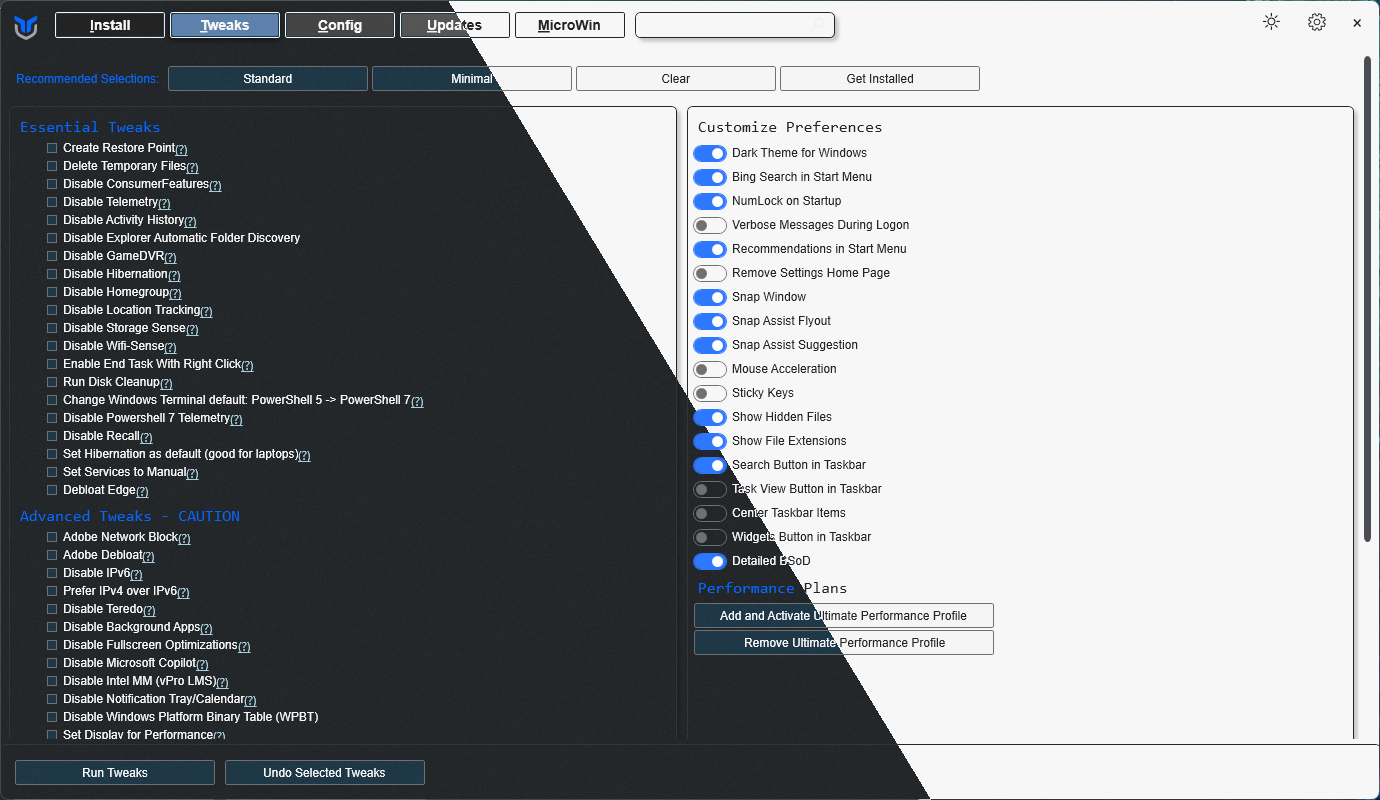
|
||||
|
||||
## 💡 Usage
|
||||
|
||||
@@ -34,16 +35,42 @@ irm "https://christitus.com/win" | iex
|
||||
irm "https://christitus.com/windev" | iex
|
||||
```
|
||||
|
||||
If you have Issues, refer to [Known Issues](https://christitustech.github.io/winutil/KnownIssues/)
|
||||
If you have Issues, refer to [Known Issues](https://winutil.christitus.com/knownissues/) or [Create Issue](https://github.com/ChrisTitusTech/winutil/issues)
|
||||
|
||||
## 🎓 Documentation
|
||||
|
||||
### [WinUtil Official Documentation](https://christitustech.github.io/winutil/)
|
||||
> [!NOTE]
|
||||
> To contribute to the documentation, please visit [WinUtil Docs Repo](https://github.com/Chris-Titus-Docs/winutil-docs) for more info.
|
||||
|
||||
### [WinUtil Official Documentation](https://winutil.christitus.com/)
|
||||
|
||||
### [YouTube Tutorial](https://www.youtube.com/watch?v=6UQZ5oQg8XA)
|
||||
|
||||
### [ChrisTitus.com Article](https://christitus.com/windows-tool/)
|
||||
|
||||
## 🛠️ Build & Develop
|
||||
|
||||
> [!NOTE]
|
||||
> Winutil is a relatively large script, so it's split into multiple files which're combined into a single `.ps1` file using a custom compiler. This makes maintaining the project a lot easier.
|
||||
|
||||
Get a copy of the source code, this can be done using GitHub UI (`Code -> Download ZIP`), or by cloning (downloading) the repo using git.
|
||||
|
||||
If git is installed, run the following commands under a PowerShell window to clone and move into project's directory:
|
||||
```ps1
|
||||
git clone --depth 1 "https://github.com/ChrisTitusTech/winutil.git"
|
||||
cd winutil
|
||||
```
|
||||
|
||||
To build the project, run the Compile Script under a PowerShell window (admin permissions IS NOT required):
|
||||
```ps1
|
||||
.\Compile.ps1
|
||||
```
|
||||
|
||||
You'll see a new file named `winutil.ps1`, which's created by `Compile.ps1` script, now you can run it as admin and a new window will popup, enjoy your own compiled version of WinUtil :)
|
||||
|
||||
> [!TIP]
|
||||
> For more info on using WinUtil and how to develop for it, please consider reading [the Contribution Guidelines](https://winutil.christitus.com/contributing/), if you don't know where to start, or have questions, you can ask over on our [Discord Community Server](https://discord.gg/RUbZUZyByQ) and active project members will answer when they can.
|
||||
|
||||
## 💖 Support
|
||||
- To morally and mentally support the project, make sure to leave a ⭐️!
|
||||
- EXE Wrapper for $10 @ https://www.cttstore.com/windows-toolbox
|
||||
@@ -52,7 +79,7 @@ If you have Issues, refer to [Known Issues](https://christitustech.github.io/win
|
||||
|
||||
These are the sponsors that help keep this project alive with monthly contributions.
|
||||
|
||||
<!-- sponsors --><a href="https://github.com/GregoryNavasarkian"><img src="https://github.com/GregoryNavasarkian.png" width="60px" alt="Gregory Navasarkian" /></a><a href="https://github.com/ysaito8015"><img src="https://github.com/ysaito8015.png" width="60px" alt="Yusuke Saito" /></a><a href="https://github.com/TriHydera"><img src="https://github.com/TriHydera.png" width="60px" alt="TriHydera" /></a><a href="https://github.com/jozozovko"><img src="https://github.com/jozozovko.png" width="60px" alt="" /></a><a href="https://github.com/DelDongo"><img src="https://github.com/DelDongo.png" width="60px" alt="" /></a><a href="https://github.com/markamos"><img src="https://github.com/markamos.png" width="60px" alt="Mark Amos" /></a><a href="https://github.com/dwelfusius"><img src="https://github.com/dwelfusius.png" width="60px" alt="" /></a><a href="https://github.com/mews-se"><img src="https://github.com/mews-se.png" width="60px" alt="" /></a><a href="https://github.com/jdiegmueller"><img src="https://github.com/jdiegmueller.png" width="60px" alt="Jason A. Diegmueller" /></a><a href="https://github.com/AlanTristar"><img src="https://github.com/AlanTristar.png" width="60px" alt="" /></a><a href="https://github.com/JennJones89"><img src="https://github.com/JennJones89.png" width="60px" alt="" /></a><a href="https://github.com/zepled112"><img src="https://github.com/zepled112.png" width="60px" alt="wyatt" /></a><a href="https://github.com/Cube707"><img src="https://github.com/Cube707.png" width="60px" alt="Jan Wille" /></a><a href="https://github.com/Owen-3456"><img src="https://github.com/Owen-3456.png" width="60px" alt="Owen" /></a><a href="https://github.com/altugtekiner"><img src="https://github.com/altugtekiner.png" width="60px" alt="" /></a><a href="https://github.com/getsmor"><img src="https://github.com/getsmor.png" width="60px" alt="" /></a><a href="https://github.com/robertsandrock"><img src="https://github.com/robertsandrock.png" width="60px" alt="" /></a><a href="https://github.com/jeffnesbit"><img src="https://github.com/jeffnesbit.png" width="60px" alt="" /></a><a href="https://github.com/mmomega"><img src="https://github.com/mmomega.png" width="60px" alt="" /></a><a href="https://github.com/KenichiQaz"><img src="https://github.com/KenichiQaz.png" width="60px" alt="Stefan" /></a><a href="https://github.com/thaddl"><img src="https://github.com/thaddl.png" width="60px" alt="thaddl" /></a><a href="https://github.com/paulsheets"><img src="https://github.com/paulsheets.png" width="60px" alt="Paul" /></a><a href="https://github.com/djones369"><img src="https://github.com/djones369.png" width="60px" alt="Dave Jones" /></a><!-- sponsors -->
|
||||
<!-- sponsors --><a href="https://github.com/markamos"><img src="https://github.com/markamos.png" width="60px" alt="User avatar: Mark Amos" /></a><a href="https://github.com/dwelfusius"><img src="https://github.com/dwelfusius.png" width="60px" alt="User avatar: " /></a><a href="https://github.com/mews-se"><img src="https://github.com/mews-se.png" width="60px" alt="User avatar: Martin Stockzell" /></a><a href="https://github.com/jdiegmueller"><img src="https://github.com/jdiegmueller.png" width="60px" alt="User avatar: Jason A. Diegmueller" /></a><a href="https://github.com/robertsandrock"><img src="https://github.com/robertsandrock.png" width="60px" alt="User avatar: RMS" /></a><a href="https://github.com/KenichiQaz"><img src="https://github.com/KenichiQaz.png" width="60px" alt="User avatar: Stefan" /></a><a href="https://github.com/paulsheets"><img src="https://github.com/paulsheets.png" width="60px" alt="User avatar: Paul" /></a><a href="https://github.com/djones369"><img src="https://github.com/djones369.png" width="60px" alt="User avatar: Dave J (WhamGeek)" /></a><a href="https://github.com/anthonymendez"><img src="https://github.com/anthonymendez.png" width="60px" alt="User avatar: Anthony Mendez" /></a><a href="https://github.com/FatBastard0"><img src="https://github.com/FatBastard0.png" width="60px" alt="User avatar: " /></a><a href="https://github.com/DursleyGuy"><img src="https://github.com/DursleyGuy.png" width="60px" alt="User avatar: DursleyGuy" /></a><a href="https://github.com/quaszi"><img src="https://github.com/quaszi.png" width="60px" alt="User avatar: " /></a><a href="https://github.com/DwayneTheRockLobster1"><img src="https://github.com/DwayneTheRockLobster1.png" width="60px" alt="User avatar: " /></a><a href="https://github.com/KieraKujisawa"><img src="https://github.com/KieraKujisawa.png" width="60px" alt="User avatar: Kiera Meredith" /></a><a href="https://github.com/TaNorbs"><img src="https://github.com/TaNorbs.png" width="60px" alt="User avatar: Norbs" /></a><!-- sponsors -->
|
||||
|
||||
## 🏅 Thanks to all Contributors
|
||||
Thanks a lot for spending your time helping Winutil grow. Thanks a lot! Keep rocking 🍻.
|
||||
|
||||
@@ -0,0 +1,62 @@
|
||||
{
|
||||
"WPFInstall": {
|
||||
"Content": "Install/Upgrade Applications",
|
||||
"Category": "____Actions",
|
||||
"Type": "Button",
|
||||
"Order": "1",
|
||||
"Description": "Install or upgrade the selected applications"
|
||||
},
|
||||
"WPFUninstall": {
|
||||
"Content": "Uninstall Applications",
|
||||
"Category": "____Actions",
|
||||
"Type": "Button",
|
||||
"Order": "2",
|
||||
"Description": "Uninstall the selected applications"
|
||||
},
|
||||
"WPFInstallUpgrade": {
|
||||
"Content": "Upgrade all Applications",
|
||||
"Category": "____Actions",
|
||||
"Type": "Button",
|
||||
"Order": "3",
|
||||
"Description": "Upgrade all applications to the latest version"
|
||||
},
|
||||
"WingetRadioButton": {
|
||||
"Content": "Winget",
|
||||
"Category": "__Package Manager",
|
||||
"Type": "RadioButton",
|
||||
"GroupName": "PackageManagerGroup",
|
||||
"Checked": true,
|
||||
"Order": "1",
|
||||
"Description": "Use Winget for package management"
|
||||
},
|
||||
"ChocoRadioButton": {
|
||||
"Content": "Chocolatey",
|
||||
"Category": "__Package Manager",
|
||||
"Type": "RadioButton",
|
||||
"GroupName": "PackageManagerGroup",
|
||||
"Checked": false,
|
||||
"Order": "2",
|
||||
"Description": "Use Chocolatey for package management"
|
||||
},
|
||||
"WPFClearInstallSelection": {
|
||||
"Content": "Clear Selection",
|
||||
"Category": "__Selection",
|
||||
"Type": "Button",
|
||||
"Order": "1",
|
||||
"Description": "Clear the selection of applications"
|
||||
},
|
||||
"WPFGetInstalled": {
|
||||
"Content": "Get Installed",
|
||||
"Category": "__Selection",
|
||||
"Type": "Button",
|
||||
"Order": "2",
|
||||
"Description": "Show installed applications"
|
||||
},
|
||||
"WPFselectedAppsButton": {
|
||||
"Content": "Selected Apps: 0",
|
||||
"Category": "__Selection",
|
||||
"Type": "Button",
|
||||
"Order": "3",
|
||||
"Description": "Show the selected applications"
|
||||
}
|
||||
}
|
||||
@@ -0,0 +1,442 @@
|
||||
<?xml version="1.0" encoding="utf-8"?>
|
||||
<unattend xmlns="urn:schemas-microsoft-com:unattend" xmlns:wcm="http://schemas.microsoft.com/WMIConfig/2002/State">
|
||||
<!--https://schneegans.de/windows/unattend-generator/?LanguageMode=Unattended&UILanguage=en-US&Locale=en-US&Keyboard=00000409&GeoLocation=244&ProcessorArchitecture=amd64&BypassRequirementsCheck=true&BypassNetworkCheck=true&ComputerNameMode=Random&TimeZoneMode=Implicit&PartitionMode=Interactive&WindowsEditionMode=Unattended&WindowsEdition=pro&UserAccountMode=Unattended&AccountName0=User&AccountPassword0=&AccountGroup0=Administrators&AccountName1=&AccountName2=&AccountName3=&AccountName4=&AutoLogonMode=Own&PasswordExpirationMode=Unlimited&LockoutMode=Default&HideFiles=Hidden&DisableWidgets=true&ClassicContextMenu=true&DisableFastStartup=true&EnableLongPaths=true&DisableAppSuggestions=true&PreventDeviceEncryption=true&WifiMode=Skip&ExpressSettings=DisableAll&Remove3DViewer=true&RemoveBingSearch=true&RemoveCamera=true&RemoveClipchamp=true&RemoveClock=true&RemoveCopilot=true&RemoveCortana=true&RemoveDevHome=true&RemoveFamily=true&RemoveFeedbackHub=true&RemoveGetHelp=true&RemoveInternetExplorer=true&RemoveMailCalendar=true&RemoveMaps=true&RemoveMathInputPanel=true&RemoveZuneVideo=true&RemoveNews=true&RemoveNotepad=true&RemoveOffice365=true&RemoveOneDrive=true&RemoveOneNote=true&RemoveOpenSSHClient=true&RemoveOutlook=true&RemovePaint3D=true&RemovePeople=true&RemovePowerAutomate=true&RemoveQuickAssist=true&RemoveSkype=true&RemoveSolitaire=true&RemoveStepsRecorder=true&RemoveStickyNotes=true&RemoveTeams=true&RemoveGetStarted=true&RemoveToDo=true&RemoveVoiceRecorder=true&RemoveWeather=true&RemoveWindowsMediaPlayer=true&RemoveZuneMusic=true&RemoveWordPad=true&WdacMode=Skip-->
|
||||
<settings pass="offlineServicing"></settings>
|
||||
<settings pass="windowsPE">
|
||||
<component name="Microsoft-Windows-International-Core-WinPE" processorArchitecture="amd64" publicKeyToken="31bf3856ad364e35" language="neutral" versionScope="nonSxS">
|
||||
<SetupUILanguage>
|
||||
<UILanguage>en-US</UILanguage>
|
||||
</SetupUILanguage>
|
||||
<InputLocale>0409:00000409</InputLocale>
|
||||
<SystemLocale>en-US</SystemLocale>
|
||||
<UILanguage>en-US</UILanguage>
|
||||
<UserLocale>en-US</UserLocale>
|
||||
</component>
|
||||
<component name="Microsoft-Windows-Setup" processorArchitecture="amd64" publicKeyToken="31bf3856ad364e35" language="neutral" versionScope="nonSxS">
|
||||
<UserData>
|
||||
<ProductKey>
|
||||
<Key>VK7JG-NPHTM-C97JM-9MPGT-3V66T</Key>
|
||||
</ProductKey>
|
||||
<AcceptEula>true</AcceptEula>
|
||||
</UserData>
|
||||
<RunSynchronous>
|
||||
<RunSynchronousCommand wcm:action="add">
|
||||
<Order>1</Order>
|
||||
<Path>reg.exe add "HKLM\SYSTEM\Setup\LabConfig" /v BypassTPMCheck /t REG_DWORD /d 1 /f</Path>
|
||||
</RunSynchronousCommand>
|
||||
<RunSynchronousCommand wcm:action="add">
|
||||
<Order>2</Order>
|
||||
<Path>reg.exe add "HKLM\SYSTEM\Setup\LabConfig" /v BypassSecureBootCheck /t REG_DWORD /d 1 /f</Path>
|
||||
</RunSynchronousCommand>
|
||||
<RunSynchronousCommand wcm:action="add">
|
||||
<Order>3</Order>
|
||||
<Path>reg.exe add "HKLM\SYSTEM\Setup\LabConfig" /v BypassRAMCheck /t REG_DWORD /d 1 /f</Path>
|
||||
</RunSynchronousCommand>
|
||||
</RunSynchronous>
|
||||
</component>
|
||||
</settings>
|
||||
<settings pass="generalize"></settings>
|
||||
<settings pass="specialize">
|
||||
<component name="Microsoft-Windows-Deployment" processorArchitecture="amd64" publicKeyToken="31bf3856ad364e35" language="neutral" versionScope="nonSxS">
|
||||
<RunSynchronous>
|
||||
<RunSynchronousCommand wcm:action="add">
|
||||
<Order>1</Order>
|
||||
<Path>reg.exe add "HKLM\SOFTWARE\Microsoft\Windows\CurrentVersion\OOBE" /v BypassNRO /t REG_DWORD /d 1 /f</Path>
|
||||
</RunSynchronousCommand>
|
||||
<RunSynchronousCommand wcm:action="add">
|
||||
<Order>2</Order>
|
||||
<Path>reg.exe load "HKU\DefaultUser" "C:\Users\Default\NTUSER.DAT"</Path>
|
||||
</RunSynchronousCommand>
|
||||
<RunSynchronousCommand wcm:action="add">
|
||||
<Order>3</Order>
|
||||
<Path>reg.exe add "HKU\DefaultUser\Software\Microsoft\Windows\CurrentVersion\Runonce" /v "UninstallCopilot" /t REG_SZ /d "powershell.exe -NoProfile -Command \"Get-AppxPackage -Name 'Microsoft.Windows.Ai.Copilot.Provider' | Remove-AppxPackage;\"" /f</Path>
|
||||
</RunSynchronousCommand>
|
||||
<RunSynchronousCommand wcm:action="add">
|
||||
<Order>4</Order>
|
||||
<Path>reg.exe add "HKU\DefaultUser\Software\Policies\Microsoft\Windows\WindowsCopilot" /v TurnOffWindowsCopilot /t REG_DWORD /d 1 /f</Path>
|
||||
</RunSynchronousCommand>
|
||||
<RunSynchronousCommand wcm:action="add">
|
||||
<Order>5</Order>
|
||||
<Path>reg.exe unload "HKU\DefaultUser"</Path>
|
||||
</RunSynchronousCommand>
|
||||
<RunSynchronousCommand wcm:action="add">
|
||||
<Order>6</Order>
|
||||
<Path>reg.exe delete "HKLM\SOFTWARE\Microsoft\WindowsUpdate\Orchestrator\UScheduler_Oobe\DevHomeUpdate" /f</Path>
|
||||
</RunSynchronousCommand>
|
||||
<RunSynchronousCommand wcm:action="add">
|
||||
<Order>7</Order>
|
||||
<Path>reg.exe load "HKU\DefaultUser" "C:\Users\Default\NTUSER.DAT"</Path>
|
||||
</RunSynchronousCommand>
|
||||
<RunSynchronousCommand wcm:action="add">
|
||||
<Order>8</Order>
|
||||
<Path>reg.exe add "HKU\DefaultUser\Software\Microsoft\Notepad" /v ShowStoreBanner /t REG_DWORD /d 0 /f</Path>
|
||||
</RunSynchronousCommand>
|
||||
<RunSynchronousCommand wcm:action="add">
|
||||
<Order>9</Order>
|
||||
<Path>reg.exe unload "HKU\DefaultUser"</Path>
|
||||
</RunSynchronousCommand>
|
||||
<RunSynchronousCommand wcm:action="add">
|
||||
<Order>10</Order>
|
||||
<Path>cmd.exe /c "del "C:\Users\Default\AppData\Roaming\Microsoft\Windows\Start Menu\Programs\OneDrive.lnk""</Path>
|
||||
</RunSynchronousCommand>
|
||||
<RunSynchronousCommand wcm:action="add">
|
||||
<Order>11</Order>
|
||||
<Path>cmd.exe /c "del "C:\Windows\System32\OneDriveSetup.exe""</Path>
|
||||
</RunSynchronousCommand>
|
||||
<RunSynchronousCommand wcm:action="add">
|
||||
<Order>12</Order>
|
||||
<Path>cmd.exe /c "del "C:\Windows\SysWOW64\OneDriveSetup.exe""</Path>
|
||||
</RunSynchronousCommand>
|
||||
<RunSynchronousCommand wcm:action="add">
|
||||
<Order>13</Order>
|
||||
<Path>reg.exe load "HKU\DefaultUser" "C:\Users\Default\NTUSER.DAT"</Path>
|
||||
</RunSynchronousCommand>
|
||||
<RunSynchronousCommand wcm:action="add">
|
||||
<Order>14</Order>
|
||||
<Path>reg.exe delete "HKU\DefaultUser\Software\Microsoft\Windows\CurrentVersion\Run" /v OneDriveSetup /f</Path>
|
||||
</RunSynchronousCommand>
|
||||
<RunSynchronousCommand wcm:action="add">
|
||||
<Order>15</Order>
|
||||
<Path>reg.exe unload "HKU\DefaultUser"</Path>
|
||||
</RunSynchronousCommand>
|
||||
<RunSynchronousCommand wcm:action="add">
|
||||
<Order>16</Order>
|
||||
<Path>reg.exe delete "HKLM\SOFTWARE\Microsoft\WindowsUpdate\Orchestrator\UScheduler_Oobe\OutlookUpdate" /f</Path>
|
||||
</RunSynchronousCommand>
|
||||
<RunSynchronousCommand wcm:action="add">
|
||||
<Order>17</Order>
|
||||
<Path>reg.exe add "HKLM\SOFTWARE\Microsoft\Windows\CurrentVersion\Communications" /v ConfigureChatAutoInstall /t REG_DWORD /d 0 /f</Path>
|
||||
</RunSynchronousCommand>
|
||||
<RunSynchronousCommand wcm:action="add">
|
||||
<Order>18</Order>
|
||||
<Path>powershell.exe -NoProfile -Command "$xml = [xml]::new(); $xml.Load('C:\Windows\Panther\unattend.xml'); $sb = [scriptblock]::Create( $xml.unattend.Extensions.ExtractScript ); Invoke-Command -ScriptBlock $sb -ArgumentList $xml;"</Path>
|
||||
</RunSynchronousCommand>
|
||||
<RunSynchronousCommand wcm:action="add">
|
||||
<Order>19</Order>
|
||||
<Path>powershell.exe -NoProfile -Command "Get-Content -LiteralPath 'C:\Windows\Temp\Microwin-RemovePackages.ps1' -Raw | Invoke-Expression;"</Path>
|
||||
</RunSynchronousCommand>
|
||||
<RunSynchronousCommand wcm:action="add">
|
||||
<Order>20</Order>
|
||||
<Path>powershell.exe -NoProfile -Command "Get-Content -LiteralPath 'C:\Windows\Temp\remove-caps.ps1' -Raw | Invoke-Expression;"</Path>
|
||||
</RunSynchronousCommand>
|
||||
<RunSynchronousCommand wcm:action="add">
|
||||
<Order>21</Order>
|
||||
<Path>reg.exe add "HKLM\SOFTWARE\Microsoft\PolicyManager\current\device\Start" /v ConfigureStartPins /t REG_SZ /d "{ \"pinnedList\": [] }" /f</Path>
|
||||
</RunSynchronousCommand>
|
||||
<RunSynchronousCommand wcm:action="add">
|
||||
<Order>22</Order>
|
||||
<Path>reg.exe add "HKLM\SOFTWARE\Microsoft\PolicyManager\current\device\Start" /v ConfigureStartPins_ProviderSet /t REG_DWORD /d 1 /f</Path>
|
||||
</RunSynchronousCommand>
|
||||
<RunSynchronousCommand wcm:action="add">
|
||||
<Order>23</Order>
|
||||
<Path>reg.exe add "HKLM\SOFTWARE\Microsoft\PolicyManager\current\device\Start" /v ConfigureStartPins_WinningProvider /t REG_SZ /d B5292708-1619-419B-9923-E5D9F3925E71 /f</Path>
|
||||
</RunSynchronousCommand>
|
||||
<RunSynchronousCommand wcm:action="add">
|
||||
<Order>24</Order>
|
||||
<Path>reg.exe add "HKLM\SOFTWARE\Microsoft\PolicyManager\providers\B5292708-1619-419B-9923-E5D9F3925E71\default\Device\Start" /v ConfigureStartPins /t REG_SZ /d "{ \"pinnedList\": [] }" /f</Path>
|
||||
</RunSynchronousCommand>
|
||||
<RunSynchronousCommand wcm:action="add">
|
||||
<Order>25</Order>
|
||||
<Path>reg.exe add "HKLM\SOFTWARE\Microsoft\PolicyManager\providers\B5292708-1619-419B-9923-E5D9F3925E71\default\Device\Start" /v ConfigureStartPins_LastWrite /t REG_DWORD /d 1 /f</Path>
|
||||
</RunSynchronousCommand>
|
||||
<RunSynchronousCommand wcm:action="add">
|
||||
<Order>26</Order>
|
||||
<Path>net.exe accounts /maxpwage:UNLIMITED</Path>
|
||||
</RunSynchronousCommand>
|
||||
<RunSynchronousCommand wcm:action="add">
|
||||
<Order>27</Order>
|
||||
<Path>reg.exe add "HKLM\SYSTEM\CurrentControlSet\Control\FileSystem" /v LongPathsEnabled /t REG_DWORD /d 1 /f</Path>
|
||||
</RunSynchronousCommand>
|
||||
<RunSynchronousCommand wcm:action="add">
|
||||
<Order>28</Order>
|
||||
<Path>reg.exe add "HKLM\SYSTEM\CurrentControlSet\Control\Session Manager\Power" /v HiberbootEnabled /t REG_DWORD /d 0 /f</Path>
|
||||
</RunSynchronousCommand>
|
||||
<RunSynchronousCommand wcm:action="add">
|
||||
<Order>29</Order>
|
||||
<Path>reg.exe add "HKLM\SOFTWARE\Policies\Microsoft\Dsh" /v AllowNewsAndInterests /t REG_DWORD /d 0 /f</Path>
|
||||
</RunSynchronousCommand>
|
||||
<RunSynchronousCommand wcm:action="add">
|
||||
<Order>30</Order>
|
||||
<Path>reg.exe load "HKU\DefaultUser" "C:\Users\Default\NTUSER.DAT"</Path>
|
||||
</RunSynchronousCommand>
|
||||
<RunSynchronousCommand wcm:action="add">
|
||||
<Order>31</Order>
|
||||
<Path>reg.exe add "HKU\DefaultUser\Software\Microsoft\Windows\CurrentVersion\ContentDeliveryManager" /v "ContentDeliveryAllowed" /t REG_DWORD /d 0 /f</Path>
|
||||
</RunSynchronousCommand>
|
||||
<RunSynchronousCommand wcm:action="add">
|
||||
<Order>32</Order>
|
||||
<Path>reg.exe add "HKU\DefaultUser\Software\Microsoft\Windows\CurrentVersion\ContentDeliveryManager" /v "FeatureManagementEnabled" /t REG_DWORD /d 0 /f</Path>
|
||||
</RunSynchronousCommand>
|
||||
<RunSynchronousCommand wcm:action="add">
|
||||
<Order>33</Order>
|
||||
<Path>reg.exe add "HKU\DefaultUser\Software\Microsoft\Windows\CurrentVersion\ContentDeliveryManager" /v "OEMPreInstalledAppsEnabled" /t REG_DWORD /d 0 /f</Path>
|
||||
</RunSynchronousCommand>
|
||||
<RunSynchronousCommand wcm:action="add">
|
||||
<Order>34</Order>
|
||||
<Path>reg.exe add "HKU\DefaultUser\Software\Microsoft\Windows\CurrentVersion\ContentDeliveryManager" /v "PreInstalledAppsEnabled" /t REG_DWORD /d 0 /f</Path>
|
||||
</RunSynchronousCommand>
|
||||
<RunSynchronousCommand wcm:action="add">
|
||||
<Order>35</Order>
|
||||
<Path>reg.exe add "HKU\DefaultUser\Software\Microsoft\Windows\CurrentVersion\ContentDeliveryManager" /v "PreInstalledAppsEverEnabled" /t REG_DWORD /d 0 /f</Path>
|
||||
</RunSynchronousCommand>
|
||||
<RunSynchronousCommand wcm:action="add">
|
||||
<Order>36</Order>
|
||||
<Path>reg.exe add "HKU\DefaultUser\Software\Microsoft\Windows\CurrentVersion\ContentDeliveryManager" /v "SilentInstalledAppsEnabled" /t REG_DWORD /d 0 /f</Path>
|
||||
</RunSynchronousCommand>
|
||||
<RunSynchronousCommand wcm:action="add">
|
||||
<Order>37</Order>
|
||||
<Path>reg.exe add "HKU\DefaultUser\Software\Microsoft\Windows\CurrentVersion\ContentDeliveryManager" /v "SoftLandingEnabled" /t REG_DWORD /d 0 /f</Path>
|
||||
</RunSynchronousCommand>
|
||||
<RunSynchronousCommand wcm:action="add">
|
||||
<Order>38</Order>
|
||||
<Path>reg.exe add "HKU\DefaultUser\Software\Microsoft\Windows\CurrentVersion\ContentDeliveryManager" /v "SubscribedContentEnabled" /t REG_DWORD /d 0 /f</Path>
|
||||
</RunSynchronousCommand>
|
||||
<RunSynchronousCommand wcm:action="add">
|
||||
<Order>39</Order>
|
||||
<Path>reg.exe add "HKU\DefaultUser\Software\Microsoft\Windows\CurrentVersion\ContentDeliveryManager" /v "SubscribedContent-310093Enabled" /t REG_DWORD /d 0 /f</Path>
|
||||
</RunSynchronousCommand>
|
||||
<RunSynchronousCommand wcm:action="add">
|
||||
<Order>40</Order>
|
||||
<Path>reg.exe add "HKU\DefaultUser\Software\Microsoft\Windows\CurrentVersion\ContentDeliveryManager" /v "SubscribedContent-338387Enabled" /t REG_DWORD /d 0 /f</Path>
|
||||
</RunSynchronousCommand>
|
||||
<RunSynchronousCommand wcm:action="add">
|
||||
<Order>41</Order>
|
||||
<Path>reg.exe add "HKU\DefaultUser\Software\Microsoft\Windows\CurrentVersion\ContentDeliveryManager" /v "SubscribedContent-338388Enabled" /t REG_DWORD /d 0 /f</Path>
|
||||
</RunSynchronousCommand>
|
||||
<RunSynchronousCommand wcm:action="add">
|
||||
<Order>42</Order>
|
||||
<Path>reg.exe add "HKU\DefaultUser\Software\Microsoft\Windows\CurrentVersion\ContentDeliveryManager" /v "SubscribedContent-338389Enabled" /t REG_DWORD /d 0 /f</Path>
|
||||
</RunSynchronousCommand>
|
||||
<RunSynchronousCommand wcm:action="add">
|
||||
<Order>43</Order>
|
||||
<Path>reg.exe add "HKU\DefaultUser\Software\Microsoft\Windows\CurrentVersion\ContentDeliveryManager" /v "SubscribedContent-338393Enabled" /t REG_DWORD /d 0 /f</Path>
|
||||
</RunSynchronousCommand>
|
||||
<RunSynchronousCommand wcm:action="add">
|
||||
<Order>44</Order>
|
||||
<Path>reg.exe add "HKU\DefaultUser\Software\Microsoft\Windows\CurrentVersion\ContentDeliveryManager" /v "SubscribedContent-353698Enabled" /t REG_DWORD /d 0 /f</Path>
|
||||
</RunSynchronousCommand>
|
||||
<RunSynchronousCommand wcm:action="add">
|
||||
<Order>45</Order>
|
||||
<Path>reg.exe add "HKU\DefaultUser\Software\Microsoft\Windows\CurrentVersion\ContentDeliveryManager" /v "SystemPaneSuggestionsEnabled" /t REG_DWORD /d 0 /f</Path>
|
||||
</RunSynchronousCommand>
|
||||
<RunSynchronousCommand wcm:action="add">
|
||||
<Order>46</Order>
|
||||
<Path>reg.exe unload "HKU\DefaultUser"</Path>
|
||||
</RunSynchronousCommand>
|
||||
<RunSynchronousCommand wcm:action="add">
|
||||
<Order>47</Order>
|
||||
<Path>reg.exe add "HKLM\Software\Policies\Microsoft\Windows\CloudContent" /v "DisableWindowsConsumerFeatures" /t REG_DWORD /d 0 /f</Path>
|
||||
</RunSynchronousCommand>
|
||||
<RunSynchronousCommand wcm:action="add">
|
||||
<Order>48</Order>
|
||||
<Path>reg.exe add "HKLM\SYSTEM\CurrentControlSet\Control\BitLocker" /v "PreventDeviceEncryption" /t REG_DWORD /d 1 /f</Path>
|
||||
</RunSynchronousCommand>
|
||||
<RunSynchronousCommand wcm:action="add">
|
||||
<Order>49</Order>
|
||||
<Path>reg.exe load "HKU\DefaultUser" "C:\Users\Default\NTUSER.DAT"</Path>
|
||||
</RunSynchronousCommand>
|
||||
<RunSynchronousCommand wcm:action="add">
|
||||
<Order>50</Order>
|
||||
<Path>reg.exe add "HKU\DefaultUser\Software\Microsoft\Windows\CurrentVersion\Runonce" /v "ClassicContextMenu" /t REG_SZ /d "reg.exe add \"HKCU\Software\Classes\CLSID\{86ca1aa0-34aa-4e8b-a509-50c905bae2a2}\InprocServer32\" /ve /f" /f</Path>
|
||||
</RunSynchronousCommand>
|
||||
<RunSynchronousCommand wcm:action="add">
|
||||
<Order>51</Order>
|
||||
<Path>reg.exe unload "HKU\DefaultUser"</Path>
|
||||
</RunSynchronousCommand>
|
||||
</RunSynchronous>
|
||||
</component>
|
||||
</settings>
|
||||
<settings pass="auditSystem"></settings>
|
||||
<settings pass="auditUser"></settings>
|
||||
<settings pass="oobeSystem">
|
||||
<component name="Microsoft-Windows-International-Core" processorArchitecture="amd64" publicKeyToken="31bf3856ad364e35" language="neutral" versionScope="nonSxS">
|
||||
<InputLocale>0409:00000409</InputLocale>
|
||||
<SystemLocale>en-US</SystemLocale>
|
||||
<UILanguage>en-US</UILanguage>
|
||||
<UserLocale>en-US</UserLocale>
|
||||
</component>
|
||||
<component name="Microsoft-Windows-Shell-Setup" processorArchitecture="amd64" publicKeyToken="31bf3856ad364e35" language="neutral" versionScope="nonSxS">
|
||||
<UserAccounts>
|
||||
<LocalAccounts>
|
||||
<LocalAccount wcm:action="add">
|
||||
<Name>User</Name>
|
||||
<Group>Administrators</Group>
|
||||
<Password>
|
||||
<Value></Value>
|
||||
<PlainText>true</PlainText>
|
||||
</Password>
|
||||
</LocalAccount>
|
||||
</LocalAccounts>
|
||||
</UserAccounts>
|
||||
<AutoLogon>
|
||||
<Username>User</Username>
|
||||
<Enabled>true</Enabled>
|
||||
<LogonCount>1</LogonCount>
|
||||
<Password>
|
||||
<Value></Value>
|
||||
<PlainText>true</PlainText>
|
||||
</Password>
|
||||
</AutoLogon>
|
||||
<OOBE>
|
||||
<ProtectYourPC>3</ProtectYourPC>
|
||||
<HideEULAPage>true</HideEULAPage>
|
||||
<HideWirelessSetupInOOBE>true</HideWirelessSetupInOOBE>
|
||||
</OOBE>
|
||||
<FirstLogonCommands>
|
||||
<SynchronousCommand wcm:action="add">
|
||||
<Order>1</Order>
|
||||
<CommandLine>reg.exe add "HKLM\SOFTWARE\Microsoft\Windows NT\CurrentVersion\Winlogon" /v AutoLogonCount /t REG_DWORD /d 0 /f</CommandLine>
|
||||
</SynchronousCommand>
|
||||
</FirstLogonCommands>
|
||||
</component>
|
||||
</settings>
|
||||
<Extensions xmlns="https://schneegans.de/windows/unattend-generator/">
|
||||
<ExtractScript>
|
||||
param(
|
||||
[xml]$Document
|
||||
);
|
||||
|
||||
$scriptsDir = 'C:\Windows\Setup\Scripts\';
|
||||
foreach( $file in $Document.unattend.Extensions.File ) {
|
||||
$path = [System.Environment]::ExpandEnvironmentVariables(
|
||||
$file.GetAttribute( 'path' )
|
||||
);
|
||||
if( $path.StartsWith( $scriptsDir ) ) {
|
||||
mkdir -Path $scriptsDir -ErrorAction 'SilentlyContinue';
|
||||
}
|
||||
$encoding = switch( [System.IO.Path]::GetExtension( $path ) ) {
|
||||
{ $_ -in '.ps1', '.xml' } { [System.Text.Encoding]::UTF8; }
|
||||
{ $_ -in '.reg', '.vbs', '.js' } { [System.Text.UnicodeEncoding]::new( $false, $true ); }
|
||||
default { [System.Text.Encoding]::Default; }
|
||||
};
|
||||
[System.IO.File]::WriteAllBytes( $path, ( $encoding.GetPreamble() + $encoding.GetBytes( $file.InnerText.Trim() ) ) );
|
||||
}
|
||||
</ExtractScript>
|
||||
<File path="C:\Windows\Temp\Microwin-RemovePackages.ps1">
|
||||
$selectors = @(
|
||||
'Microsoft.Microsoft3DViewer';
|
||||
'Microsoft.BingSearch';
|
||||
'Microsoft.WindowsCamera';
|
||||
'Clipchamp.Clipchamp';
|
||||
'Microsoft.WindowsAlarms';
|
||||
'Microsoft.549981C3F5F10';
|
||||
'Microsoft.Windows.DevHome';
|
||||
'MicrosoftCorporationII.MicrosoftFamily';
|
||||
'Microsoft.WindowsFeedbackHub';
|
||||
'Microsoft.GetHelp';
|
||||
'Microsoft.Getstarted';
|
||||
'microsoft.windowscommunicationsapps';
|
||||
'Microsoft.WindowsMaps';
|
||||
'Microsoft.BingNews';
|
||||
'Microsoft.WindowsNotepad';
|
||||
'Microsoft.MicrosoftOfficeHub';
|
||||
'Microsoft.Office.OneNote';
|
||||
'Microsoft.OutlookForWindows';
|
||||
'Microsoft.MSPaint';
|
||||
'Microsoft.People';
|
||||
'Microsoft.PowerAutomateDesktop';
|
||||
'MicrosoftCorporationII.QuickAssist';
|
||||
'Microsoft.SkypeApp';
|
||||
'Microsoft.MicrosoftSolitaireCollection';
|
||||
'Microsoft.MicrosoftStickyNotes';
|
||||
'MSTeams';
|
||||
'Microsoft.Todos';
|
||||
'Microsoft.WindowsSoundRecorder';
|
||||
'Microsoft.BingWeather';
|
||||
'Microsoft.ZuneMusic';
|
||||
'Microsoft.ZuneVideo';
|
||||
);
|
||||
$getCommand = { Get-AppxProvisionedPackage -Online; };
|
||||
$filterCommand = { $_.DisplayName -eq $selector; };
|
||||
$removeCommand = {
|
||||
[CmdletBinding()]
|
||||
param(
|
||||
[Parameter( Mandatory, ValueFromPipeline )]
|
||||
$InputObject
|
||||
);
|
||||
process {
|
||||
$InputObject | Remove-AppxProvisionedPackage -AllUsers -Online -ErrorAction 'Continue';
|
||||
}
|
||||
};
|
||||
$type = 'Package';
|
||||
$logfile = 'C:\Windows\Temp\Microwin-RemovePackages.log';
|
||||
& {
|
||||
$installed = & $getCommand;
|
||||
foreach( $selector in $selectors ) {
|
||||
$result = [ordered] @{
|
||||
Selector = $selector;
|
||||
};
|
||||
$found = $installed | Where-Object -FilterScript $filterCommand;
|
||||
if( $found ) {
|
||||
$result.Output = $found | & $removeCommand;
|
||||
if( $? ) {
|
||||
$result.Message = "$type removed.";
|
||||
} else {
|
||||
$result.Message = "$type not removed.";
|
||||
$result.Error = $Error[0];
|
||||
}
|
||||
} else {
|
||||
$result.Message = "$type not installed.";
|
||||
}
|
||||
$result | ConvertTo-Json -Depth 3 -Compress;
|
||||
}
|
||||
} *>&1 >> $logfile;
|
||||
</File>
|
||||
<File path="C:\Windows\Temp\remove-caps.ps1">
|
||||
$selectors = @(
|
||||
'Browser.InternetExplorer';
|
||||
'MathRecognizer';
|
||||
'OpenSSH.Client';
|
||||
'App.Support.QuickAssist';
|
||||
'App.StepsRecorder';
|
||||
'Media.WindowsMediaPlayer';
|
||||
'Microsoft.Windows.WordPad';
|
||||
);
|
||||
$getCommand = { Get-WindowsCapability -Online; };
|
||||
$filterCommand = { ($_.Name -split '~')[0] -eq $selector; };
|
||||
$removeCommand = {
|
||||
[CmdletBinding()]
|
||||
param(
|
||||
[Parameter( Mandatory, ValueFromPipeline )]
|
||||
$InputObject
|
||||
);
|
||||
process {
|
||||
$InputObject | Remove-WindowsCapability -Online -ErrorAction 'Continue';
|
||||
}
|
||||
};
|
||||
$type = 'Capability';
|
||||
$logfile = 'C:\Windows\Temp\remove-caps.log';
|
||||
& {
|
||||
$installed = & $getCommand;
|
||||
foreach( $selector in $selectors ) {
|
||||
$result = [ordered] @{
|
||||
Selector = $selector;
|
||||
};
|
||||
$found = $installed | Where-Object -FilterScript $filterCommand;
|
||||
if( $found ) {
|
||||
$result.Output = $found | & $removeCommand;
|
||||
if( $? ) {
|
||||
$result.Message = "$type removed.";
|
||||
} else {
|
||||
$result.Message = "$type not removed.";
|
||||
$result.Error = $Error[0];
|
||||
}
|
||||
} else {
|
||||
$result.Message = "$type not installed.";
|
||||
}
|
||||
$result | ConvertTo-Json -Depth 3 -Compress;
|
||||
}
|
||||
} *>&1 >> $logfile;
|
||||
</File>
|
||||
<File path="C:\Users\Default\AppData\Local\Microsoft\Windows\Shell\LayoutModification.xml"><![CDATA[
|
||||
<LayoutModificationTemplate Version="1" xmlns="http://schemas.microsoft.com/Start/2014/LayoutModification">
|
||||
<LayoutOptions StartTileGroupCellWidth="6" />
|
||||
<DefaultLayoutOverride>
|
||||
<StartLayoutCollection>
|
||||
<StartLayout GroupCellWidth="6" xmlns="http://schemas.microsoft.com/Start/2014/FullDefaultLayout" />
|
||||
</StartLayoutCollection>
|
||||
</DefaultLayoutOverride>
|
||||
</LayoutModificationTemplate>
|
||||
]]></File>
|
||||
</Extensions>
|
||||
</unattend>
|
||||
@@ -47,4 +47,4 @@
|
||||
"Primary6": "2a10:50c0::bad1:ff",
|
||||
"Secondary6": "2a10:50c0::bad2:ff"
|
||||
}
|
||||
}
|
||||
}
|
||||
|
||||
@@ -9,9 +9,8 @@
|
||||
"NetFx4-AdvSrvs",
|
||||
"NetFx3"
|
||||
],
|
||||
"InvokeScript": [
|
||||
|
||||
]
|
||||
"InvokeScript": [],
|
||||
"link": "https://winutil.christitus.com/dev/features/features/dotnet"
|
||||
},
|
||||
"WPFFeatureshyperv": {
|
||||
"Content": "HyperV Virtualization",
|
||||
@@ -20,18 +19,12 @@
|
||||
"panel": "1",
|
||||
"Order": "a011_",
|
||||
"feature": [
|
||||
"HypervisorPlatform",
|
||||
"Microsoft-Hyper-V-All",
|
||||
"Microsoft-Hyper-V",
|
||||
"Microsoft-Hyper-V-Tools-All",
|
||||
"Microsoft-Hyper-V-Management-PowerShell",
|
||||
"Microsoft-Hyper-V-Hypervisor",
|
||||
"Microsoft-Hyper-V-Services",
|
||||
"Microsoft-Hyper-V-Management-Clients"
|
||||
"Microsoft-Hyper-V-All"
|
||||
],
|
||||
"InvokeScript": [
|
||||
"Start-Process -FilePath cmd.exe -ArgumentList '/c bcdedit /set hypervisorschedulertype classic' -Wait"
|
||||
]
|
||||
"bcdedit /set hypervisorschedulertype classic"
|
||||
],
|
||||
"link": "https://winutil.christitus.com/dev/features/features/hyperv"
|
||||
},
|
||||
"WPFFeatureslegacymedia": {
|
||||
"Content": "Legacy Media (WMP, DirectPlay)",
|
||||
@@ -45,9 +38,8 @@
|
||||
"DirectPlay",
|
||||
"LegacyComponents"
|
||||
],
|
||||
"InvokeScript": [
|
||||
|
||||
]
|
||||
"InvokeScript": [],
|
||||
"link": "https://winutil.christitus.com/dev/features/features/legacymedia"
|
||||
},
|
||||
"WPFFeaturewsl": {
|
||||
"Content": "Windows Subsystem for Linux",
|
||||
@@ -59,9 +51,8 @@
|
||||
"VirtualMachinePlatform",
|
||||
"Microsoft-Windows-Subsystem-Linux"
|
||||
],
|
||||
"InvokeScript": [
|
||||
|
||||
]
|
||||
"InvokeScript": [],
|
||||
"link": "https://winutil.christitus.com/dev/features/features/wsl"
|
||||
},
|
||||
"WPFFeaturenfs": {
|
||||
"Content": "NFS - Network File System",
|
||||
@@ -80,43 +71,8 @@
|
||||
"Set-ItemProperty -Path 'HKLM:\\SOFTWARE\\Microsoft\\ClientForNFS\\CurrentVersion\\Default' -Name 'AnonymousGID' -Type DWord -Value 0",
|
||||
"nfsadmin client start",
|
||||
"nfsadmin client localhost config fileaccess=755 SecFlavors=+sys -krb5 -krb5i"
|
||||
]
|
||||
},
|
||||
"WPFFeatureEnableSearchSuggestions": {
|
||||
"Content": "Enable Search Box Web Suggestions in Registry(explorer restart)",
|
||||
"Description": "Enables web suggestions when searching using Windows Search.",
|
||||
"category": "Features",
|
||||
"panel": "1",
|
||||
"Order": "a015_",
|
||||
"feature": [
|
||||
],
|
||||
"InvokeScript": [
|
||||
"
|
||||
If (!(Test-Path 'HKCU:\\SOFTWARE\\Policies\\Microsoft\\Windows\\Explorer')) {
|
||||
New-Item -Path 'HKCU:\\SOFTWARE\\Policies\\Microsoft\\Windows\\Explorer' -Force | Out-Null
|
||||
}
|
||||
New-ItemProperty -Path 'HKCU:\\SOFTWARE\\Policies\\Microsoft\\Windows\\Explorer' -Name 'DisableSearchBoxSuggestions' -Type DWord -Value 0 -Force
|
||||
Stop-Process -name explorer -force
|
||||
"
|
||||
]
|
||||
},
|
||||
"WPFFeatureDisableSearchSuggestions": {
|
||||
"Content": "Disable Search Box Web Suggestions in Registry(explorer restart)",
|
||||
"Description": "Disables web suggestions when searching using Windows Search.",
|
||||
"category": "Features",
|
||||
"panel": "1",
|
||||
"Order": "a016_",
|
||||
"feature": [
|
||||
],
|
||||
"InvokeScript": [
|
||||
"
|
||||
If (!(Test-Path 'HKCU:\\SOFTWARE\\Policies\\Microsoft\\Windows\\Explorer')) {
|
||||
New-Item -Path 'HKCU:\\SOFTWARE\\Policies\\Microsoft\\Windows\\Explorer' -Force | Out-Null
|
||||
}
|
||||
New-ItemProperty -Path 'HKCU:\\SOFTWARE\\Policies\\Microsoft\\Windows\\Explorer' -Name 'DisableSearchBoxSuggestions' -Type DWord -Value 1 -Force
|
||||
Stop-Process -name explorer -force
|
||||
"
|
||||
]
|
||||
"link": "https://winutil.christitus.com/dev/features/features/nfs"
|
||||
},
|
||||
"WPFFeatureRegBackup": {
|
||||
"Content": "Enable Daily Registry Backup Task 12.30am",
|
||||
@@ -124,8 +80,7 @@
|
||||
"category": "Features",
|
||||
"panel": "1",
|
||||
"Order": "a017_",
|
||||
"feature": [
|
||||
],
|
||||
"feature": [],
|
||||
"InvokeScript": [
|
||||
"
|
||||
New-ItemProperty -Path 'HKLM:\\SYSTEM\\CurrentControlSet\\Control\\Session Manager\\Configuration Manager' -Name 'EnablePeriodicBackup' -Type DWord -Value 1 -Force
|
||||
@@ -134,7 +89,8 @@
|
||||
$trigger = New-ScheduledTaskTrigger -Daily -At 00:30
|
||||
Register-ScheduledTask -Action $action -Trigger $trigger -TaskName 'AutoRegBackup' -Description 'Create System Registry Backups' -User 'System'
|
||||
"
|
||||
]
|
||||
],
|
||||
"link": "https://winutil.christitus.com/dev/features/features/regbackup"
|
||||
},
|
||||
"WPFFeatureEnableLegacyRecovery": {
|
||||
"Content": "Enable Legacy F8 Boot Recovery",
|
||||
@@ -142,17 +98,11 @@
|
||||
"category": "Features",
|
||||
"panel": "1",
|
||||
"Order": "a018_",
|
||||
"feature": [
|
||||
],
|
||||
"feature": [],
|
||||
"InvokeScript": [
|
||||
"
|
||||
If (!(Test-Path 'HKLM:\\SYSTEM\\CurrentControlSet\\Control\\Session Manager\\Configuration Manager\\LastKnownGood')) {
|
||||
New-Item -Path 'HKLM:\\SYSTEM\\CurrentControlSet\\Control\\Session Manager\\Configuration Manager\\LastKnownGood' -Force | Out-Null
|
||||
}
|
||||
New-ItemProperty -Path 'HKLM:\\SYSTEM\\CurrentControlSet\\Control\\Session Manager\\Configuration Manager\\LastKnownGood' -Name 'Enabled' -Type DWord -Value 1 -Force
|
||||
Start-Process -FilePath cmd.exe -ArgumentList '/c bcdedit /Set {Current} BootMenuPolicy Legacy' -Wait
|
||||
"
|
||||
]
|
||||
"bcdedit /set bootmenupolicy legacy"
|
||||
],
|
||||
"link": "https://winutil.christitus.com/dev/features/features/enablelegacyrecovery"
|
||||
},
|
||||
"WPFFeatureDisableLegacyRecovery": {
|
||||
"Content": "Disable Legacy F8 Boot Recovery",
|
||||
@@ -160,24 +110,22 @@
|
||||
"category": "Features",
|
||||
"panel": "1",
|
||||
"Order": "a019_",
|
||||
"feature": [
|
||||
],
|
||||
"feature": [],
|
||||
"InvokeScript": [
|
||||
"
|
||||
If (!(Test-Path 'HKLM:\\SYSTEM\\CurrentControlSet\\Control\\Session Manager\\Configuration Manager\\LastKnownGood')) {
|
||||
New-Item -Path 'HKLM:\\SYSTEM\\CurrentControlSet\\Control\\Session Manager\\Configuration Manager\\LastKnownGood' -Force | Out-Null
|
||||
}
|
||||
New-ItemProperty -Path 'HKLM:\\SYSTEM\\CurrentControlSet\\Control\\Session Manager\\Configuration Manager\\LastKnownGood' -Name 'Enabled' -Type DWord -Value 0 -Force
|
||||
Start-Process -FilePath cmd.exe -ArgumentList '/c bcdedit /Set {Current} BootMenuPolicy Standard' -Wait
|
||||
"
|
||||
]
|
||||
"bcdedit /set bootmenupolicy standard"
|
||||
],
|
||||
"link": "https://winutil.christitus.com/dev/features/features/disablelegacyrecovery"
|
||||
},
|
||||
"WPFFeaturesandbox": {
|
||||
"WPFFeaturesSandbox": {
|
||||
"Content": "Windows Sandbox",
|
||||
"Description": "Windows Sandbox is a lightweight virtual machine that provides a temporary desktop environment to safely run applications and programs in isolation.",
|
||||
"category": "Features",
|
||||
"panel": "1",
|
||||
"Order": "a021_",
|
||||
"Description": "Windows Sandbox is a lightweight virtual machine that provides a temporary desktop environment to safely run applications and programs in isolation."
|
||||
"feature": [
|
||||
"Containers-DisposableClientVM"
|
||||
],
|
||||
"link": "https://winutil.christitus.com/dev/features/features/sandbox"
|
||||
},
|
||||
"WPFFeatureInstall": {
|
||||
"Content": "Install Features",
|
||||
@@ -185,7 +133,8 @@
|
||||
"panel": "1",
|
||||
"Order": "a060_",
|
||||
"Type": "Button",
|
||||
"ButtonWidth": "300"
|
||||
"ButtonWidth": "300",
|
||||
"link": "https://winutil.christitus.com/dev/features/features/install"
|
||||
},
|
||||
"WPFPanelAutologin": {
|
||||
"Content": "Set Up Autologin",
|
||||
@@ -193,7 +142,8 @@
|
||||
"Order": "a040_",
|
||||
"panel": "1",
|
||||
"Type": "Button",
|
||||
"ButtonWidth": "300"
|
||||
"ButtonWidth": "300",
|
||||
"link": "https://winutil.christitus.com/dev/features/fixes/autologin"
|
||||
},
|
||||
"WPFFixesUpdate": {
|
||||
"Content": "Reset Windows Update",
|
||||
@@ -201,7 +151,8 @@
|
||||
"panel": "1",
|
||||
"Order": "a041_",
|
||||
"Type": "Button",
|
||||
"ButtonWidth": "300"
|
||||
"ButtonWidth": "300",
|
||||
"link": "https://winutil.christitus.com/dev/features/fixes/update"
|
||||
},
|
||||
"WPFFixesNetwork": {
|
||||
"Content": "Reset Network",
|
||||
@@ -209,7 +160,8 @@
|
||||
"Order": "a042_",
|
||||
"panel": "1",
|
||||
"Type": "Button",
|
||||
"ButtonWidth": "300"
|
||||
"ButtonWidth": "300",
|
||||
"link": "https://winutil.christitus.com/dev/features/fixes/network"
|
||||
},
|
||||
"WPFPanelDISM": {
|
||||
"Content": "System Corruption Scan",
|
||||
@@ -217,7 +169,8 @@
|
||||
"panel": "1",
|
||||
"Order": "a043_",
|
||||
"Type": "Button",
|
||||
"ButtonWidth": "300"
|
||||
"ButtonWidth": "300",
|
||||
"link": "https://winutil.christitus.com/dev/features/fixes/dism"
|
||||
},
|
||||
"WPFFixesWinget": {
|
||||
"Content": "WinGet Reinstall",
|
||||
@@ -225,7 +178,8 @@
|
||||
"panel": "1",
|
||||
"Order": "a044_",
|
||||
"Type": "Button",
|
||||
"ButtonWidth": "300"
|
||||
"ButtonWidth": "300",
|
||||
"link": "https://winutil.christitus.com/dev/features/fixes/winget"
|
||||
},
|
||||
"WPFRunAdobeCCCleanerTool": {
|
||||
"Content": "Remove Adobe Creative Cloud",
|
||||
@@ -233,55 +187,111 @@
|
||||
"panel": "1",
|
||||
"Order": "a045_",
|
||||
"Type": "Button",
|
||||
"ButtonWidth": "300"
|
||||
"ButtonWidth": "300",
|
||||
"link": "https://winutil.christitus.com/dev/features/fixes/runadobecccleanertool"
|
||||
},
|
||||
"WPFPanelnetwork": {
|
||||
"Content": "Network Connections",
|
||||
"category": "Legacy Windows Panels",
|
||||
"panel": "2",
|
||||
"Type": "Button",
|
||||
"ButtonWidth": "300"
|
||||
},
|
||||
"WPFPanelcontrol": {
|
||||
"WPFPanelControl": {
|
||||
"Content": "Control Panel",
|
||||
"category": "Legacy Windows Panels",
|
||||
"panel": "2",
|
||||
"Type": "Button",
|
||||
"ButtonWidth": "300"
|
||||
"ButtonWidth": "300",
|
||||
"link": "https://winutil.christitus.com/dev/features/legacy-windows-panels/control"
|
||||
},
|
||||
"WPFPanelpower": {
|
||||
"WPFPanelComputer": {
|
||||
"Content": "Computer Management",
|
||||
"category": "Legacy Windows Panels",
|
||||
"panel": "2",
|
||||
"Type": "Button",
|
||||
"ButtonWidth": "300",
|
||||
"link": "https://winutil.christitus.com/dev/features/legacy-windows-panels/computer"
|
||||
},
|
||||
"WPFPanelNetwork": {
|
||||
"Content": "Network Connections",
|
||||
"category": "Legacy Windows Panels",
|
||||
"panel": "2",
|
||||
"Type": "Button",
|
||||
"ButtonWidth": "300",
|
||||
"link": "https://winutil.christitus.com/dev/features/legacy-windows-panels/network"
|
||||
},
|
||||
"WPFPanelPower": {
|
||||
"Content": "Power Panel",
|
||||
"category": "Legacy Windows Panels",
|
||||
"panel": "2",
|
||||
"Type": "Button",
|
||||
"ButtonWidth": "300"
|
||||
"ButtonWidth": "300",
|
||||
"link": "https://winutil.christitus.com/dev/features/legacy-windows-panels/power"
|
||||
},
|
||||
"WPFPanelregion": {
|
||||
"WPFPanelPrinter": {
|
||||
"Content": "Printer Panel",
|
||||
"category": "Legacy Windows Panels",
|
||||
"panel": "2",
|
||||
"Type": "Button",
|
||||
"ButtonWidth": "300",
|
||||
"link": "https://winutil.christitus.com/dev/features/legacy-windows-panels/printer"
|
||||
},
|
||||
"WPFPanelRegion": {
|
||||
"Content": "Region",
|
||||
"category": "Legacy Windows Panels",
|
||||
"panel": "2",
|
||||
"Type": "Button",
|
||||
"ButtonWidth": "300"
|
||||
"ButtonWidth": "300",
|
||||
"link": "https://winutil.christitus.com/dev/features/legacy-windows-panels/region"
|
||||
},
|
||||
"WPFPanelsound": {
|
||||
"WPFPanelRestore": {
|
||||
"Content": "Windows Restore",
|
||||
"category": "Legacy Windows Panels",
|
||||
"panel": "2",
|
||||
"Type": "Button",
|
||||
"ButtonWidth": "300",
|
||||
"link": "https://winutil.christitus.com/dev/features/legacy-windows-panels/restore"
|
||||
},
|
||||
"WPFPanelSound": {
|
||||
"Content": "Sound Settings",
|
||||
"category": "Legacy Windows Panels",
|
||||
"panel": "2",
|
||||
"Type": "Button",
|
||||
"ButtonWidth": "300"
|
||||
"ButtonWidth": "300",
|
||||
"link": "https://winutil.christitus.com/dev/features/legacy-windows-panels/user"
|
||||
},
|
||||
"WPFPanelsystem": {
|
||||
"WPFPanelSystem": {
|
||||
"Content": "System Properties",
|
||||
"category": "Legacy Windows Panels",
|
||||
"panel": "2",
|
||||
"Type": "Button",
|
||||
"ButtonWidth": "300"
|
||||
"ButtonWidth": "300",
|
||||
"link": "https://winutil.christitus.com/dev/features/legacy-windows-panels/system"
|
||||
},
|
||||
"WPFPaneluser": {
|
||||
"Content": "User Accounts",
|
||||
"WPFPanelTimedate": {
|
||||
"Content": "Time and Date",
|
||||
"category": "Legacy Windows Panels",
|
||||
"panel": "2",
|
||||
"Type": "Button",
|
||||
"ButtonWidth": "300",
|
||||
"link": "https://winutil.christitus.com/dev/features/legacy-windows-panels/timedate"
|
||||
},
|
||||
"WPFWinUtilInstallPSProfile": {
|
||||
"Content": "Install CTT PowerShell Profile",
|
||||
"category": "Powershell Profile",
|
||||
"panel": "2",
|
||||
"Order": "a083_",
|
||||
"Type": "Button",
|
||||
"ButtonWidth": "300"
|
||||
},
|
||||
"WPFWinUtilUninstallPSProfile": {
|
||||
"Content": "Uninstall CTT PowerShell Profile",
|
||||
"category": "Powershell Profile",
|
||||
"panel": "2",
|
||||
"Order": "a084_",
|
||||
"Type": "Button",
|
||||
"ButtonWidth": "300"
|
||||
},
|
||||
"WPFWinUtilSSHServer": {
|
||||
"Content": "Enable OpenSSH Server",
|
||||
"category": "Remote Access",
|
||||
"panel": "2",
|
||||
"Order": "a084_",
|
||||
"Type": "Button",
|
||||
"ButtonWidth": "300"
|
||||
}
|
||||
}
|
||||
|
||||
@@ -1,26 +1,22 @@
|
||||
{
|
||||
"Standard": [
|
||||
"WPFTweaksAH",
|
||||
"WPFTweaksActivity",
|
||||
"WPFTweaksConsumerFeatures",
|
||||
"WPFTweaksDisableExplorerAutoDiscovery",
|
||||
"WPFTweaksDVR",
|
||||
"WPFTweaksHiber",
|
||||
"WPFTweaksHome",
|
||||
"WPFTweaksLoc",
|
||||
"WPFTweaksLocation",
|
||||
"WPFTweaksServices",
|
||||
"WPFTweaksStorage",
|
||||
"WPFTweaksTele",
|
||||
"WPFTweaksWifi",
|
||||
"WPFTweaksTelemetry",
|
||||
"WPFTweaksDiskCleanup",
|
||||
"WPFTweaksDeleteTempFiles",
|
||||
"WPFTweaksEndTaskOnTaskbar",
|
||||
"WPFTweaksRestorePoint",
|
||||
"WPFTweaksTeredo",
|
||||
"WPFTweaksPowershell7Tele"
|
||||
],
|
||||
"Minimal": [
|
||||
"WPFTweaksConsumerFeatures",
|
||||
"WPFTweaksHome",
|
||||
"WPFTweaksDisableExplorerAutoDiscovery",
|
||||
"WPFTweaksServices",
|
||||
"WPFTweaksTele"
|
||||
"WPFTweaksTelemetry"
|
||||
]
|
||||
}
|
||||
|
||||
@@ -1,220 +1,127 @@
|
||||
{
|
||||
"Classic": {
|
||||
"CustomDialogFontSize": "12",
|
||||
"CustomDialogFontSizeHeader": "14",
|
||||
"CustomDialogIconSize": "25",
|
||||
"CustomDialogWidth": "400",
|
||||
"CustomDialogHeight": "200",
|
||||
"shared":{
|
||||
"AppEntryWidth": "130",
|
||||
"AppEntryFontSize": "11",
|
||||
"AppEntryMargin": "1,1,1,1",
|
||||
"AppEntryBorderThickness": "0",
|
||||
"CustomDialogFontSize": "12",
|
||||
"CustomDialogFontSizeHeader": "14",
|
||||
"CustomDialogLogoSize": "25",
|
||||
"CustomDialogWidth": "400",
|
||||
"CustomDialogHeight": "200",
|
||||
"FontSize": "12",
|
||||
"FontFamily": "Arial",
|
||||
"HeaderFontSize": "16",
|
||||
"HeaderFontFamily": "Consolas, Monaco",
|
||||
"CheckBoxBulletDecoratorSize": "14",
|
||||
"CheckBoxMargin": "15,0,0,2",
|
||||
"TabContentMargin": "5",
|
||||
"TabButtonFontSize": "14",
|
||||
"TabButtonWidth": "110",
|
||||
"TabButtonHeight": "26",
|
||||
"TabRowHeightInPixels": "50",
|
||||
"ToolTipWidth": "300",
|
||||
"IconFontSize": "14",
|
||||
"IconButtonSize": "35",
|
||||
"SettingsIconFontSize": "18",
|
||||
"CloseIconFontSize": "18",
|
||||
"MicroWinLogoSize": "10",
|
||||
"MicrowinCheckBoxMargin": "-10,5,0,0",
|
||||
"GroupBorderBackgroundColor": "#232629",
|
||||
"ButtonFontSize": "12",
|
||||
"ButtonFontFamily": "Arial",
|
||||
"ButtonWidth": "200",
|
||||
"ButtonHeight": "25",
|
||||
"ConfigTabButtonFontSize": "14",
|
||||
"ConfigUpdateButtonFontSize": "14",
|
||||
"SearchBarWidth": "200",
|
||||
"SearchBarHeight": "26",
|
||||
"SearchBarTextBoxFontSize": "12",
|
||||
"SearchBarClearButtonFontSize": "14",
|
||||
"CheckboxMouseOverColor": "#999999",
|
||||
"ButtonBorderThickness": "1",
|
||||
"ButtonMargin": "1",
|
||||
"ButtonCornerRadius": "2"
|
||||
},
|
||||
"Light": {
|
||||
"AppInstallUnselectedColor": "#F7F7F7",
|
||||
"AppInstallHighlightedColor": "#CFCFCF",
|
||||
"AppInstallSelectedColor": "#C2C2C2",
|
||||
"AppInstallOverlayBackgroundColor":"#6A6D72",
|
||||
"ComboBoxForegroundColor": "#232629",
|
||||
"ComboBoxBackgroundColor": "#F7F7F7",
|
||||
"LabelboxForegroundColor": "#232629",
|
||||
"MainForegroundColor": "#232629",
|
||||
"MainBackgroundColor": "#F7F7F7",
|
||||
"LabelBackgroundColor": "#F7F7F7",
|
||||
"LinkForegroundColor": "#484848",
|
||||
"LinkHoverForegroundColor": "#232629",
|
||||
"ScrollBarBackgroundColor": "#4A4D52",
|
||||
"ScrollBarHoverColor": "#5A5D62",
|
||||
"ScrollBarDraggingColor": "#6A6D72",
|
||||
|
||||
"FontSize": "12",
|
||||
"FontFamily": "Arial",
|
||||
"FontSizeHeading": "14",
|
||||
"HeaderFontFamily": "Consolas, Monaco",
|
||||
"MicrowinBusyColor": "#2e77ff",
|
||||
"ProgressBarForegroundColor": "#2e77ff",
|
||||
"ProgressBarBackgroundColor": "Transparent",
|
||||
"ProgressBarTextColor": "#232629",
|
||||
"ButtonInstallBackgroundColor": "#F7F7F7",
|
||||
"ButtonTweaksBackgroundColor": "#F7F7F7",
|
||||
"ButtonConfigBackgroundColor": "#F7F7F7",
|
||||
"ButtonUpdatesBackgroundColor": "#F7F7F7",
|
||||
"ButtonInstallForegroundColor": "#232629",
|
||||
"ButtonTweaksForegroundColor": "#232629",
|
||||
"ButtonConfigForegroundColor": "#232629",
|
||||
"ButtonUpdatesForegroundColor": "#232629",
|
||||
"ButtonBackgroundColor": "#F5F5F5",
|
||||
"ButtonBackgroundPressedColor": "#1A1A1A",
|
||||
"ButtonBackgroundMouseoverColor": "#C2C2C2",
|
||||
"ButtonBackgroundSelectedColor": "#F0F0F0",
|
||||
"ButtonForegroundColor": "#232629",
|
||||
"ToggleButtonOnColor": "#2e77ff",
|
||||
"ToggleButtonOffColor": "#707070",
|
||||
"ToolTipBackgroundColor": "#F7F7F7",
|
||||
"BorderColor": "#232629",
|
||||
"BorderOpacity": "0.2"
|
||||
|
||||
"CheckBoxBulletDecoratorFontSize": "14",
|
||||
"CheckBoxMargin": "15,0,0,2",
|
||||
},
|
||||
"Dark": {
|
||||
"AppInstallUnselectedColor": "#232629",
|
||||
"AppInstallHighlightedColor": "#3C3C3C",
|
||||
"AppInstallSelectedColor": "#4C4C4C",
|
||||
"AppInstallOverlayBackgroundColor":"#2E3135",
|
||||
"ComboBoxForegroundColor": "#F7F7F7",
|
||||
"ComboBoxBackgroundColor": "#1E3747",
|
||||
"LabelboxForegroundColor": "#0567ff",
|
||||
"MainForegroundColor": "#F7F7F7",
|
||||
"MainBackgroundColor": "#232629",
|
||||
"LabelBackgroundColor": "#232629",
|
||||
"LinkForegroundColor": "#add8e6",
|
||||
"LinkHoverForegroundColor": "#F7F7F7",
|
||||
"ScrollBarBackgroundColor": "#2E3135",
|
||||
"ScrollBarHoverColor": "#3B4252",
|
||||
"ScrollBarDraggingColor": "#5E81AC",
|
||||
|
||||
"TabButtonFontSize": "14",
|
||||
"TabButtonWidth": "100",
|
||||
"TabButtonHeight": "25",
|
||||
"TabRowHeightInPixels": "50",
|
||||
"IconFontSize": "14",
|
||||
"IconButtonSize": "35",
|
||||
"WinUtilIconSize": "Auto",
|
||||
"SettingsIconFontSize": "18",
|
||||
|
||||
"MicroWinLogoSize": "10",
|
||||
|
||||
"ProgressBarForegroundColor": "#FFAC1C",
|
||||
"ProgressBarBackgroundColor": "Transparent",
|
||||
"ProgressBarTextColor": "#000000",
|
||||
|
||||
"ComboBoxBackgroundColor": "#FFFFFF",
|
||||
"LabelboxForegroundColor": "#000000",
|
||||
"MainForegroundColor": "#000000",
|
||||
"MainBackgroundColor": "#FFFFFF",
|
||||
"LabelBackgroundColor": "#FAFAFA",
|
||||
"LinkForegroundColor": "#000000",
|
||||
"LinkHoverForegroundColor": "#000000",
|
||||
"GroupBorderBackgroundColor": "#000000",
|
||||
"ComboBoxForegroundColor": "#000000",
|
||||
|
||||
"ButtonFontSize": "12",
|
||||
"ButtonFontFamily": "Arial",
|
||||
"ButtonWidth": "200",
|
||||
"ButtonHeight": "25",
|
||||
"ConfigTabButtonFontSize": "16",
|
||||
|
||||
"SearchBarWidth": "200",
|
||||
"SearchBarHeight": "25",
|
||||
"SearchBarTextBoxFontSize": "16",
|
||||
"SearchBarClearButtonFontSize": "14",
|
||||
|
||||
"ButtonInstallBackgroundColor": "#FFFFFF",
|
||||
"ButtonTweaksBackgroundColor": "#FFFFFF",
|
||||
"ButtonConfigBackgroundColor": "#FFFFFF",
|
||||
"ButtonUpdatesBackgroundColor": "#FFFFFF",
|
||||
"ButtonInstallForegroundColor": "#000000",
|
||||
"ButtonTweaksForegroundColor": "#000000",
|
||||
"ButtonConfigForegroundColor": "#000000",
|
||||
"ButtonUpdatesForegroundColor": "#000000",
|
||||
"ButtonBackgroundColor": "#F5F5F5",
|
||||
"ButtonBackgroundPressedColor": "#1A1A1A",
|
||||
"CheckboxMouseOverColor": "#999999",
|
||||
"ButtonBackgroundMouseoverColor": "#C2C2C2",
|
||||
"ButtonBackgroundSelectedColor": "#F0F0F0",
|
||||
"ButtonForegroundColor": "#000000",
|
||||
"ToggleButtonOnColor": "#2e77ff",
|
||||
|
||||
"ButtonBorderThickness": "1",
|
||||
"ButtonMargin": "1",
|
||||
"ButtonCornerRadius": "2",
|
||||
"BorderColor": "#000000",
|
||||
"BorderOpacity": "0.2",
|
||||
"ShadowPulse": "Forever"
|
||||
},
|
||||
"Matrix": {
|
||||
"CustomDialogFontSize": "12",
|
||||
"CustomDialogFontSizeHeader": "14",
|
||||
"CustomDialogIconSize": "25",
|
||||
"CustomDialogWidth": "400",
|
||||
"CustomDialogHeight": "200",
|
||||
|
||||
"FontSize": "12",
|
||||
"FontFamily": "Arial",
|
||||
"FontSizeHeading": "14",
|
||||
"HeaderFontFamily": "Consolas, Monaco",
|
||||
|
||||
"CheckBoxBulletDecoratorFontSize": "14",
|
||||
"CheckBoxMargin": "15,0,0,2",
|
||||
|
||||
"TabButtonFontSize": "14",
|
||||
"TabButtonWidth": "100",
|
||||
"TabButtonHeight": "25",
|
||||
"TabRowHeightInPixels": "50",
|
||||
"IconFontSize": "14",
|
||||
"IconButtonSize": "35",
|
||||
"WinUtilIconSize": "Auto",
|
||||
"SettingsIconFontSize": "18",
|
||||
|
||||
"MicroWinLogoSize": "10",
|
||||
|
||||
"ProgressBarForegroundColor": "#222222",
|
||||
"ProgressBarBackgroundColor": "Transparent",
|
||||
"ProgressBarTextColor": "#cccccc",
|
||||
|
||||
"ComboBoxBackgroundColor": "#000000",
|
||||
"LabelboxForegroundColor": "#FFEE58",
|
||||
"MainForegroundColor": "#9CCC65",
|
||||
"MainBackgroundColor": "#000000",
|
||||
"LabelBackgroundColor": "#000000",
|
||||
"LinkForegroundColor": "#add8e6",
|
||||
"LinkHoverForegroundColor": "#FFFFFF",
|
||||
"ComboBoxForegroundColor": "#FFEE58",
|
||||
|
||||
"ButtonFontSize": "12",
|
||||
"ButtonFontFamily": "Arial",
|
||||
"ButtonWidth": "200",
|
||||
"ButtonHeight": "25",
|
||||
"ConfigTabButtonFontSize": "16",
|
||||
|
||||
"SearchBarWidth": "200",
|
||||
"SearchBarHeight": "25",
|
||||
"SearchBarTextBoxFontSize": "16",
|
||||
"SearchBarClearButtonFontSize": "14",
|
||||
|
||||
"ButtonInstallBackgroundColor": "#222222",
|
||||
"ButtonTweaksBackgroundColor": "#333333",
|
||||
"ButtonConfigBackgroundColor": "#444444",
|
||||
"ButtonUpdatesBackgroundColor": "#555555",
|
||||
"ButtonInstallForegroundColor": "#FFFFFF",
|
||||
"ButtonTweaksForegroundColor": "#FFFFFF",
|
||||
"ButtonConfigForegroundColor": "#FFFFFF",
|
||||
"ButtonUpdatesForegroundColor": "#FFFFFF",
|
||||
"ButtonBackgroundColor": "#000019",
|
||||
"ButtonBackgroundPressedColor": "#FFFFFF",
|
||||
"ButtonBackgroundMouseoverColor": "#A55A64",
|
||||
"ButtonBackgroundSelectedColor": "#FF5733",
|
||||
"ButtonForegroundColor": "#9CCC65",
|
||||
"ToggleButtonOnColor": "#2e77ff",
|
||||
|
||||
"ButtonBorderThickness": "1",
|
||||
"ButtonMargin": "1",
|
||||
"ButtonCornerRadius": "2",
|
||||
"BorderColor": "#FFAC1C",
|
||||
"BorderOpacity": "0.8",
|
||||
"ShadowPulse": "0:0:3"
|
||||
},
|
||||
"Dark": {
|
||||
"CustomDialogFontSize": "12",
|
||||
"CustomDialogFontSizeHeader": "14",
|
||||
"CustomDialogIconSize": "25",
|
||||
"CustomDialogWidth": "400",
|
||||
"CustomDialogHeight": "200",
|
||||
|
||||
"FontSize": "12",
|
||||
"FontFamily": "Arial",
|
||||
"FontSizeHeading": "14",
|
||||
"HeaderFontFamily": "Consolas, Monaco",
|
||||
|
||||
"CheckBoxBulletDecoratorFontSize": "14",
|
||||
"CheckBoxMargin": "15,0,0,2",
|
||||
|
||||
"TabButtonFontSize": "14",
|
||||
"TabButtonWidth": "100",
|
||||
"TabButtonHeight": "25",
|
||||
"TabRowHeightInPixels": "50",
|
||||
"IconFontSize": "14",
|
||||
"IconButtonSize": "35",
|
||||
"WinUtilIconSize": "Auto",
|
||||
"SettingsIconFontSize": "18",
|
||||
|
||||
"MicroWinLogoSize": "10",
|
||||
|
||||
"ProgressBarForegroundColor": "#222222",
|
||||
"ProgressBarBackgroundColor": "Transparent",
|
||||
"ProgressBarTextColor": "#FFFFFF",
|
||||
|
||||
"ComboBoxBackgroundColor": "#000000",
|
||||
"LabelboxForegroundColor": "#FFEE58",
|
||||
"MainForegroundColor": "#9CCC65",
|
||||
"MainBackgroundColor": "#000000",
|
||||
"LabelBackgroundColor": "#000000",
|
||||
"LinkForegroundColor": "#add8e6",
|
||||
"LinkHoverForegroundColor": "#FFFFFF",
|
||||
"ComboBoxForegroundColor": "#FFEE58",
|
||||
|
||||
"ButtonFontSize": "12",
|
||||
"ButtonFontFamily": "Arial",
|
||||
"ButtonWidth": "200",
|
||||
"ButtonHeight": "25",
|
||||
"ConfigTabButtonFontSize": "16",
|
||||
|
||||
"SearchBarWidth": "200",
|
||||
"SearchBarHeight": "25",
|
||||
"SearchBarTextBoxFontSize": "16",
|
||||
"SearchBarClearButtonFontSize": "14",
|
||||
|
||||
"ButtonInstallBackgroundColor": "#222222",
|
||||
"ButtonTweaksBackgroundColor": "#333333",
|
||||
"ButtonConfigBackgroundColor": "#444444",
|
||||
"ButtonUpdatesBackgroundColor": "#555555",
|
||||
"ButtonInstallForegroundColor": "#FFFFFF",
|
||||
"ButtonTweaksForegroundColor": "#FFFFFF",
|
||||
"ButtonConfigForegroundColor": "#FFFFFF",
|
||||
"ButtonUpdatesForegroundColor": "#FFFFFF",
|
||||
"ButtonBackgroundColor": "#000019",
|
||||
"ButtonBackgroundPressedColor": "#9CCC65",
|
||||
"ButtonBackgroundMouseoverColor": "#FF5733",
|
||||
"ButtonBackgroundSelectedColor": "#FF5733",
|
||||
"ButtonForegroundColor": "#9CCC65",
|
||||
"ToggleButtonOnColor": "#2e77ff",
|
||||
|
||||
"ButtonBorderThickness": "1",
|
||||
"ButtonMargin": "1",
|
||||
"ButtonCornerRadius": "2",
|
||||
"BorderColor": "#FFAC1C",
|
||||
"BorderOpacity": "0.2",
|
||||
"ShadowPulse": "Forever"
|
||||
}
|
||||
"MicrowinBusyColor": "#2e77ff",
|
||||
"ProgressBarForegroundColor": "#222222",
|
||||
"ProgressBarBackgroundColor": "Transparent",
|
||||
"ProgressBarTextColor": "#232629",
|
||||
"ButtonInstallBackgroundColor": "#222222",
|
||||
"ButtonTweaksBackgroundColor": "#333333",
|
||||
"ButtonConfigBackgroundColor": "#444444",
|
||||
"ButtonUpdatesBackgroundColor": "#555555",
|
||||
"ButtonInstallForegroundColor": "#F7F7F7",
|
||||
"ButtonTweaksForegroundColor": "#F7F7F7",
|
||||
"ButtonConfigForegroundColor": "#F7F7F7",
|
||||
"ButtonUpdatesForegroundColor": "#F7F7F7",
|
||||
"ButtonBackgroundColor": "#1E3747",
|
||||
"ButtonBackgroundPressedColor": "#F7F7F7",
|
||||
"ButtonBackgroundMouseoverColor": "#3B4252",
|
||||
"ButtonBackgroundSelectedColor": "#5E81AC",
|
||||
"ButtonForegroundColor": "#F7F7F7",
|
||||
"ToggleButtonOnColor": "#2e77ff",
|
||||
"ToggleButtonOffColor": "#707070",
|
||||
"ToolTipBackgroundColor": "#2F373D",
|
||||
"BorderColor": "#2F373D",
|
||||
"BorderOpacity": "0.2"
|
||||
}
|
||||
}
|
||||
|
||||
@@ -1,179 +0,0 @@
|
||||
### Launch Issues:
|
||||
|
||||
- Windows Security (formerly Defender) and other anti-virus software are known to block the script. The script gets flagged due to the fact that it requires administrator privileges & makes drastic system changes.
|
||||
- If possible: Allow script in Anti-Virus software settings.
|
||||
|
||||
- If you are having TLS 1.2 issues, or are having trouble resolving `christitus.com/win` then run with the following command:
|
||||
|
||||
```ps1
|
||||
[Net.ServicePointManager]::SecurityProtocol=[Net.SecurityProtocolType]::Tls12;iex(New-Object Net.WebClient).DownloadString('https://github.com/ChrisTitusTech/winutil/releases/latest/download/winutil.ps1')
|
||||
```
|
||||
|
||||
- If you are unable to resolve `christitus.com/win` and are getting errors launching the tool, it might be due to India blocking GitHub's content domain and preventing downloads.
|
||||
- Source: <https://timesofindia.indiatimes.com/gadgets-news/github-content-domain-blocked-for-these-indian-users-reports/articleshow/96687992.cms>
|
||||
|
||||
If you are still having issues try using a **VPN**, or changing your **DNS provider** to one of following two providers:
|
||||
|
||||
| Provider | Primary DNS | Secondary DNS |
|
||||
|:------------:|:------------:|:-------------:|
|
||||
| Cloudflare | `1.1.1.1` | `1.0.0.1` |
|
||||
| Google | `8.8.8.8` | `8.8.4.4` |
|
||||
|
||||
|
||||
|
||||
- Script doesn't run/PowerShell crashes:
|
||||
1. Press Windows Key+X and select 'PowerShell (Admin)' (Windows 10) or 'Windows Terminal (Admin)' (Windows 11)
|
||||
2. Run:
|
||||
```ps1
|
||||
Set-ExecutionPolicy Unrestricted -Scope Process -Force
|
||||
```
|
||||
3. Run:
|
||||
```ps1
|
||||
irm christitus.com/win | iex
|
||||
```
|
||||
|
||||
### Other Issues:
|
||||
|
||||
- Windows taking longer to shut down:
|
||||
- [#69](https://github.com/ChrisTitusTech/winutil/issues/69) Turn on fast startup: Press Windows key + R, then type:
|
||||
```
|
||||
control /name Microsoft.PowerOptions /page pageGlobalSettings
|
||||
```
|
||||
- If that doesn't work, Disable Hibernation: Press Windows Key+X and select 'PowerShell (Admin)' (Windows 10) or 'Windows Terminal (Admin)' (Windows 11) and enter:
|
||||
```ps1
|
||||
powercfg /H off
|
||||
```
|
||||
- [#69](https://github.com/ChrisTitusTech/winutil/issues/69) [95](https://github.com/ChrisTitusTech/winutil/issues/95) [#232](https://github.com/ChrisTitusTech/winutil/issues/232) Windows Search does not work: Enable Background Apps
|
||||
- [#198](https://github.com/ChrisTitusTech/winutil/issues/198) Xbox Game Bar Activation Broken: Set the Xbox Accessory Management Service to Automatic
|
||||
```ps1
|
||||
Get-Service -Name "XboxGipSvc" | Set-Service -StartupType Automatic
|
||||
```
|
||||
|
||||
- Winget requires interaction on first run: Manually type 'y' and 'enter' into the PowerShell console to continue
|
||||
- (Windows 11) Quick Settings no longer works: Launch the Script and click 'Enable Action Center'
|
||||
|
||||
- Explorer no longer launches: Go to Control Panel, File Explorer Options, Change the 'Open File Explorer to' option to 'This PC'.
|
||||
|
||||
### Battery drains too fast.
|
||||
* When your battery on the laptop drains too fast, please perform these steps and report the results back to the Winutil community.
|
||||
|
||||
1. **Check Battery Health:**
|
||||
- Open a Command Prompt as an administrator.
|
||||
- Run the following command to generate a battery report:
|
||||
```powershell
|
||||
powercfg /batteryreport /output "C:\battery_report.html"
|
||||
```
|
||||
- Open the generated HTML report to review information about battery health and usage.
|
||||
|
||||
2. **Review Power Settings:**
|
||||
- Go to "Settings" > "System" > "Power & sleep."
|
||||
- Adjust power plan settings based on your preferences and usage patterns.
|
||||
- Click on "Additional power settings" to access advanced power settings.
|
||||
|
||||
3. **Identify Power-Hungry Apps:**
|
||||
- Right-click on the taskbar and select "Task Manager."
|
||||
- Navigate to the "Processes" tab to identify applications with high CPU or memory usage.
|
||||
- Consider closing unnecessary background applications.
|
||||
|
||||
4. **Update Drivers:**
|
||||
- Visit your laptop manufacturer's website or use Windows Update to check for driver updates.
|
||||
- Ensure graphics, chipset, and other essential drivers are up to date.
|
||||
|
||||
5. **Check for Windows Updates:**
|
||||
- Go to "Settings" > "Update & Security" > "Windows Update."
|
||||
- Check for and install any available updates for your operating system.
|
||||
|
||||
6. **Reduce Screen Brightness:**
|
||||
- Adjust screen brightness based on your preferences and lighting conditions.
|
||||
- Go to "Settings" > "System" > "Display" to adjust brightness.
|
||||
|
||||
7. **Battery Saver Mode:**
|
||||
- Go to "Settings" > "System" > "Battery."
|
||||
- Turn on "Battery saver" to limit background activity and conserve power.
|
||||
|
||||
8. **Check Power Usage in Settings:**
|
||||
- Go to "Settings" > "System" > "Battery" > "Battery usage by app."
|
||||
- Review the list of apps and their power usage.
|
||||
|
||||
9. **Check Background Apps:**
|
||||
- Go to "Settings" > "Privacy" > "Background apps."
|
||||
- Disable unnecessary apps running in the background.
|
||||
|
||||
10. **Use Powercfg for Analysis:**
|
||||
- Open a Command Prompt as an administrator.
|
||||
- Run the following command to analyze energy usage and generate a report:
|
||||
```powershell
|
||||
powercfg /energy /output "C:\energy_report.html"
|
||||
```
|
||||
- Open the generated HTML report to identify energy consumption patterns.
|
||||
|
||||
11. **Review Event Viewer:**
|
||||
- Open Event Viewer by searching for it in the Start menu.
|
||||
- Navigate to "Windows Logs" > "System."
|
||||
- Look for events with the source "Power-Troubleshooter" to identify power-related events.
|
||||
|
||||
12. **Check Wake-up Sources:**
|
||||
- Open a Command Prompt as an administrator.
|
||||
- Use the command `powercfg /requests` to identify processes preventing sleep.
|
||||
- Check Task Scheduler for tasks waking up the computer.
|
||||
- Use the command `powercfg /waketimers` to view active wake timers.
|
||||
|
||||
13. **Resource Monitor:**
|
||||
- Open Resource Monitor from the Start menu.
|
||||
- Navigate to the "CPU" tab and identify processes with high CPU usage.
|
||||
|
||||
14. **Windows Settings - Activity History:**
|
||||
- In "Settings," go to "Privacy" > "Activity history."
|
||||
- Turn off "Let Windows collect my activities from this PC."
|
||||
|
||||
15. **Network Adapters:**
|
||||
- Open Device Manager by searching for it in the Start menu.
|
||||
- Locate your network adapter, right-click, and go to "Properties."
|
||||
- Under the "Power Management" tab, uncheck the option that allows the device to wake the computer.
|
||||
|
||||
16. **Review Installed Applications:**
|
||||
- Manually review installed applications by searching for "Add or remove programs" in the Start menu.
|
||||
- Check settings/preferences of individual applications for power-related options.
|
||||
- Uninstall unnecessary or problematic software.
|
||||
|
||||
* By following these detailed instructions, you should be able to thoroughly diagnose and address battery drain issues on your Windows laptop. Adjust settings as needed to optimize power management and improve battery life.
|
||||
|
||||
### Troubleshoot errors during Microwin usage
|
||||
|
||||
#### Error `0x80041031`
|
||||
|
||||
* This error code typically indicates an issue related to Windows Management Instrumentation (WMI). Here are a few steps you can try to resolve the issue:
|
||||
|
||||
1. **Reboot Your Computer:**
|
||||
Sometimes, a simple reboot can resolve temporary issues. Restart your computer and try mounting the ISO again.
|
||||
|
||||
2. **Check for System Corruption:**
|
||||
Run the System File Checker (SFC) utility to scan and repair system files that may be corrupted.
|
||||
```powershell
|
||||
sfc /scannow
|
||||
```
|
||||
|
||||
3. **Update Your System:**
|
||||
Make sure your operating system is up-to-date. Check for Windows updates and install any pending updates.
|
||||
|
||||
4. **Check WMI Service:**
|
||||
Ensure that the Windows Management Instrumentation (WMI) service is running. You can do this through the Services application:
|
||||
- Press `Win + R` to open the Run dialog.
|
||||
- Type `services.msc` and press Enter.
|
||||
- Locate "Windows Management Instrumentation" in the list.
|
||||
- Make sure to set its status to "Running" and the startup type to "Automatic."
|
||||
|
||||
5. **Check for Security Software Interference:**
|
||||
Security software can sometimes interfere with WMI operations. Temporarily disable your antivirus or security software and check if the issue persists.
|
||||
|
||||
6. **Event Viewer:**
|
||||
Check the Event Viewer for more detailed error information. Look for entries related to the `80041031` error and check if there are any additional details that can help identify the cause.
|
||||
|
||||
- Press `Win + X` and select "Event Viewer."
|
||||
- Navigate to "Windows Logs" -> "Application" or "System."
|
||||
- Look for entries with the source related to WMI or the application use to mount the ISO.
|
||||
|
||||
7. **ISO File Integrity:**
|
||||
Ensure that the ISO file you are trying to mount is uncorrupted. Try mounting a different ISO file to see if the issue persists.
|
||||
|
||||
* If the problem persists after trying these steps, additional troubleshooting is required. Consider seeking assistance from Microsoft support or community forums for more specific guidance based on your system configuration and the software you use to mount the ISO.
|
||||
@@ -0,0 +1,5 @@
|
||||
---
|
||||
date: '{{ .Date }}'
|
||||
draft: true
|
||||
title: '{{ replace .File.ContentBaseName "-" " " | title }}'
|
||||
---
|
||||

|
Before Width: | Height: | Size: 36 KiB |

|
Before Width: | Height: | Size: 27 KiB |

|
Before Width: | Height: | Size: 152 KiB |

|
Before Width: | Height: | Size: 137 KiB |

|
Before Width: | Height: | Size: 102 KiB |

|
Before Width: | Height: | Size: 108 KiB |

|
Before Width: | Height: | Size: 79 KiB |

|
Before Width: | Height: | Size: 264 KiB |

|
Before Width: | Height: | Size: 40 KiB |

|
Before Width: | Height: | Size: 28 KiB |

|
Before Width: | Height: | Size: 339 KiB |

|
Before Width: | Height: | Size: 150 KiB |

|
Before Width: | Height: | Size: 99 KiB |

|
Before Width: | Height: | Size: 194 KiB After Width: | Height: | Size: 194 KiB |

|
Before Width: | Height: | Size: 17 KiB After Width: | Height: | Size: 17 KiB |

|
Before Width: | Height: | Size: 12 KiB After Width: | Height: | Size: 12 KiB |

|
Before Width: | Height: | Size: 6.8 KiB After Width: | Height: | Size: 6.8 KiB |

|
Before Width: | Height: | Size: 14 KiB After Width: | Height: | Size: 14 KiB |

|
Before Width: | Height: | Size: 22 KiB After Width: | Height: | Size: 22 KiB |

|
After Width: | Height: | Size: 27 KiB |

|
After Width: | Height: | Size: 28 KiB |

|
After Width: | Height: | Size: 164 KiB |

|
After Width: | Height: | Size: 179 KiB |

|
After Width: | Height: | Size: 164 KiB |

|
After Width: | Height: | Size: 50 KiB |

|
After Width: | Height: | Size: 164 KiB |

|
After Width: | Height: | Size: 92 KiB |

|
After Width: | Height: | Size: 51 KiB |

|
After Width: | Height: | Size: 124 KiB |

|
After Width: | Height: | Size: 109 KiB |

|
After Width: | Height: | Size: 108 KiB |

|
Before Width: | Height: | Size: 77 KiB After Width: | Height: | Size: 77 KiB |

|
After Width: | Height: | Size: 14 MiB |

|
After Width: | Height: | Size: 18 KiB |

|
After Width: | Height: | Size: 17 KiB |

|
After Width: | Height: | Size: 4.2 MiB |

|
After Width: | Height: | Size: 123 KiB |

|
After Width: | Height: | Size: 122 KiB |

|
After Width: | Height: | Size: 9.6 KiB |

|
After Width: | Height: | Size: 60 KiB |

|
After Width: | Height: | Size: 51 KiB |

|
After Width: | Height: | Size: 48 KiB |

|
After Width: | Height: | Size: 19 KiB |

|
After Width: | Height: | Size: 36 KiB |

|
After Width: | Height: | Size: 10 KiB |

|
After Width: | Height: | Size: 10 KiB |

|
After Width: | Height: | Size: 4.5 KiB |

|
After Width: | Height: | Size: 4.5 KiB |

|
After Width: | Height: | Size: 532 KiB |

|
After Width: | Height: | Size: 570 KiB |

|
After Width: | Height: | Size: 572 KiB |

|
After Width: | Height: | Size: 535 KiB |

|
After Width: | Height: | Size: 12 KiB |

|
After Width: | Height: | Size: 12 KiB |

|
After Width: | Height: | Size: 121 KiB |

|
After Width: | Height: | Size: 61 KiB |

|
After Width: | Height: | Size: 7.8 KiB |
@@ -1,175 +0,0 @@
|
||||
|
||||
# Changelog
|
||||
|
||||
WinUtil change log received from GitHub Releases, it's autogenerated using GitHub Actions.
|
||||
|
||||
> [!WARNING]
|
||||
> This file **SHOULD NOT** be edited directly, any PRs that tries changing it directly will either be requested on not changing it, or it'll get rejected.
|
||||
|
||||
# Release 24.07.17
|
||||
|
||||

|
||||
|
||||
## What's Changed
|
||||
* Pump up the value of 'operations-per-run' Field for 'Close Old Issues' Workflow by @og-mrk in https://github.com/ChrisTitusTech/winutil/pull/2219
|
||||
* Improvements/Fixes for the Release Actions by @Marterich in https://github.com/ChrisTitusTech/winutil/pull/2221
|
||||
* Move Launch Issues from ReadMe to Known Issues by @MyDrift-user in https://github.com/ChrisTitusTech/winutil/pull/2222
|
||||
* [01] Refactoring UI code by @og-mrk in https://github.com/ChrisTitusTech/winutil/pull/2274
|
||||
* Delete Un-used 'helperscript.ps1' File by @og-mrk in https://github.com/ChrisTitusTech/winutil/pull/2223
|
||||
* Known Issues: Removed redundancy caused by resolving the merge conflict. by @MyDrift-user in https://github.com/ChrisTitusTech/winutil/pull/2224
|
||||
* Redirect dev to latest Full Release if can't find prerelease by @MyDrift-user in https://github.com/ChrisTitusTech/winutil/pull/2225
|
||||
* Add 'CONTRIBUTING.md' File by @og-mrk in https://github.com/ChrisTitusTech/winutil/pull/2227
|
||||
* Update main.ps1 by @eltociear in https://github.com/ChrisTitusTech/winutil/pull/2229
|
||||
* Added get installed check for classic right click menu tweak by @btstromberg in https://github.com/ChrisTitusTech/winutil/pull/2231
|
||||
* fix syntax highlighting in .MDs by @MyDrift-user in https://github.com/ChrisTitusTech/winutil/pull/2235
|
||||
* Add "Shotcut" in applications by @ksb2311 in https://github.com/ChrisTitusTech/winutil/pull/2238
|
||||
* Fix Icon Support for Shortcut Creation by @og-mrk in https://github.com/ChrisTitusTech/winutil/pull/2242
|
||||
* Allow for tasks to be distinguished by @CodingWonders in https://github.com/ChrisTitusTech/winutil/pull/2251
|
||||
* Fix & Rename Nilesoft Shell by @MyDrift-user in https://github.com/ChrisTitusTech/winutil/pull/2261
|
||||
* Fix: Ultimate Performance Plan by @MyDrift-user in https://github.com/ChrisTitusTech/winutil/pull/2267
|
||||
* Change Main loop from 'ForEach' to 'For' inside 'Install-WinUtilProgramWinget' Private Function by @og-mrk in https://github.com/ChrisTitusTech/winutil/pull/2271
|
||||
* Fix 'Close Old Issues' Workflow by @og-mrk in https://github.com/ChrisTitusTech/winutil/pull/2272
|
||||
* Add new 'Disable Powershell 7 Telemetry' Tweak by @og-mrk in https://github.com/ChrisTitusTech/winutil/pull/2273
|
||||
* Fix Typo in 'Invoke-WinUtilTaskbarSearch' Private Function by @og-mrk in https://github.com/ChrisTitusTech/winutil/pull/2275
|
||||
* Update applications.json by @dhruvmistry2000 in https://github.com/ChrisTitusTech/winutil/pull/2290
|
||||
* Add app: Modern Flyouts by @MyDrift-user in https://github.com/ChrisTitusTech/winutil/pull/2293
|
||||
* Adds PR template by @Real-MullaC in https://github.com/ChrisTitusTech/winutil/pull/2299
|
||||
* Add download counter by @Marterich in https://github.com/ChrisTitusTech/winutil/pull/2300
|
||||
* Change Kicad category by @Joanty24 in https://github.com/ChrisTitusTech/winutil/pull/2302
|
||||
* Fix: PR Template file extension by @MyDrift-user in https://github.com/ChrisTitusTech/winutil/pull/2304
|
||||
* Rework JDK packages with Corretto LTS ones by @meenbeese in https://github.com/ChrisTitusTech/winutil/pull/2305
|
||||
* Added IPv6 DNS by @Joanty24 in https://github.com/ChrisTitusTech/winutil/pull/2303
|
||||
* Create createchangelog.yml for docs page by @Real-MullaC in https://github.com/ChrisTitusTech/winutil/pull/2346
|
||||
* Adds all files for winutil docs by @Real-MullaC in https://github.com/ChrisTitusTech/winutil/pull/2342
|
||||
* Adds Community Discord to ReadMe file by @Real-MullaC in https://github.com/ChrisTitusTech/winutil/pull/2343
|
||||
* Discussions close on PR merge by @Real-MullaC in https://github.com/ChrisTitusTech/winutil/pull/2336
|
||||
* Documentation & ReadMe Cleanup by @MyDrift-user in https://github.com/ChrisTitusTech/winutil/pull/2310
|
||||
* Added MicroWin documentation by @CodingWonders in https://github.com/ChrisTitusTech/winutil/pull/2349
|
||||
* Update Install-WinUtilProgramChoco.ps1 by @Real-MullaC in https://github.com/ChrisTitusTech/winutil/pull/2307
|
||||
* Addition of Fork by @Real-MullaC in https://github.com/ChrisTitusTech/winutil/pull/2313
|
||||
* Hidden File Tweaks by @Real-MullaC in https://github.com/ChrisTitusTech/winutil/pull/2320
|
||||
* Optimized: Shortcut Creation and PS7 Tweak by @Marterich in https://github.com/ChrisTitusTech/winutil/pull/2314
|
||||
* Addition of multiple applications by @Real-MullaC in https://github.com/ChrisTitusTech/winutil/pull/2316
|
||||
* Add Application: ZoomIt by @MyDrift-user in https://github.com/ChrisTitusTech/winutil/pull/2319
|
||||
* Fix Compile Errors on PowerShell 5 by @Marterich in https://github.com/ChrisTitusTech/winutil/pull/2322
|
||||
* Add application: Lenovo Legion Toolkit by @Klusio19 in https://github.com/ChrisTitusTech/winutil/pull/2324
|
||||
* Remove Edge leftovers from WOW6432Node by @CodingWonders in https://github.com/ChrisTitusTech/winutil/pull/2328
|
||||
* Fix: End Task with right click by @MyDrift-user in https://github.com/ChrisTitusTech/winutil/pull/2331
|
||||
* Adds Palemoon and closes old issues if not needed by @Real-MullaC in https://github.com/ChrisTitusTech/winutil/pull/2332
|
||||
* Change the titles for each section from Bold Text to Header 2 in Bug Report Issue Template by @og-mrk in https://github.com/ChrisTitusTech/winutil/pull/2339
|
||||
* Optimize badges by @Marterich in https://github.com/ChrisTitusTech/winutil/pull/2356
|
||||
* Add New Windows 11 Specific Toggle - The 'Taskbar Alignment' Toggle by @og-mrk in https://github.com/ChrisTitusTech/winutil/pull/2347
|
||||
* Make the 'Youtube Tutorial' Header be the link instead of the Youtube Thumbnail for it, Making the 'README.md' even shorter by @og-mrk in https://github.com/ChrisTitusTech/winutil/pull/2359
|
||||
* Fix WinUtil Crashing on Startup - Xaml Error from Generated Applications List by @og-mrk in https://github.com/ChrisTitusTech/winutil/pull/2361
|
||||
* [Wiki] Automatically enabling Dark/Light mode set by user's browser Preference by @Angxddeep in https://github.com/ChrisTitusTech/winutil/pull/2366
|
||||
* Fixes an issue with create changelog not working by @Real-MullaC in https://github.com/ChrisTitusTech/winutil/pull/2375
|
||||
* Updates PR template so disscussion and issue is on the same line. by @Real-MullaC in https://github.com/ChrisTitusTech/winutil/pull/2363
|
||||
* Update close-discussion.yml so it detects based on new previous PR by @Real-MullaC in https://github.com/ChrisTitusTech/winutil/pull/2364
|
||||
* Repo Cleanup by @MyDrift-user in https://github.com/ChrisTitusTech/winutil/pull/2367
|
||||
* Add /close command for the active contributors to close issues by @Marterich in https://github.com/ChrisTitusTech/winutil/pull/2380
|
||||
* Update workflows to remove `::set-output` by @wojsmol in https://github.com/ChrisTitusTech/winutil/pull/2384
|
||||
* Fixes release log by @Real-MullaC in https://github.com/ChrisTitusTech/winutil/pull/2377
|
||||
* Bump actions/checkout from 2 to 4 by @dependabot in https://github.com/ChrisTitusTech/winutil/pull/2389
|
||||
* Bump actions/cache from 2 to 4 by @dependabot in https://github.com/ChrisTitusTech/winutil/pull/2390
|
||||
|
||||
## New Contributors
|
||||
* @btstromberg made their first contribution in https://github.com/ChrisTitusTech/winutil/pull/2231
|
||||
* @ksb2311 made their first contribution in https://github.com/ChrisTitusTech/winutil/pull/2238
|
||||
* @dhruvmistry2000 made their first contribution in https://github.com/ChrisTitusTech/winutil/pull/2290
|
||||
* @Klusio19 made their first contribution in https://github.com/ChrisTitusTech/winutil/pull/2324
|
||||
* @Angxddeep made their first contribution in https://github.com/ChrisTitusTech/winutil/pull/2366
|
||||
* @wojsmol made their first contribution in https://github.com/ChrisTitusTech/winutil/pull/2384
|
||||
* @dependabot made their first contribution in https://github.com/ChrisTitusTech/winutil/pull/2389
|
||||
|
||||
**Full Changelog**: https://github.com/ChrisTitusTech/winutil/compare/24.06.29...24.07.17
|
||||
|
||||
# Release 24.06.28
|
||||
|
||||

|
||||
|
||||
## What's Changed
|
||||
* Rename Application: ForceAutoHDR by @MyDrift-user in https://github.com/ChrisTitusTech/winutil/pull/2081
|
||||
* Remove force install of Winget + Small improvements by @Marterich in https://github.com/ChrisTitusTech/winutil/pull/2083
|
||||
* Remove WwanSvc Service From Manual Services Tweak by @Marterich in https://github.com/ChrisTitusTech/winutil/pull/2086
|
||||
* Added Plex Desktop along side Plex Media Server by @PedroBuffon in https://github.com/ChrisTitusTech/winutil/pull/2091
|
||||
* Remove java 20 by @brrock in https://github.com/ChrisTitusTech/winutil/pull/2095
|
||||
* Remove oosu essential tweak by @Marterich in https://github.com/ChrisTitusTech/winutil/pull/2099
|
||||
* Removed Free File Sync because of Malware warning on choco repo by @Marterich in https://github.com/ChrisTitusTech/winutil/pull/2101
|
||||
* Remove unused Functions by @Marterich in https://github.com/ChrisTitusTech/winutil/pull/2102
|
||||
* Remove Extra Tabs in 'applications.json' File by @og-mrk in https://github.com/ChrisTitusTech/winutil/pull/2113
|
||||
* Fix Compile -Run always starting as PS5 by @Marterich in https://github.com/ChrisTitusTech/winutil/pull/2165
|
||||
* Fix White space (bottom right of Application Tab) by @MyDrift-user in https://github.com/ChrisTitusTech/winutil/pull/2120
|
||||
* Delete Un-used 'logs' Folder by @og-mrk in https://github.com/ChrisTitusTech/winutil/pull/2135
|
||||
* Fixes Edge Removal by @Real-MullaC in https://github.com/ChrisTitusTech/winutil/pull/2136
|
||||
* Added kicad by @Real-MullaC in https://github.com/ChrisTitusTech/winutil/pull/2138
|
||||
* Addition of Dropbox by @Real-MullaC in https://github.com/ChrisTitusTech/winutil/pull/2200
|
||||
* Spelling Fix: uninstall button by @MyDrift-user in https://github.com/ChrisTitusTech/winutil/pull/2197
|
||||
* Add Overlay to Taskbaritem by @MyDrift-user in https://github.com/ChrisTitusTech/winutil/pull/2196
|
||||
|
||||
## New Contributors
|
||||
* @PedroBuffon made their first contribution in https://github.com/ChrisTitusTech/winutil/pull/2091
|
||||
* @brrock made their first contribution in https://github.com/ChrisTitusTech/winutil/pull/2095
|
||||
|
||||
**Full Changelog**: https://github.com/ChrisTitusTech/winutil/compare/24.06.25...24.06.28
|
||||
|
||||
# Release 24.06.18
|
||||
|
||||
## What's Changed
|
||||
* Update Invoke-WinUtilNumLock.ps1 by @ChrisTitusTech in https://github.com/ChrisTitusTech/winutil/pull/2104
|
||||
|
||||
|
||||
**Full Changelog**: https://github.com/ChrisTitusTech/winutil/compare/24.06.11...24.06.18
|
||||
|
||||
# Release 24.06.11
|
||||
|
||||
This release is an auto generated release.
|
||||
|
||||
From now on any pull request on the main branch generates a release like this, which ensures you can rewind in time to ANY version of winutil. Also this makes it easy to launch winutil from github.com instead of using raw GitHub which is blocked in some countries. Big shoutout to KonTy for the auto release idea!
|
||||
|
||||
## What's Changed
|
||||
* Fix Numlock toggle by @ChrisTitusTech in https://github.com/ChrisTitusTech/winutil/pull/2044
|
||||
* fix typo by @nikolan123 in https://github.com/ChrisTitusTech/winutil/pull/2041
|
||||
* Simplify 'Close Old Issues' Workflow by using 'actions/stale' GitHub Action by @og-mrk in https://github.com/ChrisTitusTech/winutil/pull/2055
|
||||
* Compile Cleanup and Tweak Fixes by @ChrisTitusTech in https://github.com/ChrisTitusTech/winutil/pull/2062
|
||||
* Fix the URL of an Example in 'README.md' File by @og-mrk in https://github.com/ChrisTitusTech/winutil/pull/2063
|
||||
|
||||
## New Contributors
|
||||
* @nikolan123 made their first contribution in https://github.com/ChrisTitusTech/winutil/pull/2041
|
||||
|
||||
**Full Changelog**: https://github.com/ChrisTitusTech/winutil/compare/v2024.06.05...24.06.11
|
||||
|
||||
# WinUtil 2024.06.05 Bug Fixes and Feature Additions
|
||||
|
||||
- Applications cleanup (Few unmaintained applications culled)
|
||||
- Application Additions
|
||||
- Various Microwin fixes thanks to @KonTy
|
||||
- Better application filtering @Marterich
|
||||
- CoPilot Removal @KonTy @ModernTTY
|
||||
- Import Drivers @CodingWonders
|
||||
- OOSU updates @Marterich
|
||||
- Fix Auto HDR @og-mrk
|
||||
- Only install chocolatey if needed @Marterich
|
||||
- Various winget fixes @og-mrk
|
||||
- Adobe Fixes @MyDrift-user
|
||||
- Disable Fullscreen Optimizations Tweak Added
|
||||
- Tweaks reorder and cleanup
|
||||
- Chocolatey fallback fix @ty802
|
||||
|
||||
This was a massive 100+ commit PR and the last of it's size. Going forward I will be making multiple branches to separate the pr's into. This will help seperate application PRs, GUI PRs, Tweaks, and others into their own branches based on features.
|
||||
|
||||
# WinUtil 2024.04.20 Bug Fixes and Issue Fixes
|
||||
|
||||
- Toggle Widgets fix @og-mrk
|
||||
- Fix Special Characters causing errors in JSON files @og-mrk
|
||||
- Restart explorer on classic right click tweak @og-mrk
|
||||
- Fix Disable Storage Sense @og-mrk
|
||||
- Robocopy fix when username has space in during OneDrive uninstall @og-mrk
|
||||
- Multiple Winget Fixes made by @ruxunderscore
|
||||
- Fix DISM Conversion for ESD files @CodingWonders
|
||||
- Independent Edge Removal Update by @DaEpicR
|
||||
- Disable SCOOBE @ICTdE
|
||||
- O&O Tweaks update by @Marterich
|
||||
- Bugfix for Window Restore Creation by @ChrisTitusTech
|
||||
- Fix Winget Installs for Default -> User Scope -> Unelevated if one fails it trys the next method. @ChrisTitusTech
|
||||
- Fix Unit Tests for Functions @ChrisTitusTech
|
||||
|
||||
@@ -0,0 +1,115 @@
|
||||
---
|
||||
toc: true
|
||||
---
|
||||
|
||||
# How to Contribute?
|
||||
|
||||
## Testing
|
||||
|
||||
* Test the latest changes to Winutil by running the pre-release and reporting issues you are encountering to help us continually improve Winutil!
|
||||
|
||||
#### **Run the latest pre-release**
|
||||
```
|
||||
irm https://christitus.com/windev | iex
|
||||
```
|
||||
|
||||
> [!WARNING]
|
||||
> This is a pre-release and should be treated as such. It exists for developers to test the utility and report or fix bugs before they get added to the stable release. Don't use it in production!
|
||||
|
||||
## Issues
|
||||
|
||||
* If you encounter any challenges or problems with the script, I kindly request that you submit them via the "Issues" tab on the GitHub repository. By filling out the provided template, you can provide specific details about the issue, allowing me (and others in the community) to promptly address any bugs or consider feature requests.
|
||||
|
||||
## Contribute Code
|
||||
|
||||
* Pull requests are now handled directly on the **MAIN branch**. This was done since we can now select specific releases to launch via releases in GitHub.
|
||||
|
||||
* If you're doing code changes, then you can submit a PR to `main` branch, but I am very selective about these.
|
||||
|
||||
> [!IMPORTANT]
|
||||
> Do not use a code formatter, make massive amounts of line changes, or make multiple feature changes. EACH FEATURE CHANGE SHOULD BE IT'S OWN PULL REQUEST!
|
||||
|
||||
* When creating pull requests, it is essential to thoroughly document all changes made. This includes, but is not limited to, documenting any additions made to the `tweaks` section and corresponding `undo tweak`, so users are able to remove the newly added tweaks if necessary, and comprehensive documentation is required for all code changes. Document your changes and briefly explain why you made your changes in your Pull Request Description. Failure to adhere to this format may result in the denial of the pull request. Additionally, any code lacking sufficient documentation may also be denied.
|
||||
|
||||
* By following these guidelines, we can maintain a high standard of quality and ensure that the codebase remains organized and well-documented.
|
||||
|
||||
> [!NOTE]
|
||||
> When creating a function, please include "WPF" or "Winutil" in the file name so it can be loaded into the runspace.
|
||||
|
||||
## Walk through
|
||||
|
||||
* This is a guide for beginners. If you are still having issues, look at the following official GitHub documentation:
|
||||
* [Commit through WEB](https://docs.github.com/en/pull-requests/committing-changes-to-your-project/creating-and-editing-commits/about-commits)
|
||||
* [Commit through GitHub Desktop](https://docs.github.com/en/desktop/making-changes-in-a-branch/committing-and-reviewing-changes-to-your-project-in-github-desktop#about-commits)
|
||||
* [Create a Pull Request](https://docs.github.com/en/pull-requests/collaborating-with-pull-requests/proposing-changes-to-your-work-with-pull-requests/creating-a-pull-request)
|
||||
|
||||
|
||||
### Overview
|
||||
|
||||
``` mermaid
|
||||
%%{init: {"flowchart": {"curve": "cardinal"}} }%%
|
||||
graph TD
|
||||
A[Fork Project] --> B[Clone Repository];
|
||||
B --> C[Create New Branch];
|
||||
C --> D[Make Changes];
|
||||
D --> G[Test Changes];
|
||||
G --> H{Tests Passed?};
|
||||
H -->|Yes| E[Commit Changes];
|
||||
H -->|No| J[Fix Issues];
|
||||
J --> G;
|
||||
E --> F[Push Branch];
|
||||
F --> K[Create Pull Request];
|
||||
K --> L[Fill out PR template];
|
||||
classDef default stroke:#333,stroke-width:4px,font-size:12pt;
|
||||
```
|
||||
> [!NOTE]
|
||||
> This is a diagram to guide you through the process. It may vary depending on the type of change you're making.
|
||||
|
||||
### Fork the Repo
|
||||
* Fork the Winutil Repository [here](https://github.com/ChrisTitusTech/Winutil) to create a copy that will be available in your repository list.
|
||||
|
||||
{{< image src="images/Fork-Button" alt="Fork Image" >}}
|
||||
|
||||
### Clone the Fork
|
||||
|
||||
> [!TIP]
|
||||
> While you can make your changes directly through the Web, we recommend cloning the repo to your device using the application GitHub Desktop (available in Winutil) to test your fork easily.
|
||||
|
||||
* Install GitHub Desktop if it is not already installed.
|
||||
* Log in using the same GitHub account you used to fork Winutil.
|
||||
* Choose the fork under "Your Repositories" and press "clone {repo name}"
|
||||
* Create a new branch and name it something relatable to your changes.
|
||||
|
||||
* Now you can modify Winutil to your liking using your preferred text editor.
|
||||
|
||||
|
||||
### Testing your changes
|
||||
|
||||
* To test to see if your changes work as intended run following commands in a powershell teminal as admin:
|
||||
|
||||
* Change the directory where you are running the commands to the forked project.
|
||||
* `cd {path to the folder with the compile.ps1}`
|
||||
* Run the following command to compile and run Winutil:
|
||||
* `.\Compile.ps1 -run`
|
||||
|
||||
{{< image src="images/Compile" alt="Compile" >}}
|
||||
|
||||
* After seeing that your changes work properly, feel free to commit the changes to the repository and make a PR. For help on that, follow the documentation below.
|
||||
|
||||
### Committing the changes
|
||||
* Before committing your changes, please discard changes made to the `Winutil.ps1` file, like the following:
|
||||
|
||||
{{< image src="images/Discard-GHD" alt="Push Commit Image" >}}
|
||||
|
||||
* Now, commit your changes once you are happy with the result.
|
||||
|
||||
{{< image src="images/Commit-GHD" alt="Commit Image" >}}
|
||||
|
||||
* Push the changes to upload them to your fork on github.com.
|
||||
|
||||
{{< image src="images/Push-Commit" alt="Push Commit Image" >}}
|
||||
|
||||
### Making a PR
|
||||
* To make a PR on your repo under a new branch linking to the main branch, a button will show and say Preview and Create pull request. Click that button and fill in all the information that is provided on the template. Once all the information is filled in correctly, check your PR to make sure there is not a Winutil.ps1 file attached to the PR. Once everything is good, make the PR and wait for Chris (the maintainer) to accept or deny your PR. Once it is accepted by Chris, you will be able to see your changes in the "/windev" build.
|
||||
* If you do not see your feature in the main "/win" build, that is fine. All new changes go into the /windev build to make sure everything is working OK before going fully public.
|
||||
* Congratulations! You just submitted your first PR. Thank you so much for contributing to Winutil.
|
||||
@@ -0,0 +1,220 @@
|
||||
---
|
||||
title: Known Issues
|
||||
toc: true
|
||||
---
|
||||
|
||||
## Launch Issues
|
||||
|
||||
### Blocked by anti-virus
|
||||
Windows Security (formerly Defender) and other anti-virus software are known to block the script. The script gets flagged due to the fact that it requires administrator privileges & makes drastic system changes.
|
||||
|
||||
To resolve this, allow/whitelist the script in your anti-virus software settings, or temporarily disable real-time protection. Since the project is open source, you may audit the code if security is a concern.
|
||||
|
||||
### Download not working
|
||||
If `https://christitus.com/win` is not working, or you want to download the code from GitHub directly, you can use the direct download link:
|
||||
|
||||
```
|
||||
irm https://github.com/ChrisTitusTech/Winutil/releases/latest/download/Winutil.ps1 | iex
|
||||
```
|
||||
|
||||
If you are seeing errors referencing TLS or security, you may be running an older version of Windows where TLS 1.2 is not the default security protocol used for network connections. The following commands will force .NET to use TLS 1.2, and download the script directly using .NET instead of PowerShell:
|
||||
|
||||
```
|
||||
[Net.ServicePointManager]::SecurityProtocol = [Net.SecurityProtocolType]::Tls12
|
||||
iex (New-Object Net.WebClient).DownloadString('https://github.com/ChrisTitusTech/Winutil/releases/latest/download/Winutil.ps1')
|
||||
```
|
||||
|
||||
If it still isn't working and you live in India, it might be due to India blocking GitHub's content domain and preventing downloads. See more on [Times of India](https://timesofindia.indiatimes.com/gadgets-news/github-content-domain-blocked-for-these-indian-users-reports/articleshow/96687992.cms).
|
||||
|
||||
If you are still having issues, try using a **VPN**, or changing your **DNS provider** to one of following two providers:
|
||||
|
||||
| Provider | Primary DNS | Secondary DNS |
|
||||
|:------------:|:------------:|:-------------:|
|
||||
| Cloudflare | `1.1.1.1` | `1.0.0.1` |
|
||||
| Google | `8.8.8.8` | `8.8.4.4` |
|
||||
|
||||
|
||||
### Script blocked by Execution Policy
|
||||
1. Ensure you are running PowerShell as admin: Press `Windows Key`+`X` and select *PowerShell (Admin)* in Windows 10, or `Windows Terminal (Admin)` in Windows 11.
|
||||
2. In the PowerShell window, type this to allow unsigned code to execute and run the installation script:
|
||||
|
||||
```
|
||||
Set-ExecutionPolicy Unrestricted -Scope Process -Force
|
||||
irm https://christitus.com/win | iex
|
||||
```
|
||||
|
||||
## Runtime Issues
|
||||
|
||||
### WinGet configuration
|
||||
If you have not installed anything using PowerShell before, you may be prompted to configure WinGet. This requires user interaction on first run. You will need to manually type `y` into the PowerShell console and press enter to continue. Once you do it the first time, you will not be prompted again.
|
||||
|
||||
### MicroWin: Error `0x80041031`
|
||||
This error code typically indicates an issue related to Windows Management Instrumentation (WMI). Here are a few steps you can try to resolve the issue:
|
||||
|
||||
1. **Reboot Your Computer:**
|
||||
|
||||
Sometimes, a simple reboot can resolve temporary issues. Restart your computer and try mounting the ISO again.
|
||||
|
||||
3. **Check for System Corruption:**
|
||||
|
||||
Run the System File Checker (SFC) utility to scan and repair system files that may be corrupted.
|
||||
```powershell
|
||||
sfc /scannow
|
||||
```
|
||||
|
||||
4. **Update Your System:**
|
||||
|
||||
Make sure your operating system is up-to-date. Check for Windows updates and install any pending updates.
|
||||
|
||||
5. **Check WMI Service:**
|
||||
|
||||
Ensure that the Windows Management Instrumentation (WMI) service is running. You can do this through the Services application:
|
||||
- Press `Win`+`R` to open the Run dialog.
|
||||
- Type `services.msc` and press Enter.
|
||||
- Locate *Windows Management Instrumentation* in the list.
|
||||
- Make sure to set its status to "Running" and the startup type to "Automatic".
|
||||
|
||||
6. **Check for Security Software Interference:**
|
||||
|
||||
Security software can sometimes interfere with WMI operations. Temporarily disable your anti-virus or security software and check if the issue persists. WMI is a common attack/infection vector, so many anti-virus programs will limit its usage.
|
||||
|
||||
7. **Event Viewer:**
|
||||
|
||||
Check the Event Viewer for more detailed error information. Look for entries related to the `80041031` error and check if there are any additional details that can help identify the cause.
|
||||
|
||||
- Press `Win`+`X` and select *Event Viewer*.
|
||||
- Navigate to *Windows Logs* > *Application* or *System*.
|
||||
- Look for entries with the source related to WMI or the application use to mount the ISO.
|
||||
|
||||
8. **ISO File Integrity:**
|
||||
|
||||
Ensure that the ISO file you are trying to mount is uncorrupted. Try mounting a different ISO file to see if the issue persists.
|
||||
|
||||
If the problem persists after trying these steps, additional troubleshooting is required. Consider seeking assistance from Microsoft support or community forums for more specific guidance based on your system configuration and the software you use to mount the ISO.
|
||||
|
||||
## Windows Issues
|
||||
|
||||
### Windows takes longer to shut down
|
||||
This could be for a number of reasons:
|
||||
- Turn on fast startup: Press `Windows key`+`R`, then type:
|
||||
```bat
|
||||
control /name Microsoft.PowerOptions /page pageGlobalSettings
|
||||
```
|
||||
- If that doesn't work, disable Hibernation:
|
||||
- Press `Windows Key`+`X` and select *PowerShell (Admin)* in Windows 10, or `Windows Terminal (Admin)` in Windows 11.
|
||||
- In the PowerShell window, type:
|
||||
```bat
|
||||
powercfg /H off
|
||||
```
|
||||
Related issue: [#69](https://github.com/ChrisTitusTech/Winutil/issues/69)
|
||||
|
||||
### Windows Search does not work
|
||||
Enable Background Apps. Related issues: [#69](https://github.com/ChrisTitusTech/Winutil/issues/69) [95](https://github.com/ChrisTitusTech/Winutil/issues/95) [#232](https://github.com/ChrisTitusTech/Winutil/issues/232)
|
||||
|
||||
### Xbox Game Bar Activation Broken
|
||||
Set the Xbox Accessory Management Service to Automatic:
|
||||
|
||||
```
|
||||
Get-Service -Name "XboxGipSvc" | Set-Service -StartupType Automatic
|
||||
```
|
||||
|
||||
Related issue: [#198](https://github.com/ChrisTitusTech/Winutil/issues/198)
|
||||
|
||||
### Windows 11: Quick Settings no longer works
|
||||
Launch the Script and click *Enable Action Center*.
|
||||
|
||||
### Explorer (file browser) no longer launches
|
||||
- Press `Windows key`+`R` then type:
|
||||
```bat
|
||||
control /name Microsoft.FolderOptions
|
||||
```
|
||||
- Change the *Open File Explorer to* option to *This PC*.
|
||||
|
||||
### Battery drains too fast
|
||||
If you're using a laptop or tablet and find your battery drains too fast, please try the below troubleshooting steps, and report the results back to the Winutil community.
|
||||
|
||||
1. **Check Battery Health:**
|
||||
- Press `Windows Key`+`X` and select *PowerShell (Admin)* in Windows 10, or `Windows Terminal (Admin)` in Windows 11.
|
||||
- Run the following command to generate a battery report:
|
||||
```powershell
|
||||
powercfg /batteryreport /output "C:\battery_report.html"
|
||||
```
|
||||
- Open the generated HTML report to review information about battery health and usage. A battery with poor health may hold less charge, discharge faster, or cause other issues.
|
||||
|
||||
2. **Review Power Settings:**
|
||||
- Open the Settings app, and go to *System* > *Power & sleep*.
|
||||
- Adjust power plan settings based on your preferences and usage patterns.
|
||||
- Click on *Additional power settings* to access advanced power settings that may help.
|
||||
|
||||
3. **Identify Power-Hungry Apps:**
|
||||
- Right-click on the taskbar and select *Task Manager*.
|
||||
- Navigate to the *Processes* tab to identify applications with high CPU or memory usage.
|
||||
- Consider reconfiguring, closing, disabling, or uninstalling applications that use a lot of resources.
|
||||
|
||||
4. **Update Drivers:**
|
||||
- Visit your device manufacturer's website or use Windows Update to check for driver updates.
|
||||
- Ensure graphics, chipset, and other essential drivers are up to date.
|
||||
|
||||
5. **Check for Windows Updates:**
|
||||
- Open the Settings app, and go to *Update & Security* > *Windows Update*.
|
||||
- Check for and install any available updates for your operating system.
|
||||
|
||||
6. **Reduce Screen Brightness:**
|
||||
- Open the Settings app, and go to *System* > *Display*.
|
||||
- Adjust screen brightness based on your preferences and lighting conditions.
|
||||
|
||||
7. **Enable Battery Saver:**
|
||||
- Open the Settings app, and go to *System* > *Battery*.
|
||||
- Turn on *Battery saver* to limit background activity and conserve power.
|
||||
|
||||
8. **Check Power Usage in Settings:**
|
||||
- Open the Settings app, and go to *System* > *Battery* > *Battery usage by app*.
|
||||
- Review the list of apps and their power usage. Disable or uninstall any you don't need.
|
||||
|
||||
9. **Check Background Apps:**
|
||||
- Open the Settings app, and go to *Privacy* > *Background apps*.
|
||||
- Disable or uninstall unnecessary apps running in the background.
|
||||
|
||||
10. **Use `powercfg` for Analysis:**
|
||||
- Press `Windows Key`+`X` and select *PowerShell (Admin)* in Windows 10, or `Windows Terminal (Admin)` in Windows 11.
|
||||
- Run the following command to analyze energy usage and generate a report:
|
||||
```powershell
|
||||
powercfg /energy /output "C:\energy_report.html"
|
||||
```
|
||||
- Open the generated HTML report to identify energy consumption patterns.
|
||||
|
||||
11. **Review Event Logs:**
|
||||
- Open Event Viewer by searching for it in the Start menu.
|
||||
- Navigate to *Windows Logs* > *System*.
|
||||
- Look for events with the source *Power-Troubleshooter* to identify power-related events. These may highlight battery, input power, and other issues.
|
||||
|
||||
12. **Check Wake-up Sources:**
|
||||
- Press `Windows Key`+`X` and select *PowerShell (Admin)* in Windows 10, or `Windows Terminal (Admin)` in Windows 11.
|
||||
- Use the command `powercfg /requests` to identify processes preventing sleep.
|
||||
- Use the command `powercfg /waketimers` to view active wake timers.
|
||||
- Check Task Scheduler to see if any of the discovered processes are scheduled to start on boot or at regular intervals.
|
||||
|
||||
13. **Advanced Identification of Power-Hungry Apps:**
|
||||
- Open Resource Monitor from the Start menu.
|
||||
- Navigate to the *CPU*, *Memory*, *Network*, and other tabs to identify processes with high resource usage.
|
||||
- Consider reconfiguring, closing, disabling, or uninstalling applications that use a lot of resources.
|
||||
|
||||
14. **Disable Activity History:**
|
||||
- Open the Settings app, and go to *Privacy* > *Activity history*.
|
||||
- Turn off *Let Windows collect my activities from this PC*.
|
||||
|
||||
15. **Prevent Network Adapters From Waking PC:**
|
||||
- Open Device Manager by searching for it in the Start menu.
|
||||
- Locate your network adapter, right-click, and go to *Properties*.
|
||||
- Under the *Power Management* tab, uncheck the option that allows the device to wake the computer.
|
||||
|
||||
16. **Review Installed Applications:**
|
||||
- Manually review installed applications by searching for *Add or remove programs* in the Start menu.
|
||||
- Check settings/preferences of individual applications for power-related options.
|
||||
- Uninstall unnecessary or problematic software.
|
||||
|
||||
These troubleshooting steps are generic, but should help in most situations. You should have these key takeaways:
|
||||
- Battery health is the most significant limiter on your device's runtime. A battery in poor health usually cannot be made to last like it used to, simply by closing some applications. Consider replacing your battery.
|
||||
- Background applications that use CPU and memory, make lots of or large network requests, read/write to disk frequently, or that keep your PC awake when it could be conserving energy are the next major concern. Avoid installing programs you don't need, only use programs you trust, and configure applications to use as little power and run as infrequently as possible.
|
||||
- Windows performs a lot of tasks that may affect battery life by default. Changing settings, stopping scheduled tasks, and disabling features can help the system stay in lower power states to conserve battery.
|
||||
- Bad chargers, inconsistent power input, and high temperatures will cause batteries to degrade and discharge faster. Use trusted high-quality chargers, ensure input power is steady, clean any fans or airflow ports, and keep the battery/PC cool.
|
||||
@@ -0,0 +1,26 @@
|
||||
---
|
||||
title: Welcome to Winutil Documentation!
|
||||
toc: false
|
||||
width: full
|
||||
---
|
||||
|
||||
<div style="display: flex; justify-content: center; align-items: center; width: 100%; flex-wrap: wrap; gap: 5px;margin-top:30px;" >
|
||||
<a href="https://github.com/ChrisTitusTech/Winutil/releases/latest"><img src="https://img.shields.io/github/v/release/ChrisTitusTech/Winutil?color=%230567ff&label=Latest%20Release&style=for-the-badge" alt="Version" style="height: 28px; width: auto; min-width: 10px; object-fit: contain; margin: 0;"></a>
|
||||
<img src="https://img.shields.io/github/downloads/ChrisTitusTech/Winutil/Winutil.ps1?label=Total%20Downloads&style=for-the-badge" alt="GitHub Downloads" style="height: 28px; width: auto; min-width: 10px; object-fit: contain; margin: 0;">
|
||||
<a href="https://discord.gg/RUbZUZyByQ"><img src="https://dcbadge.limes.pink/api/server/https://discord.gg/RUbZUZyByQ" alt="Discord Community Server" style="height: 28px; width: auto; min-width: 10px; object-fit: contain; margin: 0;"></a>
|
||||
</div>
|
||||
|
||||
Welcome to the official documentation for Winutil, your go-to utility for optimizing and managing your Windows environment. Whether you’re an IT professional, power user, or regular user, Winutil provides a comprehensive set of tools to enhance your Windows experience.
|
||||
|
||||
## Running the latest release of Winutil
|
||||
|
||||
* You will first need to start a Powershell terminal **as Admin**.
|
||||
* Now you can run the following command:
|
||||
|
||||
```
|
||||
irm "https://christitus.com/win" | iex
|
||||
```
|
||||
|
||||
|
||||
> [!NOTE]
|
||||
> Winutil is updated frequently as of the time of writing. Consequently, features and functionalities may evolve, and the documentation may not always reflect the most current images or information.
|
||||
@@ -0,0 +1,108 @@
|
||||
# Table of Contents
|
||||
|
||||
|
||||
## Tweaks
|
||||
|
||||
### Essential Tweaks
|
||||
|
||||
- [Change Windows Terminal default: PowerShell 5 -> PowerShell 7](tweaks/essential-tweaks/powershell7/)
|
||||
- [Create Restore Point](tweaks/essential-tweaks/restorepoint/)
|
||||
- [Debloat Edge](tweaks/essential-tweaks/edgedebloat/)
|
||||
- [Delete Temporary Files](tweaks/essential-tweaks/deletetempfiles/)
|
||||
- [Disable Activity History](tweaks/essential-tweaks/ah/)
|
||||
- [Disable ConsumerFeatures](tweaks/essential-tweaks/consumerfeatures/)
|
||||
- [Disable GameDVR](tweaks/essential-tweaks/dvr/)
|
||||
- [Disable Hibernation](tweaks/essential-tweaks/hiber/)
|
||||
- [Disable Homegroup](tweaks/essential-tweaks/home/)
|
||||
- [Disable Location Tracking](tweaks/essential-tweaks/loc/)
|
||||
- [Disable Powershell 7 Telemetry](tweaks/essential-tweaks/powershell7tele/)
|
||||
- [Disable Storage Sense](tweaks/essential-tweaks/storage/)
|
||||
- [Disable Telemetry](tweaks/essential-tweaks/tele/)
|
||||
- [Disable Wifi-Sense](tweaks/essential-tweaks/wifi/)
|
||||
- [Enable End Task With Right Click](tweaks/essential-tweaks/endtaskontaskbar/)
|
||||
- [Prefer IPv4 over IPv6](tweaks/essential-tweaks/ipv46/)
|
||||
- [Run Disk Cleanup](tweaks/essential-tweaks/diskcleanup/)
|
||||
- [Set Hibernation as default (good for laptops)](tweaks/essential-tweaks/laptophibernation/)
|
||||
- [Set Services to Manual](tweaks/essential-tweaks/services/)
|
||||
### Shortcuts
|
||||
|
||||
- [Create Winutil Shortcut](tweaks/shortcuts/shortcut/)
|
||||
### Advanced Tweaks (CAUTION)
|
||||
|
||||
- [Adobe Debloat](tweaks/z--advanced-tweaks---caution/debloatadobe/)
|
||||
- [Adobe Network Block](tweaks/z--advanced-tweaks---caution/blockadobenet/)
|
||||
- [Disable Background Apps](tweaks/z--advanced-tweaks---caution/disablebgapps/)
|
||||
- [Disable Fullscreen Optimizations](tweaks/z--advanced-tweaks---caution/disablefso/)
|
||||
- [Disable Intel MM (vPro LMS)](tweaks/z--advanced-tweaks---caution/disablelms1/)
|
||||
- [Disable IPv6](tweaks/z--advanced-tweaks---caution/disableipsix/)
|
||||
- [Disable Microsoft Copilot](tweaks/z--advanced-tweaks---caution/removecopilot/)
|
||||
- [Disable Notification Tray/Calendar](tweaks/z--advanced-tweaks---caution/disablenotifications/)
|
||||
- [Disable Teredo](tweaks/z--advanced-tweaks---caution/teredo/)
|
||||
- [DNS](tweaks/z--advanced-tweaks---caution/changedns/)
|
||||
- [Remove ALL MS Store Apps - NOT RECOMMENDED](tweaks/z--advanced-tweaks---caution/debloat/)
|
||||
- [Remove Home and Gallery from explorer](tweaks/z--advanced-tweaks---caution/removehomegallery/)
|
||||
- [Remove Microsoft Edge](tweaks/z--advanced-tweaks---caution/removeedge/)
|
||||
- [Remove OneDrive](tweaks/z--advanced-tweaks---caution/removeonedrive/)
|
||||
- [Run OO Shutup 10](tweaks/z--advanced-tweaks---caution/oosubutton/)
|
||||
- [Set Classic Right-Click Menu ](tweaks/z--advanced-tweaks---caution/rightclickmenu/)
|
||||
- [Set Display for Performance](tweaks/z--advanced-tweaks---caution/display/)
|
||||
- [Set Time to UTC (Dual Boot)](tweaks/z--advanced-tweaks---caution/utc/)
|
||||
### Customize Preferences
|
||||
|
||||
- [Bing Search in Start Menu](tweaks/customize-preferences/bingsearch/)
|
||||
- [Center Taskbar Items](tweaks/customize-preferences/taskbaralignment/)
|
||||
- [Dark Theme for Windows](tweaks/customize-preferences/darkmode/)
|
||||
- [Detailed BSoD](tweaks/customize-preferences/detailedbsod/)
|
||||
- [Mouse Acceleration](tweaks/customize-preferences/mouseacceleration/)
|
||||
- [NumLock on Startup](tweaks/customize-preferences/numlock/)
|
||||
- [Search Button in Taskbar](tweaks/customize-preferences/taskbarsearch/)
|
||||
- [Show File Extensions](tweaks/customize-preferences/showext/)
|
||||
- [Show Hidden Files](tweaks/customize-preferences/hiddenfiles/)
|
||||
- [Snap Assist Flyout](tweaks/customize-preferences/snapflyout/)
|
||||
- [Snap Assist Suggestion](tweaks/customize-preferences/snapsuggestion/)
|
||||
- [Snap Window](tweaks/customize-preferences/snapwindow/)
|
||||
- [Sticky Keys](tweaks/customize-preferences/stickykeys/)
|
||||
- [Task View Button in Taskbar](tweaks/customize-preferences/taskview/)
|
||||
- [Verbose Messages During Logon](tweaks/customize-preferences/verboselogon/)
|
||||
- [Widgets Button in Taskbar](tweaks/customize-preferences/taskbarwidgets/)
|
||||
### Performance Plans
|
||||
|
||||
- [Add and Activate Ultimate Performance Profile](tweaks/performance-plans/addultperf/)
|
||||
- [Remove Ultimate Performance Profile](tweaks/performance-plans/removeultperf/)
|
||||
|
||||
## Features
|
||||
|
||||
### Fixes
|
||||
|
||||
- [Remove Adobe Creative Cloud](features/fixes/runadobecccleanertool/)
|
||||
- [Reset Network](features/fixes/network/)
|
||||
- [Reset Windows Update](features/fixes/update/)
|
||||
- [Set Up Autologin](features/fixes/autologin/)
|
||||
- [System Corruption Scan](features/fixes/dism/)
|
||||
- [WinGet Reinstall](features/fixes/winget/)
|
||||
### Legacy Windows Panels
|
||||
|
||||
- [Control Panel](features/legacy-windows-panels/control/)
|
||||
- [Network Connections](features/legacy-windows-panels/network/)
|
||||
- [Power Panel](features/legacy-windows-panels/power/)
|
||||
- [Printer Settings](features/legacy-windows-panels/printer/)
|
||||
- [Region](features/legacy-windows-panels/region/)
|
||||
- [Sound Settings](features/legacy-windows-panels/sound/)
|
||||
- [System Properties](features/legacy-windows-panels/system/)
|
||||
- [User Accounts](features/legacy-windows-panels/user/)
|
||||
### Features
|
||||
|
||||
- [All .Net Framework (2,3,4)](features/features/dotnet/)
|
||||
- [Disable Legacy F8 Boot Recovery](features/features/disablelegacyrecovery/)
|
||||
- [Disable Search Box Web Suggestions in Registry(explorer restart)](features/features/disablesearchsuggestions/)
|
||||
- [Enable Daily Registry Backup Task 12.30am](features/features/regbackup/)
|
||||
- [Enable Legacy F8 Boot Recovery](features/features/enablelegacyrecovery/)
|
||||
- [Enable Search Box Web Suggestions in Registry(explorer restart)](features/features/enablesearchsuggestions/)
|
||||
- [HyperV Virtualization](features/features/hyperv/)
|
||||
- [Install Features](features/features/install/)
|
||||
- [Legacy Media (wmp, directplay)](features/features/legacymedia/)
|
||||
- [NFS - Network File System](features/features/nfs/)
|
||||
- [Windows Sandbox](features/features/sandbox/)
|
||||
- [Windows Subsystem for Linux](features/features/wsl/)
|
||||
|
||||
|
||||
@@ -0,0 +1,61 @@
|
||||
# Disable Legacy F8 Boot Recovery
|
||||
|
||||
Last Updated: 2024-08-07
|
||||
|
||||
|
||||
> [!NOTE]
|
||||
The Development Documentation is auto generated for every compilation of Winutil, meaning a part of it will always stay up-to-date. **Developers do have the ability to add custom content, which won't be updated automatically.**
|
||||
## Description
|
||||
|
||||
Disables Advanced Boot Options screen that lets you start Windows in advanced troubleshooting modes.
|
||||
|
||||
<!-- BEGIN CUSTOM CONTENT -->
|
||||
|
||||
<!-- END CUSTOM CONTENT -->
|
||||
|
||||
<details>
|
||||
<summary>Preview Code</summary>
|
||||
|
||||
```json
|
||||
{
|
||||
"Content": "Disable Legacy F8 Boot Recovery",
|
||||
"Description": "Disables Advanced Boot Options screen that lets you start Windows in advanced troubleshooting modes.",
|
||||
"category": "Features",
|
||||
"panel": "1",
|
||||
"Order": "a019_",
|
||||
"feature": [],
|
||||
"InvokeScript": [
|
||||
"
|
||||
If (!(Test-Path 'HKLM:\\SYSTEM\\CurrentControlSet\\Control\\Session Manager\\Configuration Manager\\LastKnownGood')) {
|
||||
New-Item -Path 'HKLM:\\SYSTEM\\CurrentControlSet\\Control\\Session Manager\\Configuration Manager\\LastKnownGood' -Force | Out-Null
|
||||
}
|
||||
New-ItemProperty -Path 'HKLM:\\SYSTEM\\CurrentControlSet\\Control\\Session Manager\\Configuration Manager\\LastKnownGood' -Name 'Enabled' -Type DWord -Value 0 -Force
|
||||
Start-Process -FilePath cmd.exe -ArgumentList '/c bcdedit /Set {Current} BootMenuPolicy Standard' -Wait
|
||||
"
|
||||
],
|
||||
"link": "https://christitustech.github.io/Winutil/dev/features/Features/DisableLegacyRecovery"
|
||||
}
|
||||
```
|
||||
|
||||
</details>
|
||||
|
||||
## Invoke Script
|
||||
|
||||
```powershell
|
||||
|
||||
If (!(Test-Path 'HKLM:\SYSTEM\CurrentControlSet\Control\Session Manager\Configuration Manager\LastKnownGood')) {
|
||||
New-Item -Path 'HKLM:\SYSTEM\CurrentControlSet\Control\Session Manager\Configuration Manager\LastKnownGood' -Force | Out-Null
|
||||
}
|
||||
New-ItemProperty -Path 'HKLM:\SYSTEM\CurrentControlSet\Control\Session Manager\Configuration Manager\LastKnownGood' -Name 'Enabled' -Type DWord -Value 0 -Force
|
||||
Start-Process -FilePath cmd.exe -ArgumentList '/c bcdedit /Set {Current} BootMenuPolicy Standard' -Wait
|
||||
|
||||
|
||||
```
|
||||
|
||||
<!-- BEGIN SECOND CUSTOM CONTENT -->
|
||||
|
||||
<!-- END SECOND CUSTOM CONTENT -->
|
||||
|
||||
|
||||
[View the JSON file](https://github.com/ChrisTitusTech/Winutil/tree/main/config/feature.json)
|
||||
|
||||